Make a comic strip
in minutes.
AI-generated comic strips with the same character across every panel. Pick 3, 4, 6, or 9 panels. Thirty-six visual styles from superhero to manga. Includes 15 story-starter ideas if you're stuck on what to draw.
Free account. Cancel anytime. Plans from $9.99/mo.
By the TaleAtelier Editorial Team — last reviewed
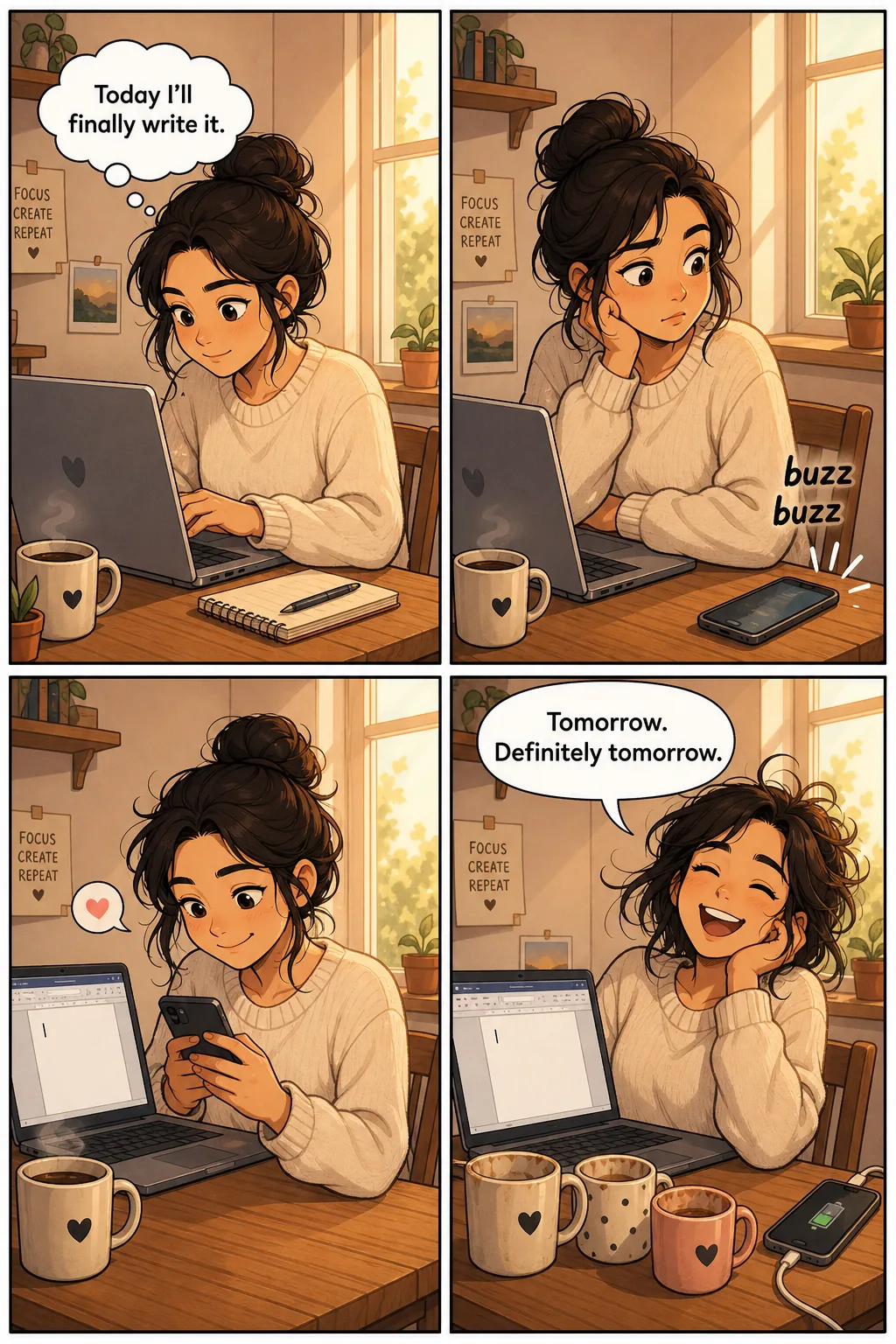
A comic strip maker turns a story idea into a short comic — usually 3 to 6 panels. Modern tools split into two paths: template fillers (Canva, Storyboard That) let you drag-drop art into blank panels; AI generators (TaleAtelier, LlamaGen) generate character-consistent panel art from a text prompt. Free tiers exist across both paths; character consistency is the differentiator.
Try it — no account
Five steps — style, length, language, cast, story — and you get your cover and first page free, generated from your own story. No sign-up, no card. Continuing the comic needs an account. Generation takes about 2-3 minutes.
Two ways to make a comic strip in 2026
Both paths produce publishable strips. The choice comes down to whether you want to compose the art yourself or have AI generate it from your text.
Template fillers
Drag-drop editors. You pick a blank template, drop in stock illustrations, your own art, or character library assets. Full manual control over every element.
Best tools: Canva Comic Strips (free tier + Pro $15/mo, 50+ templates), Storyboard That (education-focused character library), Adobe Express, Lywi.
AI generators
Write the story, AI draws the panels. Character consistency across every panel is the core capability — same face in panel 1 and panel 4 without drawing anything yourself.
TaleAtelier is this. Alternatives: LlamaGen (freemium AI comic maker), ComicsMaker.ai (AI-first generator). For text-based conversation with limited image output, ChatGPT/Gemini exist but don't handle multi-panel character consistency well.
The same character in every panel
This is the whole reason to use a generator rather than a template filler. Drag-and-drop tools give you a library of poses for a character someone else drew; a generator draws yours, and the hard part is making it the same person in panel four as in panel one.

How to make a comic strip in TaleAtelier (4 steps)
First strip takes 5–10 minutes end to end. Subsequent strips with the same characters generate faster because the reference is already locked.
- 01
Pick your panel count (3, 4, 6, 9)
Decide the strip shape before writing. Three panels for classic setup-conflict-punchline gags (Peanuts, Garfield). Four panels for modern webcomics with a reaction beat. Six panels for a mini-page. Nine panels for Watchmen-style dense storytelling. Panel count anchors story pacing — pick before you write, don't retrofit later.
- 02
Describe your characters
Write short character profiles — hair, eye color, distinctive clothing, one visual quirk. TaleAtelier turns each into a locked character reference that persists across every panel. Same face in panel 1 and panel 4. For a solo character, one description is enough; for two-hander strips, name both cast members.
- 03
Write the story beats
One panel per visual beat. 'Character A notices something / reacts / A and B interact / punchline lands' becomes four panels. Include dialogue in quotes; it routes to baked-in speech bubbles automatically. Keep beats visual — 'character thinks about the past' isn't a panel; 'character stares at old photograph' is.
- 04
Generate and refine
Hit generate. In under a minute you'll have a full strip with your cast, your beats, and dialogue in speech bubbles. Review each panel. Regenerate the specific panel if a face drifts or the joke doesn't land. Export as PNG per panel, single stitched strip, or Instagram-square carousel format.
Panel counts — 1, 3, 4, 6, 9-panel strips explained
Panel count anchors story pacing. Pick before you write. A 3-panel gag stretched to 6 loses its punchline; a 9-panel story crammed into 3 loses its complexity.
| Panel count | Best for | Canonical example | Sizing |
|---|---|---|---|
| 1 panel | Editorial cartoons, single-frame gags, splash reveals | New Yorker cartoons, editorial strips | US Letter square or 1080×1080 Instagram |
| 3 panels | Classic setup-conflict-punchline gag rhythm | Peanuts (Schulz), Garfield (Davis), Dilbert (Adams) | US Letter landscape (11×8.5") or 1500×500 web tile |
| 4 panels | Modern webcomic standard — adds reaction beat after punchline | Sarah's Scribbles, XKCD (varies), most 2020s webcomics | US Letter portrait (8.5×11") or 1080×1080 Instagram square |
| 5 panels | Extra beat between conflict and resolution | Longer newspaper strips, extended webcomics | US Letter portrait or custom vertical |
| 6 panels | Mini-page format, multi-character scenes, small story arcs | Standard Western comic book page (partial) | Comic book trim 6.625×10.25" or US Letter portrait |
| 9-panel grid | Dense storytelling where uniform rhythm is the point | Watchmen (Moore + Gibbons, 1986-87), From Hell (Moore + Campbell) | Comic book trim 6.625×10.25", each panel ~2×3" before gutters |
The same joke at four lengths
One gag — laundry, cat, defeat — told four ways. Watch what each extra panel buys you: three is the clean setup-conflict-punchline; four adds the reaction beat that makes modern webcomics land; six gives the setup room to breathe; nine slows the whole thing into small quiet moments.
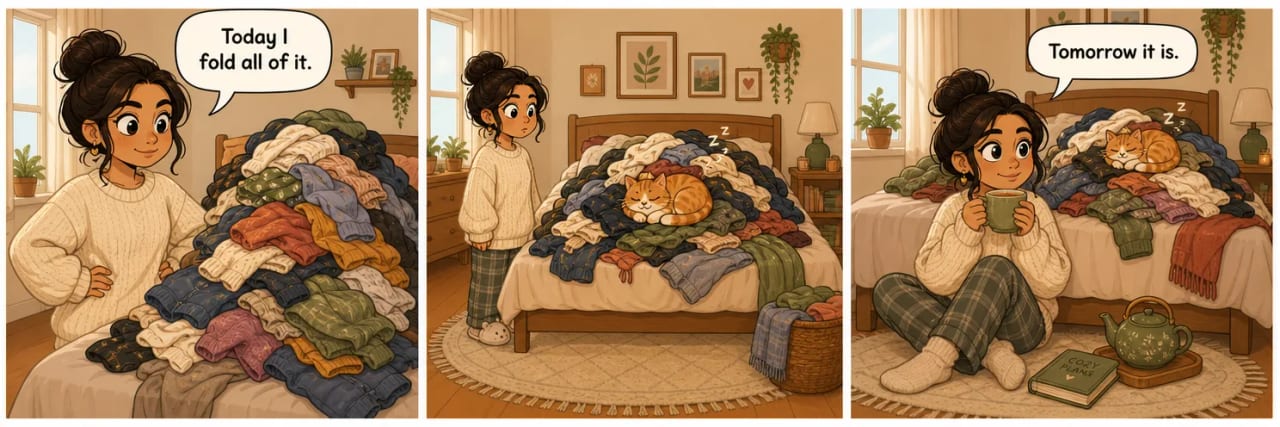
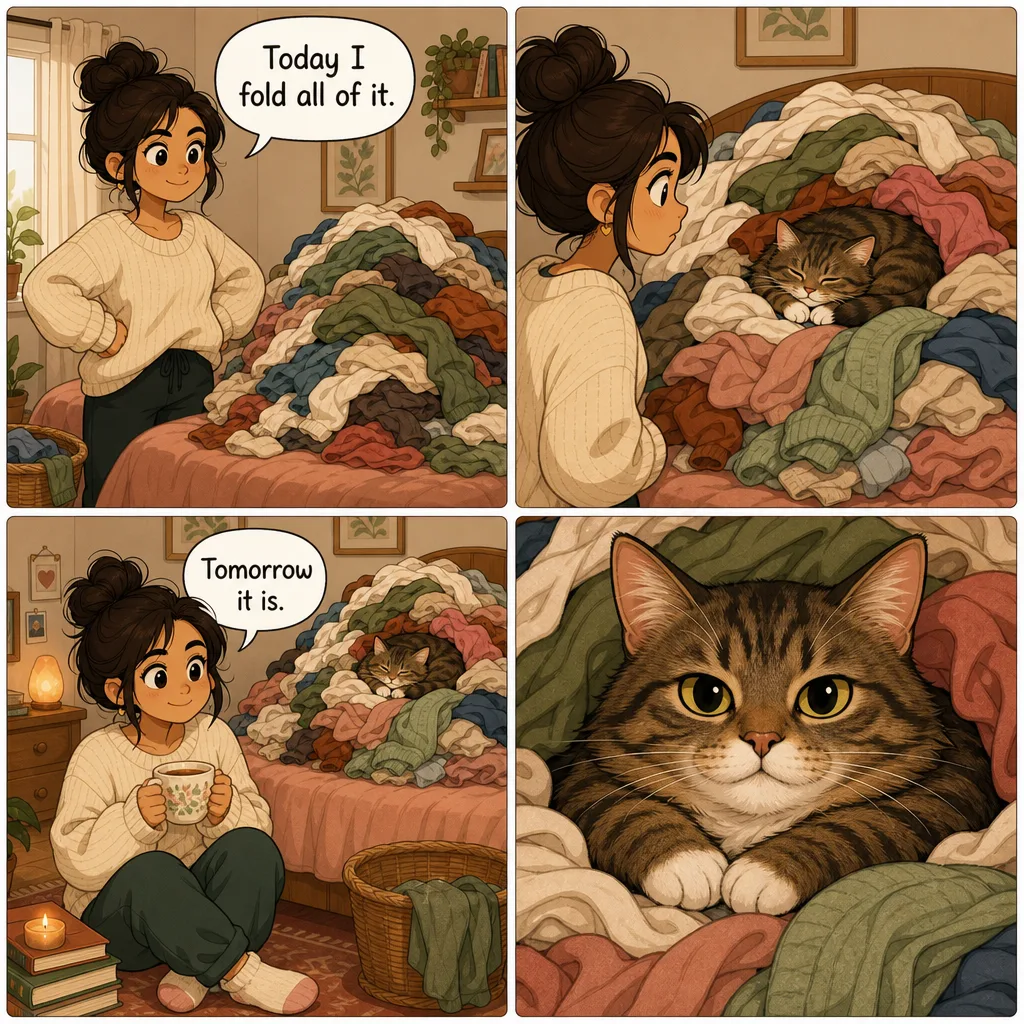
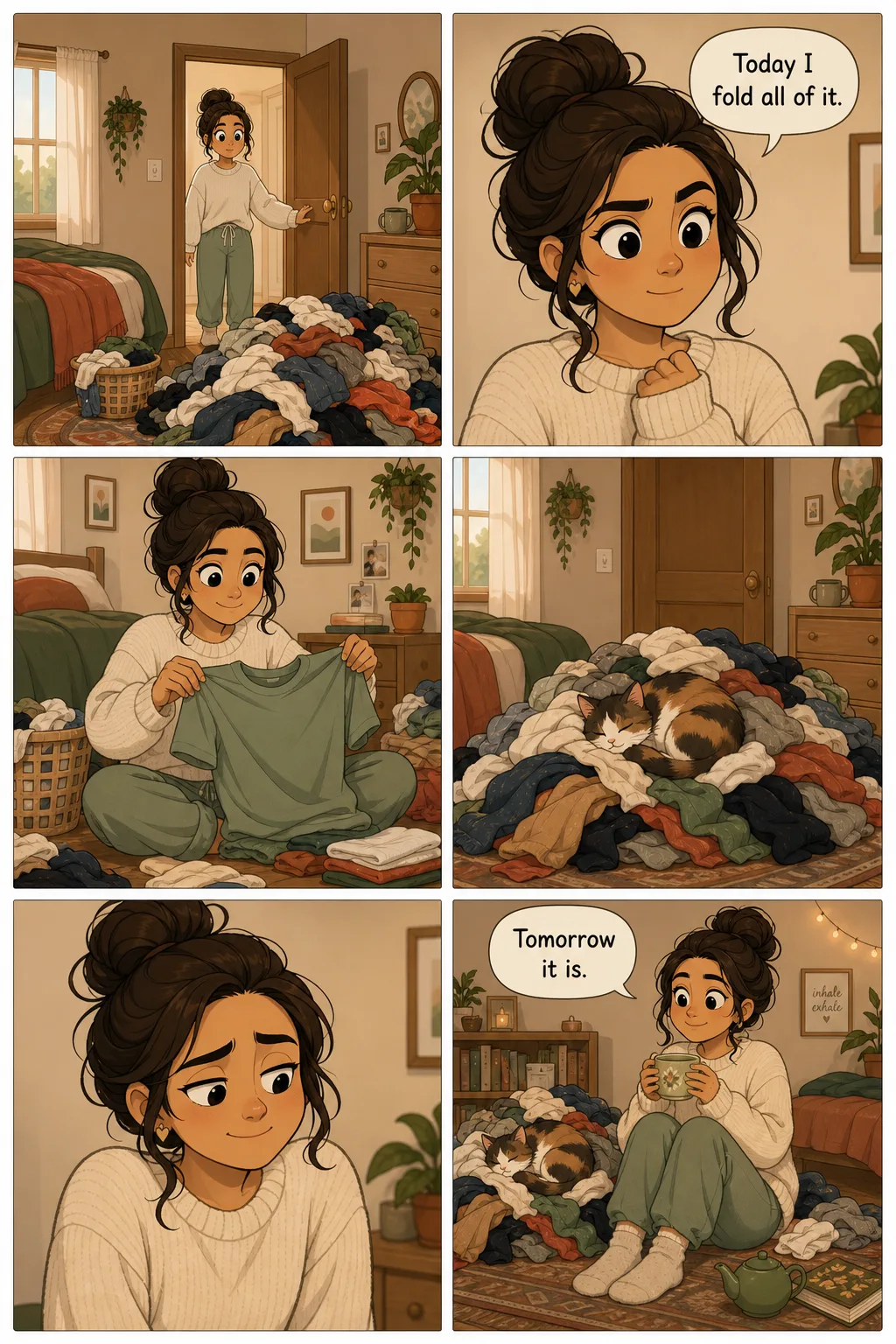
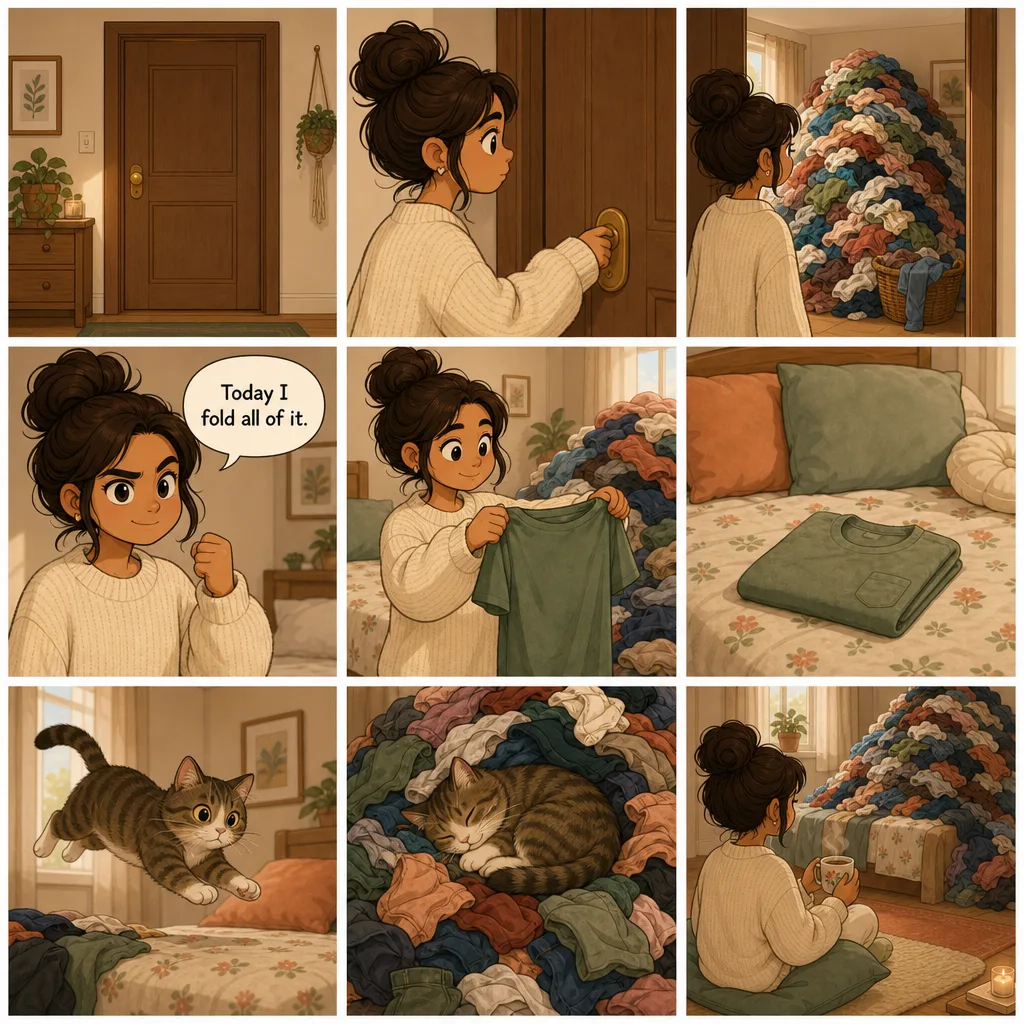
For printable blank panel templates in any of these counts, see comic book templates — free PDFs from Picklebums, Canva, Dad's Worksheets, and more.
Comic strip ideas — 15 story starter prompts
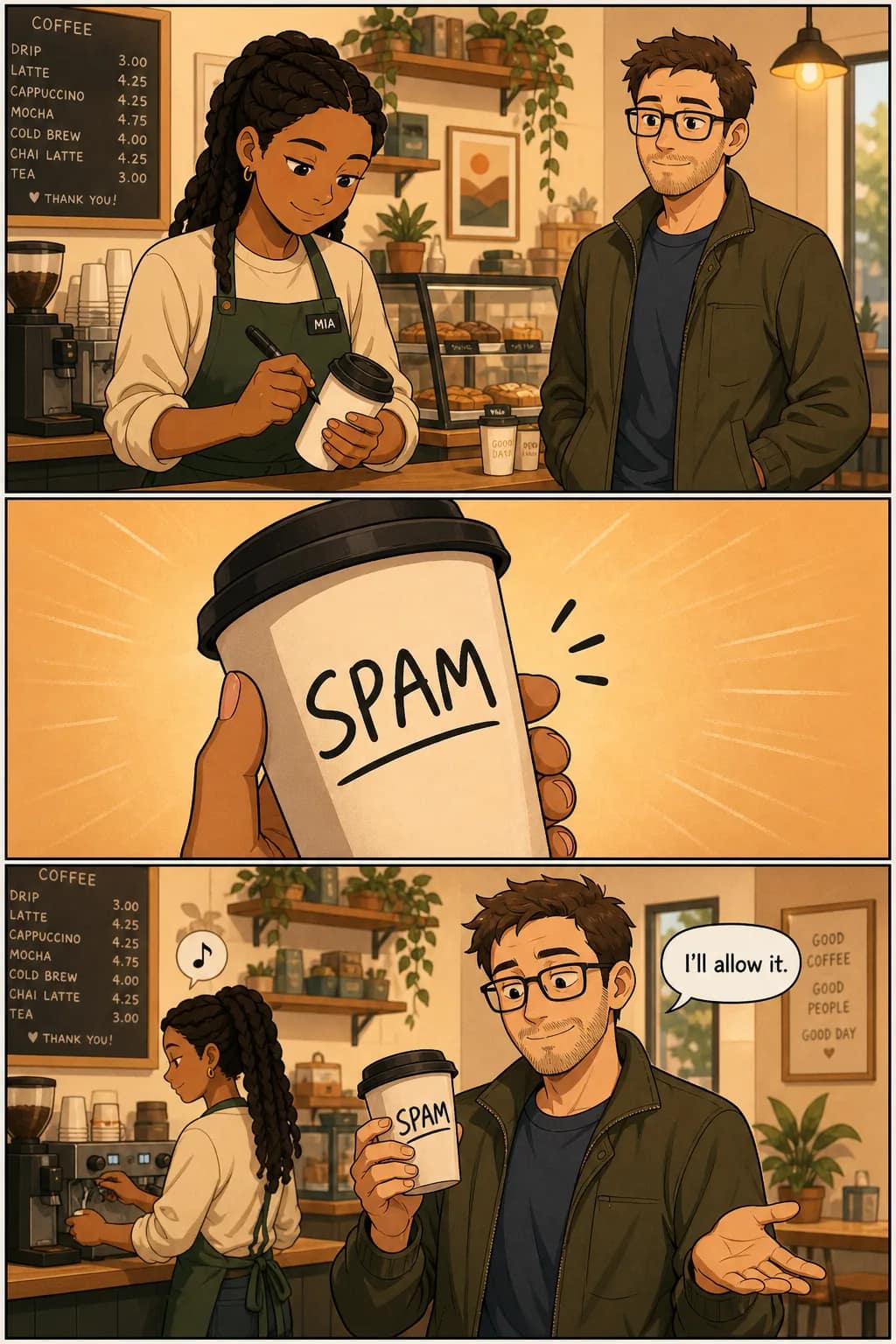
The hardest part of making a strip is often the first idea. Fifteen genre-mixed prompts below. Copy the one that sparks something, paste it into TaleAtelier, generate.
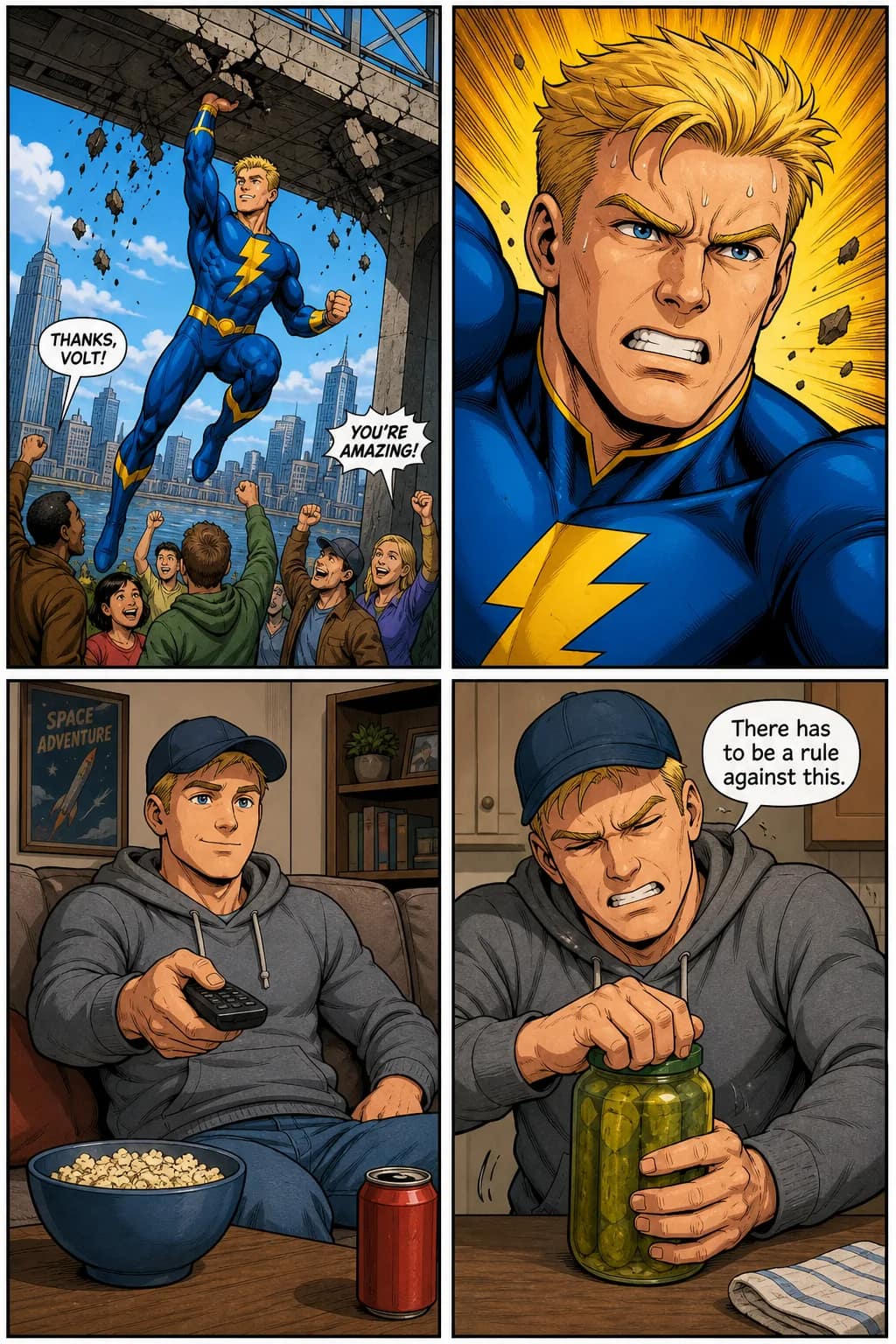
Everyday life
- 13-panel
A barista misreads a customer's name on a coffee cup and the customer decides to just go with it.
- 24-panel
Someone waits at a crosswalk. A stranger arrives. They exchange one word. The light turns.
- 33-panel
A cat knocks something off a counter. Owner sighs. Cat is unrepentant.
- 44-panel
First day at a new job — protagonist can't figure out the coffee machine, someone helps, they become friends by panel 4.
- 56-panel
A moving day gone wrong — box breaks, chaos ensues, roommates bond over pizza on the floor.
Sci-fi and fantasy
- 63-panel
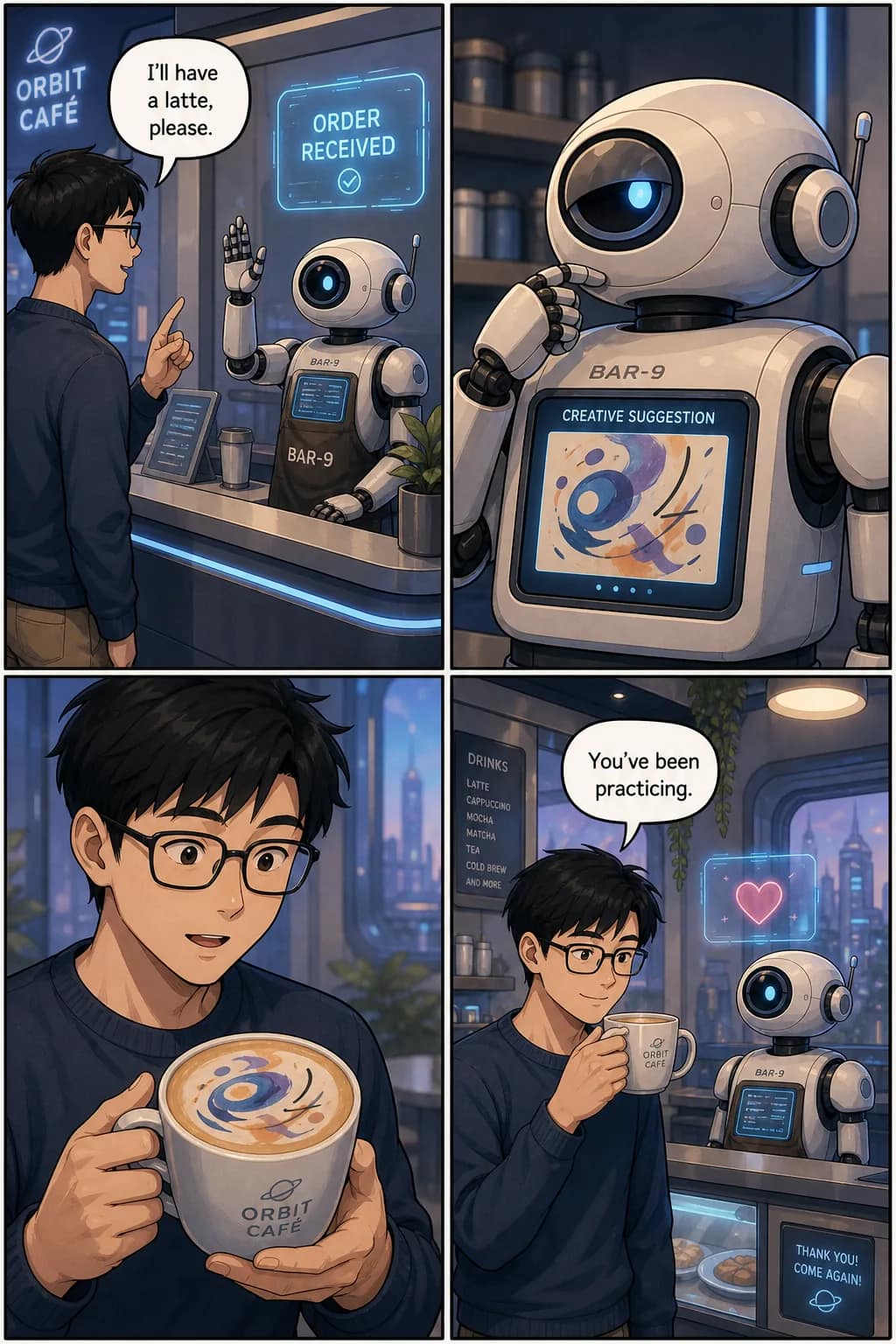
A robot barista serves the wrong drink. A human customer is horrified. The robot has become an artist.
- 74-panel
A time traveler arrives too early. Waits. Waits some more. Realizes they got the century wrong.
- 84-panel
A wizard casts their first big spell. Something goes wrong. Something goes right. They can't decide which is worse.
- 96-panel
Two rival dragon riders meet at a mountain pass. Standoff. Weather turns. They cooperate to survive. Uneasy alliance.
- 103-panel
An alien tries to blend in at a birthday party. Gets the cake tradition wrong. Everyone politely pretends nothing happened.
Slice-of-life and gag
- 113-panel
Character A texts Character B a serious question. B replies with a meme. A is not amused.
- 124-panel
A dog notices a squirrel. The dog is on a leash. The squirrel knows this. The dog's day is ruined.
- 133-panel
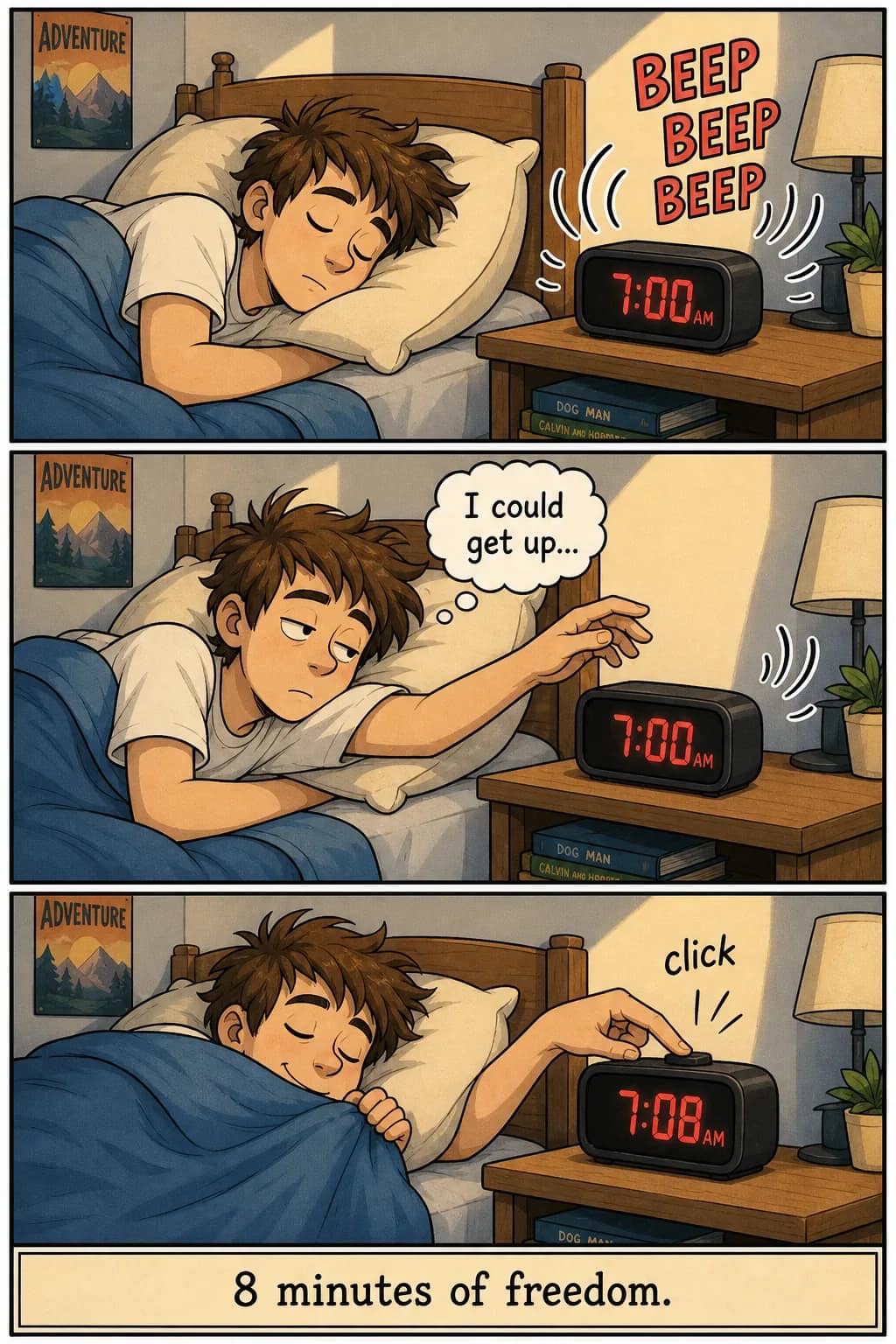
Alarm rings. Character considers getting up. Character does not get up.
- 144-panel
A gym-goer sees their reflection mid-workout, becomes self-aware, tries to look natural, fails spectacularly.
- 156-panel
A cooking attempt goes progressively worse. Smoke alarm goes off. Order takeout. Post the failure online. Go viral.
Copy any prompt above, sign up (free account), paste it, and generate. Adjust the character descriptions to make it yours.
How to write a comic strip — script and dialogue
Setup-conflict-punchline (classic 3-panel)
The Peanuts / Garfield / Dilbert structure. Panel 1 establishes the situation. Panel 2 introduces the complication or expectation. Panel 3 delivers the twist, punchline, or reversal. Every panel earns its space; there are no wasted beats. Master this structure before adding complexity.
Setup-build-punchline-reaction (modern 4-panel)
The webcomic standard since the late 2010s. Panel 1 sets the scene. Panel 2 builds tension or expectation. Panel 3 delivers the punchline. Panel 4 shows a reaction — often deadpan, silent, or subverting the punchline. The reaction beat is what separates modern webcomics from newspaper strips.
Writing dialogue for speech bubbles
Include dialogue in quotes in your scene description. 'Character A raises hand and says "wait"' produces a panel where A has their hand raised and a bubble says "wait." Keep dialogue short — bubbles cover artwork, so 4-8 words per bubble is comfortable. Two-line exchanges (A says one line, B replies) work well in single-panel formats.
Prefer to paste an existing script?
For story-to-comic and script-to-comic workflows with long-form paste input, see the text-to-comic page. Three input tiers (prompt, story, script) explained, with honest comparison to ChatGPT and Gemini for text-based comic generation.
AI comic strip generator — how TaleAtelier does it
TaleAtelier reads your text (character descriptions + scene beats + dialogue), extracts each beat as a panel, generates art with your locked character reference applied to every panel, and places dialogue in speech bubbles automatically.
The differentiator is character consistency. Same face, hair, and defining features across every panel of your strip. This is the single hardest problem in AI comic generation and the reason most generic image tools produce inconsistent results across a multi-panel sequence.
Style choices matter. Thirty-six visual styles ship in the tool — superhero (bold ink, primary palette), pop art (Lichtenstein-inspired dots), classic manga (monochrome + screentones), anime (cel-shaded color), noir (high-contrast), plus more. Style is set once per strip. Personalized strips (using your uploaded photo as a character) work in any style.
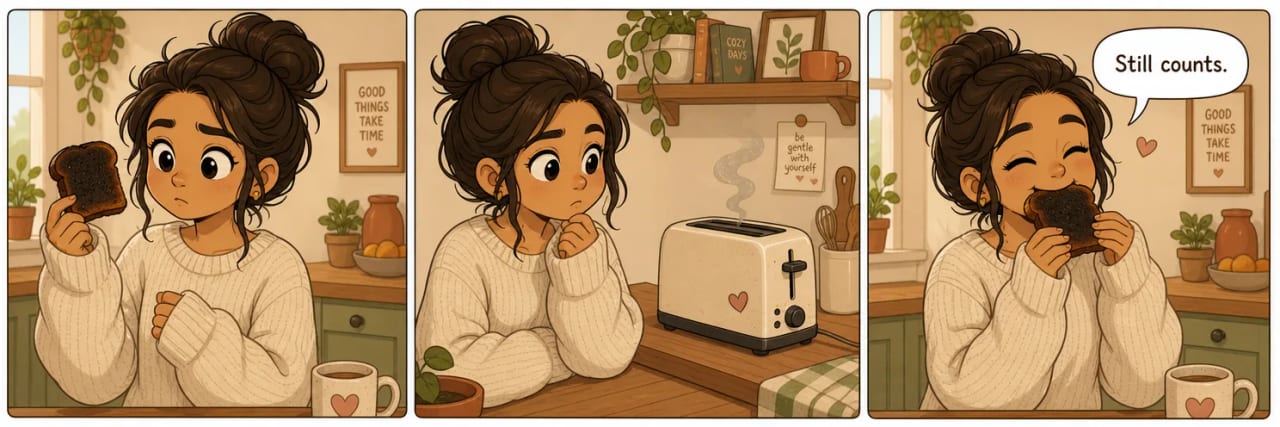
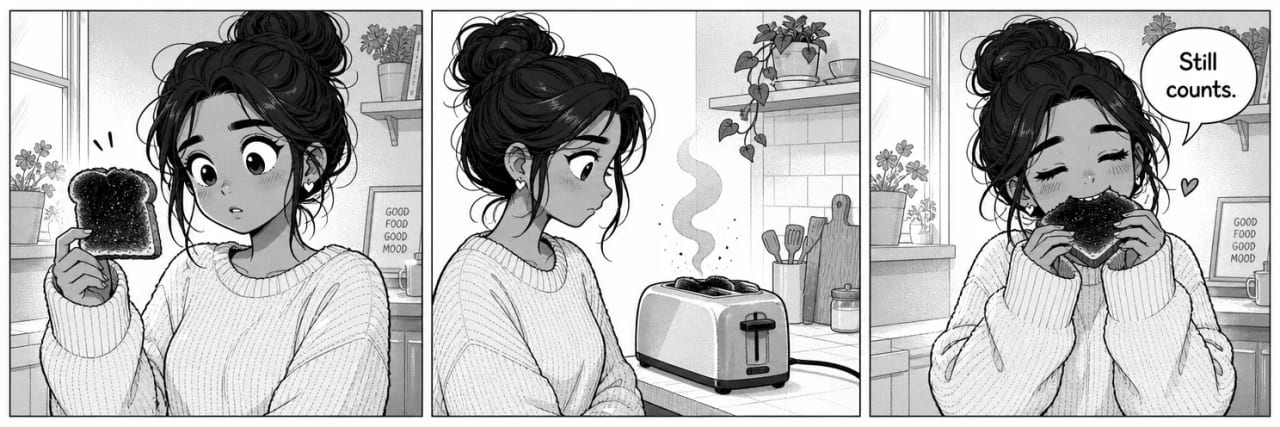
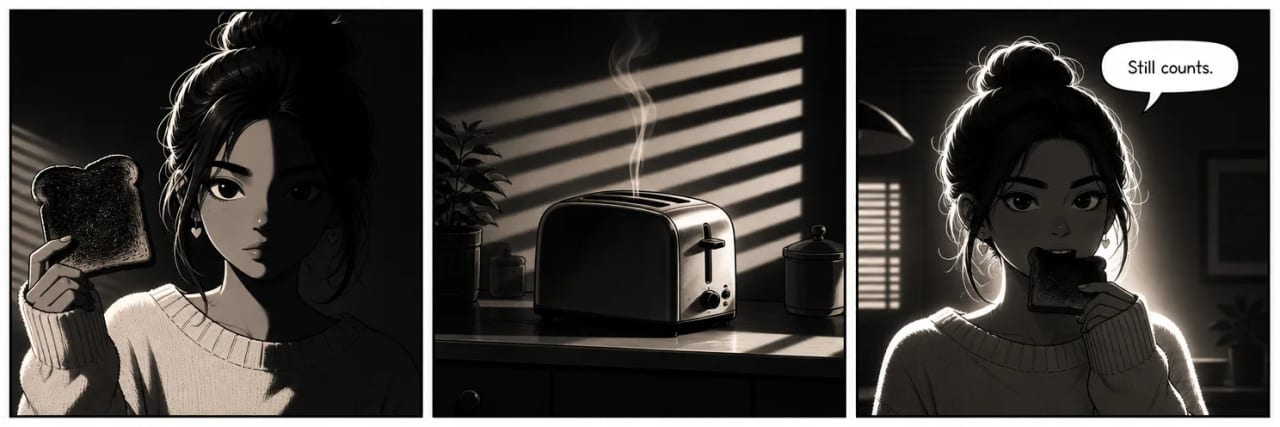
One joke, three styles, the same character. Style is set once per strip and holds across every panel.
For the full technical explanation of character consistency — including honest comparison to Midjourney, Stable Diffusion LoRA, Leonardo, Flux, and DALL-E — see our consistent character AI pillar page.
Comic strip maker comparison
Four tools, honest tradeoffs. All four work; which one fits depends on your use case. Verified against vendor sites .
| Tool | Approach | Character consistency | Free tier | Best for |
|---|---|---|---|---|
| TaleAtelier | AI generates panel art from your text | Yes — locked reference across every panel | Free account; generation from $9.99/mo | Character-consistent strips, story-first creators |
| Canva | Template filler — drag your art or stock into blank panels | Manual — you supply consistent character art | Free tier + Pro at $15/mo | Marketers, designers, brand-standard drag-drop workflow |
| Storyboard That | Educational template with pre-drawn character library | Pick from character library (same characters available) | Limited free; classroom plans from ~$10/mo | Teachers, students, classroom exercises |
| LlamaGen | AI generates panel art from a prompt | AI-managed (varies by session) | Freemium with generation limits | Users trying AI comic strip generation with limited free credits |
None of this is a knock on Canva, Storyboard That, or LlamaGen — all of them are legitimate paths. TaleAtelier is one of the tools compared here and we publish this page, which is worth knowing when you read our row.
Plans and pricing
The preview above is free and needs no account. Generating beyond it runs on a monthly plan — every plan includes character consistency, all thirty-six styles, and all panel counts.
- Starter — $9.99/mo: 2,000 coins per month. Enough for 2–3 short strips per week.
- Plus — $24.99/mo: 7,000 coins per month. Regular strip publishing, multi-character cast work.
- Pro — $59.99/mo: 20,000 coins per month. High-volume creators, weekly serialized strips, studios.
Monthly plans, cancel anytime. See the pricing page for full plan details and one-time coin packs. For a fully free drag-drop template alternative, Canva Comic Strips and Storyboard That's free tier are the honest options.
When another tool fits better
TaleAtelier isn't right for every strip project. Honest routing:
You want blank printable templates to fill by hand or in your own tool. See comic book templates — 3-path guide (printable PDFs, digital editors, AI-fill) with real routing to Picklebums, Canva, Dad's Worksheets, and more.
You want a long-form comic (chapter or book), not a short strip. See AI comic generator for multi-page work, 4-400 page comic books.
You want manga specifically — B&W with screentones, right-to-left reading. See the AI manga generator.
You want to start from a photo of a specific person. Use our photo-to-comic workflow — upload a reference photo (yourself or someone with consent), get a locked character across every strip panel.
You want a vertical-scroll webtoon, not a horizontal strip. See AI webtoon maker (dedicated tool) or the how to make a webtoon guide.
You want a kids-safe drag-drop tool for classroom exercises. Storyboard That is the industry standard for education, structured student workflows, and pre-drawn character libraries. TaleAtelier doesn't age-gate its content generation.
You want a completely free brand-standard drag-drop editor. Canva Comic Strips has 50+ free templates and a robust free tier. Honest routing — that's a different tool for a different use case.
Frequently asked questions
- Is TaleAtelier's comic strip maker free?
- Partly, and it is worth being precise. The preview at the top of this page is free and needs no account — write a few beats, pick a style, and you get a cover and first page back from your own story. Generating beyond that runs on a monthly plan, because each generation costs us real compute: Starter $9.99, Plus $24.99, Pro $59.99. If you want something that stays free indefinitely, a drag-and-drop template filler like Canva Comic Strips or Storyboard That is the better fit — you place pre-drawn art rather than generating your own.
- How many panels should my comic strip have?
- Three panels for classic gags (setup-conflict-punchline — Peanuts, Garfield). Four panels for modern webcomics (adds a reaction beat). Six for a mini-page with multiple characters. Nine for Watchmen-style dense storytelling. One-panel for editorial cartoons. Pick based on your story's beat count, not what looks impressive — a 3-panel joke stretched to 6 loses its punchline.
- Do I need to know how to draw?
- No. TaleAtelier's AI generates panel art from your text prompt — you write the scene beats and dialogue, the tool draws the panels with character consistency across every frame. If you already draw, Clip Studio Paint or Procreate gives full manual control. If you don't draw, AI-generated strips are a legitimate publishing path — many indie webcomics now use them.
- Can I turn a photo into a comic strip?
- Yes — upload a reference photo (yourself, a friend, a gift recipient with consent) and TaleAtelier locks that face as your character across every panel of the strip. See our photo-to-comic page for the full flow. This is the highest-fidelity path when the character needs to look like a specific real person.
- What's the difference between a comic strip and a webcomic?
- A comic strip is a short-form comic — usually 3-8 panels, one page or one social tile, complete story or gag in that space. A webcomic is any comic published online — could be strips, could be full graphic novels, could be vertical-scroll webtoons. Most webcomics are strips; not all strips are webcomics (Peanuts started in newspapers). Overlapping terms, not identical.
- Is this a Bitstrips or Toondoo alternative?
- Yes — TaleAtelier fills the gap left by Bitstrips (shut down 2016 after Snap acquisition) and Toondoo (shut down 2019). If you used to make comic strips there, TaleAtelier's AI-first approach is closer to modern generative tools (LlamaGen, ComicsMaker.ai) than to those template-based platforms. For a Storyboard That-style education workflow, Storyboard That is still active.
- Can I make a comic strip on my phone?
- Yes — TaleAtelier runs in any modern mobile browser, no app install needed. Generation happens in the cloud, so phone specs don't matter. Reading the finished strip on mobile is also the primary target: strips export at web-optimized sizes that display well on phones without zooming.
- Can students and teachers use it?
- TaleAtelier isn't specifically age-gated for kids — the tool assumes adult account holders. Teachers using it for classroom exercises should review the terms and consider whether the paid subscription fits their classroom budget. For explicitly education-focused templates and character libraries, Storyboard That is the industry standard for classrooms and offers structured student workflows.
- How does AI generate the comic strip?
- TaleAtelier reads your text (character descriptions + scene beats + dialogue), extracts each beat as a panel, generates art with your locked character reference applied to every panel, and places dialogue in speech bubbles. Character consistency is the hardest problem in AI comics; TaleAtelier solves it with locked references, not per-prompt regeneration. Full technical explanation on the consistent character AI pillar.
- Can I download or print my comic strip?
- Yes. Export options include PNG per panel, single stitched strip (long horizontal or vertical), and Instagram-square carousel format (1080×1080 per panel). For print, US Letter landscape (11×8.5") works for 3-panel strips; US Letter portrait (8.5×11") for 4-6 panel. All exports are unwatermarked on paid plans.
- Can I sell or publish what I make?
- Yes. Under the standard TaleAtelier license, you own the strips you generate and can publish, sell, or monetize them. Details on the terms page. Some publishing platforms (WEBTOON Canvas, Tapas) have specific AI-content disclosure requirements — check the platform's terms before uploading. US Copyright Office guidance from January 2025 requires human authorship contribution for copyright registration; not legal advice.
- What comic strip styles are available?
- Thirty-six visual styles including superhero (bold ink, primary palette), classic manga (black-and-white with screentones), anime (full-color cel shading), noir (high-contrast shadow), cartoon, watercolor, chibi, pixel art, and standard Western comic. Style is set once per strip. See the styles hub for full catalog with previews.
Related tools and guides
Comic book templates — 3-path guide (printable PDFs, digital editors, AI-fill). Six layouts, sizing standards, panel-count guidance.
AI comic generator — long-form comic tool (multi-page, 4-400 page books).
AI manga generator — manga-specific workflow with genre-specific styles.
Photo to comic — start from a photo of yourself or someone else.
Text to comic — three-tier text input (prompt, story, script) with honest ChatGPT/Gemini comparison.
AI webtoon maker — vertical-scroll webtoon episodes for WEBTOON Canvas.
Consistent character AI — pillar page on character consistency, honest 6-tool comparison.
Best free & budget AI comic generators (2026) — 10 tools priced honestly. Comic strips are the cheapest workflow; this listicle covers full-comic budget picks across the market.
How to make a comic — the full comic-making guide (every format). Strip is one format among many; this pillar covers pages, manga, manhwa, webtoon, and graphic novel too.
Make your first comic strip
this week.
Create a free account, pick a story starter, and generate. Monthly plans from $9.99. Cancel anytime.
Start your first stripLast reviewed . Competitor pricing and features were last verified against vendor sites on .