Turn your photo into a
manga character.
Not a one-shot manga filter. A locked character reference from your face — reusable across every panel of a whole comic chapter. Same face, panel 1 to panel 400.
One free portrait, no account. Comics from $9.99/mo.
By the TaleAtelier Editorial Team — last reviewed
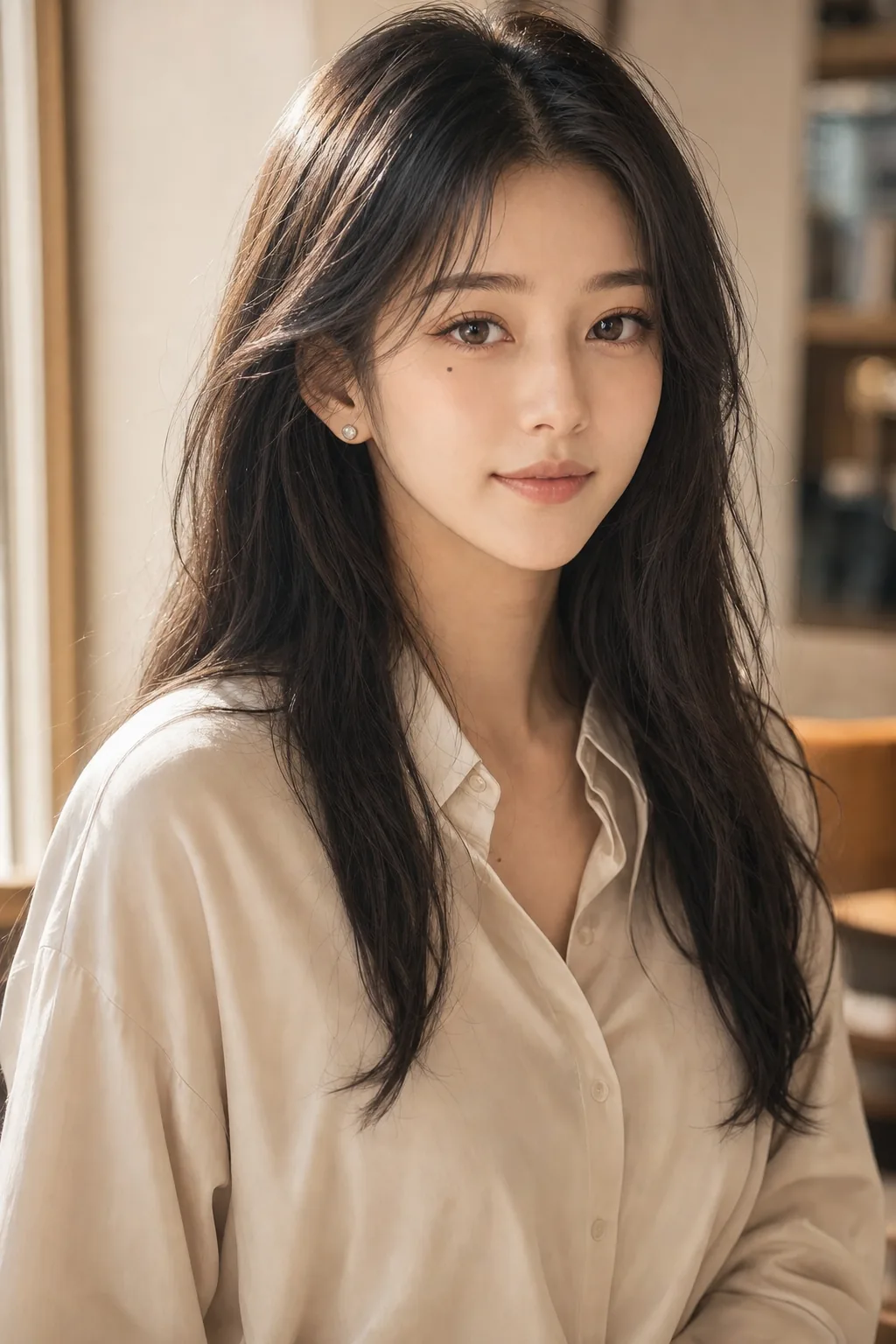
Try it — no account
Five steps — style, length, language, cast, story — and you get your cover and first page free, generated from your own story. No sign-up, no card. Continuing the comic needs an account. Generation takes about 2-3 minutes.
Turn a photo into a manga portrait, or into a whole manga — we do both, and they start from the same place. The portrait is one image in about a minute. The manga turns that same photo into a locked character reference and holds the face across every panel, page one to page four hundred. The portrait above is free and needs no account. Pages are 100 credits each — a 20-page manga is the $9.99 Starter plan.
A portrait or a whole manga — we do both
People arrive at this phrase wanting one of two things, and they are genuinely different jobs. We do both — so the question is not which tool, it is which one you actually want.
A manga portrait — one image
One photo in, one manga image out, in about a minute. Classic manga, shonen, shoujo, seinen, gekiga, manhwa or manhua. Right for a gift, an avatar, or just seeing yourself drawn.
Free. One per account, nothing to cancel. Filter apps like SNOW, YouCam and Fotor do this too, on your phone in seconds — if you want it instantly and do not care about manga specifically, they are faster than we are.
A manga — a character, then a story
The same photo becomes a locked character reference, and that reference is applied to every panel you generate afterwards. Same face on page one and page forty. Four pages or four hundred, out as PDF, CBZ, or a print-ready file.
This is the part no filter does. A filter makes a picture of you; this makes a character who can be in a story. It is what the rest of this page is about.
| Attribute | Filter | Transformation (TaleAtelier) |
|---|---|---|
| What you get | One manga image, about a minute | A character, then as many pages as your story needs |
| Character consistency | Not needed — it is one picture | Same face on every panel of every chapter |
| Length | A single image | 4 to 400 pages |
| Styles | Seven manga-family styles | Eight manga-family styles, or any of thirty-six |
| Best for | A profile picture, a gift, a one-off post | A story with recurring characters |
| You get it as | One ~2K image | PNG and JPEG pages, or PDF, CBZ and KDP-ready files |
| Cost | Free — one per account | 100 credits a page; 20 pages is the $9.99 Starter plan |
Both start from the same photo and the same character reference, so you are never choosing one at the expense of the other — the portrait is simply where a manga starts, and you can stop there.
What you get that a filter can't
Every tool in this category can make one photo look like manga. Here is what happens after that — each one shown rather than asserted.
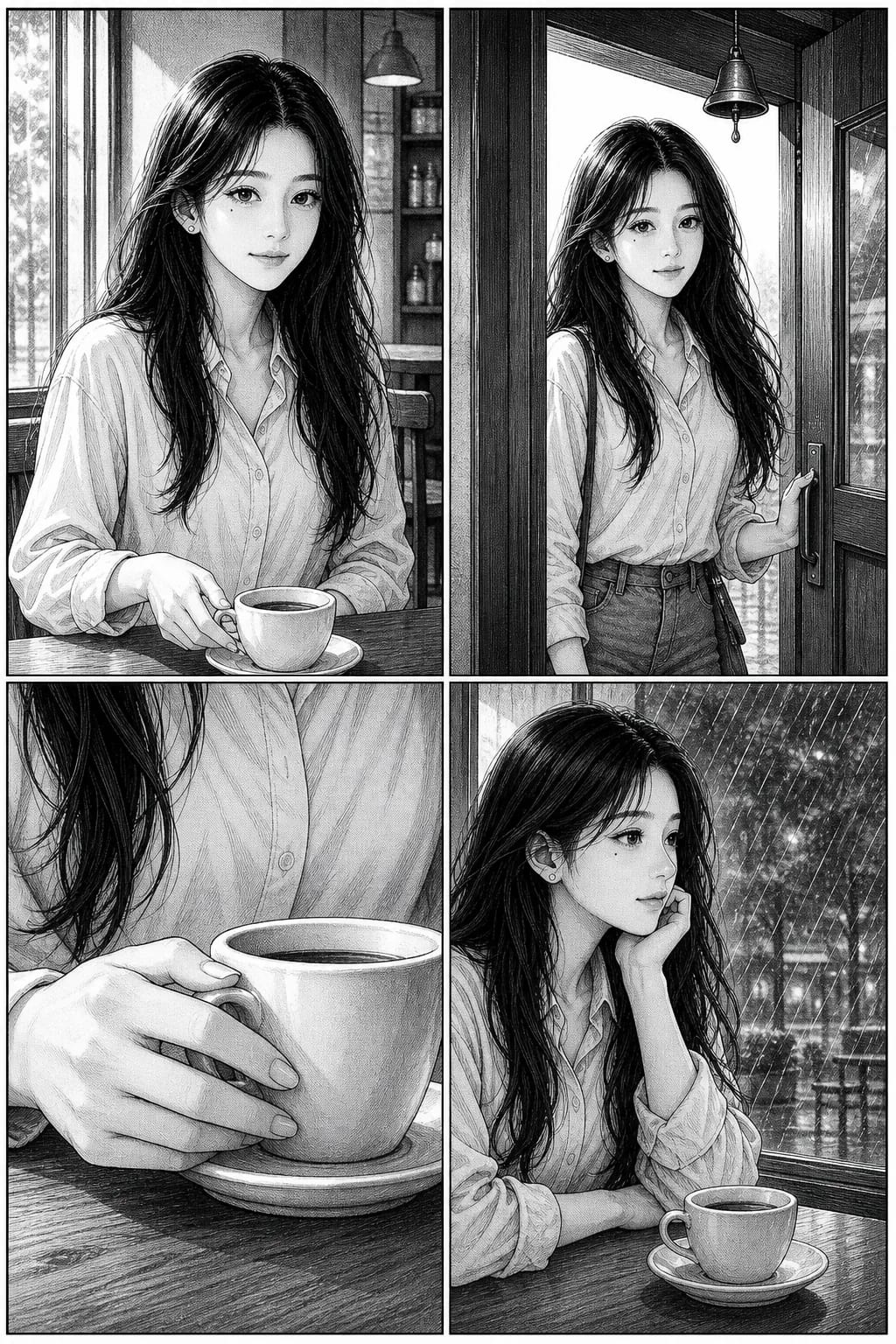
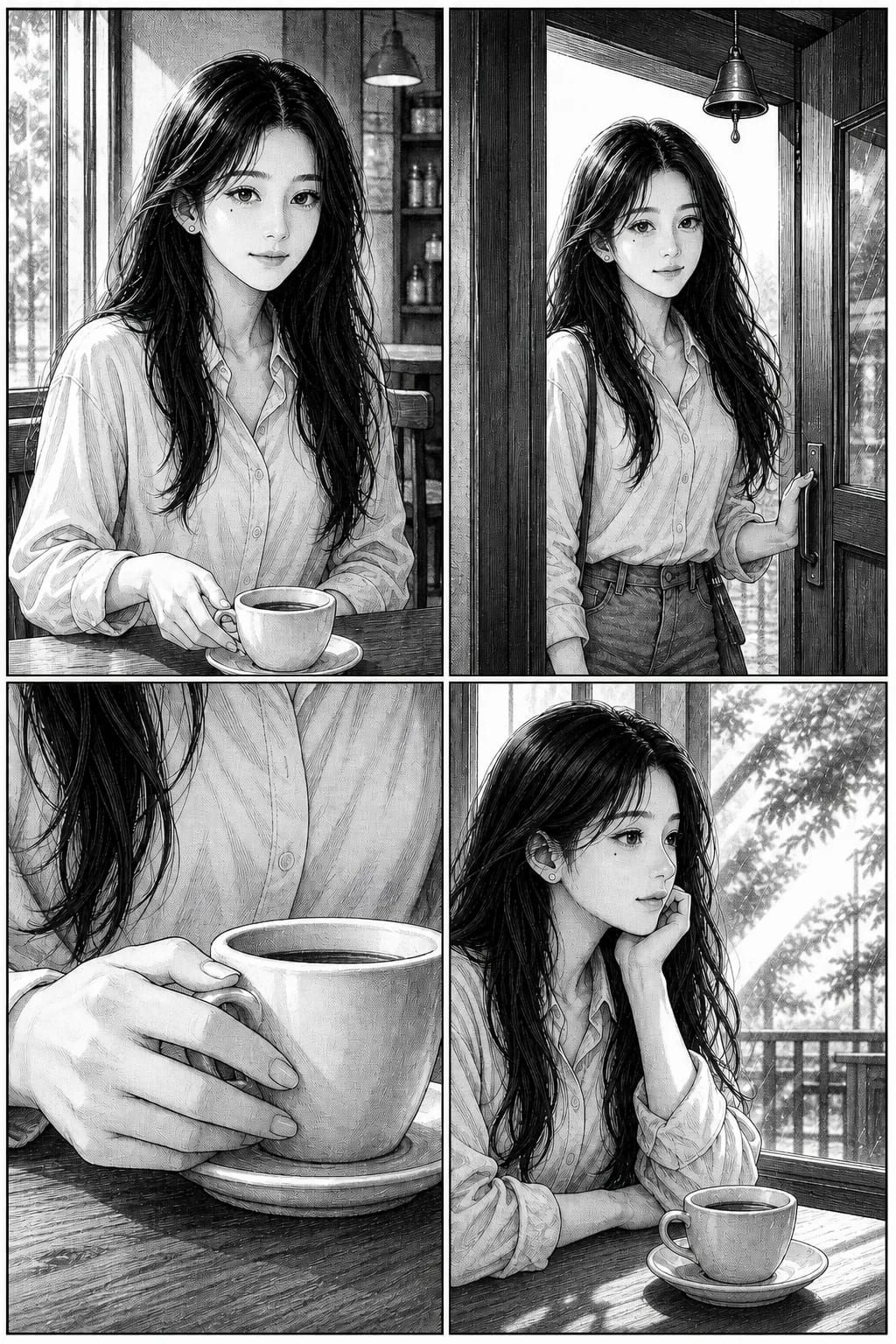
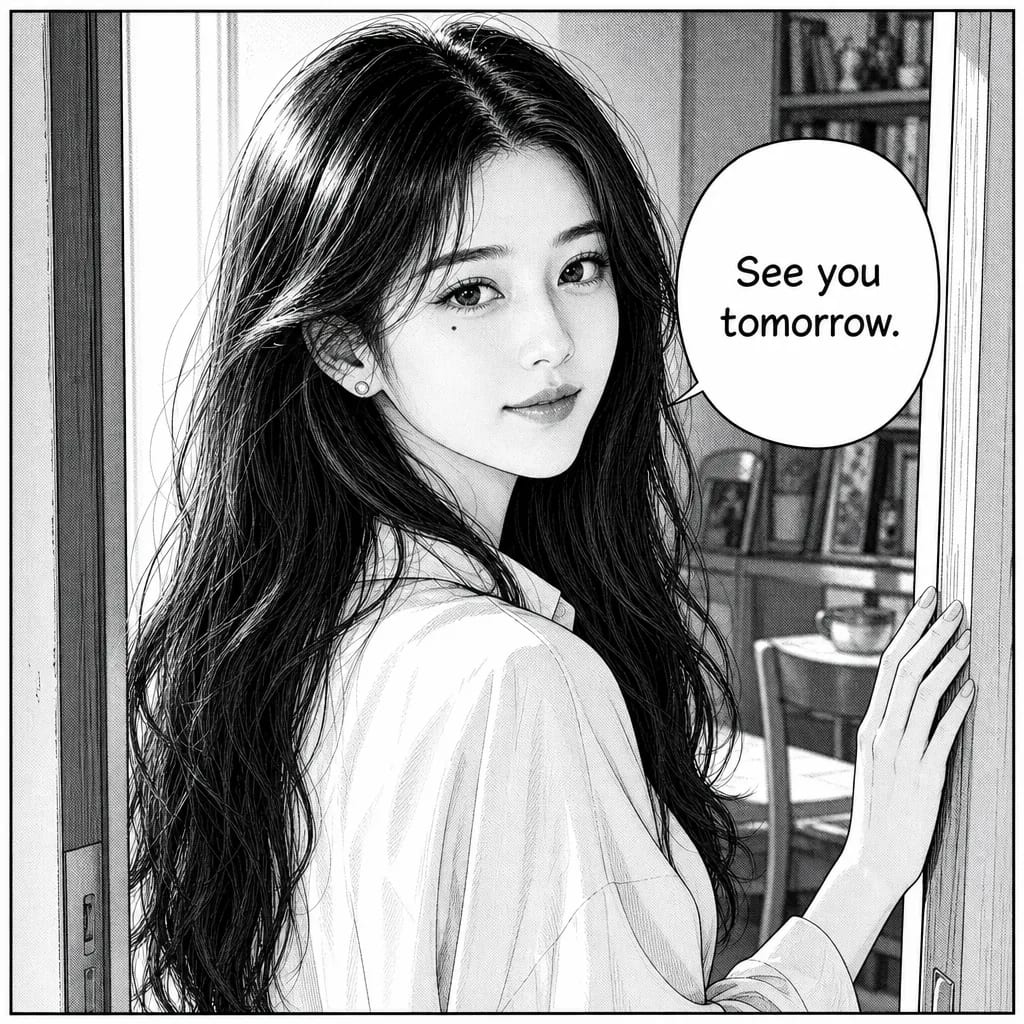
The same face, forty pages apart
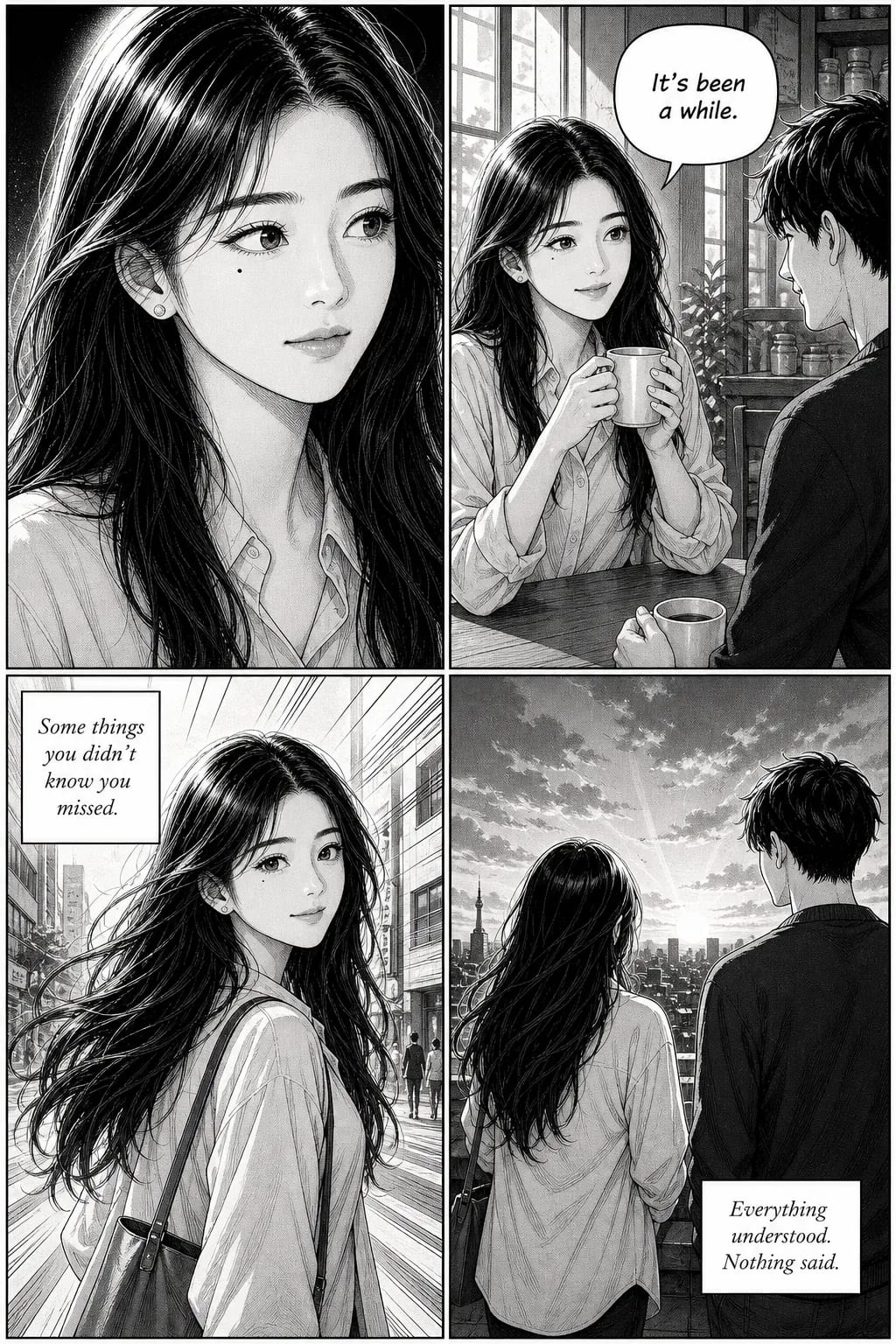
A filter generates a fresh face every time you run it. Over a chapter that drift compounds until the character is somebody else. Your photo becomes a locked reference instead, applied to every panel.
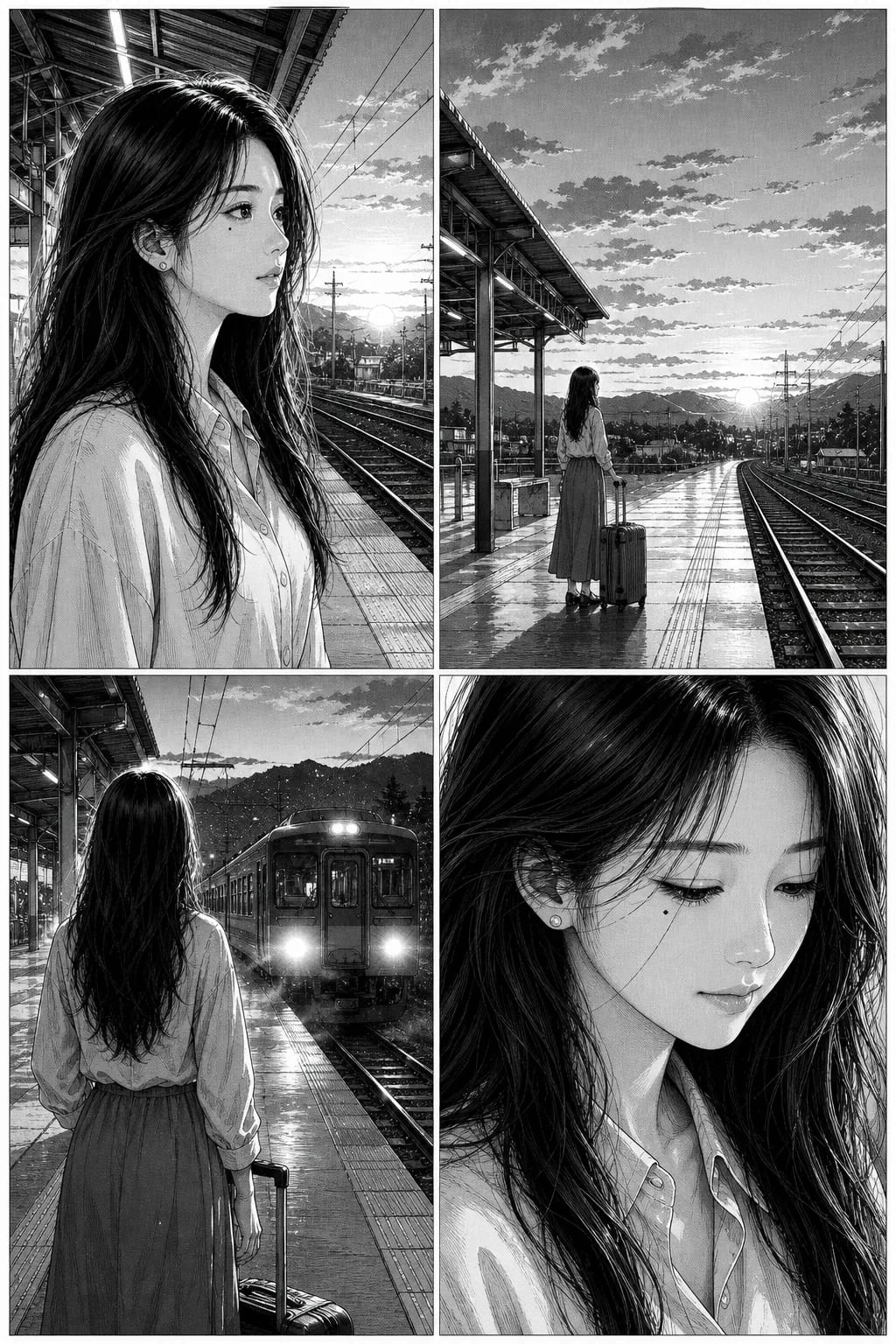
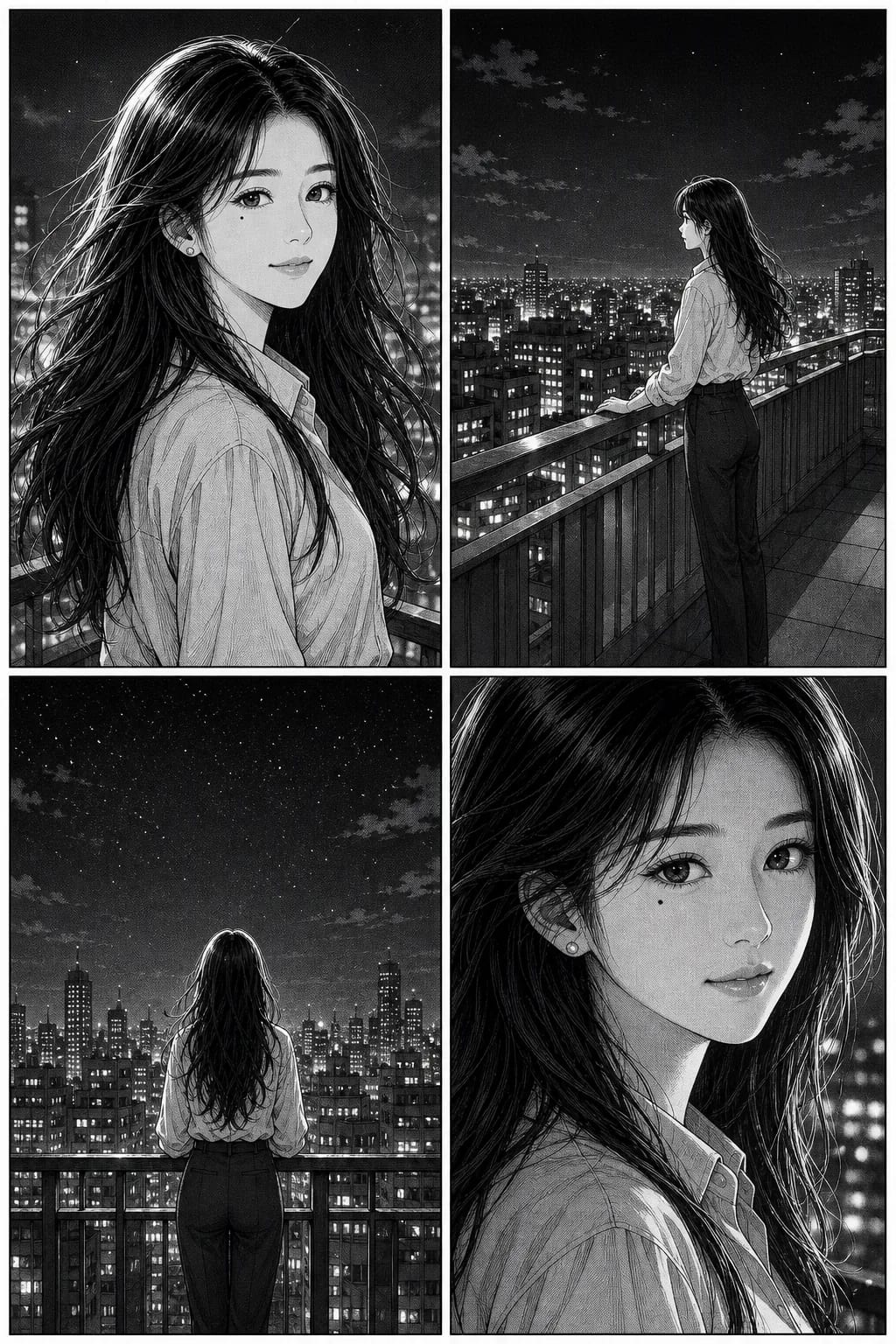
One uploaded photo, one character reference, no manual correction between them.
Both are complete pages, four panels each — eight separate drawings of the same face, generated independently. Consistency is the hardest problem in AI comics, and most tools do not solve it — a generic image model redraws the face every run, and over forty panels the drift compounds into a different person. For the technical version, including an honest comparison with Midjourney's character reference, Stable Diffusion LoRA, Leonardo and DALL·E, see the consistent character AI pillar.
Redo one panel, keep the rest
Something not landing? Regenerate that panel alone and the rest of the page survives untouched. The usual alternative is rerunning the whole page and losing the three panels that already worked.
Pick the story up later
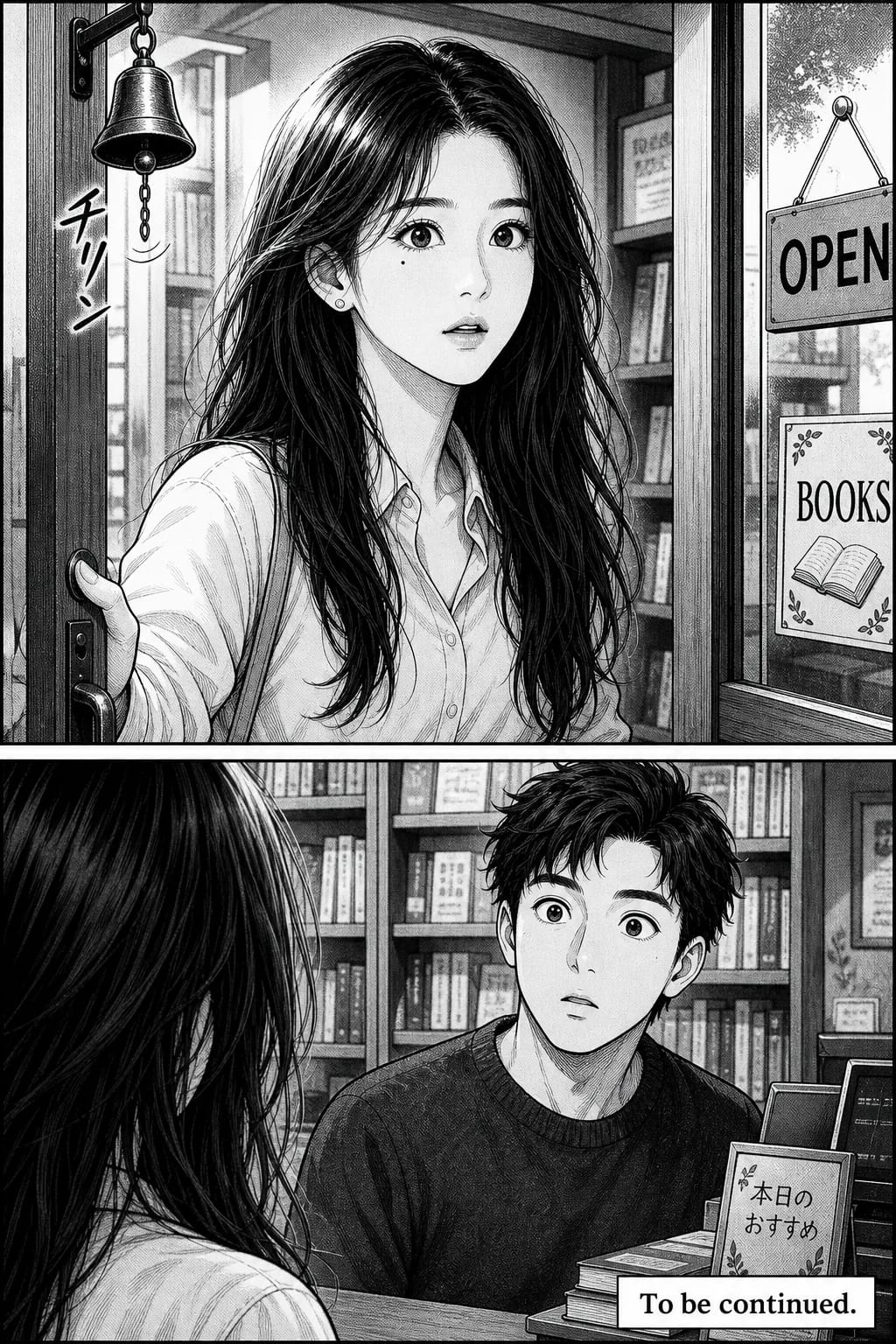
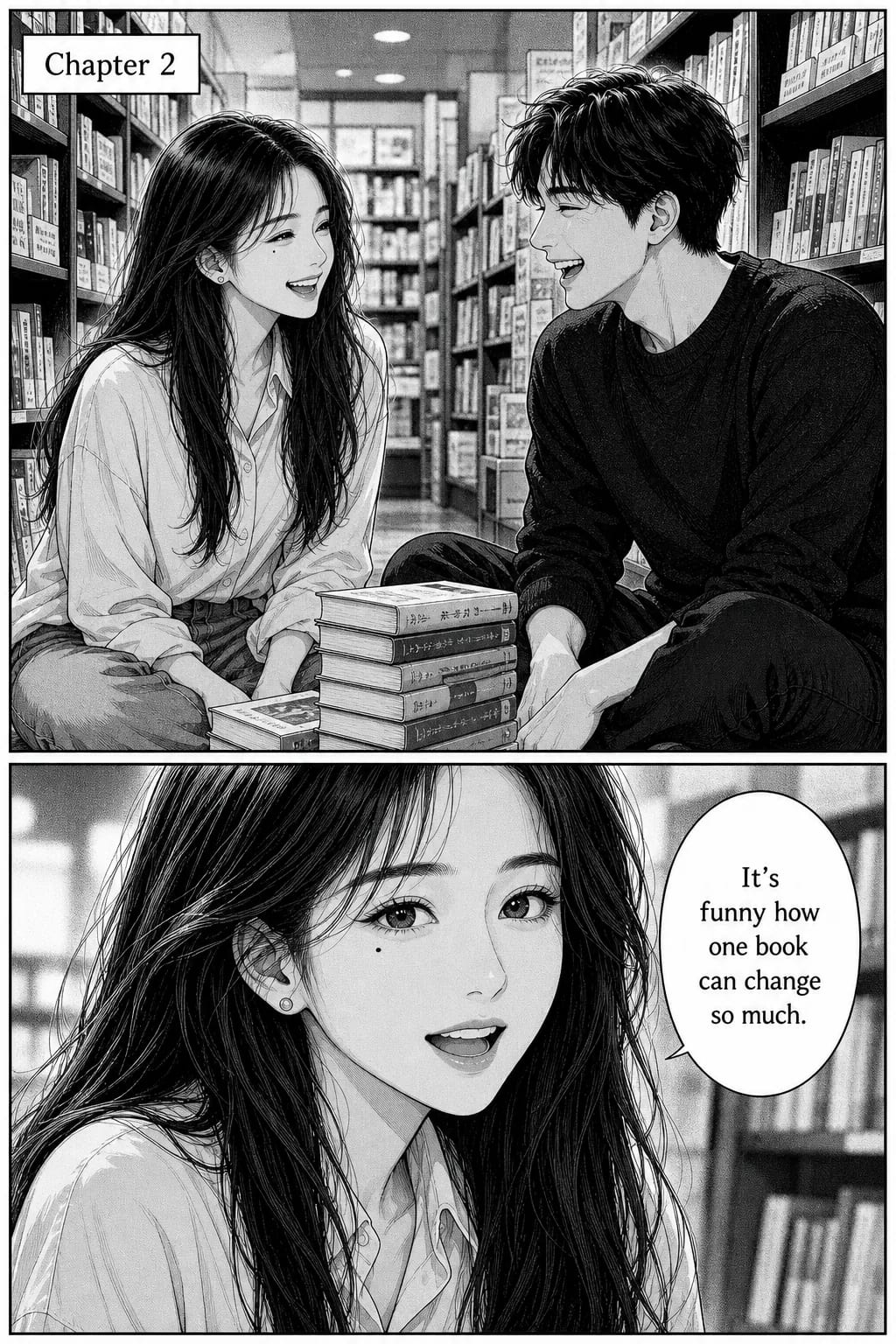
The cast persists between sessions. Come back next week and chapter two has the same faces as chapter one, without re-uploading anything or re-describing anyone.
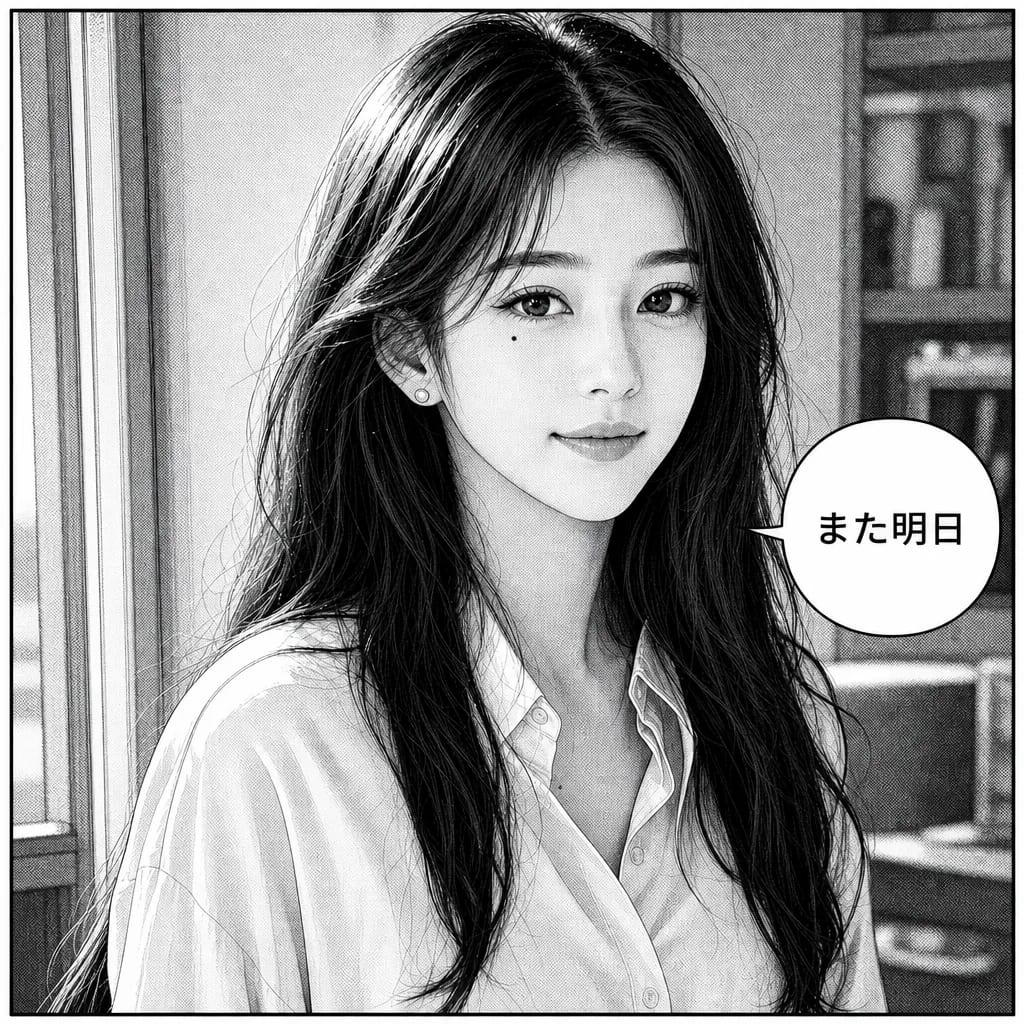
Lettered in your language
Dialogue is set into the bubbles at generation time, not pasted on afterwards, so the lettering fits the art in every language the tool supports.
Out as a book, not a JPEG
Finished pages export to PDF, CBZ, or a Kindle Direct Publishing-ready file — the formats a printer or a store actually takes. A filter gives you an image; this gives you something you can publish.
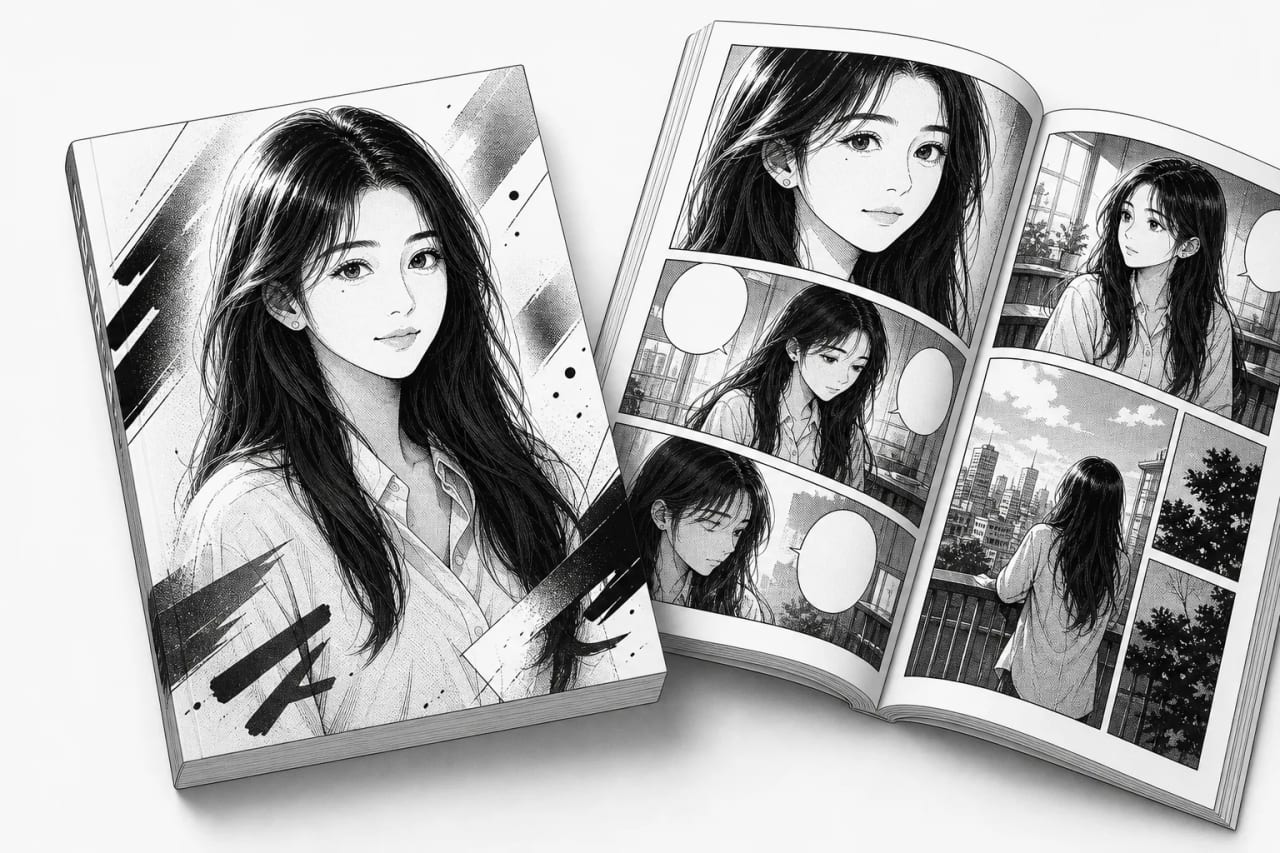
Every image in this section is real output from the tool, generated from the single reference photo at the top of this page — not stock art, not hand-retouched.
How photo to manga works in TaleAtelier (4 steps)
Setup takes 5-10 minutes the first time. Generating actual comic panels from the locked character reference is 1-3 minutes per scene after that.
- 01
Upload a clear reference photo
One high-quality photo beats five mediocre ones. Front-facing, well-lit, unobstructed face. TaleAtelier uses this photo to generate a character reference — a stored representation of the face, hair, and defining features. See the photo requirements section below for what works and what doesn't.
- 02
Confirm the character reference
Review the generated character reference before writing your story. This is the fingerprint the tool will apply to every panel. If it doesn't look right, refine — add or adjust description (hair color, distinctive clothing, one visual quirk) or upload a better photo. Locking a good reference early saves regeneration work later.
- 03
Write your first scene
Describe what happens in plain English. 'Mira walks into the classroom, sees the note on her desk, expression tightens' becomes three panels. Include dialogue in quotes; TaleAtelier places it into speech bubbles. Every panel with your named character pulls from the locked reference automatically.
- 04
Generate and refine
Generate the page. Same character, same face across every panel. If one panel drifts, regenerate that single panel — the character reference stays locked. Export as PNG per panel or a full stitched page. Reuse the same character across multiple chapters by referencing it by name.
Photo requirements — good photo vs bad photo
Any ordinary colour photo works — a phone snapshot is fine, and nothing about it needs to look like manga. What matters is how much of your face the photo actually shows, because that is all the drawing has to go on. Two minutes picking the right photo saves an hour of regenerating.
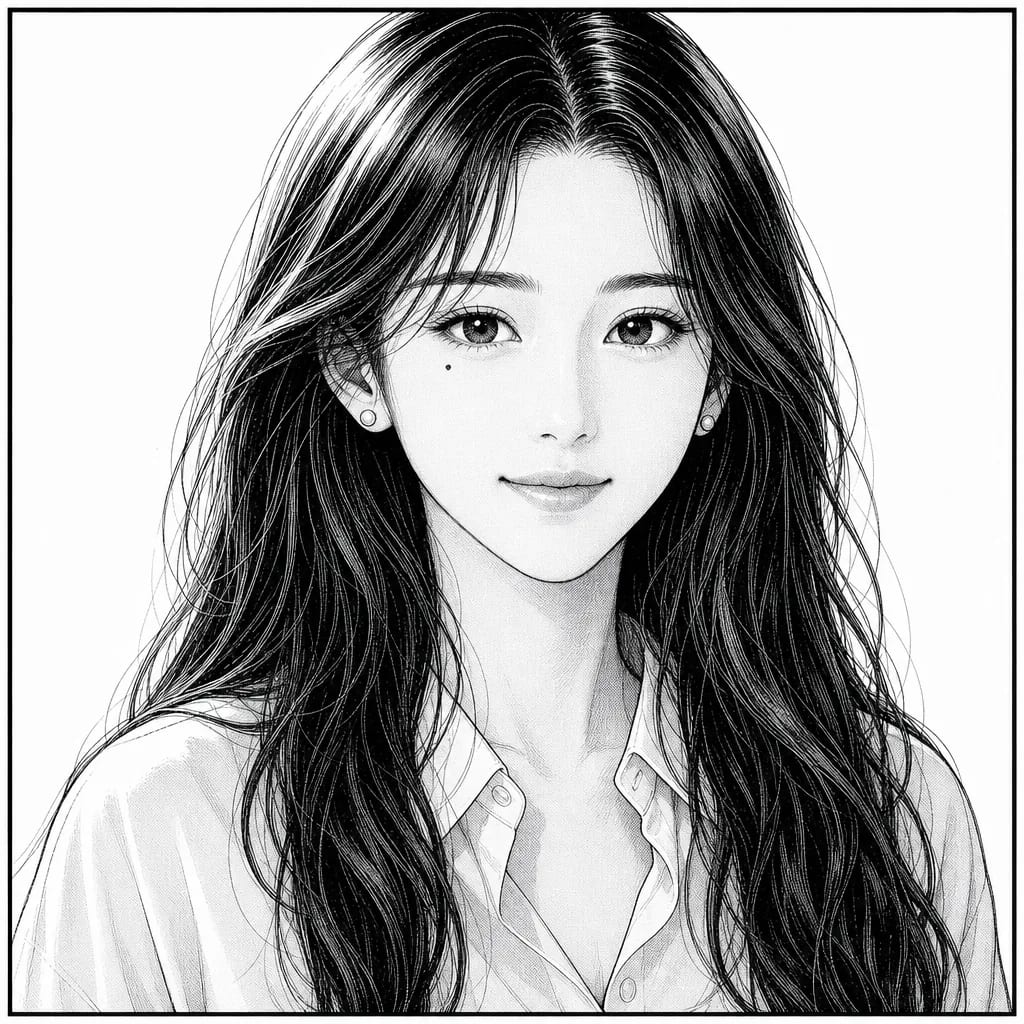
Front-facing, evenly lit, nothing covering the face. Every feature the drawing needs is visible in the photo, so the character comes back looking specifically like her — mole, jawline, hairline and all.
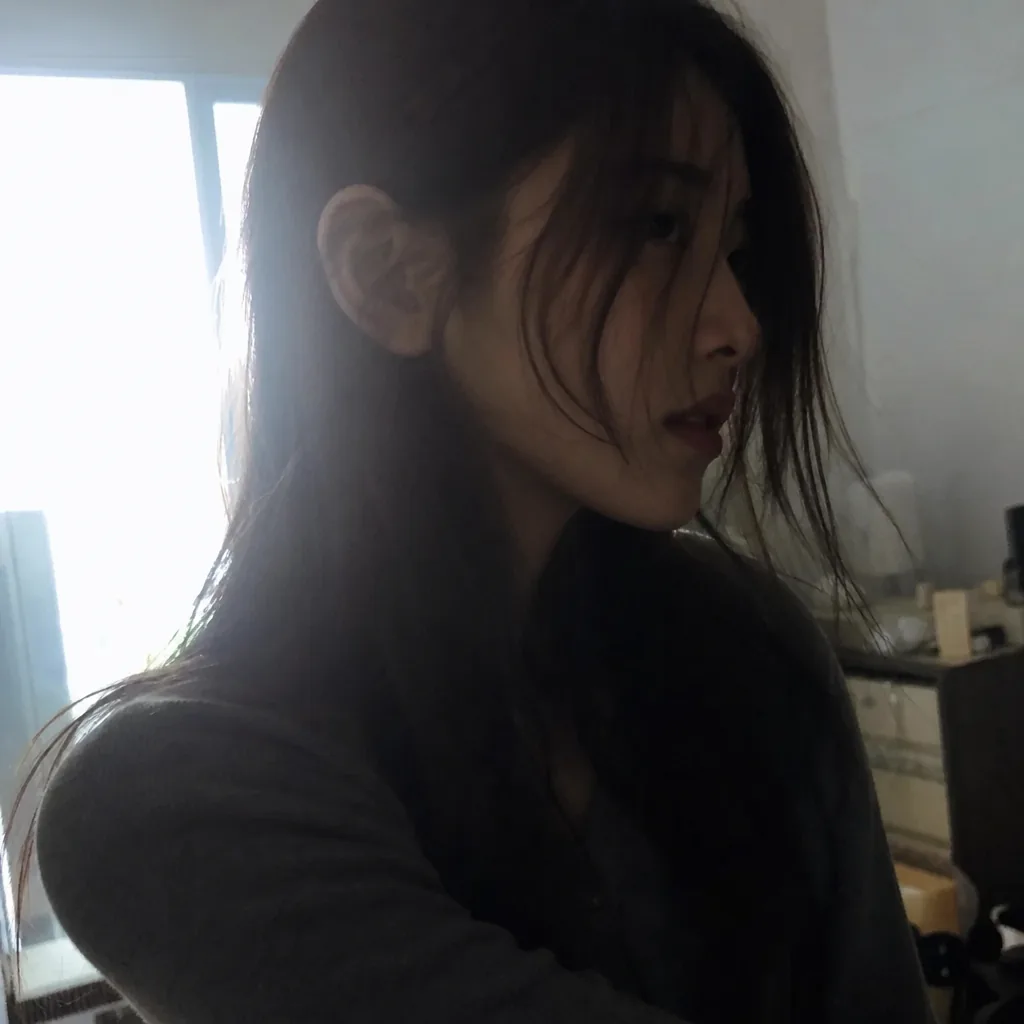
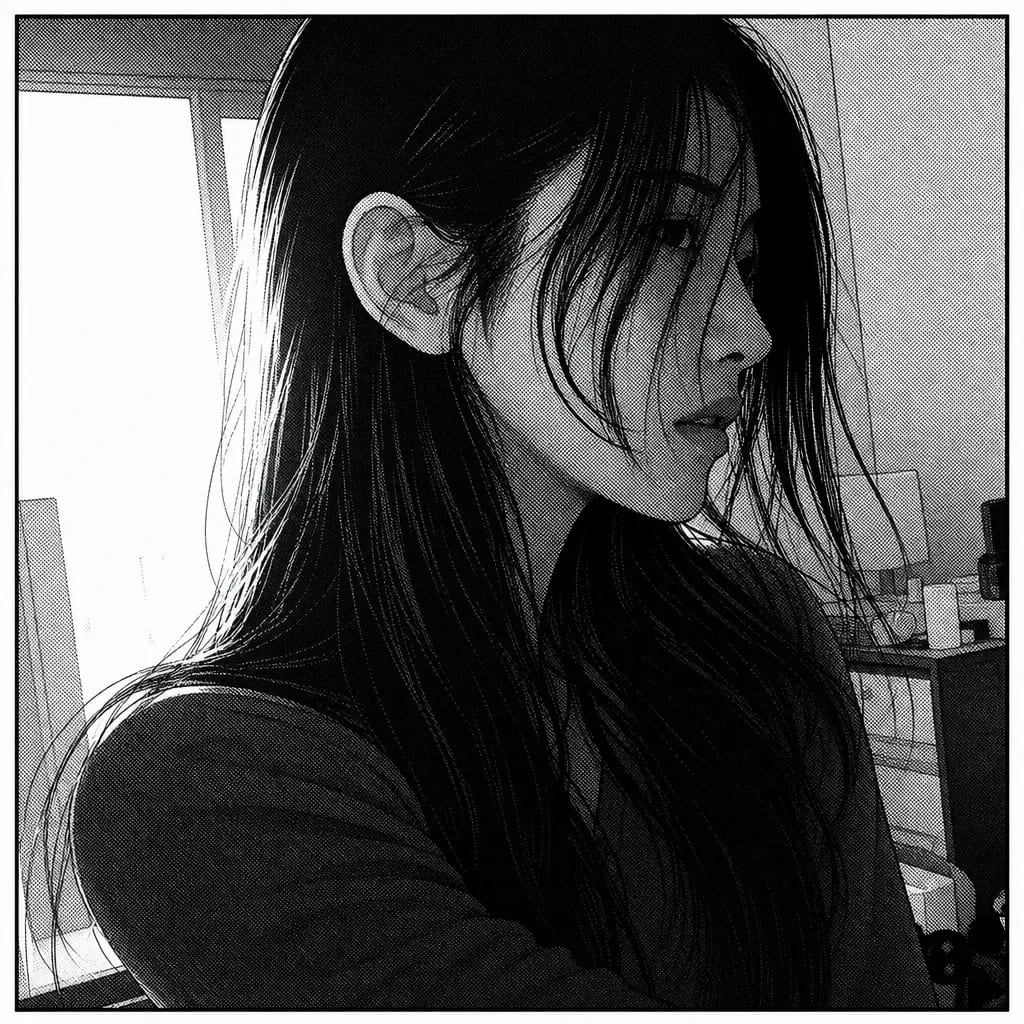
Turned away, half in shadow, hair across the face, slightly soft. There is not enough of her in the photo to draw from, so the result is a competent manga face that could be anyone. This is what people mean when they say it doesn't look like them.
- →Front-facing face, unobstructed
- →Even lighting across the face
- →Neutral or slightly smiling expression
- →One person clearly in focus
- →Sharp, in-focus, high-resolution
- →Recognizable facial features visible
- →Extreme angles (looking up or sideways)
- →Heavy shadows across half the face
- →Sunglasses, masks, or face coverings
- →Group photos where face is small
- →Blurry or low-resolution
- →Filters already applied (Snapchat / TikTok effects)
Multi-character photos and group shots. If you want multiple characters from a group photo, upload each face as a separate reference — one photo per character. TaleAtelier stores up to 6 character references per story, which is plenty for a full ensemble cast.
Don't apply filters before uploading. SNAP, TikTok, Instagram filters, and beauty-mode edits distort the underlying face data the reference-generation depends on. Raw photos always work better.
The manga styles — manga, shonen, shojo, seinen and more
Manga's defining property is that it is drawn for black-and-white print: line weight and screentone do the work colour does elsewhere. Each of these is a preset you pick by name, not a prompt you have to word carefully. The character reference stays constant across all four below — one scene, one face, four registers, so the only thing changing is the drawing.
Two more sit alongside them. Gekiga is the postwar dramatic tradition — crosshatching layered over tone, un-idealised adult faces, light from a source in the room. Slice of life is the iyashikei register, where contrast drops and the setting carries the feeling instead of the face. Neither is rendered in the set below yet; both are in the style browser.
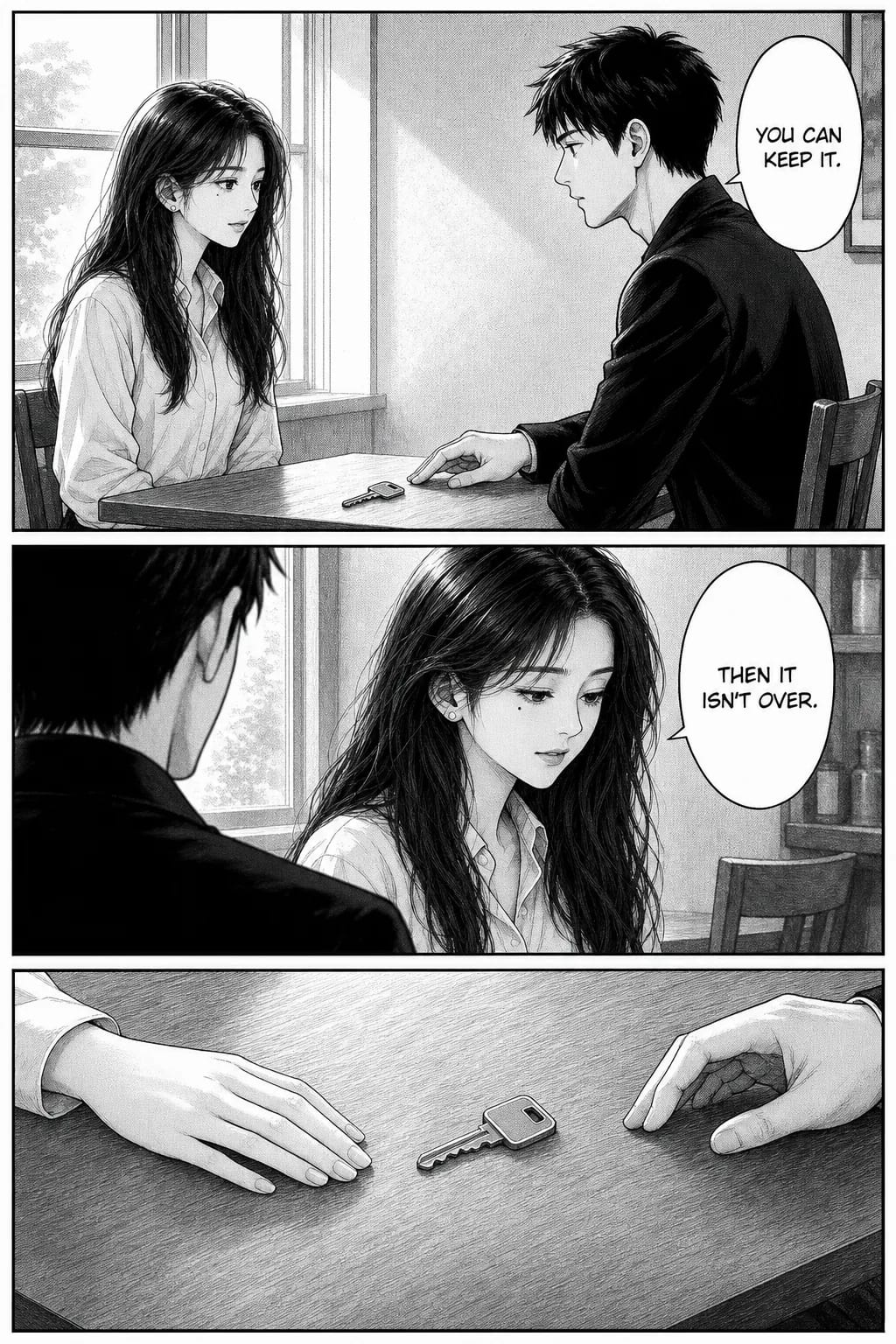
Manga
Moderate G-pen weight variation, mid-density screentone used with restraint, black held back for hair mass. The tradition-neutral preset — at home in drama, comedy, romance or action.
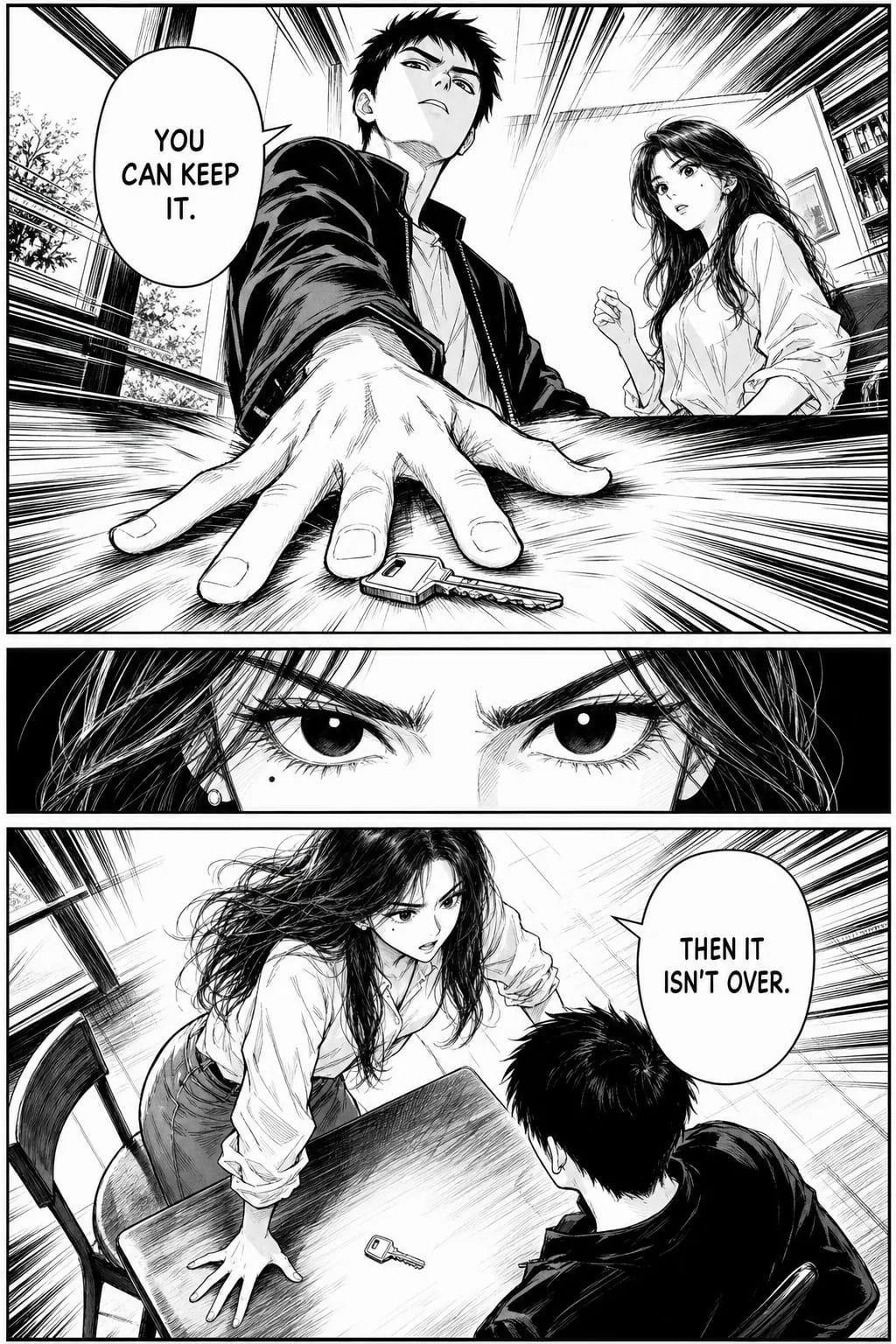
Shonen
Bold G-pen, large areas of solid black, radial focus lines converging on the impact, dramatic low and high angles. Built for the decisive beat.
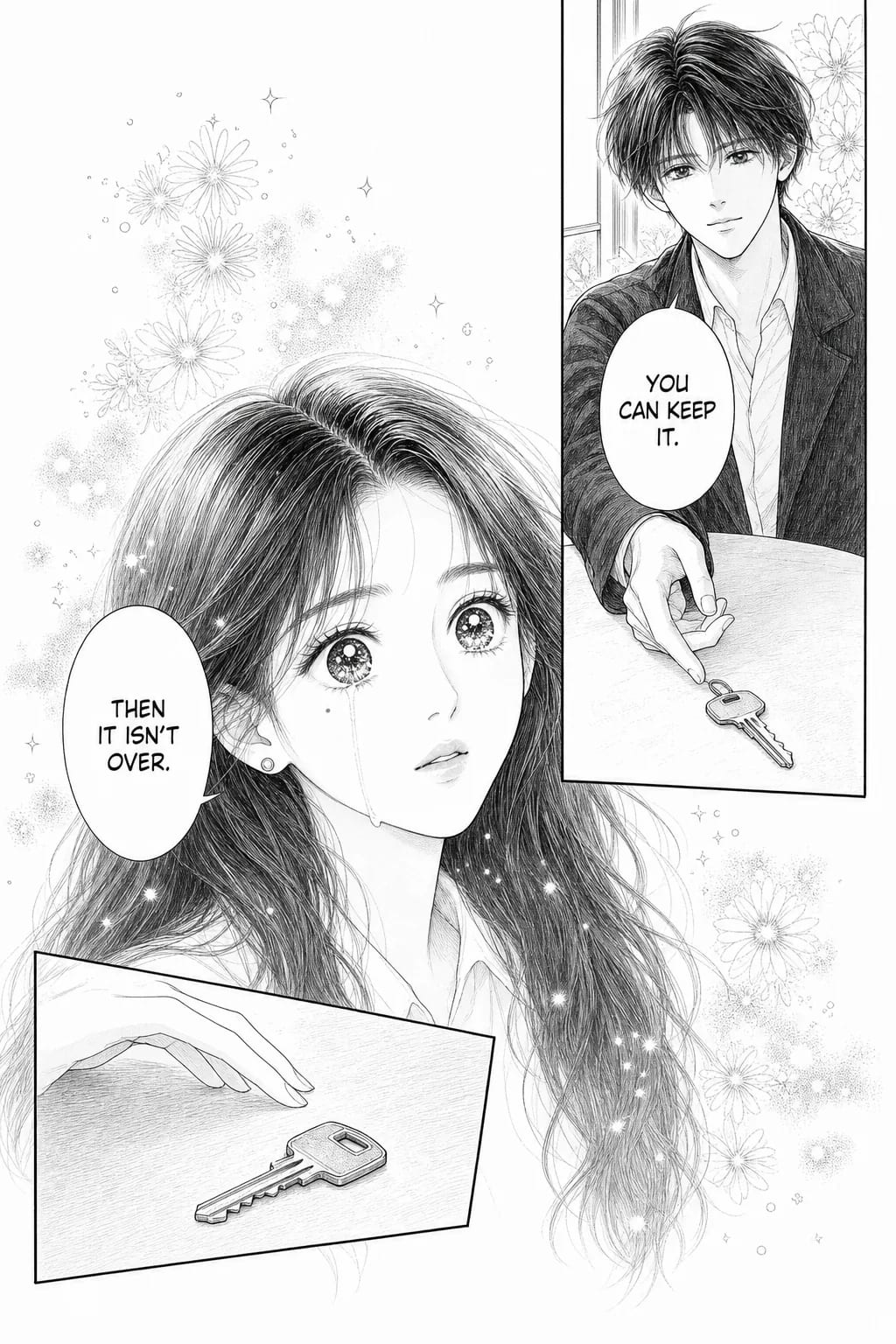
Shojo
Maru-pen hairline with almost no weight variation, pages dominated by reserved white, flower-burst and sparkle tone used as emotion rather than shadow, one panel allowed to break its border.
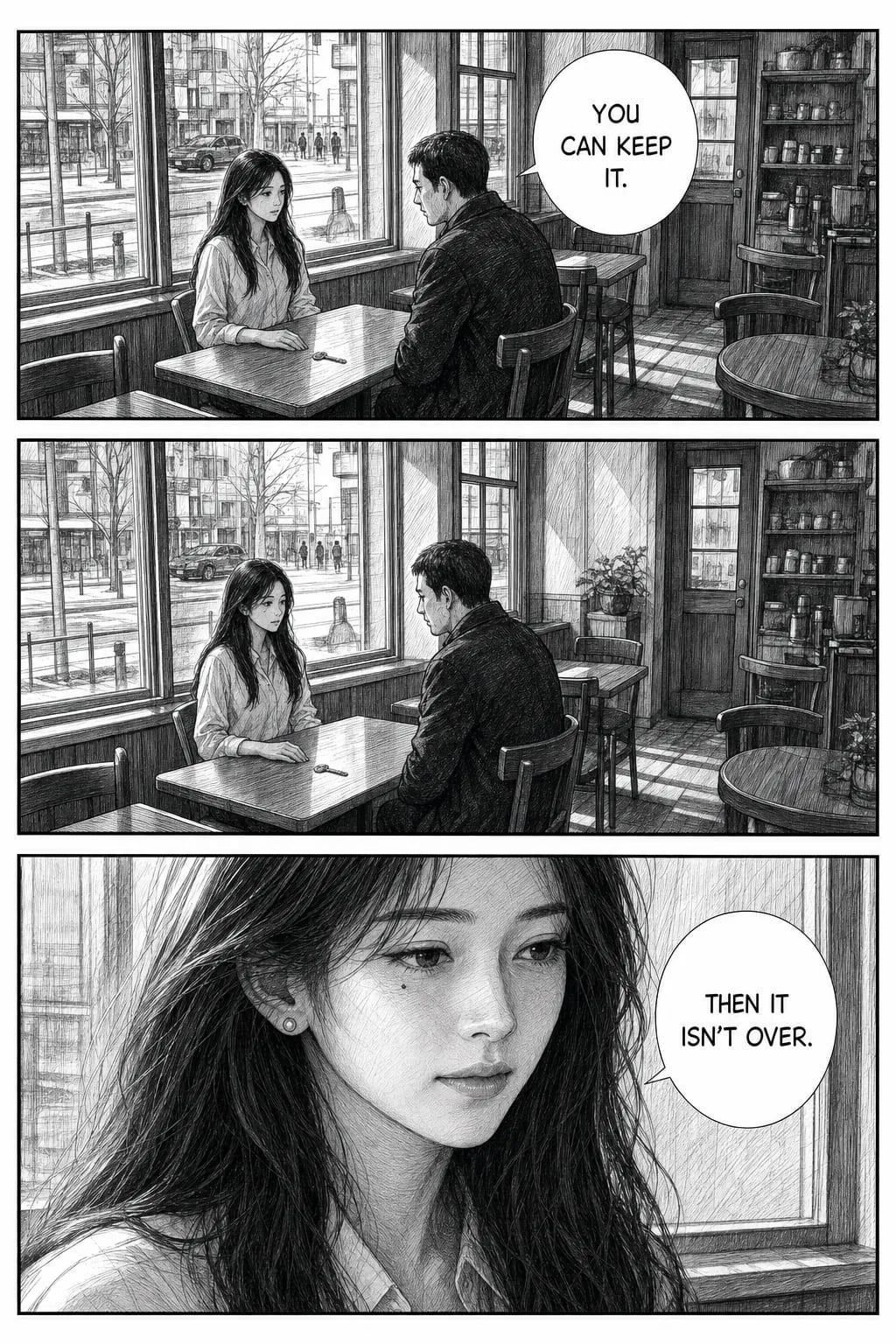
Seinen
Firm even pen, cross-hatching instead of decorative tone, faces at real adult proportion with no eye highlights, backgrounds held in full architectural perspective.
The same characters and the same scene in all four — a key pushed across a cafe table, and a decision about whether to pick it up. Only the drawing changes.
What each register is for
The four above hold one beat fixed so the drawing is the only thing changing. These six do the opposite on purpose: each gets the beat its craft was built to carry, because a neutral moment shows what a style looks like and never shows what it is for. Same woman throughout — the face survives six registers as well as four traditions.
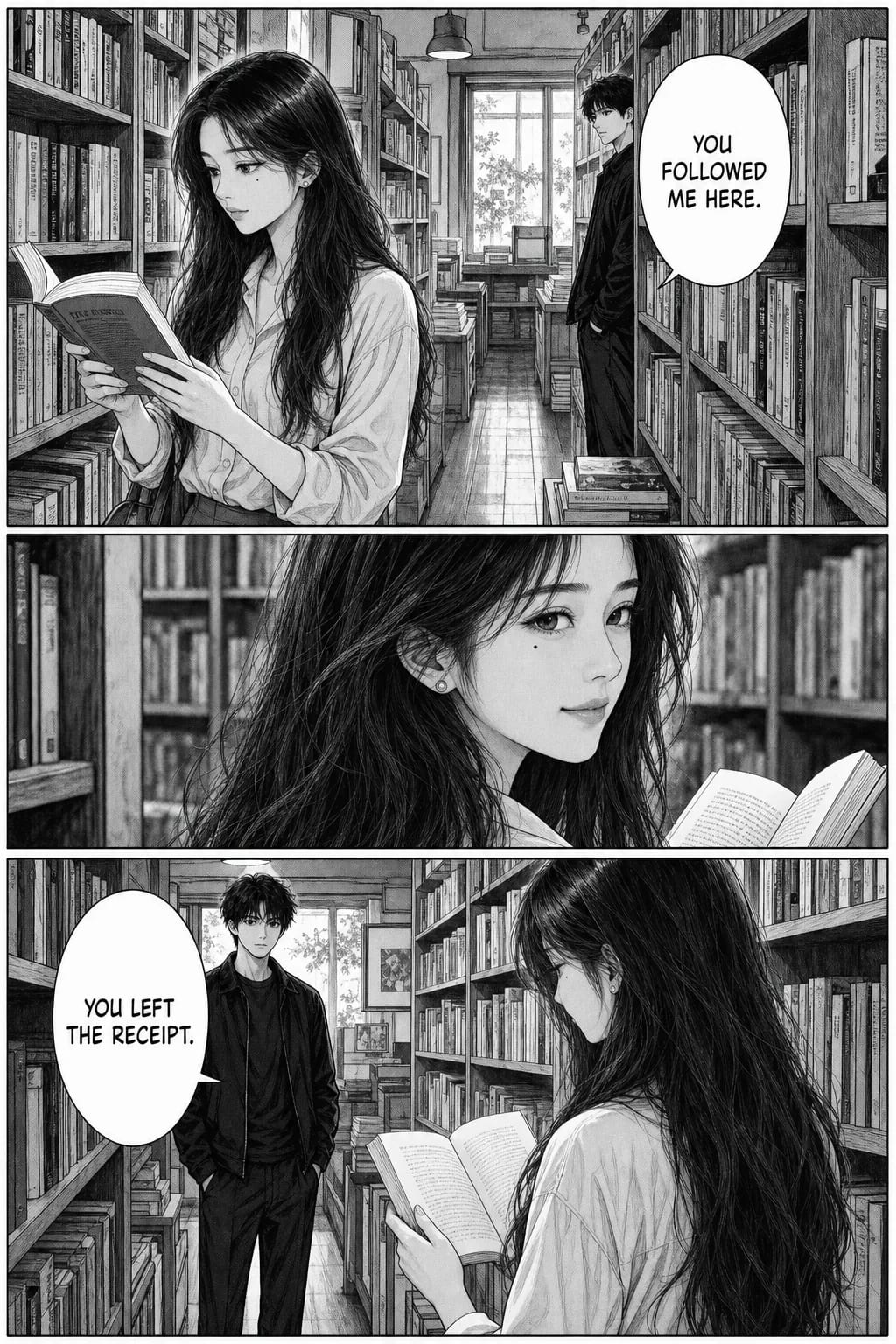
Manga
Tradition-neutralA bookshop, and the distance between two people.
Moderate G-pen variation, sparing mid-density tone, black held back for hair mass. At home in drama, comedy, romance or action.
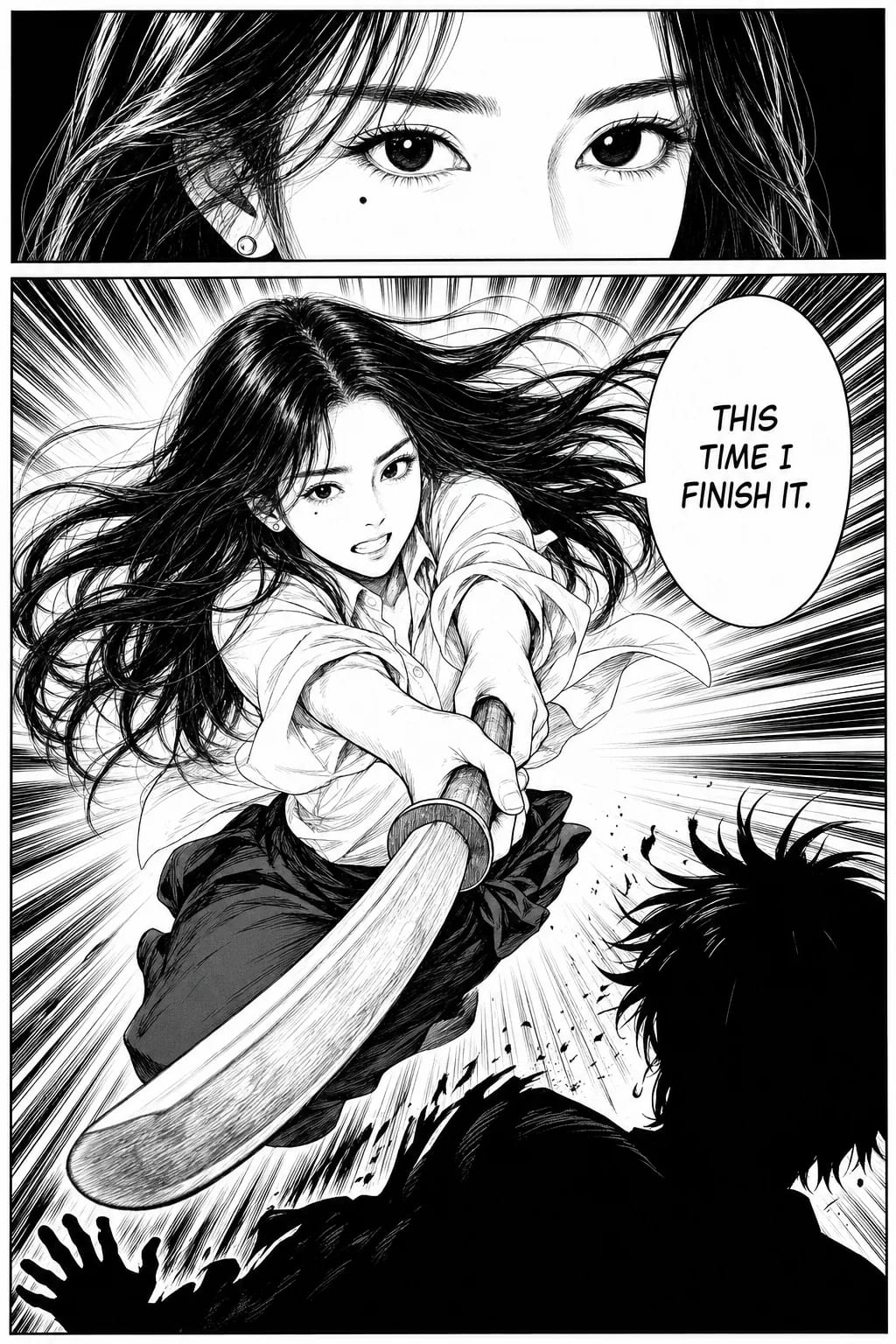
Shonen
Weekly battle mangaThe decisive hit, given the space it needs.
Bold G-pen, large areas of solid black, radial focus lines converging on the impact. Two panels rather than three — the register spends a whole page on one moment.
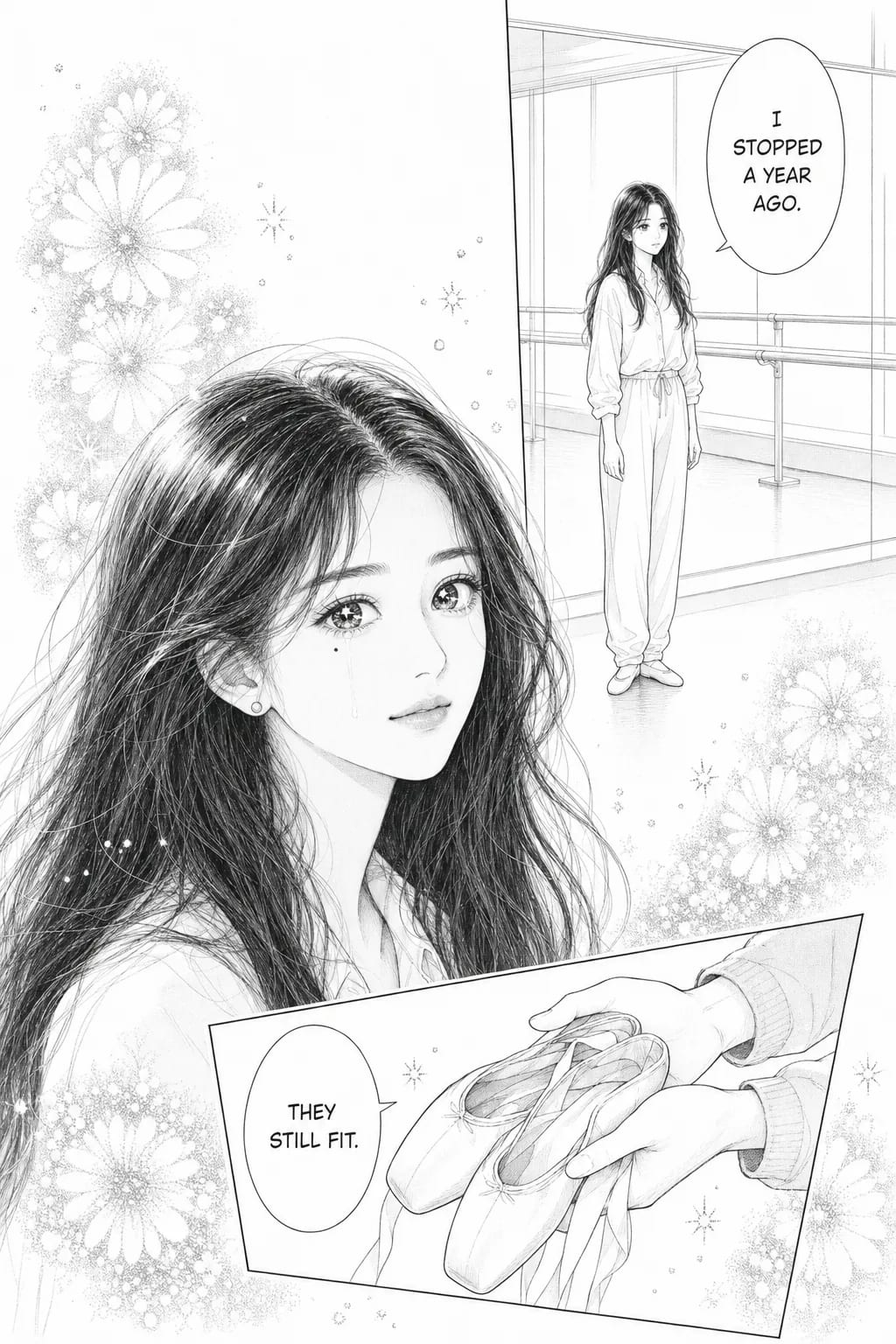
Shoujo
1970s girls' mangaThe silence shonen would have cut away from.
Maru-pen hairline with almost no weight variation, pages dominated by reserved white, flower-burst tone used as emotion rather than shadow, figures breaking past their own borders.
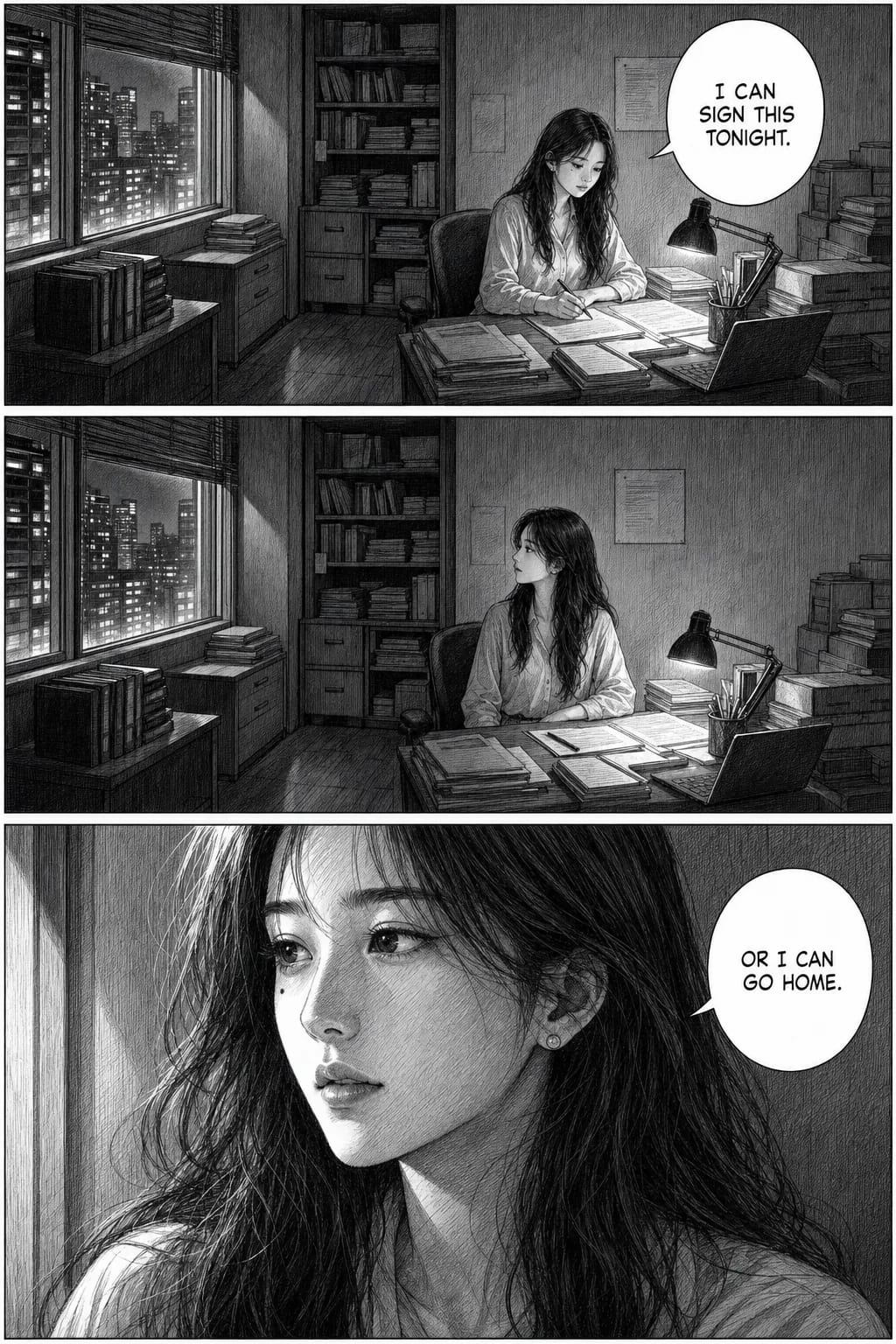
Seinen
Adult magazinesHolding too long — the register that refuses to cut.
Firm even pen, shading from cross-hatching rather than decorative tone, faces at real adult proportion with no eye highlights, backgrounds in full perspective.
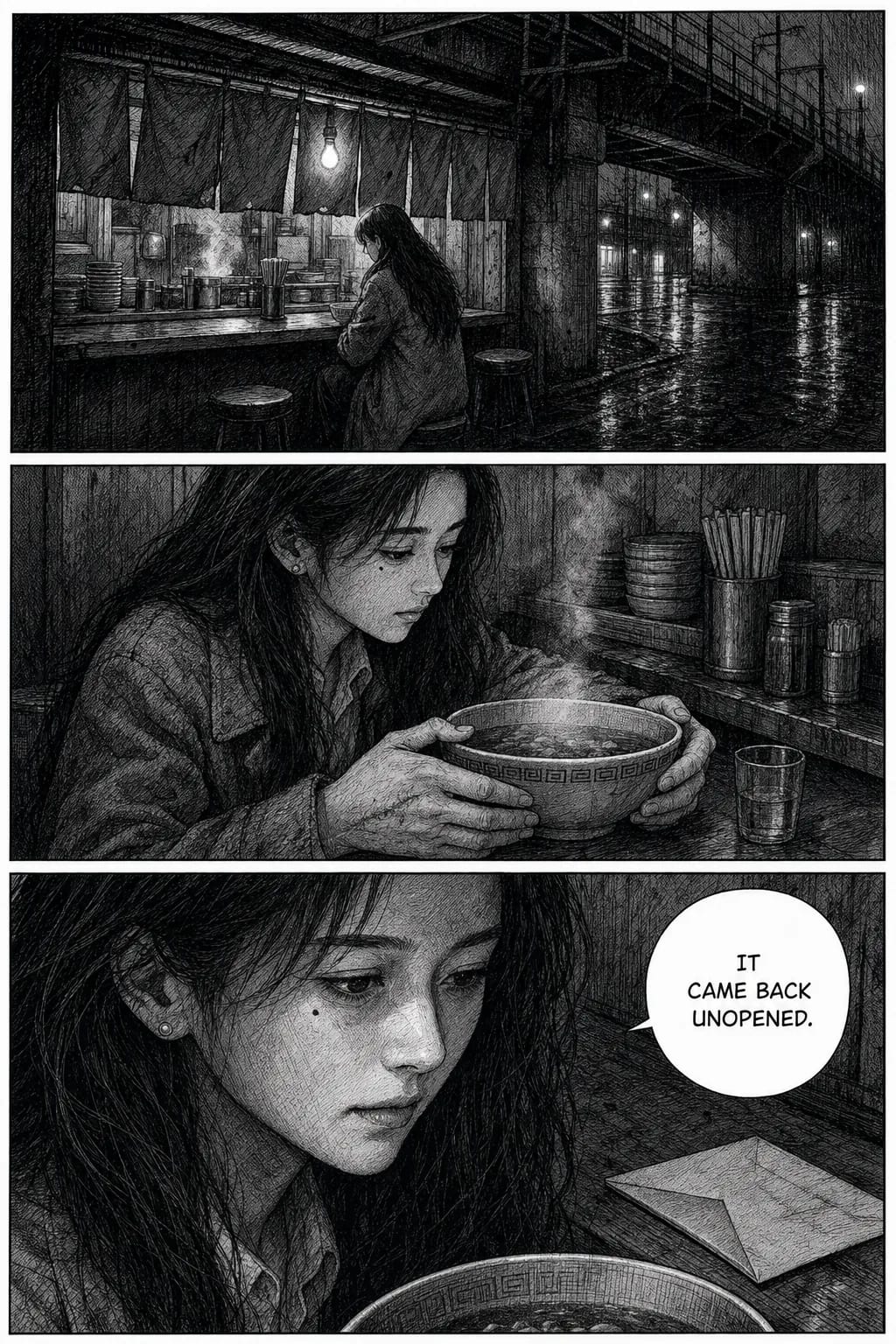
Gekiga
Tatsumi, 1957 onwardAn un-idealised face under a bare bulb.
Dense cross-hatching layered over halftone — the two stack, which is the signature. Weathered skin, under-eye bags. Light from a source visible in the scene.
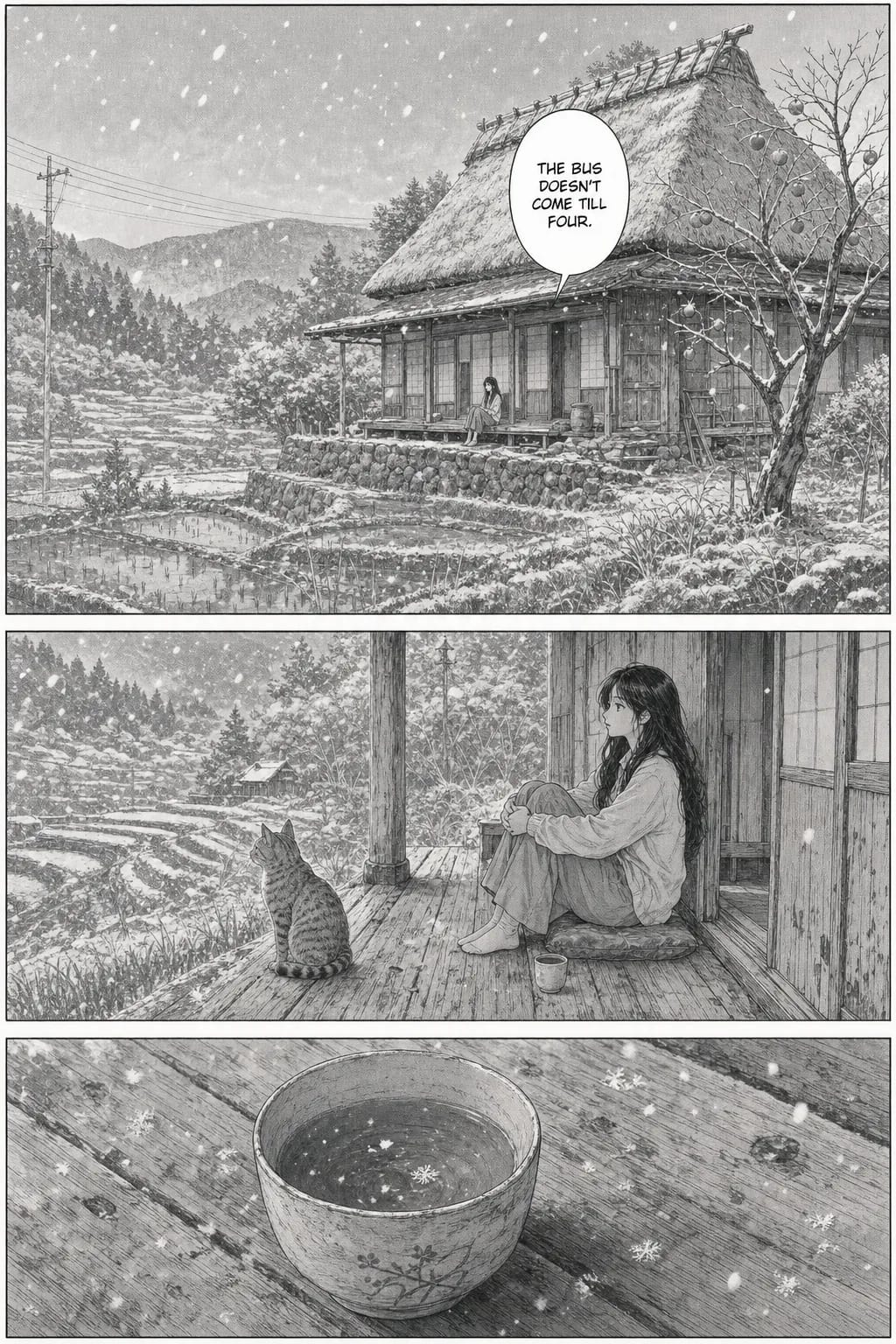
Slice of life
IyashikeiThe place carries it; she is a twentieth of the panel.
Scratchy unhurried line, low contrast, almost no solid black. The background gets more page area than the person, and the person stays small — that is the register, not a framing accident.
Each is a preset you pick by name, not prompt wording you have to get right. Seven of the eight manga-family styles are available on the free portrait above; all are available for full comic pages. The catalogue runs to thirty-six — see the style browser.
Want the super-deformed look instead? The chibi maker is built for it. For a square crop to use as a profile picture, see the character avatar generator.
Manga or anime? Manga is a Japanese comic form — usually black-and-white, screentoned, read as pages. Anime is the animated adaptation style, usually full colour with cel shading. If you want ink and screentone, stay here; if you want colour cel-shading, the photo to anime page is built for it. Both use the same character reference.
Full style catalog on the styles hub — thirty-six options including manga, manhwa, anime, seinen, and more. For manga aesthetic specifically, see the manga style guide.
Privacy and photo handling
You're uploading a photo of a face — usually your own — so vague reassurance is worth less than specifics. Here they are. Your photo is stored on infrastructure in the European Union (AWS Paris, eu-west-3). It is used only to generate the character reference and the panels you asked for. We do not use uploaded photos to train AI models — and the inference providers who run the models are contractually prohibited from training on them either.
A portrait generated without an account is deleted after 24 hours. With an account, your photo and everything derived from it are kept while the account is active and deleted immediately when you delete it — a synchronous cascade with no soft-delete grace period. Analytics logs are kept up to 12 months and contain no image data.
Full details, including data retention timelines and how character references are stored, are on the privacy page and terms page. Read those before uploading anything you consider sensitive.
Consent for photos of other people: never upload a photo of someone without their explicit agreement. This applies to celebrities, coworkers, strangers, or anyone else. It's a respect issue on top of a privacy one — the character you generate is recognizably them, in scenarios they may not want to appear in.
Plans and pricing
The manga portrait above is free. A comic is paid, and the arithmetic is worth saying out loud rather than hiding behind “from $9.99”: a comic page costs 100 credits, so a 20-page comic is 2,000 credits — exactly the Starter plan. Every plan includes character consistency, all thirty-six styles, and multi-panel output, so you are picking monthly volume, not a feature tier.
- Starter — $9.99/mo: 2,000 coins per month. Enough for a couple of Short comics or a mini-chapter.
- Plus — $24.99/mo: 7,000 coins per month. Regular publishing, full-episode work.
- Pro — $59.99/mo: 20,000 coins per month. Serialized publishing at scale, studios, heavy users.
Monthly plans, cancel anytime. See the pricing page for full plan details and one-time coin packs.
When another tool fits better
TaleAtelier isn't the right tool for every use case in this space. Honest routing:
You want one image in the next ten seconds. We do single manga portraits, and the one on this page is free — but it takes about a minute, because it is generated rather than overlaid. A phone filter like SNOW, YouCam or an Instagram effect is instant. If speed matters more than the manga look, use one of those.
You want a comic from a text prompt (no photo). Use our AI manga generator for text-input manga generation, or the text-to-comic tool for text-driven comics in any style.
You want any style, not just manga. Our photo-to-comic tool is the general photo-input workflow — same reference-locking, any of the thirty-six styles including Western comic, superhero, manhwa, and more.
You want the technical explanation of character consistency. See our consistent character AI pillar with an honest six-tool comparison across every major AI model.
Frequently asked questions
- What if the generated face doesn't look like me?
- Refine the reference. A better photo (front-facing, well-lit, high-resolution) produces a closer character reference. You can also add short text descriptions to guide the generation — 'sharp jawline', 'freckles', 'green eyes'. If drift happens mid-story, regenerate just that panel; the character reference stays locked and the redo pulls from the same anchor.
- Can I upload a friend's photo?
- Only with their explicit consent. Turning someone else's face into a manga character without permission is a privacy and consent issue regardless of whether the tool allows it technically. The same rule applies to celebrities, coworkers, or anyone else. Photos of yourself, family with agreement, or public-domain reference material are safe.
- What happens to my photo after I upload?
- Your uploaded photo is used to generate the character reference and is handled according to our privacy policy. We do not use uploaded photos to train AI models. Full details, including retention timelines, are on the privacy and terms pages. Never upload a photo of someone else without their explicit consent — that's on the user, not us.
- Is TaleAtelier's photo-to-manga free?
- The manga portrait on this page is free and needs no account — upload one photo, get one manga portrait back. Comics are paid, because they cost us a great deal more to generate: a comic page is 100 credits, so a 20-page comic is 2,000 credits, which is the $9.99 Starter plan. Plus is $24.99 and Pro is $59.99. Free single-image manga filters also exist (SNOW, YouCam, Fotor); what they don't produce is a character that stays the same across a story.
- Do I have to sign up before uploading a photo?
- Not for the free portrait — the tool at the top of this page takes a photo and returns a manga portrait with no account at all. You need an account to make a comic, because a comic is a character reference plus pages that have to live somewhere you can come back to. Sign-up takes under a minute and needs no card; anonymous portraits are deleted after 24 hours, so save yours if you want to keep it.
- Does it work on group photos, pets, or landscapes?
- Best results come from a single clear human face. Group photos work poorly because the character reference gets confused between faces. Pets aren't the primary use case — the tool is tuned for human character generation. Landscapes and non-face photos don't produce useful character references. For those, use a general AI image tool instead.
- Can I just get one manga picture, or do I have to make a whole manga?
- Just one is fine — that is the free portrait on this page, and plenty of people never go further. One photo in, one manga image out in about a minute, in classic manga, seinen, manhwa or manhua. Making a manga is the other thing we do: the same photo becomes a locked character reference that keeps the face identical across every panel, for four pages or four hundred. Same starting point either way, so nothing is wasted if you stop at the portrait.
- How is this different from a manga filter app?
- For a single image, honestly, it mostly isn't — a filter app is faster, since it overlays an effect in seconds where we generate an image in about a minute. The difference shows up the moment you want a second picture of the same person. A filter has no memory: run it again and the face shifts. We build a character reference from your photo and reuse it, so the same face holds across every panel of a whole story. Filters make pictures; this makes a character.
- Can I use the same manga character across multiple comics?
- Not yet with identical rendering. Your manga character is saved to your library and you can pick them again for the next chapter — but each story builds its own reference sheet at planning time, so chapter 2 re-creates the character from the same photo rather than copying chapter 1's sheet. Close, not pixel-identical. Within one story the lock holds absolutely; across stories it does not, yet. Carrying one sheet across comics is next on the roadmap, with no date promised. For a serialized manga today, keep the exact source photo and re-create from it each time.
Put yourself in a manga
this week.
Start with the free portrait and stop there if that was all you wanted. If you want the story, pages are 100 credits each — a 20-page manga is the $9.99 Starter plan. Cancel anytime.
Upload your photoLast reviewed . Vendor data verified against source sites same day.