How to make a
webtoon.
Two honest paths — draw it yourself or use AI to skip the drawing step. Canvas specs, drawing tools, publishing platforms, and 2026-verified monetization numbers. No pitch.
Last reviewed . Platform data verified against vendor sites .
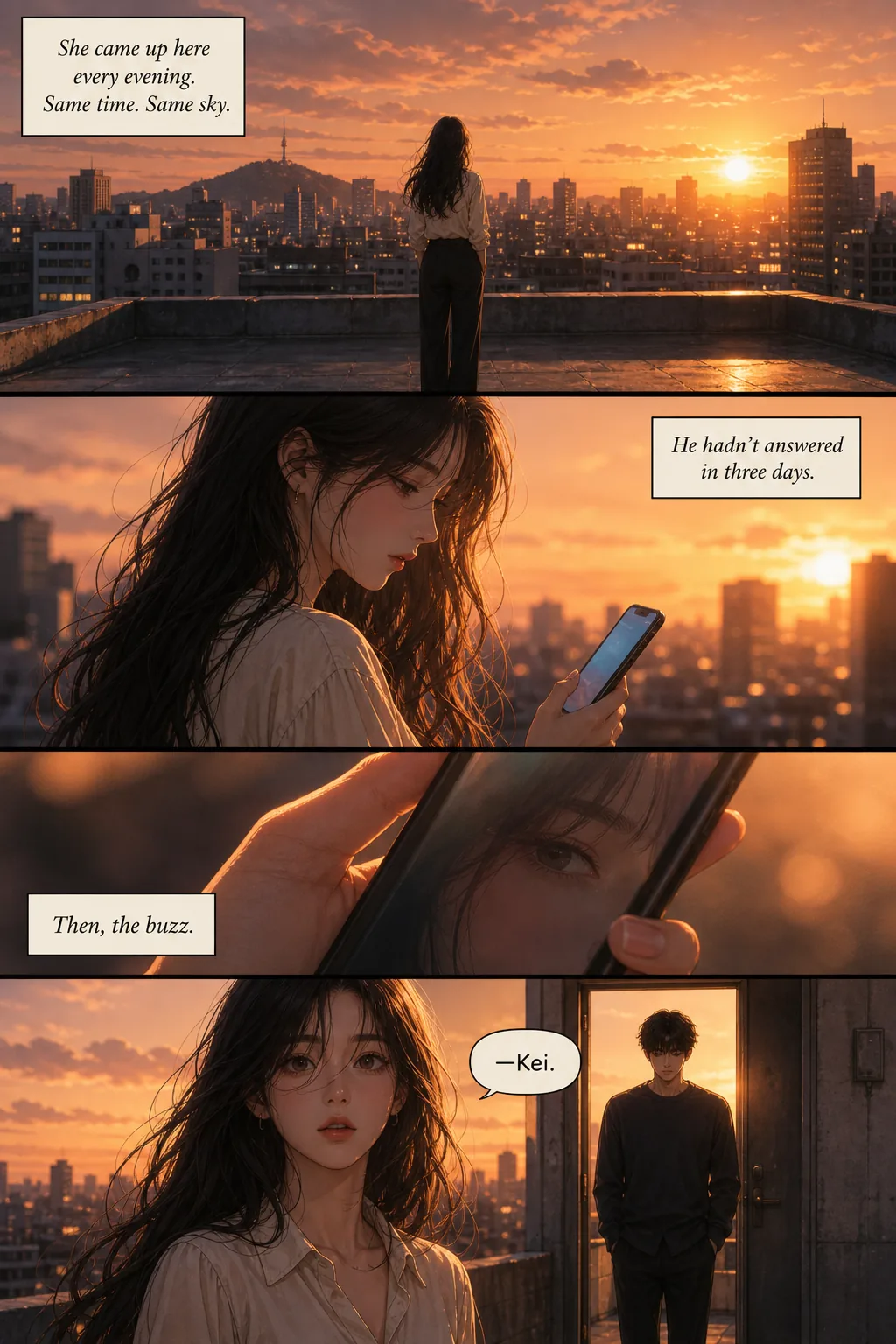
A webtoon is a vertical-scroll comic designed for mobile reading, published on platforms like WEBTOON Canvas or Tapas. To make one, you write a script, set an 800×1280 pixel canvas, either draw it manually in Clip Studio Paint (or a free tool like Medibang) or generate it with an AI comic tool, then upload episodes to a publishing platform. First episodes take 20–40 hours to draw solo or 1–3 hours with AI assistance.
The single hardest problem on the AI-assisted path is character consistency — keeping the same protagonist across 40+ panels. See our consistent character AI guide for how it works and how to compare tools.
The two paths — draw it yourself or use AI
Both are legitimate. Both produce webtoons that can rank on Canvas and Tapas. The tradeoff is time versus creative control versus output style. Pick before you commit to a series.

Traditional drawing path
You draw every panel yourself using a comic tool like Clip Studio Paint, Medibang, Krita, or Procreate. Full creative control over every line, screentone, and expression. Industry standard for professional webtoons — Solo Leveling, Tower of God, Lore Olympus were all hand-drawn.
Time: 20–40 hours per episode solo (industry-reported range across multiple creators). Up to 100 hours if panel count is high or you're new. Yaongyi, creator of True Beauty, pulls four all-nighters per week to hit her weekly deadline.
AI-assisted path
You describe characters and scenes in plain English; an AI comic tool generates multi-panel pages with consistent characters across every panel. Faster and lower-skill, with less fine-grained control over each panel. Output style is distinct — AI-assisted webtoons look different from hand-drawn ones and readers usually notice.
Time: 1–3 hours per episode after initial character setup. Character setup itself takes an hour or two the first time. Weekly publishing becomes genuinely realistic solo.
Which path fits you
- Pick traditional drawing if: you already draw, you enjoy the craft, or you want a professional-industry style your readers will immediately recognize as premium.
- Pick AI-assisted if: you have story ideas but no drawing skill, you can't commit 20–40 hours a week, or you want to test whether your story finds an audience before investing years of learning to draw.
- Consider a hybrid if: you draw well but want to save time on backgrounds, or you draw characters but use AI for environments. Many working creators mix.
How to make a webtoon in 5 steps
Same five steps apply whether you draw or generate. Path-specific depth lives in the two hands-on sections that follow.
- 01
Plan the story and characters
Webtoon episodes typically run 40-80 panels in a vertical scroll. Write a rough script or scene-by-scene outline before touching any tool. For a first episode, aim for one clear story beat: a meeting, a conflict, a decision. Cast up to 5-6 named characters at most — more than that and readers struggle to keep them straight in a mobile-scroll experience. If you plan to draw it yourself, write character reference sheets now (front, side, three-quarter view). If you plan to generate it with AI, write short character descriptions (hair, eye color, distinctive clothing, one visual quirk).
- 02
Set up the canvas
The standard webtoon canvas is 800 pixels wide by 1280 pixels tall per section. This width is universal across LINE Webtoon, Tapas, Naver, KakaoPage, Bilibili Comics, and Lezhin. Episodes are longer than a single section — stack multiple 800×1280 sections vertically into one long file (4,000-15,000 pixels tall is normal for a full episode). RGB color mode, RGB, not CMYK. WEBTOON CANVAS accepts JPG, JPEG and PNG — its own handbook lists no other format — at up to 2 MB per image and 20 MB across the 100 images an episode allows. WEBTOON states no DPI requirement anywhere; DPI is print metadata and does not affect a screen image. Draw or export at 1600px wide (2× target) if you want future-proof resolution for higher-DPR displays.
- 03
Choose your tool path
Two legitimate options: draw it manually, or use AI to generate the pages. Manual drawing gives full artistic control at the cost of 20-40 hours per episode as a solo creator. AI generation gives speed (1-3 hours per episode) at the cost of some fine-grained control and a distinct visual style. Neither is wrong — skilled artists who enjoy drawing should pick manual; writers with story ideas but no drawing skill should pick AI. The two dedicated sections below walk through each path in depth.
- 04
Create your episode
Manual workflow: script → thumbnails → linework → flat colors → shading → speech bubbles → export. AI workflow: prompt the story beat → generate character-consistent panels → refine specific panels → compose vertical layout → add speech bubbles → export. Common beginner mistakes to avoid: text too small to read on phones (see the font-size section below), panels too tall to read in one scroll, character faces drifting between panels, and forgetting to add narrative gutters (empty space) between story beats. Read your finished episode on your phone before publishing.
- 05
Publish and promote
The largest English-language platform is WEBTOON Canvas — free to sign up, self-publish, upload episodes directly. Tapas is the strong indie alternative with better creator support and lower monetization thresholds. Your own site works if you already have an audience. Whichever you pick, publish consistently: weekly episodes build subscriber momentum in a way that irregular uploads don't. Promote outside the platform: TikTok, Twitter, Instagram, Reddit's r/webtoons and r/comics. Ad revenue on Canvas has specific subscriber and view thresholds — see the monetization section below for verified 2026 numbers.
Webtoon canvas specs — quick reference
The technical values every webtoon needs, in one table. Verified against WEBTOON platform docs on .
| Spec | Value | Notes |
|---|---|---|
| Section dimensions | 800 × 1280 pixels | Universal across LINE Webtoon, Tapas, Naver, KakaoPage, Bilibili Comics, Lezhin |
| Full episode height | 4,000 – 15,000 pixels tall | Stack multiple 800×1280 sections into one long vertical file |
| Color mode | RGB | Web display standard. Never use CMYK (that's for print) |
| Resolution / DPI | Not specified by WEBTOON | DPI is print metadata and has no effect on a screen-only image — what matters is pixel dimensions. WEBTOON states no DPI requirement anywhere; its own handbook advises working at as high a resolution as possible and exporting to 800px wide |
| File formats | PNG, JPG, animated GIF | PNG for line art with sharp edges, JPG for full-color painted work, GIF for animated moments |
| Max file size per episode | ~20 MB | WEBTOON Canvas upload ceiling. Compress before upload if you go over |
| Draw at 2× resolution | 1600 × 2560 (per section) | Optional but recommended — sharper lines after downscale, future-proof for higher-DPR displays |


Free 800 × 1280 canvas template
A blank section at the exact working size, with the 50 px chrome zones shaded, horizontal thirds and a centre line for placing panels, and the export note printed on the file itself. Open it as your bottom layer, draw above it, hide the layer before you export. The guides are light grey rather than black, so a stray flatten will not bake them into your art.

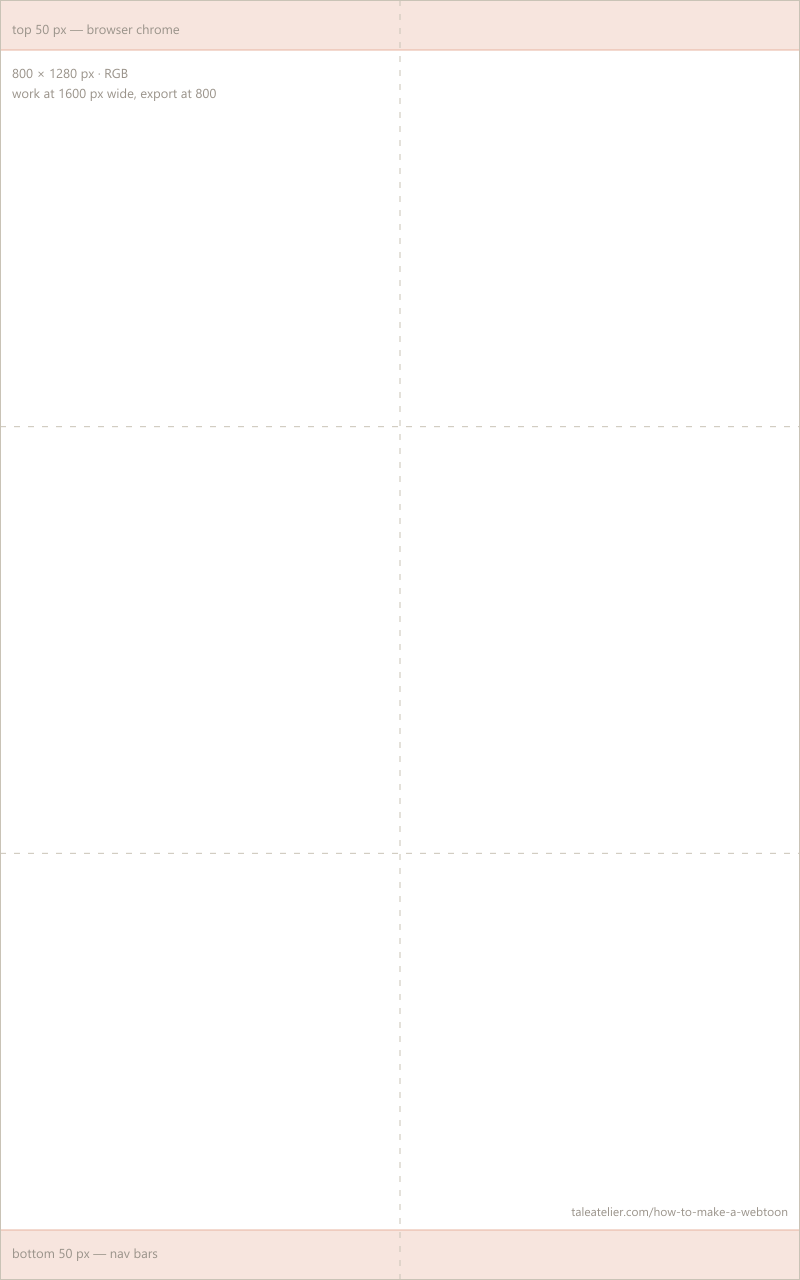
No account, no email. Stack as many sections as your episode needs — 40–80 panels is a normal episode.
If you're drawing it yourself
The hands-on path. Tool choices, technical rules for mobile-first drawing, real time estimates, and how professional creators actually work.
Choosing your drawing tool
| Tool | Price | Runs on | Webtoon canvas preset | Best for |
|---|---|---|---|---|
| Medibang Paint | Free | Desktop, iPad, phone | Yes — built in | Starting with zero budget and zero setup |
| ibisPaint X | Free, ad-supported | Phone, iPad | Set the size yourself | Phone-only creators |
| Krita | Free, open source | Desktop, Android beta | Set the size yourself | Painters who want power without paying |
| Clip Studio Paint Pro | ~$50 one-time | Desktop, iPad, phone | Yes — plus panel tools | Publishing more than one series |
| Procreate | $12.99 one-time | iPad only | No — add gutters separately | iPad users who already draw |
Prices verified . Three of the five are free, and two of those ship a webtoon canvas preset — cost is not what separates these tools.
Medibang Paint
Strengths: Comic-first templates including built-in webtoon canvas presets. Cloud sync between devices. Easiest starting point for beginners.
Weaknesses: Fewer brushes than paid tools. Ads in the free version.
Best for: Total beginners who want zero cost and zero setup friction
Krita
Strengths: Most powerful free option. Excellent brush customization. Vector layers, unlimited layer counts, strong painting engine.
Weaknesses: Not comic-specific out of the box — you set up panel guides manually. Steeper learning curve.
Best for: Painters and illustrators who want free software without ads or subscription
Clip Studio Paint Pro
Strengths: Industry standard for professional webtoon and manga. Built-in webtoon templates, panel tools, screen-tone libraries, 3D pose references, perspective rulers.
Weaknesses: Paid. Feature-dense — some learning curve for beginners.
Best for: Serious creators who plan to publish more than one series
Procreate
Strengths: Best-in-class drawing feel on iPad. Simple, elegant interface. Fast performance.
Weaknesses: Not comic-specific — no panel guides, no webtoon templates. Add gutters and bubbles in a separate step.
Best for: iPad users who already draw and want the lowest-friction path
ibisPaint X
Strengths: Built for drawing on a phone rather than adapted to it. Large free brush set, layer support, and a canvas you can set to 800x1280 directly.
Weaknesses: Ads between actions in the free version. Small screen limits how much of a page you can judge at once, and layer counts are capped on lower-RAM phones.
Best for: Anyone whose only device is a phone
Technical rules for mobile-first drawing
- Line weight — thicker than you think. Draw lines 1.5–2× thicker than you would for print. Thin lines disappear on 375–414px phone screens. Test on your phone before you finalize an episode.
- Font size — minimum 30–40px. Smaller than that and dialogue becomes unreadable on mobile. Test on the smallest phone you own; if you can't read it comfortably at arm's length, it's too small.
- Panel spacing — leave breathing room. Minimum 100–200px of empty space between adjacent panels. Scene transitions want 400–600px of empty space to signal time passing. In vertical scroll, empty space IS your pacing tool.
- Safe zone — avoid the extreme edges. Don't put critical dialogue or story-key art in the first or last 50px of a section. Mobile browser chrome (URL bars, floating controls) can overlap and clip content.
- Draw at 2× target size. Work at 1600px wide and export at 800px. Downscaling from a larger canvas produces sharper lines than drawing at final size. This is standard professional practice.


Do you need to buy a tablet?
Not to start. Three of the five tools above are free and two of them run on a phone. If you are not yet sure you will finish an episode, finish one on what you already own — the constraint will teach you more about pacing and panel economy than better hardware would, and you will know what you actually need before you spend anything.
When you do buy, the categories matter more than the brands:
| What it is | Rough price | The tradeoff |
|---|---|---|
| A phone you already own | $0 | Slowest, and hard to judge a whole panel at once — but people ship episodes this way every week. |
| Screenless pen tablet | ~$40–100 | You draw on the pad and watch the screen. Cheap and durable; the hand-eye disconnect takes a week or two to stop feeling strange. |
| Pen display (screen tablet) | ~$200–300 entry | You draw directly on the image. The jump most people notice most. Needs a computer to drive it. |
| Tablet computer + stylus | Varies widely | Standalone, portable, and the reason Procreate is on this list. Worth it if you already own one; an expensive way in if you do not. |
| Professional pen display | $700+ | Nothing about a first webtoon requires this. Buy it when a specific limitation of cheaper hardware is costing you time. |
Price bands checked . Bands rather than exact figures because hardware pricing moves constantly. We do not recommend specific models — the honest specs to compare are pressure sensitivity, active drawing area, and whether it has a screen. Beyond that, most brand arguments are preference.
Time breakdown per episode (real hours)
Solo creator, first year. Individual times vary by style and complexity, but these are honest ranges cited across creator interviews and community threads.
| Task | Hours per episode | Notes |
|---|---|---|
| Script and beat breakdown | 2–3 | Dialogue, scene beats, pacing |
| Thumbnails | 3–5 | Rough panel layout, scroll rhythm |
| Linework | 15–25 | Biggest single task — the actual drawing |
| Flat colors | 8–12 | Character + background base fills |
| Shading and lighting | 6–10 | Where polish comes from |
| Speech bubbles and lettering | 2–3 | Placement + text layout |
| Export and upload | 1 | Split into 800×1280 sections, upload to Canvas |
| Total per episode | ~37–59 hours | Solo creator, industry-reported range |
Workflow tips professionals use
- Separate layer per element. Characters, backgrounds, speech bubbles, SFX each on their own layer. Non-destructive editing later. Non-negotiable for any revision work.
- Duplicate proven character faces. Once you draw a character expression that works, copy that face across the episode instead of redrawing it. Consistency reads better than variety, and it saves hours.
- Reuse and simplify backgrounds. Backgrounds are the biggest time sink in webtoon production. Most successful creators use simplified, repeated, or photo-traced backgrounds. This is standard practice, not cheating.
- Thumbnail before you polish. Rough small sketches of every panel first, tight lines second. Skipping thumbnails and jumping straight to linework is how first-time creators end up redrawing entire episodes.
- Read on your phone before publishing. Every episode. Panels that look fine on desktop can be cramped or unreadable on 375px. If it doesn't work on your phone, it doesn't work.
If you're starting from zero drawing skill
You need reps before you attempt a webtoon. Trying to publish episode 1 while learning to draw is how people burn out in month two. Honest starter path:
- Study anatomy fundamentals — the Loomis method (free PDFs online) is the industry-standard starting point. Give this at least 3 weeks of daily practice.
- Study manga/anime style specifics — Mark Crilley's YouTube tutorials are free and highly regarded for figure and face fundamentals in that style. 2–3 weeks.
- Do 20–30 finished character sketches — you need to be able to draw your protagonist consistently from multiple angles before you commit to a series.
- Draw a one-page test comic — 4–6 panels, one scene, no story pressure. See what your pipeline actually feels like end-to-end.
- Only then commit to episode 1. Now you have realistic time estimates and consistent character designs to build from.
Should you team up
Most top-100 webtoons on Canvas are made by 2–4 person teams — typically a writer, an artist, and a colorist, sometimes plus a letterer. Splitting the workload is how professional creators hit weekly deadlines without burning out. If you know an artist and you write, or you draw and you know someone who writes, team up. It's not a shortcut — it's how the industry actually works. Solo is heroic mode.
If you're using AI to generate
How AI-assisted webtoon creation actually works, what it can and can't do, and how to get output that reads as a real webtoon rather than a stack of AI-style portraits.
What AI tools actually generate
Modern AI comic tools like TaleAtelier generate multi-panel sequences with character consistency across every panel — the same face, hair, and outfit hold from panel 1 to panel 80. You describe characters and scenes in plain English; the tool composes panels with framing, dialogue placement, and vertical flow appropriate to a webtoon page. This is different from a generic AI image generator, which makes one image at a time with no memory of prior characters.


Three sections, nine panels, one character — generated separately, not cropped from a single image. Each is 800 × 1280, the spec above, with dialogue lettered in. Note what holds across all three: the face, the freckles, the pearl studs, the mustard jacket. Made with the same models the tool runs on rather than recorded from one session, and the reference photograph is the same one used elsewhere on this site.
Character consistency is the hard part
The single hardest problem in AI webtoon creation is keeping the same character looking like themselves across every panel. Solved poorly, you get a different-looking protagonist in every panel — unreadable. Solved well, the character's face, hair, and defining features carry across every panel and every episode. AI tools built for comics handle this via a locked character reference; general image generators don't.
Realistic time and output
After initial character setup (1–2 hours the first time), a full 40–80 panel webtoon episode takes 1–3 hours to generate and refine. Compare to 20–40 hours drawing solo. This makes weekly publishing genuinely realistic without a team.
Honest limits of the AI path
Speech bubble placement is composed at generation time — you don't drag bubbles pixel-by-pixel afterward. Panel layout follows AI composition, not manual grid drag. Line-art export separated from color is not available. AI-generated webtoons have a distinct visual style that readers can usually identify — some readers love it, some don't. Publishing platforms currently allow AI-assisted work but this is an evolving policy area; check the platform's terms before uploading.
If AI-assisted fits your project: Our dedicated AI webtoon maker is the tool page for vertical-scroll webtoon generation specifically. For general multi-panel comics in any format, see the AI comic generator. For horizontal manga-page format, see the AI manga generator. None is required for making a webtoon — the guide above works with any tool.
How to start a webtoon (first two weeks)
Before you draw or generate a single panel. This is the version of the plan you'll wish you'd followed.
Write the pilot episode, then the ending. Not the whole outline — just those two. If you know how your story ends, every episode between them has a direction. Most beginner webtoons stall out around episode 6–8 because the creator never decided where the story lands.
Commit to a publishing cadence you can actually hold. Weekly is the industry norm and what Canvas's ad-revenue algorithm rewards. If weekly is impossible solo, bi-weekly is fine — just be consistent. Skipping updates hurts subscriber growth more than a slower schedule does.
Draft 3–4 episodes before you publish anything. A buffer keeps you from burning out and missing your first missed week. Publish episode 1 when you have episodes 2–4 ready. This single habit separates creators who make it past episode 10 from creators who don't.
Pick your tool path and commit to it. Traditional-drawn readers notice when the art style shifts. AI-generated character consistency degrades if you switch models mid-run. Whichever path you pick, commit to it for at least the first season.
Where to publish a webtoon
Five real options. Pick based on where your audience already reads, or where the platform's discovery mechanics fit your goals. All data verified against vendor sites on .
| Platform | Best for | Monetization | Submission | Notes |
|---|---|---|---|---|
| WEBTOON Canvas | Largest English audience, biggest discovery pipeline | Ad Revenue Sharing (requires ~1,000 subscribers + 40,000 monthly page views). PayPal payout minimum $25 as of January 2026 (reduced from $100). Patreon payout minimum remains $100. | Open — self-publish, no editorial gate | Owned by Naver/WEBTOON Entertainment. Terms updated January 6, 2026 — payout thresholds and incremental limits changed in creators' favor. |
| Tapas | Indie creators, tighter community, monetization at lower thresholds | Ad revenue (70/30 split, unlocks at 100 subscribers). Ink tipping for direct support (unlocks at 250 subscribers). | Open — self-publish | Acquired by Kakao in 2021. Better for smaller creators than Canvas. |
| Naver Series / LINE Webtoon (KR) | Korean-language creators, professional careers | Contract-based; not self-publish | Curated, competitive entry | The original webtoon platform. Mostly Korean-language market. |
| Lezhin Comics | Mature/premium content, higher revenue-per-reader | Paid-per-episode model — readers buy chapters directly | Curated, submissions reviewed | Adult-content niche. Smaller audience but readers pay per episode. |
| Your own site | Full control, no platform revenue share, existing audience | Direct (Patreon, ads, merch, direct sales) | You do everything | No built-in discovery. Harder to start from zero, powerful once you have an audience. |
Before you publish: read WEBTOON's Community Policy. Episodes do get removed for rules their creators never read, and it is a short page. Canvas has its own content and age-rating requirements, and they were revised in January 2026.
How much do webtoon artists make
Honest 2026 numbers, verified against WEBTOON and Tapas official sources. First-year creators should treat webtoon work as audience-building, not a paycheck.

WEBTOON Canvas Ad Revenue Sharing
Eligibility requires approximately 1,000 subscribers plus 40,000 monthly page views on a series. Once eligible, WEBTOON shares ad revenue generated by views on your episodes. WEBTOON Canvas's Ad Revenue Sharing terms were updated on January 6, 2026, and the changes favor smaller creators:
- PayPal minimum payout: reduced from $100 to $25 as of January 2026.
- Patreon minimum payout: remains $100 for creators registered with a Patreon ID.
- Incremental payout limits were removed — once your balance reaches $25 (PayPal) or $100 (Patreon), your entire balance is paid out.
Tapas ad revenue and Ink tipping
Tapas splits ad revenue 70/30 in the creator's favor and unlocks at 100 subscribers — a much lower threshold than WEBTOON Canvas. Ink tipping (readers spend Ink credits to support you directly) unlocks at 250 subscribers. This makes Tapas the better choice for indie creators who are still building an audience.
Patreon and direct monetization
Patreon works best once you already have readers. Common Patreon tiers for webtoon creators: early episode access ($3–5/mo), high-resolution downloads ($5–10/mo), behind-the-scenes content and Discord access ($10–20/mo). Direct sales (character art, print collections, merch) become viable once you're past 5,000 active readers.
Realistic first-year income
Top-tier Canvas and Tapas creators earn substantial income — the visible outliers. Median independent-creator earnings are much lower; most indie creators earn under $100/month in their first year unless they hit sustained audience growth (confidence: medium — based on widely-reported creator observations across Reddit and interviews, not a formal 2026 industry study). Treat first-year webtoon work as building an audience. Real income comes in years 2–3 if the series finds traction.
Where these numbers come from
Every platform figure on this page — payout thresholds, image limits, subscriber requirements — comes from the platform's own documentation rather than from other guides. The sources are below so you can check them, and so you can see for yourself when something changes before we do.
- WEBTOON Ad Revenue Sharing Policy ↗
Eligibility thresholds, payout minimums, and the January 2026 terms update.
- WEBTOON Creators 101 ↗
Canvas image specifications, upload limits, and the publishing flow.
- WEBTOON Community Policy ↗
What Canvas allows. Worth reading before you publish, not after an episode is pulled.
- Tapas — Earning Money ↗
Ad revenue share, subscriber thresholds, Ink tipping, and payout minimums.
Checked . Platform terms change — WEBTOON revised its ad revenue terms in January 2026 — so if you are reading this months later, the linked page is the authority and this one is a snapshot.
Webtoon, manhwa, webcomic — which one are you making?
Webtoon is a format: vertical scroll, born digital, read on a phone. That is what this guide teaches, and anyone anywhere can make one. Manhwa is a tradition — Korean comics — which may or may not be vertical. A French creator publishing on Canvas is making a webtoon, not manhwa; a Korean print comic is manhwa, not a webtoon.
If the terms still blur, the manga vs manhwa vs manhua comparison separates all three properly — origin, reading direction, colour and the visual conventions each carries.
Common beginner mistakes
Every one of these is the reason a first webtoon fails to find an audience. Fix them before publishing episode 1.
Text too small to read on mobile. Aim for 30–40px minimum font size. Half the beginner webtoons on Canvas fail this test — dialogue is unreadable on a phone, so readers bounce.
Panels too tall to read in one scroll. A single panel taller than ~1200px forces readers to scroll partway through and lose visual context. Break tall panels into multiple sections.
Character faces drifting between panels. Reader can't tell it's the same person. Solve by duplicating proven faces (manual) or by using a tool with character consistency locked (AI).
No buffer episodes. Publishing episode 1 without episodes 2–4 ready is how first-time creators miss their first update and lose subscriber momentum.
Inconsistent cadence. Skipping updates hurts subscriber growth more than a slower schedule does. Weekly is ideal; bi-weekly is fine if held. Random is fatal.
Forgetting gutters (empty scroll space). In vertical scroll, empty space IS your pacing tool. Skipping gutters between story beats makes every episode feel rushed and chaotic.
No promotion outside the platform. WEBTOON Canvas's discovery is limited — you need TikTok, Twitter, or Instagram driving readers to your series. Zero promotion equals zero readers regardless of quality.
Related tools for specific webtoon workflows
For the publishing and career-economics side — CANVAS vs Originals contract paths, real Ad Revenue Program pay ranges, WEBTOON Discord — see our companion webtoon creator guide. This page is the how-to; that page is the how-to-make-a-living.
For the broader comic-making guide covering every format (strip, page, manga, manhwa, graphic novel) alongside webtoons, see how to make a comic. For the manga-specific pillar (panel templates, B5 specs, anatomy H3s, best apps) see how to make a manga.
If your webtoon needs a character who looks like a specific real person (yourself, a friend, a gift recipient), start with our photo-to-comic tool. Upload a reference photo and the character's identity locks from that face across every panel.
For general text-prompt AI comic generation (any style, not just webtoon), see the AI comic generator. Same character-consistency engine, wider style range.
For horizontal manga-page format instead of vertical scroll, see the AI manga generator — traditional page layout with screen tones and mangaka framing.
For blank printable templates and full sizing standards (industry trim, US Letter, A4, Japanese B5, WEBTOON Canvas 800×1280), see our comic book templates guide — 3-path routing to Picklebums, Canva, and other real template sources.
Frequently asked questions
- Do I need to know how to draw to make a webtoon?
- Not necessarily. Traditional webtoons are hand-drawn by artists in tools like Clip Studio Paint, Medibang, or Procreate. Since 2024, AI-assisted tools let writers with no drawing skill generate multi-panel comics with consistent characters. Both paths are legitimate. The two paths section below walks through the tradeoffs of each so you can pick before committing time.
- What canvas size should I use for a webtoon?
- 800 pixels wide by 1280 pixels tall per section, RGB color mode. Episodes are longer than one section — stack multiple 800×1280 sections into one long vertical file, typically 4,000–15,000 pixels tall total. This width is universal across LINE Webtoon, Tapas, Naver, KakaoPage, Bilibili Comics, and Lezhin. Draw at 1600px width if you want to future-proof for higher-DPR displays.
- How long is a webtoon episode?
- Typically 40–80 panels, which works out to 4,000–15,000 pixels tall when stacked vertically. Reader expectations: 5–10 minutes of scrolling per episode. Shorter (30–40 panels) fits slice-of-life or gag comics. Longer (60–80 panels) fits narrative arcs with more character development. Consistency across your run matters more than exact length — pick a pace and hold it.
- How long does one episode take to make?
- Solo traditional drawing: 20–40 hours per episode for an experienced creator; up to 100 hours if you're new or your panel count is high. Small teams (writer + artist + colorist): 15–25 hours total team time. AI-assisted solo: 1–3 hours per episode after character setup. Yaongyi, creator of True Beauty, publicly stated she pulls four all-nighters per week to keep her weekly deadline.
- Where can I publish a webtoon for free?
- WEBTOON Canvas (Naver-owned, largest English audience) and Tapas (Kakao-owned, indie-friendly) both let you self-publish for free with no editorial gate. Uploading is instant. Both have ad-revenue programs you can opt into after meeting subscriber thresholds. You can also publish on your own site or Patreon, though those require you to build your audience independently.
- Can AI make a full webtoon episode?
- Yes. AI comic tools generate multi-panel sequences with character consistency across every panel — the same character keeps the same face, outfit, and identity from panel 1 to panel 80. You still make creative decisions (story, panel choices, dialogue), but the drawing labor is generated. Expect 1–3 hours per episode with AI versus 20–40 hours traditionally.
- Do webtoons make money?
- Top-tier Canvas and Tapas creators earn substantial income from ad revenue, tipping, and Patreon. Median independent-creator earnings are much lower — most earn under $100/month unless they hit sustained audience growth (confidence: medium, based on widely-reported creator observations, not a formal 2026 industry study). WEBTOON Canvas reduced its PayPal payout minimum to $25 in January 2026, easier to reach.
- What's the best software for making a webtoon?
- Depends on budget and skill. Medibang Paint (free) is the easiest starting point with built-in webtoon templates. Krita (free, open source) is more powerful but not comic-specific. Clip Studio Paint (~$50 one-time) is the industry standard with dedicated webtoon tools. Procreate ($12.99, iPad only) is best if you already draw on iPad. The tools comparison table below breaks down each.
- What's the difference between a webtoon and a manhwa?
- Webtoon is a format — vertical-scroll comics designed for mobile reading, originated in Korea. Manhwa is the Korean word for comic, used for any Korean-origin comic in any format (print or digital). Many manhwa are webtoons, but not all webtoons are manhwa (a French creator publishing on Canvas makes a webtoon, not manhwa). The terms often get used interchangeably in English but they don't mean the same thing.
- How do I write a webtoon script?
- Write in scene beats, not paragraphs. Break each episode into 40–80 discrete visual moments — 'character enters / notices note / reads / reacts / decides' becomes five panels. Include dialogue in quotes; describe action outside quotes. You don't need formal comic script format. A bullet list of beats plus dialogue is enough for a first episode. The scripting section below has practical guidance.
- What cadence should I publish at — weekly, bi-weekly, or monthly?
- Weekly is the industry norm and what WEBTOON Canvas's ad-revenue algorithm rewards. If weekly is impossible solo, bi-weekly is fine — just be consistent. Skipping updates hurts subscriber growth more than a slower schedule does. Draft 3–4 buffer episodes before you publish episode 1 so you don't miss your first missed week. Consistency beats speed.
- How do I promote my webtoon after publishing?
- Post preview panels on TikTok, Twitter, and Instagram at least 2–3 times per week. Engage with r/webtoons and r/comics on Reddit — genuine participation, not spam. Cross-post to Tumblr if your audience skews there. Consider a small ad budget only after you have 4–6 episodes published. The biggest promotion is consistent quality: a good episode 4 sells episodes 1–3.
- Can I publish a webtoon I made with AI on WEBTOON Canvas?
- Yes, at time of writing (July 2026). WEBTOON Canvas has not banned AI-assisted work from Canvas. Some platforms have specific AI-content disclosure rules and this is an evolving area — check WEBTOON's terms before uploading. Being upfront about AI use in your creator profile avoids problems later. If policy tightens, having disclosed early gives you standing.
Read this guide in your language
日本語で読む: ウェブトゥーンの作り方 完全ガイド · Japanese-market version covering LINE Manga/Piccoma publishing paths and Japan-specific webtoon tool landscape.
한국어로 읽기: AI 웹툰 만들기 · AI 웹툰 사이트 10선 비교 가이드 · 6단계 워크플로우, AI 웹툰 사이트 10선 비교(젠툰·딥툰·LlamaGen·위툰), 네이버 도전만화 업로드, 웹툰 공모전, 4컷 만화 만들기, 한국 창작자 커뮤니티의 AI 관련 논의까지 한국 시장에 맞춰 상세히 다룬 버전입니다.
You have everything you need.
Now go make it.
Pick a path, set an 800×1280 canvas, draft your first three episodes, and publish episode 1 when you have episodes 2–4 ready. If you go the AI-assisted route, our tools are here.
Last reviewed . Vendor data verified .