AI comic generator with
character consistency.
Type your story, pick a style, get a multi-panel comic. Characters stay recognizable across every panel of every page. Generate your cover and first page free below — no account, no card.
No sign-up for the preview. Plans from $9.99/mo. 36 styles.
Try it — no account
Five steps — style, length, language, cast, story — and you get your cover and first page free, generated from your own story. No sign-up, no card. Continuing the comic needs an account. Generation takes about 2-3 minutes.
What’s changed for AI comic generators in 2026
Six shifts worth knowing before you pick a tool, each with its source. Vendor pricing and release facts were last checked against primary sources on ; the litigation item was re-checked on .
- →
Midjourney V8.2 became the default image model on July 24, 2026, after V8.1 launched April 14. The V8 series improved --cref (character reference) locking of facial features across styles, but --oref (Omni Reference for cross-image consistency) is not yet supported on V8 as of July 2026.
Source: Midjourney docs - →
Dashtoon's parent Dashverse raised a $13M Series A led by Peak XV Partners on August 12, 2025. The funding is behind their multi-platform expansion (Dashtoon comics, Frameo.AI serialized content, DashReels microdramas) and continued investment in the character-consistency pipeline.
Source: Peak XV announcement - →
The U.S. Copyright Office published Part 2 of its Copyright and AI report on January 29, 2025, confirming that purely prompt-driven AI output is not copyrightable. Meaningful human authorship — selection, arrangement, edits, dialogue — can establish protection for the human-authored elements.
Source: Copyright and AI, Part 2 (PDF) - →
The EU AI Act's Article 50 transparency requirements take effect on August 2, 2026. Providers of generative AI must ensure outputs are marked in machine-readable format and detectable as AI-generated. Systems already on the market get until December 2, 2026 to meet the marking requirement.
Source: EU AI Act, Article 50 - →
Adobe Firefly's dedicated AI comic generator is now live at Firefly Standard ($9.99/mo, ~2,000 credits) up through Firefly Premium ($199.99/mo). Firefly's approach uses image-to-image with reference photos for character consistency — closer to Midjourney's --cref than to a native comic pipeline.
Source: Adobe Firefly pricing - →
Disney and Universal v. Midjourney (2:25-cv-05275, C.D. Cal.) has been consolidated with Warner Bros. v. Midjourney and is in expert discovery, with a fair-use motion expected before the end of 2026. No ruling on the merits yet. In the UK, Getty largely lost against Stability AI in November 2025 after dropping its main copyright claims mid-trial. The takeaway for a comic creator does not depend on either outcome: prompt original characters rather than named IP.
Source: Complaint, C.D. Cal. 2:25-cv-05275
How to generate a comic with AI on TaleAtelier
Five steps, about twenty minutes for a ten-panel short. Custom lengths take longer as you’d expect — a 100-page long-form takes closer to an hour of generation time.
- 01
Describe your story
2-5 minOne paragraph is enough. Who are the characters, what happens, where does it happen. TaleAtelier turns this into a panel-by-panel script — you can edit it before generating.
- 02
Choose a visual discipline
30 secThirty-six styles to pick from, and all of them are on this page — manga, shonen, shoujo and gekiga for the manga registers; manhwa and manhua next door; anime, superhero, noir, sci-fi, fantasy and horror; Silver Age, pop art, clear line and graphic novel for Western print; four romance registers; watercolor, storybook, oil painting and pencil sketch for hand media. The style locks the entire comic's visual language.
- 03
Cast your characters
3-5 minA name is the only thing required — add a photo or a description and the character gets more specific, or give neither and we invent someone to fit the story. Two characters in the preview above, up to six in the full editor. Each one gets a locked identity that every later panel is generated against.
- 04
Generate the panels
1-15 minTaleAtelier generates each panel with your character fingerprint re-injected every time. Short strip: under a minute. Full comic book: 10-15 minutes depending on page count.
- 05
Export or continue the story
1 minDownload as PDF or share the reader URL. Want more pages? Add another chapter — same cast, same style, same continuity.
A finished comic, not a folder of pictures
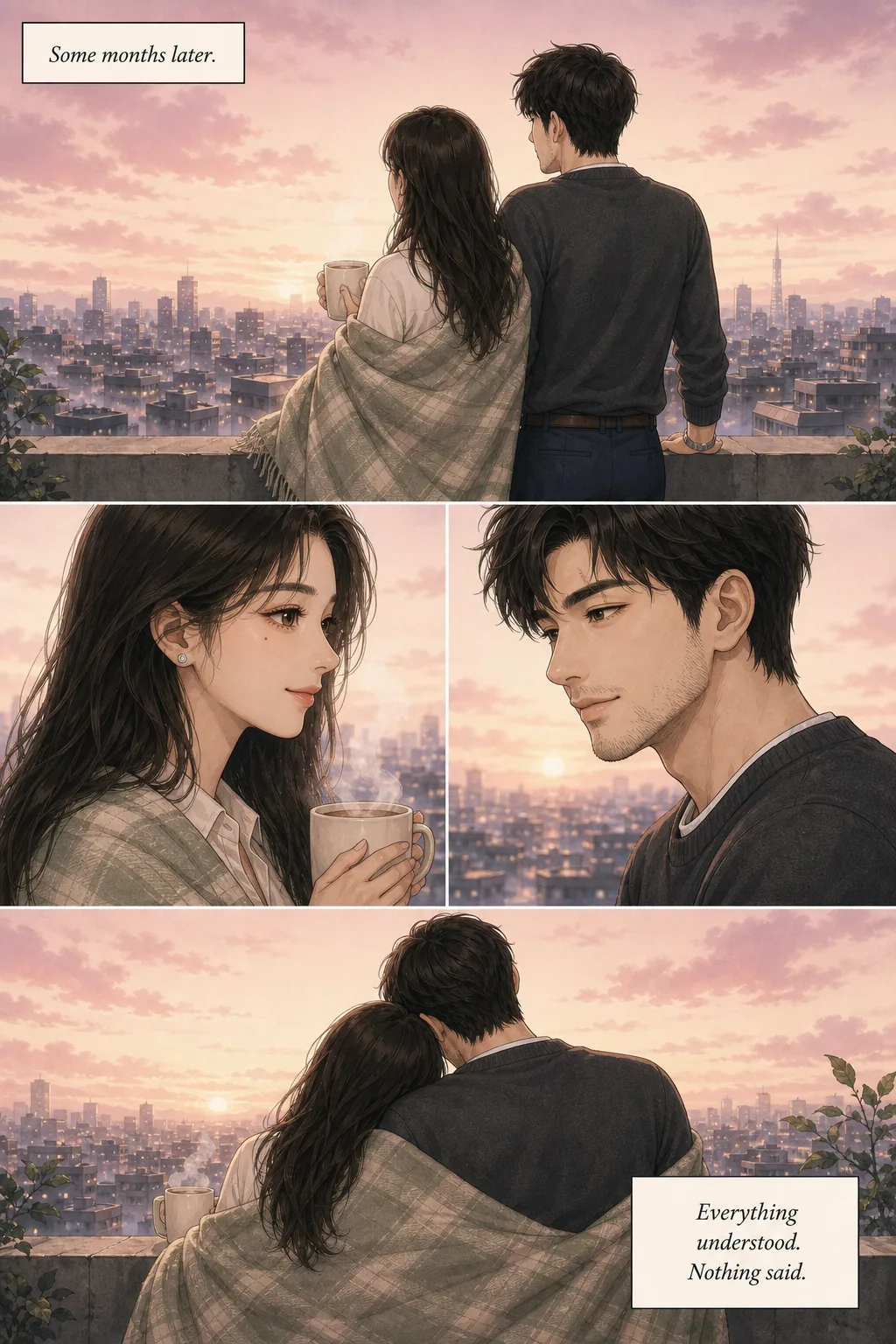
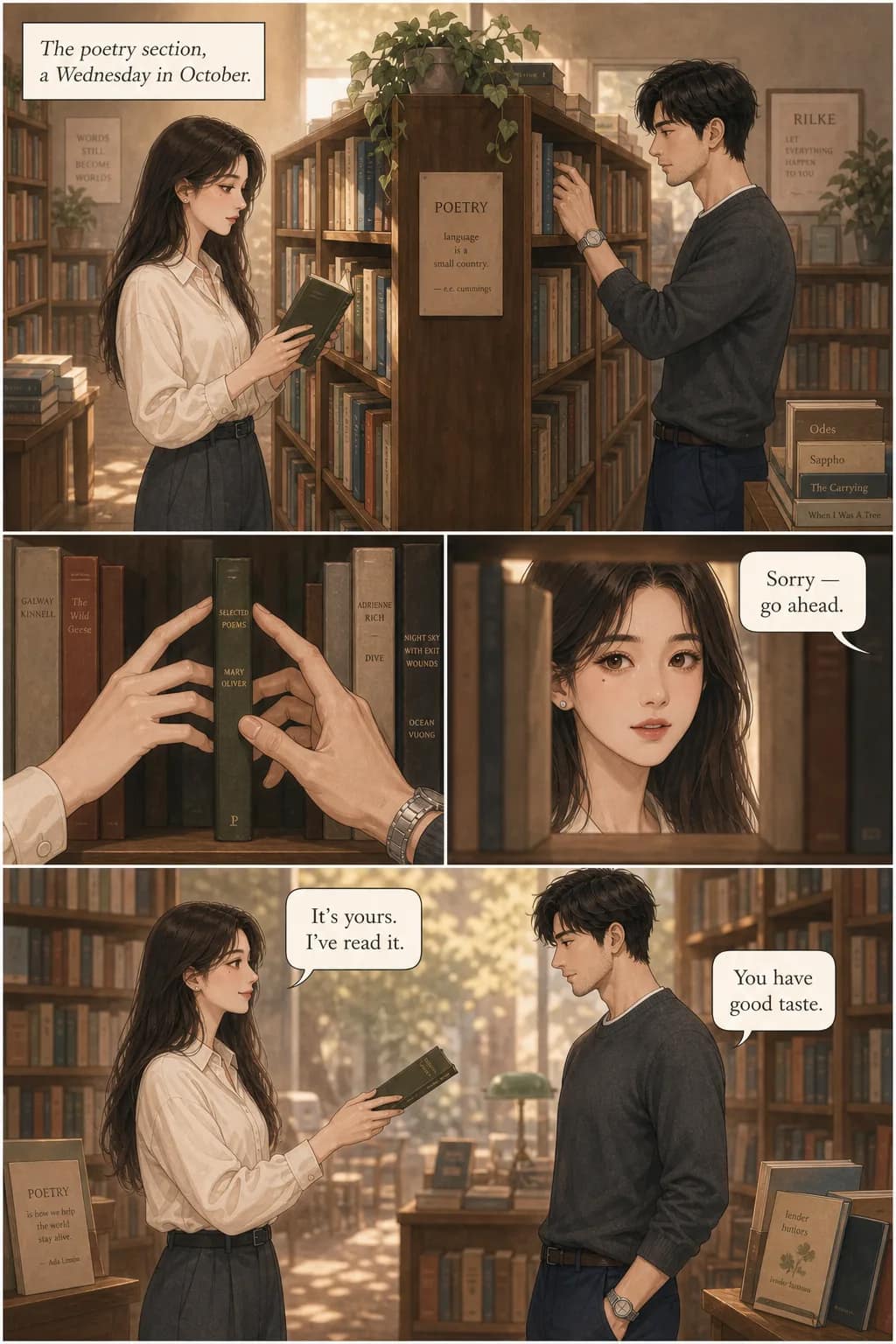
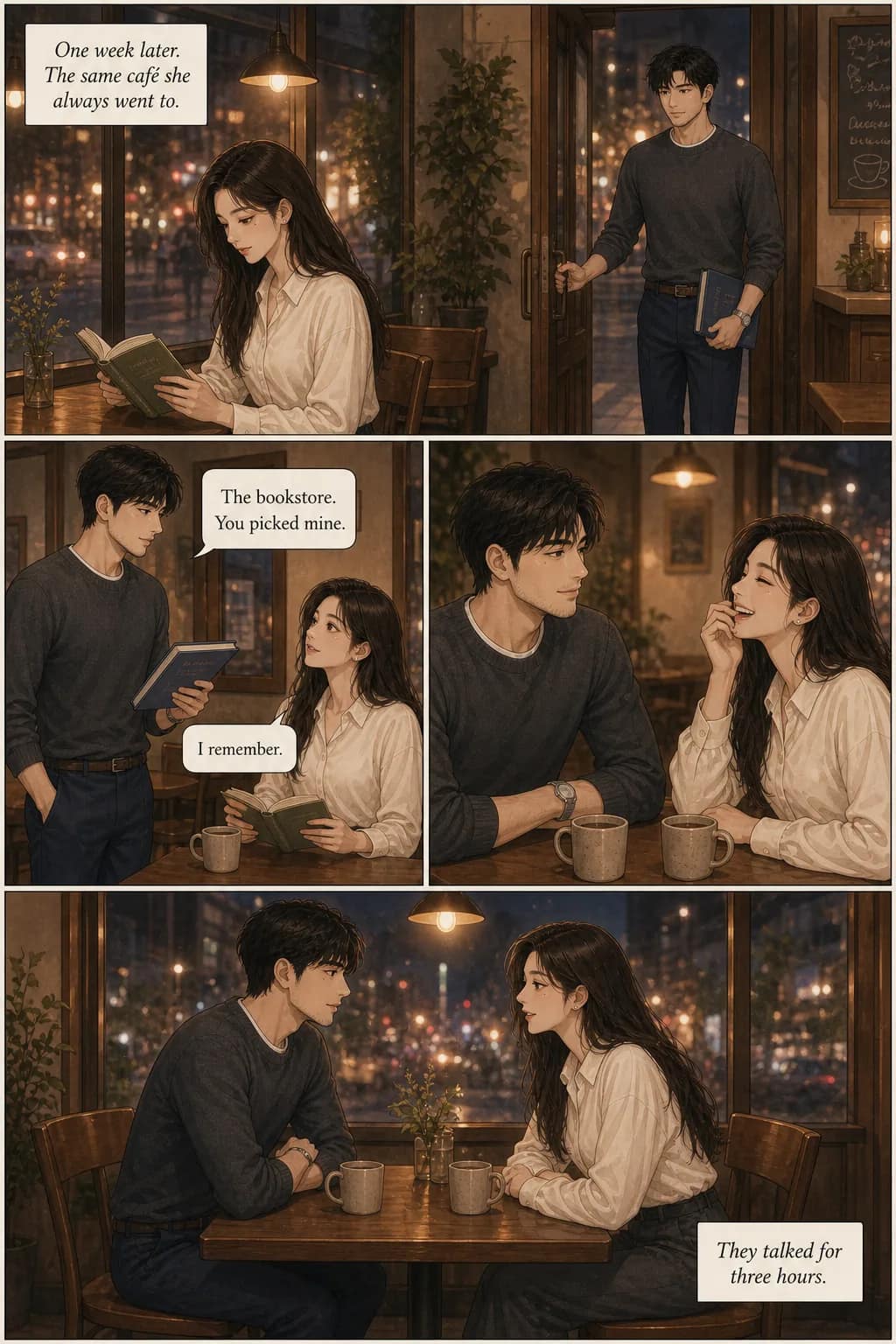
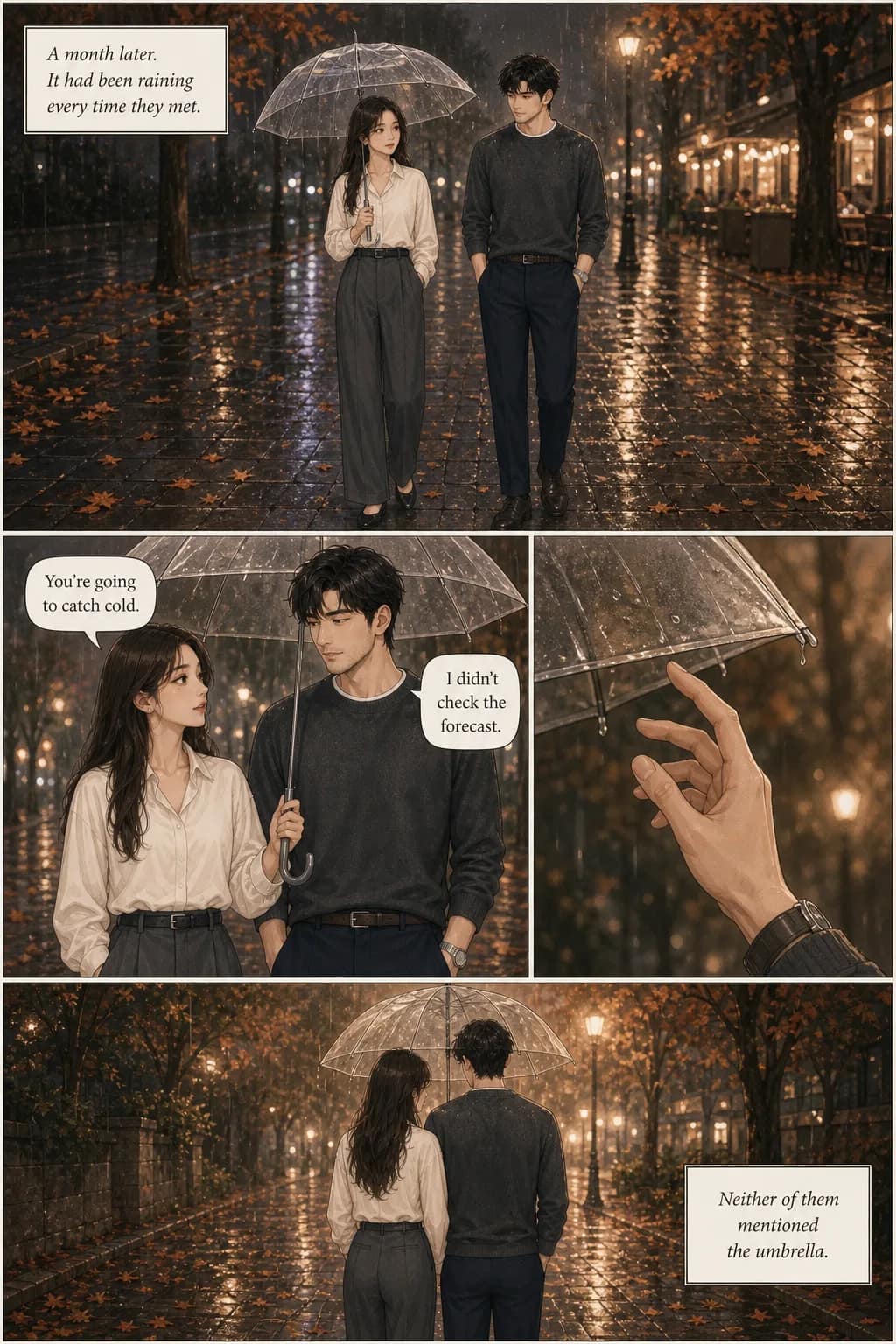
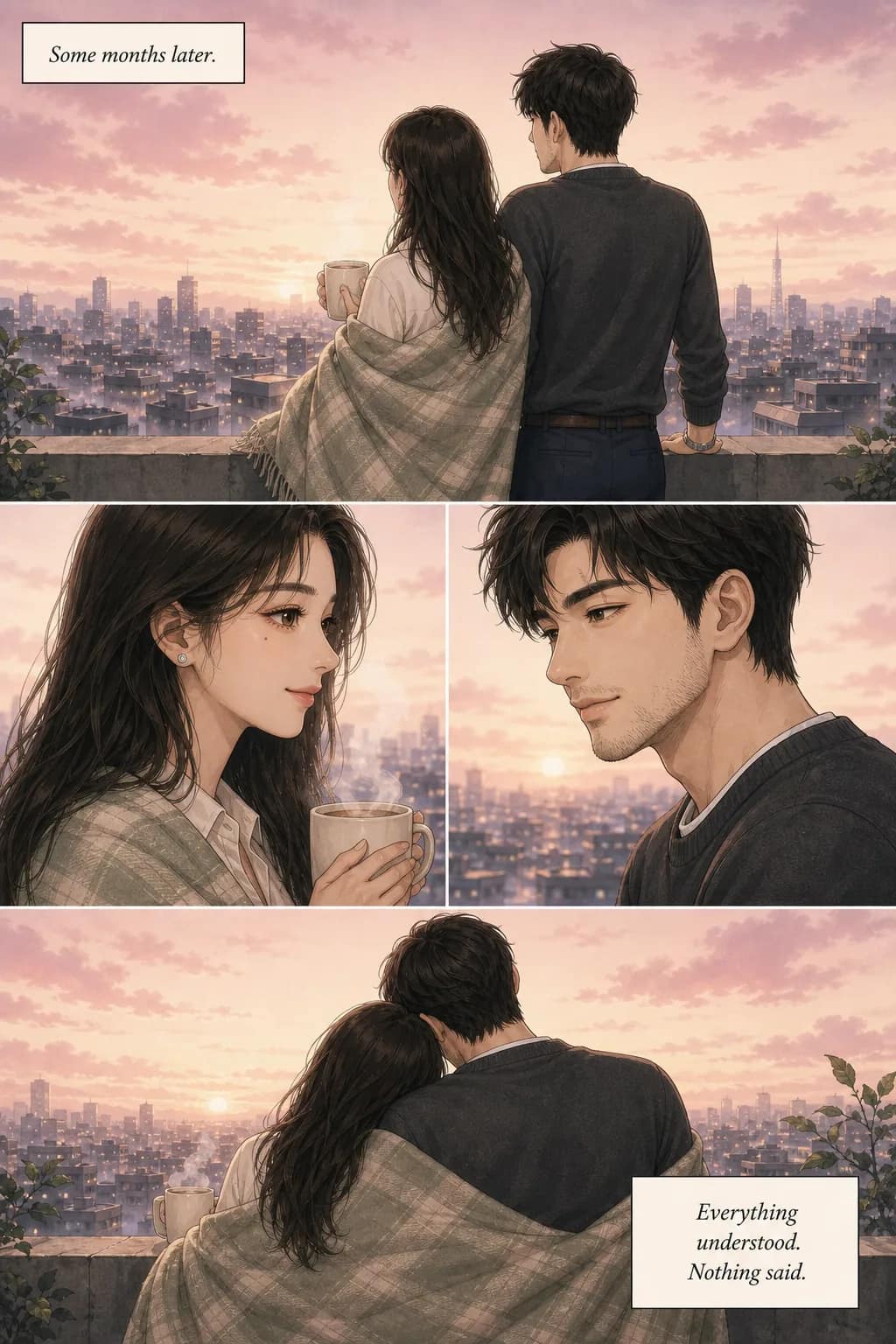
Four consecutive pages from one run. Panels composed, gutters set, dialogue and captions typeset into the art — nothing here was assembled by hand afterwards. Two characters, and the same two faces on every page.
The same character, page 1 to page 40
This is the thing single-image tools cannot do. Both pages below come from one run, thirty-nine pages apart — different scene, different hour, no re-prompting in between. The mole under her left eye is the detail to check.
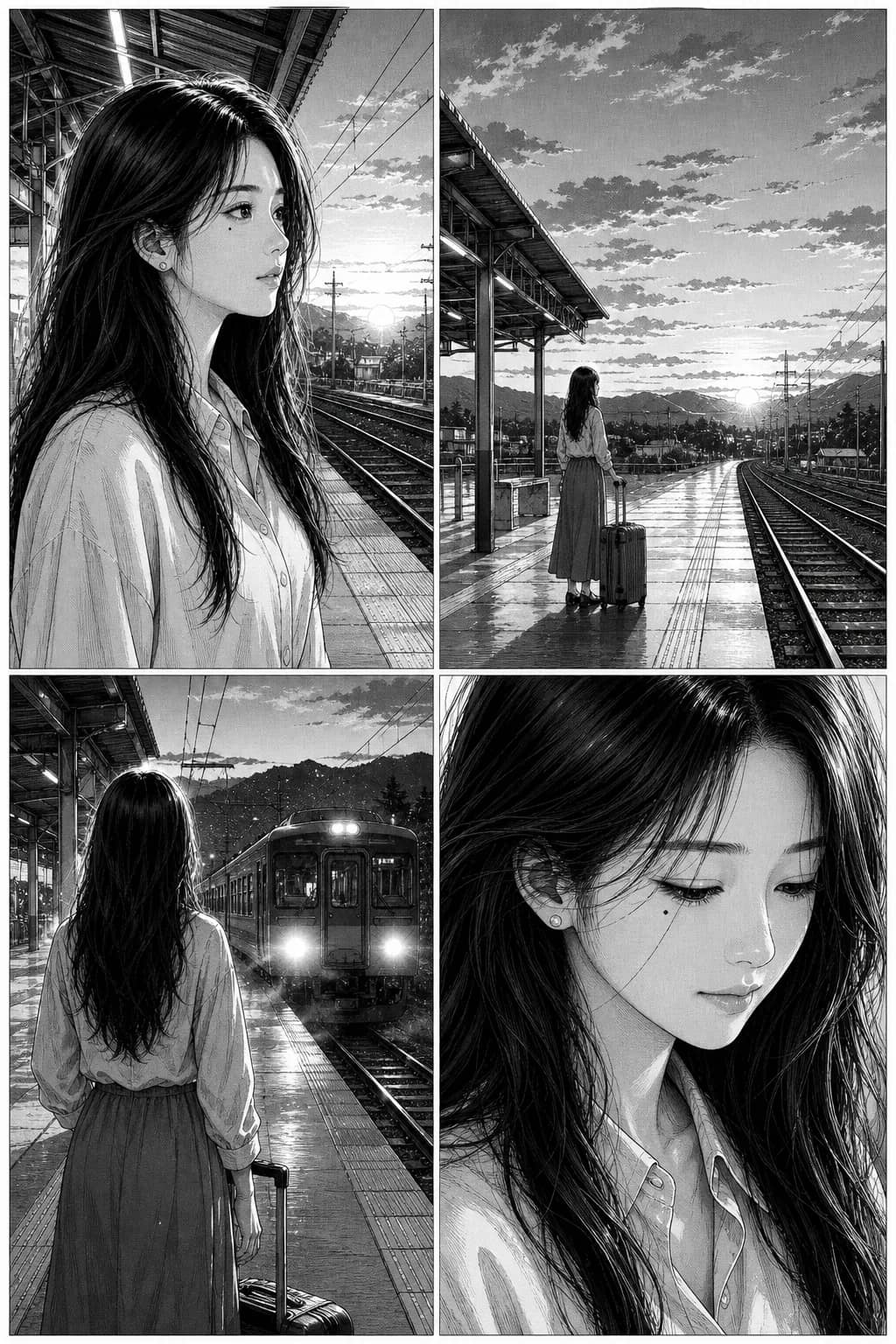
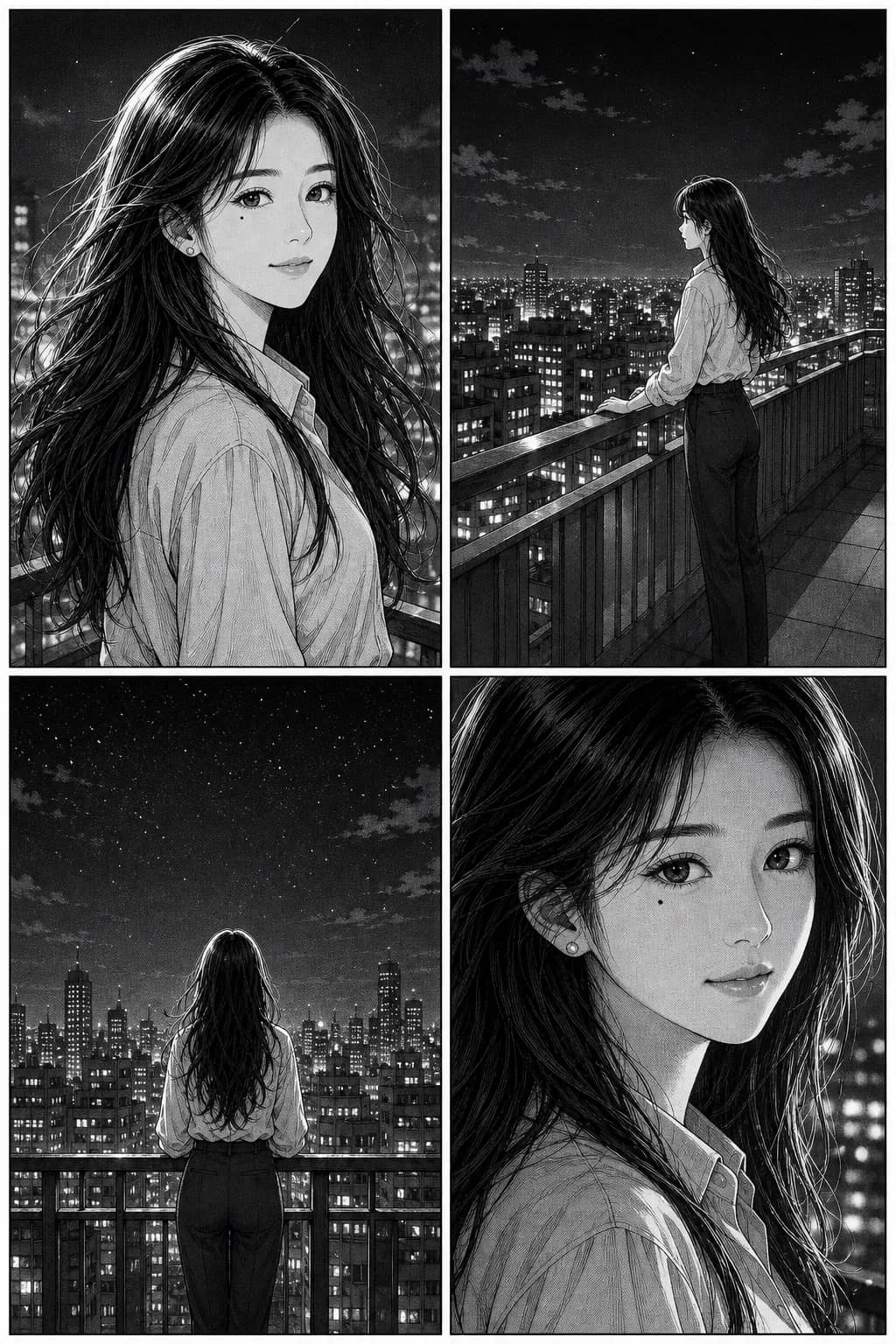
Why other tools drift. An image model samples a face from an enormous space of possible faces. Prompt twice with identical text and you get two different people — close, but not the same. That is fine for one hero image and fatal for a comic, where the reader has to believe panel 3 shows the person from panel 1.
What we do instead. The first time you cast someone we store a character fingerprint — face structure, hair, distinguishing features, outfit — and re-inject it into every later panel. The prompt for panel 7 is not “a young woman with red hair”; it is this specific person, now in a new pose. The same holds for named ships, mechs and creatures, up to six per project.
The trick that works in any tool. Give each character one hard anchor detail — a mole, a scar, a red scarf — and write it into the character sheet once, then never rewrite it. Anchors survive style and lighting changes far better than general descriptions, which is why the mole above is still legible forty pages later. This is community craft rather than anything we invented, and it will improve your results on Midjourney or Stable Diffusion too.
What still drifts, honestly: jewelry patterns, exact freckle placement, complex hand poses, and small costume details. That is a limitation of current image models and every tool in this category has it. Better than most; not solved.
Start from a photo, if you want
Upload a reference and the cast is built from it, so your protagonist is a specific person rather than whoever the model invents. That face then locks like any other.

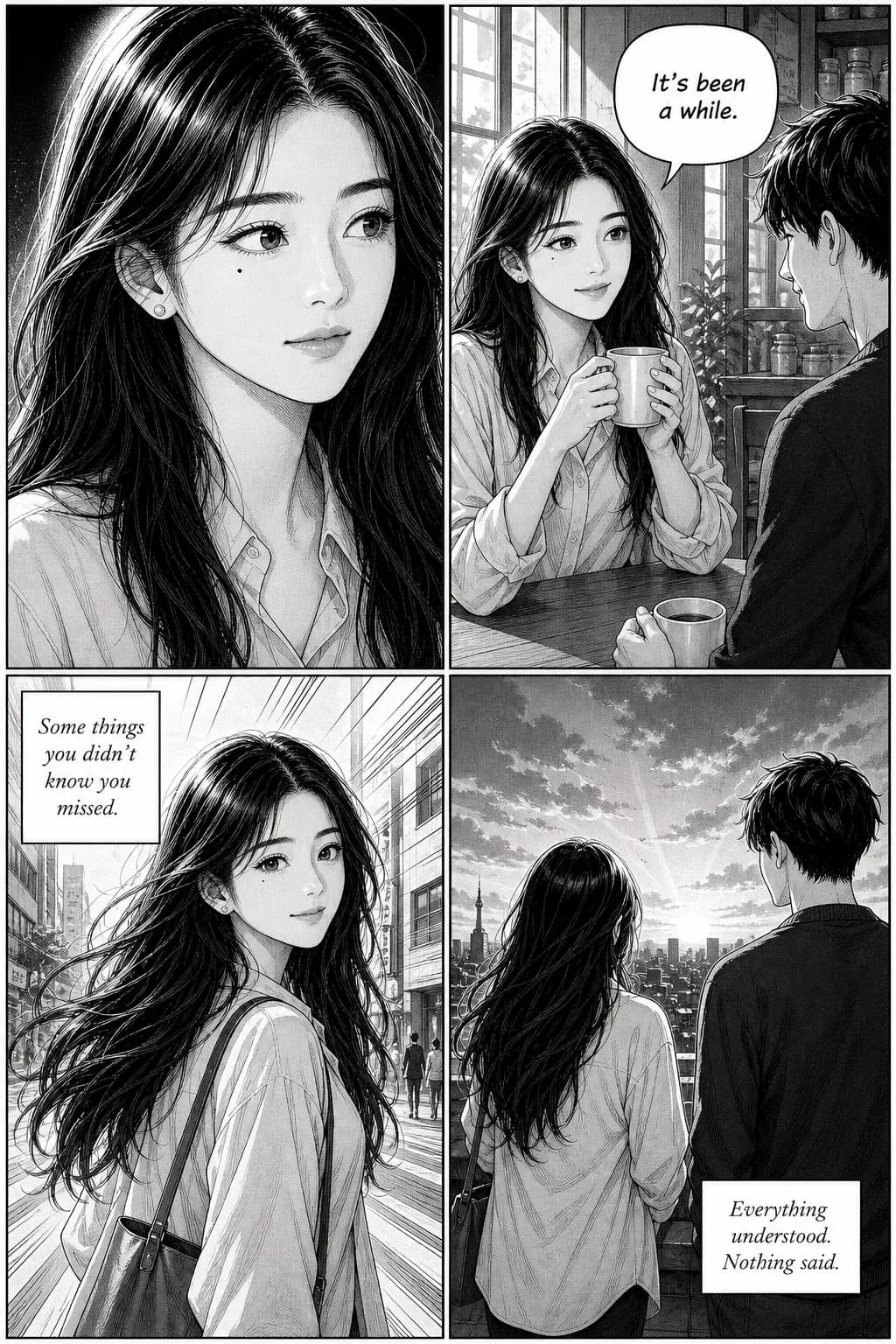
One photo in, four panels out — same mole, same face. Photos are processed to build the reference and are not used to train anything. More on working from photos.
The dialogue is placed for you
Put dialogue in quotes and it is typeset into balloons as part of the art — bubble shape follows the moment, round for speech, spiky for a shout, cloud for a thought. Captions get boxes. Panel composition and gutters are laid out with it, which is the step most people are doing by hand in PowerPoint.
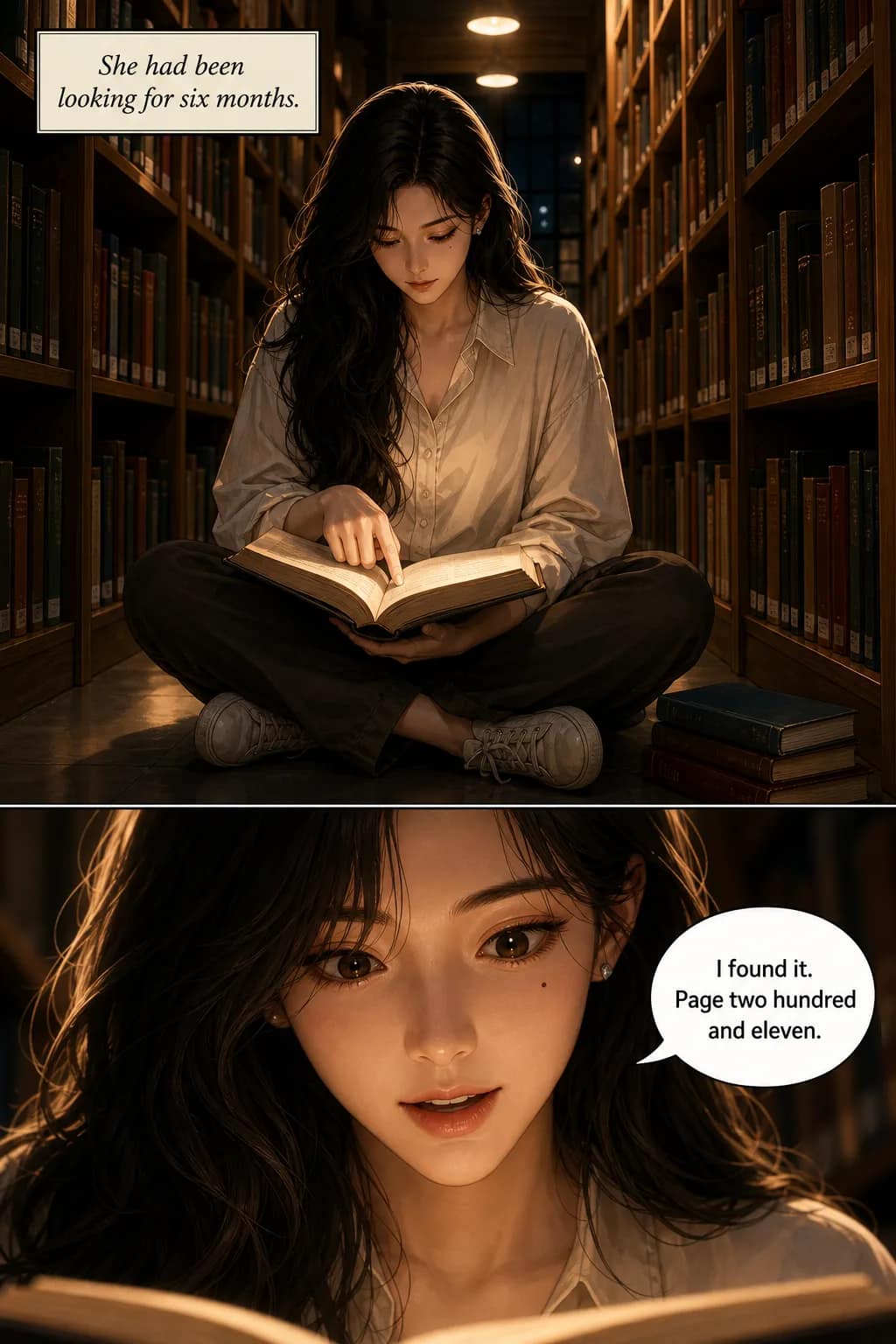
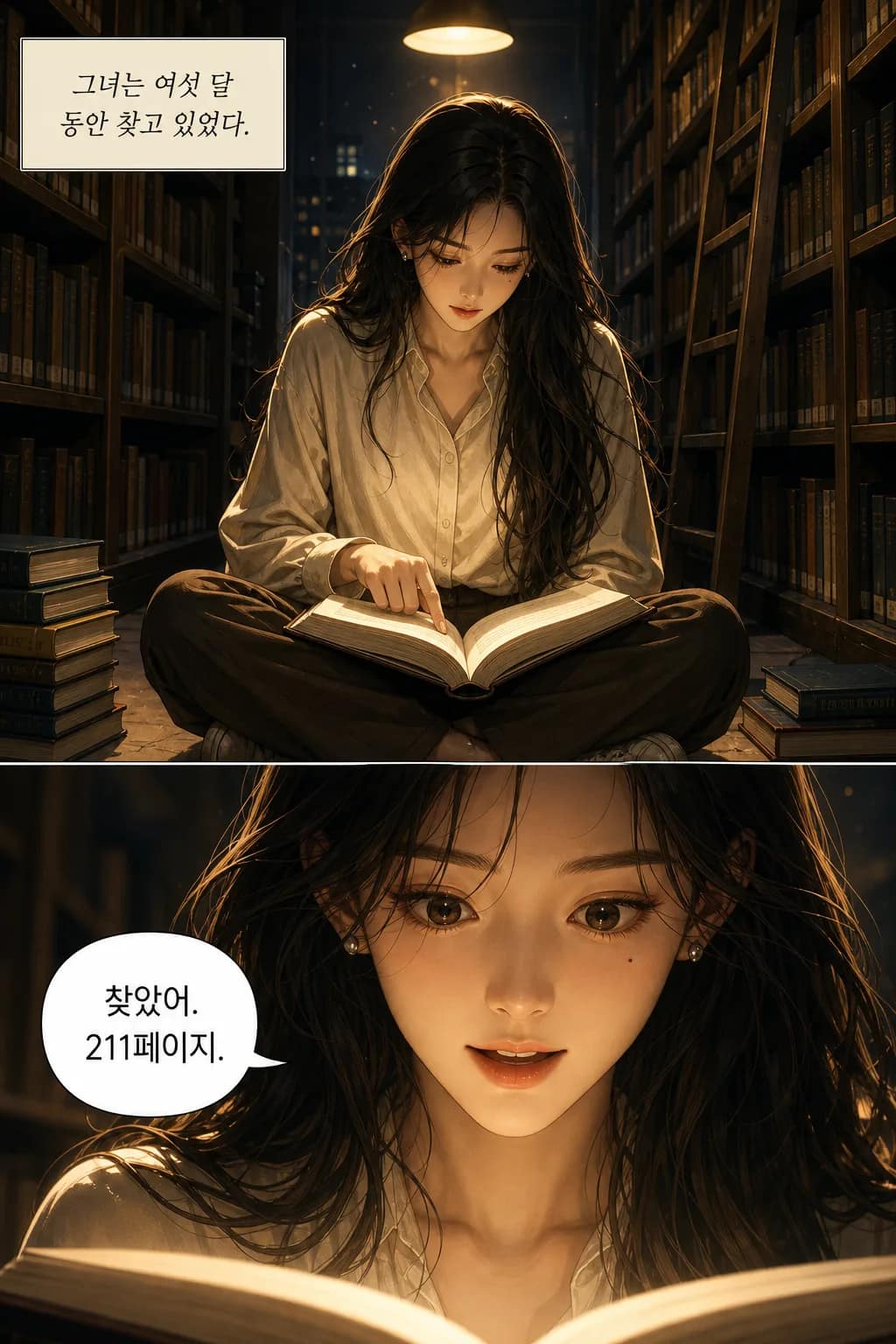
The same page generated twice. Lettering is set in the language you wrote in — thirty-plus of them — with the bubble sized to the script it holds, rather than English art with subtitles added afterwards.
Redo one page without redoing the rest
If a page lands wrong, regenerate that page alone. The character reference stays locked, so the redo returns the same people in the same style — only the thing you asked to change moves.
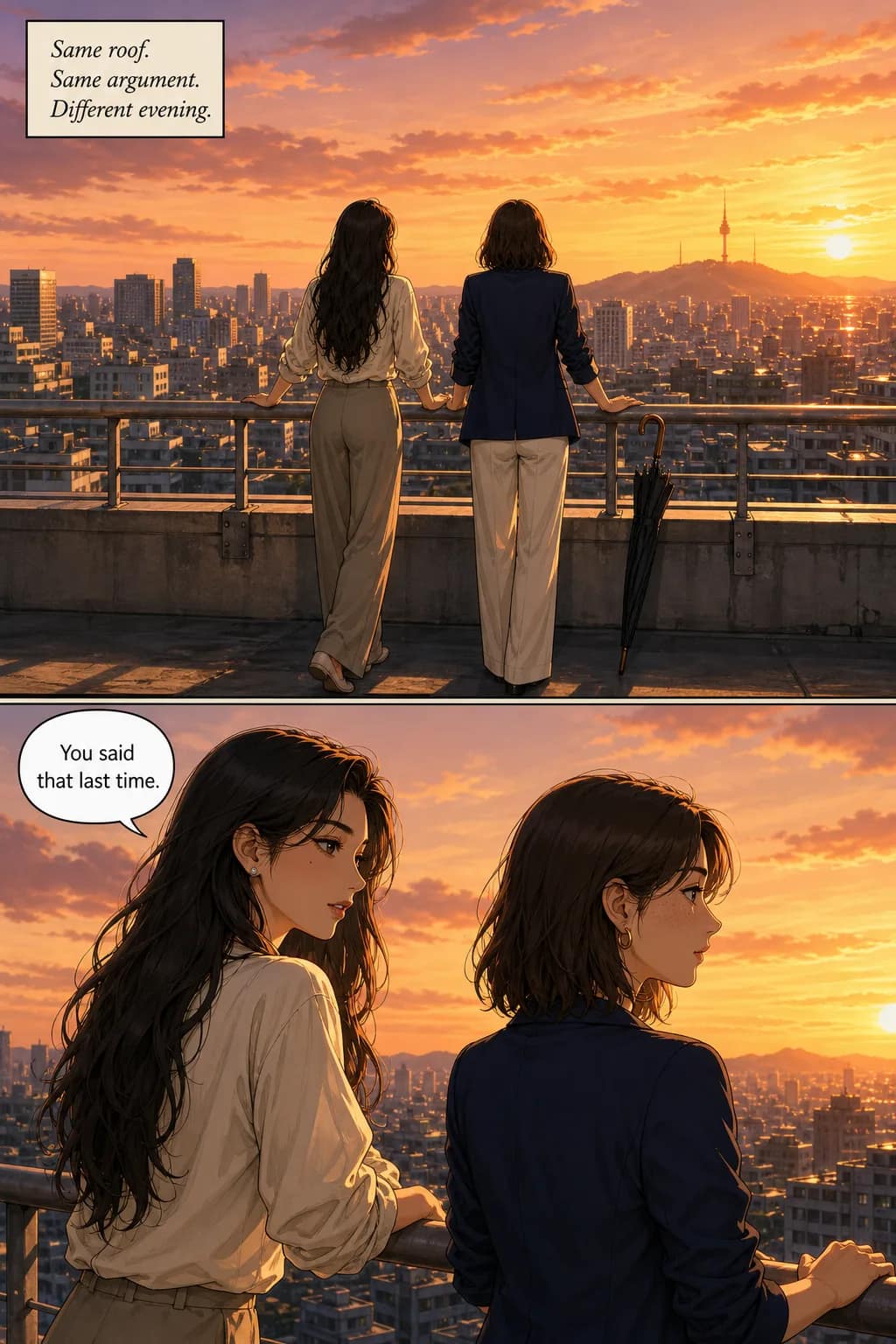
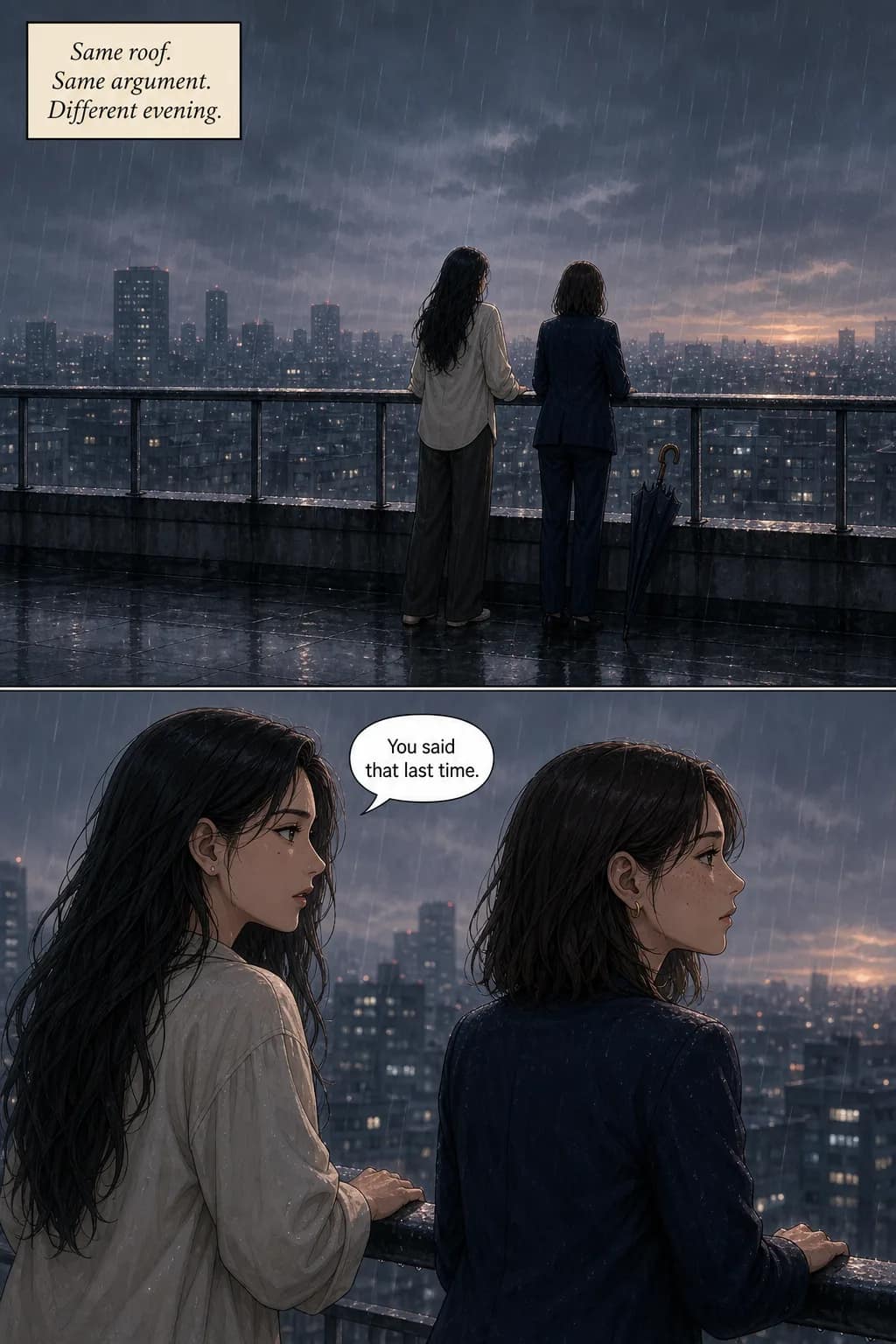
Sunset to rain: same two characters, same framing, same style. A page costs 100 credits whether it is the first attempt or the third, so a redo costs exactly what the page did — no separate edit fee, and no penalty for changing your mind.
When to use something else
We are not the best tool for every job, and pretending otherwise wastes your time. On character consistency alone we are third.
Dashtoon
Best pure character consistencyPick it if consistency is the only thing you care about and their publishing terms suit you. Their custom-trained model holds identity better than ours on long-form.
TaleAtelier
Consistency, plus breadth and lengthThird on consistency alone. We win on thirty-six styles against Dashtoon's seven, a 400-page ceiling, casts up to six, and lettering placed for you.
Canva, Adobe Firefly
Free tiers and strong assemblyPick them if you want to lay pages out yourself and character drift between panels does not matter for what you are making.
Perchance
Genuinely free, no sign-up, no limitsPick it if cost is the deciding factor. Characters drift between panels, so it suits single images better than a story.
Why we rank ourselves third. Dashtoon's custom-trained model genuinely holds character identity better than ours on long-form comics, and saying otherwise would be easy to disprove. Where we win is everything around that: thirty-six styles against their seven, four hundred pages of ceiling, casts up to six, and dialogue lettered into the art rather than added afterwards. If pure consistency is all you need, use Dashtoon.
The full ranking — ten tools scored on consistency, art quality, story tools and price →
Comic strips, full comic books, or 400-page epics
Not every comic wants to be the same length. Pick whichever matches what you are making — all three run the same way underneath, differing only in panel count and how long generation takes.
Comic strip
Quick gag, TikTok post, Instagram single-image comic, meme with a three-beat setup. Generates in under a minute.
Best for social media, humor, one-liners.
Short comic
Bedtime story for a kid, gift comic for a friend, birthday card storyline, dating-app opener. Generates in 3-8 minutes.
Best for gifts, personal projects, testing an idea.
Full comic book
Original series, self-published webtoon, personal graphic novel, long-form storytelling. Generates over 15 minutes to a couple of hours depending on length.
Best for creators building a body of work.
All three formats use the same character-locking system — the identity you cast on page 1 holds through page 400. Long-form comics don’t degrade; they just take longer to generate.
Thirty-six comic styles to pick from
The style locks the whole comic — line weight, color palette, panel conventions, everything downstream of “what kind of comic is this.” Pick one at cast time; every panel in the story renders in that discipline.
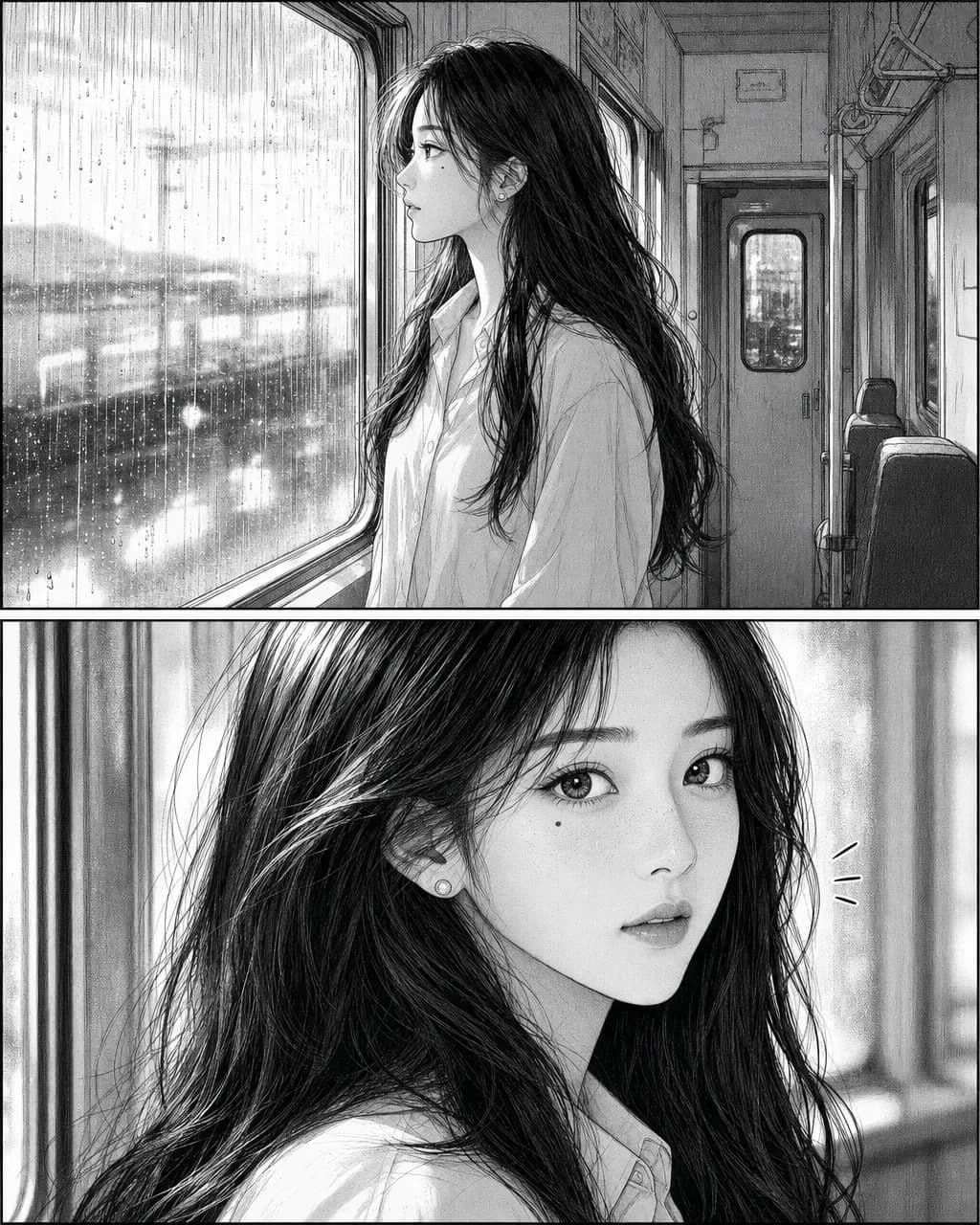
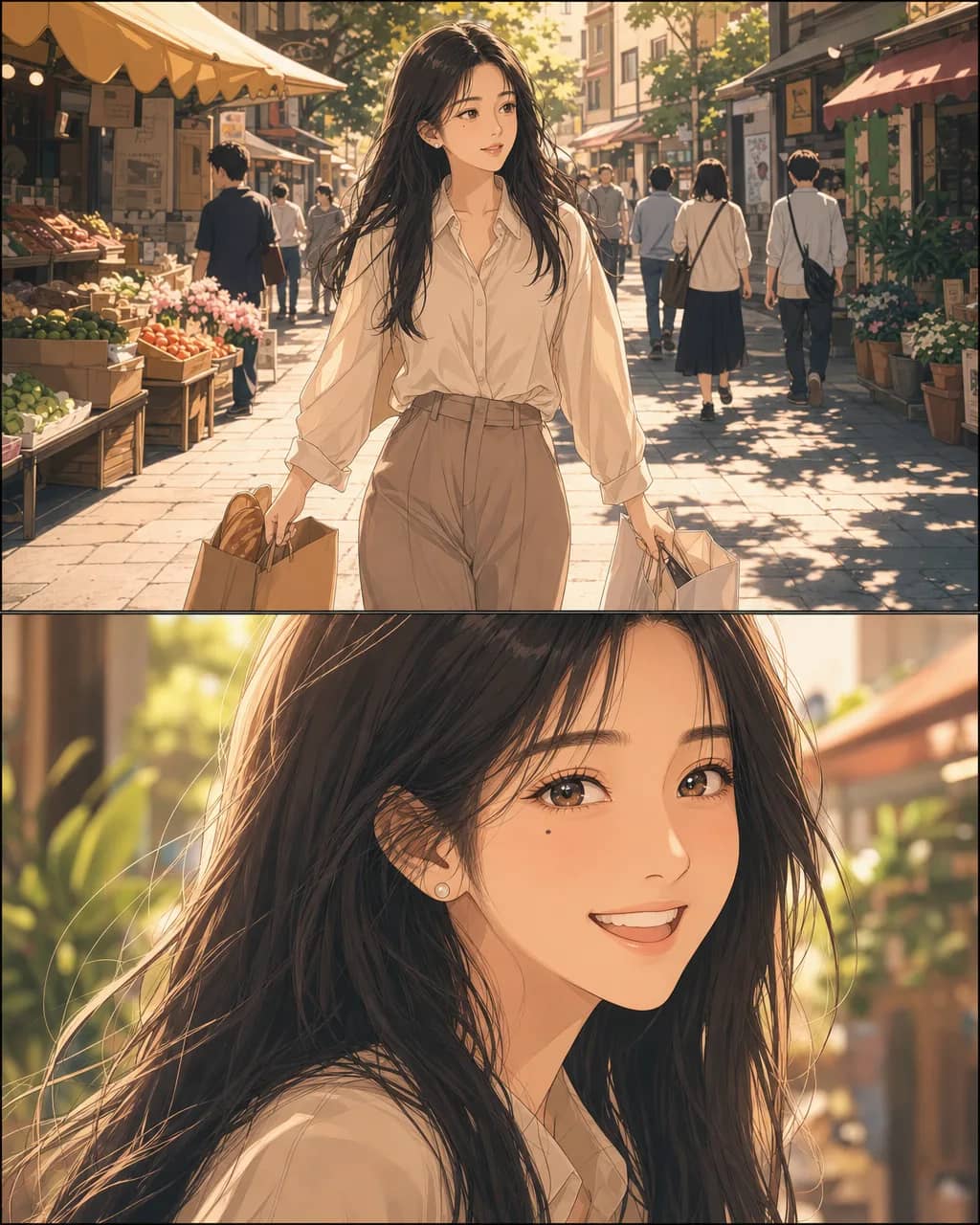
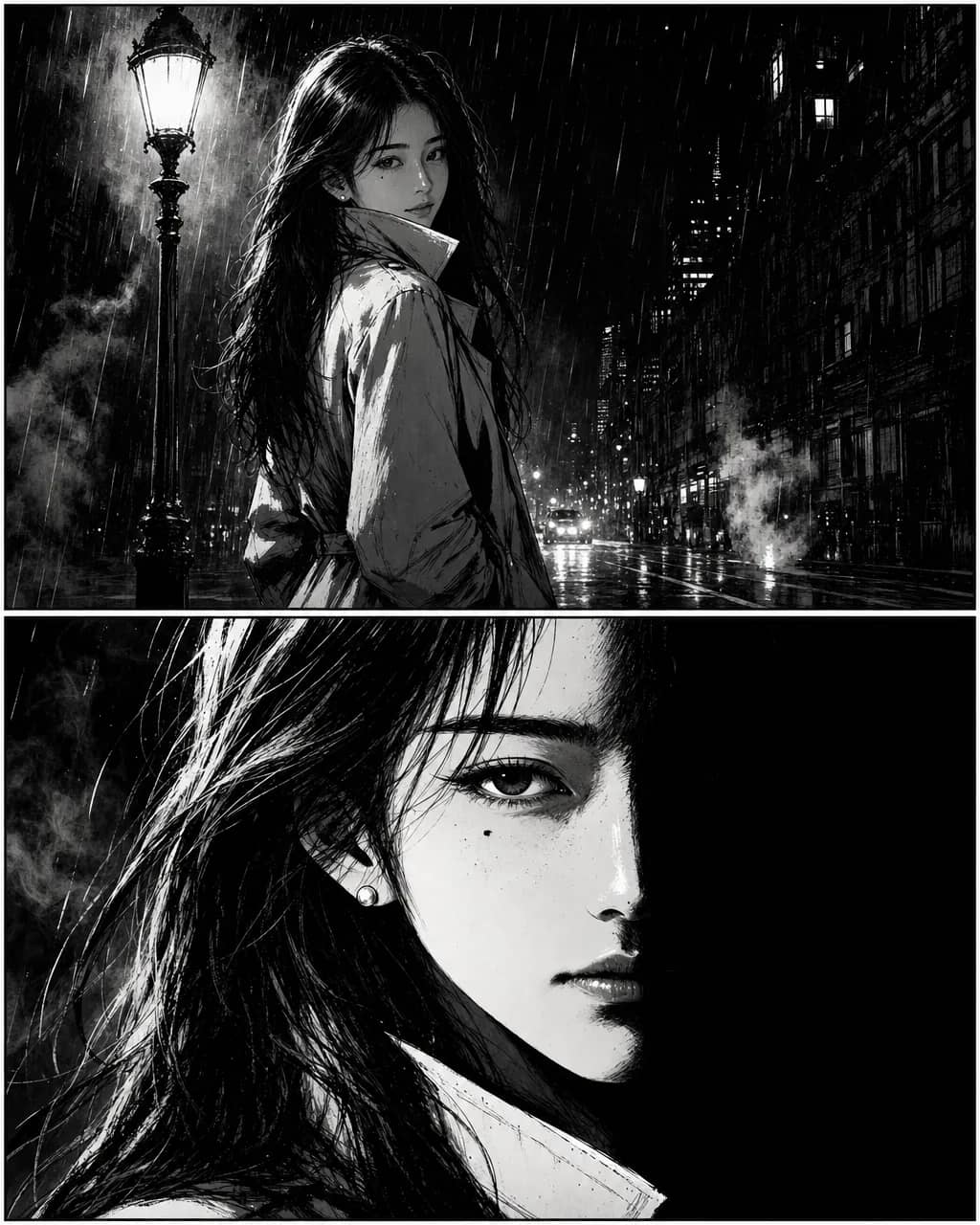
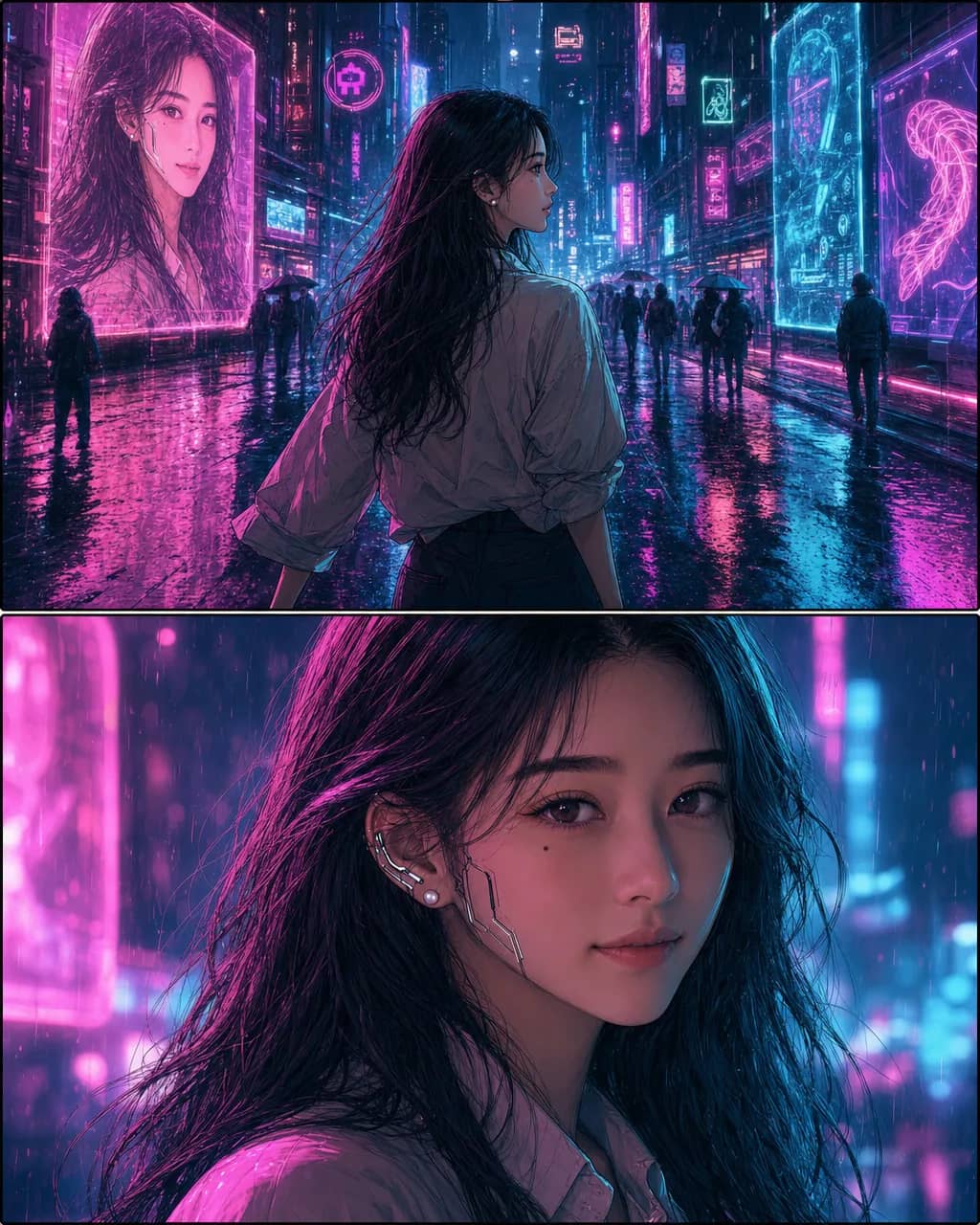
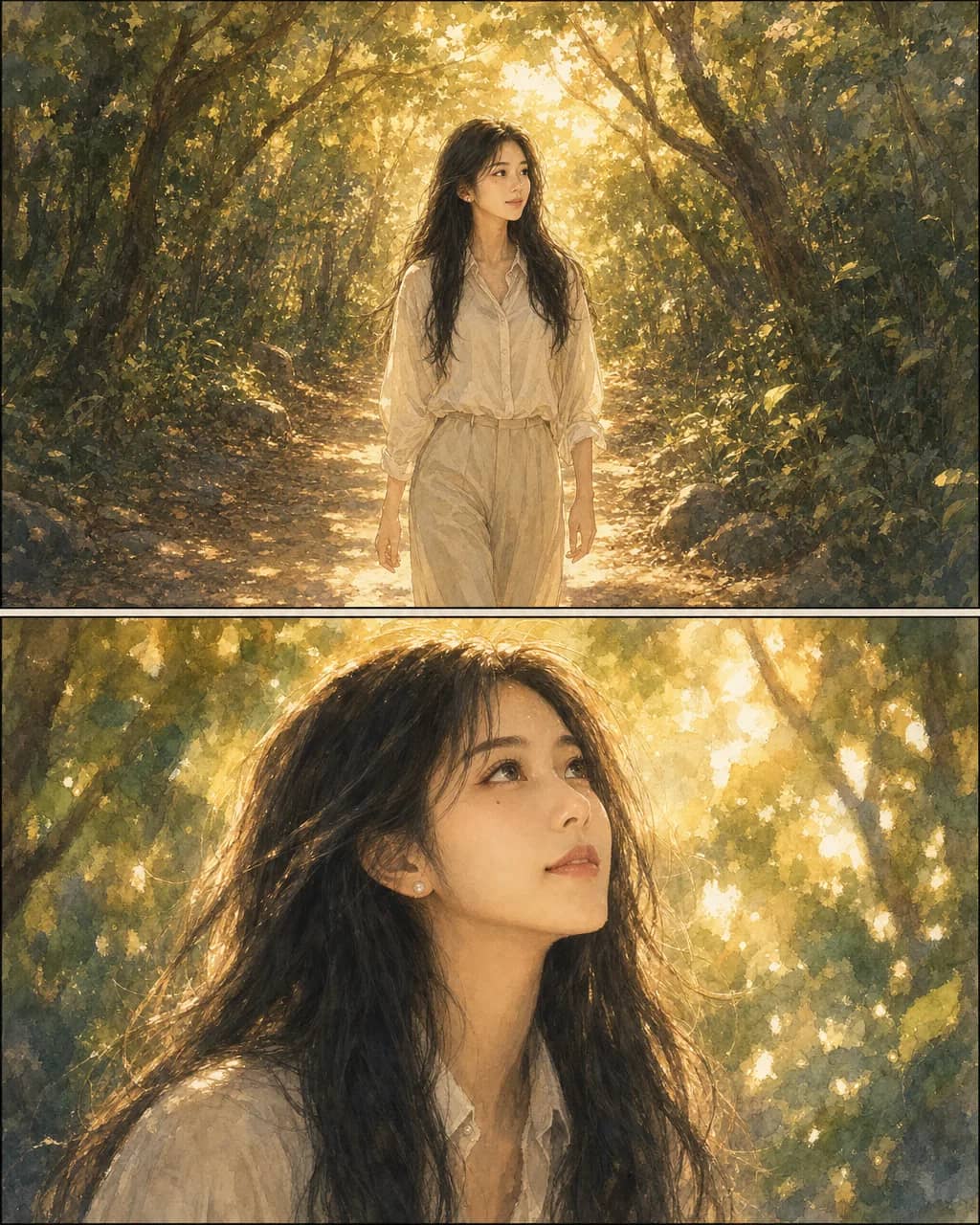
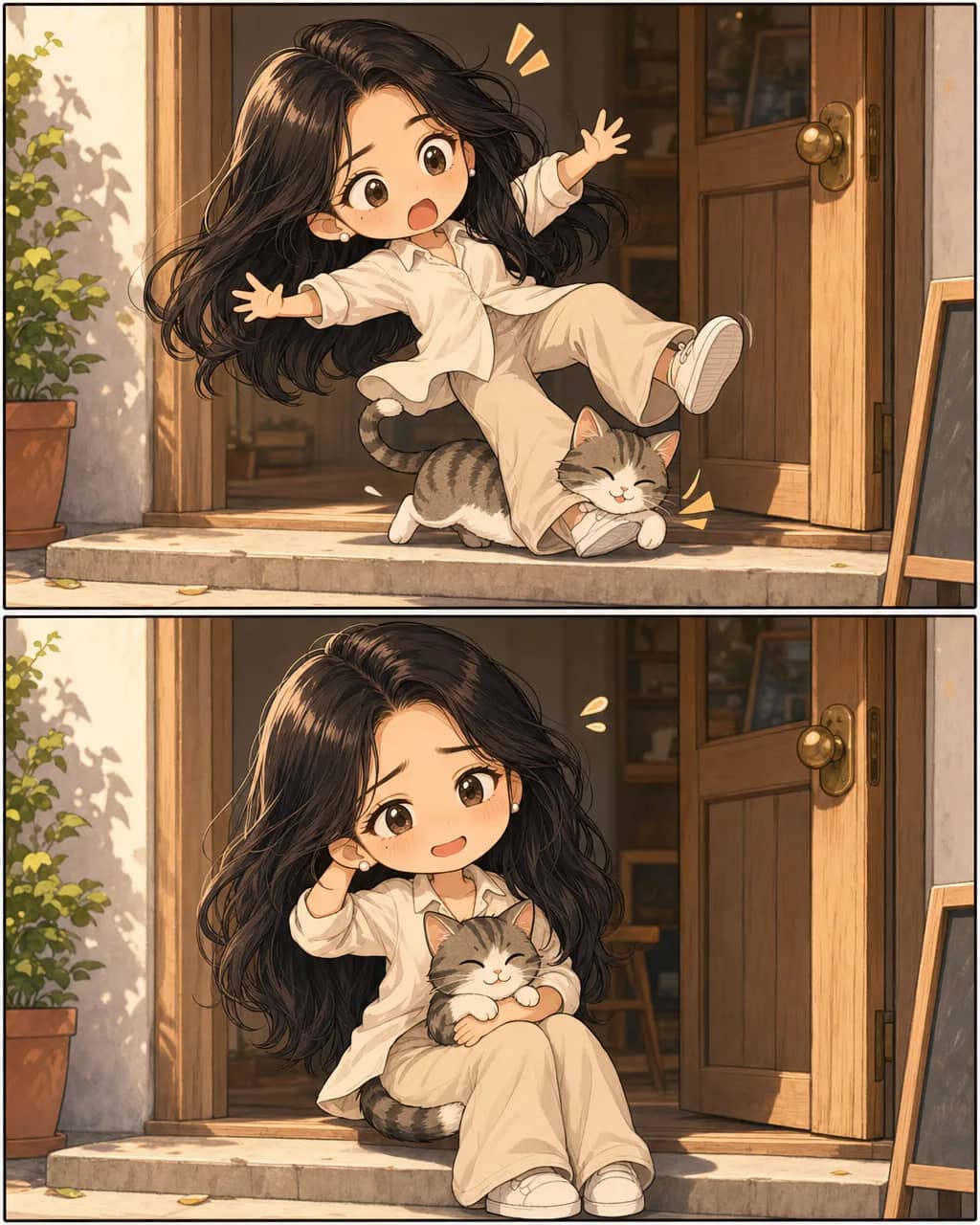
Most people using this are writers with a story and no way to draw it, webtoon and indie creators who need pages faster than a collaborator can deliver, and teachers, marketers and hobbyists making something specific for one audience. If you have a story and no illustrator, you are the case this was built for.
What's free, what needs a plan
A lot of AI comic tools say “free” and then paywall the export button. We're explicit — the preview above is free and needs no account, and generation beyond it runs on a monthly plan starting at $9.99.
Cover and first page — no sign-up
Type a story into the box above and generate a cover and first page from it, with no account and no card. Rate-limited per visitor, because generation costs real compute.
Sign up free — keep and continue what you made
Email only, no card. An account saves the preview you just generated, keeps your character library and story drafts, and is what lets you carry that comic past page one.
Generate — from $9.99/mo (Starter plan)
A page is 100 credits, so a 20-page comic is the $9.99 Starter plan. Starter $9.99, Plus $24.99, Pro $59.99. See pricing for plans and one-time coin packs.
What AI comic generation works well for (and what it doesn’t)
The category has real edges. You should know them before you commit time or money.
Works well for
- Short personal gifts. 4-20 page birthday, wedding, or anniversary comics. Character consistency is solved at this length; iteration cost is low.
- Marketing and product explainers. Onboarding flows, API stories, internal culture comics. Ship a draft same-day.
- Serialized social content. Weekly TikTok / Instagram strips. Consistent cast, quick turnaround.
- Story prototyping. Test pacing and character dynamics in comic form before committing to a novel or screenplay.
- Long-form on the Custom tier. 21-400 pages in a single job, picking up where the Long tier ends. Full graphic novels, gift volumes, serial arcs.
Doesn’t work as well for
- Named intellectual property. Generating recognizable Marvel, Disney, or Pokémon characters is a legal risk regardless of tool. Disney + Universal v. Midjourney (filed June 2025) tracks exactly this. Prompt original characters.
- Portrait-grade photo realism. The face is close but stylized. If you need portrait-grade likeness, finish in Photoshop or commission an artist.
- Named-artist style mimicry. “Draw this like Katsuhiro Otomo” doesn’t produce Otomo’s work — and copying a living artist’s signature style is also an ethical line worth not crossing.
- Dense text pages. Speech-bubble placement is automatic and handles normal dialogue density. Text-heavy monologue or dense narration boxes are better finished in Canva or Clip Studio.
- Absolute panel-to-panel identity match. Face and outfit lock well. Subtle micro-details (specific jewelry patterns, exact freckle placement, hand poses) still drift. Every tool in the category has this limit.
Can I sell comics made with AI?
Yes — with two things worth understanding before you publish: how much of it you actually own, and which platforms will take it. Both have moved in the last year. This is informational, not legal advice; if you are publishing at scale, ask a lawyer in your jurisdiction.
Selling it: yes, on a paid plan
TaleAtelier grants commercial rights on every paid plan — sell prints, publish to Kindle Direct, run the comic as marketing, put it on your own site. If you are comparing tools, check two things people usually miss: Midjourney reserves commercial rights for paid plans and requires companies over $1M annual revenue to be on Pro or Mega, and Adobe Firefly permits commercial use even on its free tier, with paid plans adding IP indemnification rather than rights. Free tiers are where the restrictions usually hide.
Owning it: the human part is what you own
U.S. copyright requires human authorship, and that is now settled rather than argued: the D.C. Circuit affirmed it in Thaler v. Perlmutter and the Supreme Court denied review in March 2026. The Copyright Office's Copyright and Artificial Intelligence Part 2 report (January 29, 2025) draws the practical line: a prompt alone does not make you an author, but your selection, arrangement, dialogue and edits can carry copyright in those elements. Which means the parts of your comic you actually wrote and shaped — the script, the panel order, the words in the balloons — are the parts that are protectable. Directing more gets you more.
Where you can publish it
This is the part that changed most in 2026, and where the advice you will find elsewhere is often a year out of date. Policies differ sharply, so check the platform before you build a series around it.
| Platform | AI-generated comics |
|---|---|
| Amazon KDP | Allowed, disclosure required. You must tell Amazon at upload if the art or text was AI-generated — and that still counts even if you edited it substantially afterwards. The disclosure is internal; it does not appear on your listing. |
| GlobalComix | Fully AI-generated art is not allowed. Their content policy, updated March 2026, prohibits it outright; AI-assisted work with real human input is permitted and reviewed before it goes up. Note their own FAQ still carries the older, more permissive rule — the dated policy is the one that governs. |
| Tapas | Not allowed. Tapas banned AI-generated episodes, covers and banners in a 2023 policy announcement and we found nothing reversing it. Their help centre blocks automated checks, so confirm in a browser before you commit a series. |
| WEBTOON Canvas | No stated policy. Their live Canvas policy, last updated November 2025, does not mention AI at all — neither permitting nor forbidding it. The one confirmed rule is narrower than it is usually reported: generative AI is barred from WEBTOON contest entries. Silence is not permission, so treat this as unsettled. |
| Gumroad, your own site | Allowed. No meaningful AI restriction, and selling direct keeps you clear of platform policy changes entirely. The trade is that you bring your own audience. |
Two practical notes. Amazon's disclosure turns on origin, not effort — art an AI produced counts as AI-generated even if you edited it heavily afterwards, and the disclosure goes to Amazon rather than onto your book's page. And where a platform asks for human involvement, the script and lettering you wrote are exactly the contribution it is asking about.
Don't prompt characters you don't own
The live litigation is about training data and outputs that reproduce known characters — Disney and Universal's case against Midjourney, now consolidated with Warner Bros.', is in expert discovery with no merits ruling yet. In the UK, Getty largely lost against Stability AI in a November 2025 judgment, abandoning its main copyright claims mid-trial. However these land, the practical rule does not change and does not depend on them: prompt your own characters, not Batman. The risk lives in what you type, not in the tool.
Disclosure rules, if you publish in the EU or Korea
The EU AI Act's Article 50 transparency rules took effect on August 2, 2026 — the “digital omnibus” delay that moved other deadlines did not touch them. Worth being precise about who they bind: the machine-readable marking duty falls on the provider of the generative system, not on you as a comic creator, and systems already on the market have until December 2, 2026 to implement that specific marking. Work generated before August 2, 2026 does not need retroactive labelling. South Korea's AI Basic Act, in force since January 22, 2026, requires disclosure of AI-generated content distributed there — which is worth knowing given that WEBTOON and Tapas are both Korean-headquartered.
Legal and platform terms verified against primary sources on . This area moves quickly — a fair-use motion in the Midjourney case is expected before the end of 2026 — so check the linked sources before relying on any of it.
Want a comic starring a real person?
If the character in your comic should look like someone specific — you, your partner, a friend, a family member — the workflow is a little different. You upload a reference photo instead of describing the character in text, and TaleAtelier locks that face across every panel.
See how photo-to-comic works →
Making a vertical-scroll webtoon specifically? Use the dedicated AI webtoon maker for tool workflow, or the full webtoon-creation guide covering canvas specs, publishing platforms, and monetization.
Making a manga page specifically — shonen, shojo, seinen, or chibi? The AI manga generator is the manga-focused workflow with genre-specific styles and baked-in speech bubbles.
Pasting long-form text — a story, script, or novel chapter? The text-to-comic page covers the three input tiers (prompt / story / script) with an honest comparison to ChatGPT and Gemini. Starting from a photo for manga specifically? See photo-to-manga.
Confused about manga vs manhwa vs manhua before picking a style? See our three-way comparison guide — etymology, differences, reading direction.
Just making a short strip (3–9 panels) rather than a full comic? The comic strip maker is the dedicated tool with panel-count guidance and 15 story starters. Want a printable blank template instead? See comic book templates.
Comparing options? See our full ranked best AI comic generators (10 tools scored on character consistency, art quality, story tools, and pricing), or the budget-focused ranking. Switching from another tool? Alternatives guide (2026) has migration paths from Pixton, Canva, Midjourney, and dead brands like Toondoo & Bitstrips.
Want the traditional (non-AI) comic-making guide first? How to make a comic covers every format (strip, page, manga, manhwa, webtoon, graphic novel) with software and publishing paths.
Also available in other languages — Español: Generador de cómics con IA · Deutsch: KI Comic Generator · Português (BR): Criar HQ com IA · também um guia comparativo de 15 apps grátis · Bahasa Indonesia: Cara membuat komik · Español: Cómo hacer un cómic.
Frequently asked questions
- Is the AI comic generator free?
- The preview is. Type a story into the box at the top of this page and you get a cover and first page back from your own story — no account, no card. It is rate-limited per visitor because generation costs real compute. Continuing past page one runs on a monthly plan (Starter $9.99, Plus $24.99, Pro $59.99), so you see what the tool does with your story before committing to anything.
- Do I need to sign up?
- Not for the preview. An account is what saves the comic you generated and lets you carry it past page one — email only, no card at signup. A paid plan is only needed once you generate beyond the preview.
- Do characters really stay consistent?
- Face structure, hair, main outfit silhouette and eye color lock reliably across a whole run — the pages above are page 1 and page 40 of the same comic. What still drifts: jewelry patterns, exact freckle placement, complex hand poses and small costume details. That is a limitation of current image models and every tool in this category has it. Giving each character one hard anchor detail — a mole, a scar, a red scarf — measurably improves what holds.
- Does it write the speech bubbles and lay out the pages?
- Yes, and that is the step most people are otherwise doing by hand. Put dialogue in quotes and it is typeset into balloons as part of the art, with the bubble shape following the moment — round for speech, spiky for a shout, cloud for a thought. Captions get boxes, and panel composition and gutters are laid out with them. Lettering is set in the language you wrote in, thirty-plus of them, with the bubble sized to the script it holds.
- What does it cost to redo a page I don't like?
- The same as the page cost the first time — 100 credits, with no separate edit fee. You regenerate that page alone and the character reference stays locked, so the redo returns the same people in the same style with only the thing you asked to change moved. A 20-page comic is 2,000 credits, which is the $9.99 Starter plan.
- Can I sell comics I make with it?
- Commercially, yes on any paid plan. Two caveats worth knowing before you build on it. First, ownership: U.S. copyright needs human authorship, so a prompt alone does not make you the author, while the script, panel order and dialogue you wrote can carry copyright as your contribution. Second, platforms differ more than most guides admit — Amazon KDP takes AI work with a disclosure, GlobalComix bars fully AI-generated art, and Tapas does not allow it at all. The table above has the current position for each, with sources.
- What's the difference between an AI comic generator and a comic maker?
- A comic maker is a drag-and-drop editor — you place pre-drawn characters, backgrounds and balloons onto a template yourself. Pixton, StoryboardThat and Canva work this way, and they are genuinely good if you want to assemble something from a library. A generator draws original art from your story instead, which is what you want when the characters do not exist yet. If you are making a classroom strip from clip art, a maker is the better tool.
- How long can a comic be?
- From a 4-panel strip to 400 pages. Character consistency is what makes the long end possible at all — the reference is re-injected into every page, so page 300 is generated against the same cast as page 1. You continue a story rather than regenerating it, and export to PDF, an image stack, or Amazon KDP.
Make your first comic
this week.
Generate your cover and first page above without an account. When you want to carry the story past page one, monthly plans start at $9.99 and cancel anytime.
Start your first comicLast reviewed