Consistent character AI.
Same character, every page.
One reference sheet per character — the face and the full outfit — handed unchanged to every page of your story, so drift can’t stack up. Below: how it works, the proof, what it can’t hold, and how to do the same thing yourself with any image tool.
Free preview with no account. Plans from $9.99/mo.
By the TaleAtelier Editorial Team — last reviewed
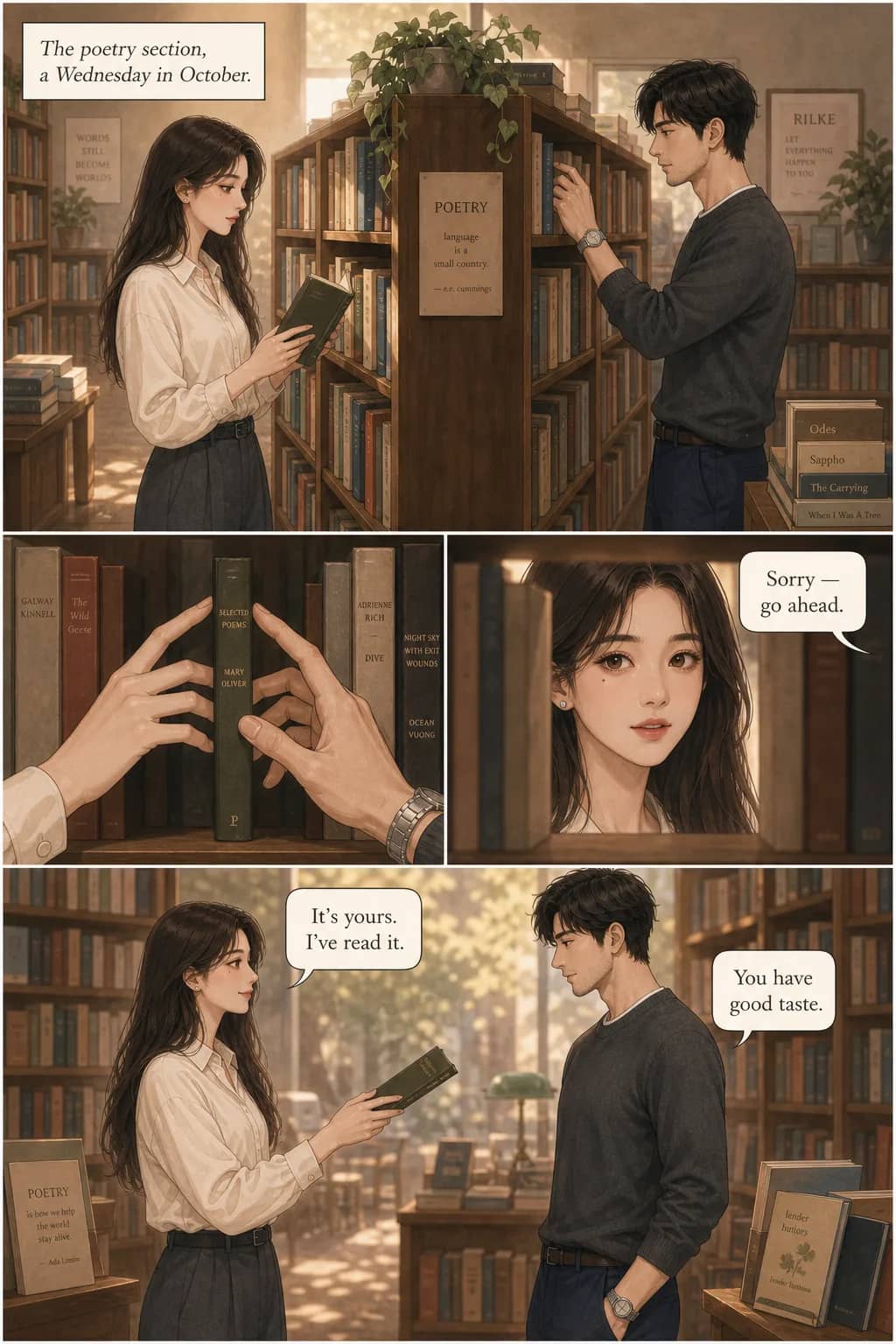
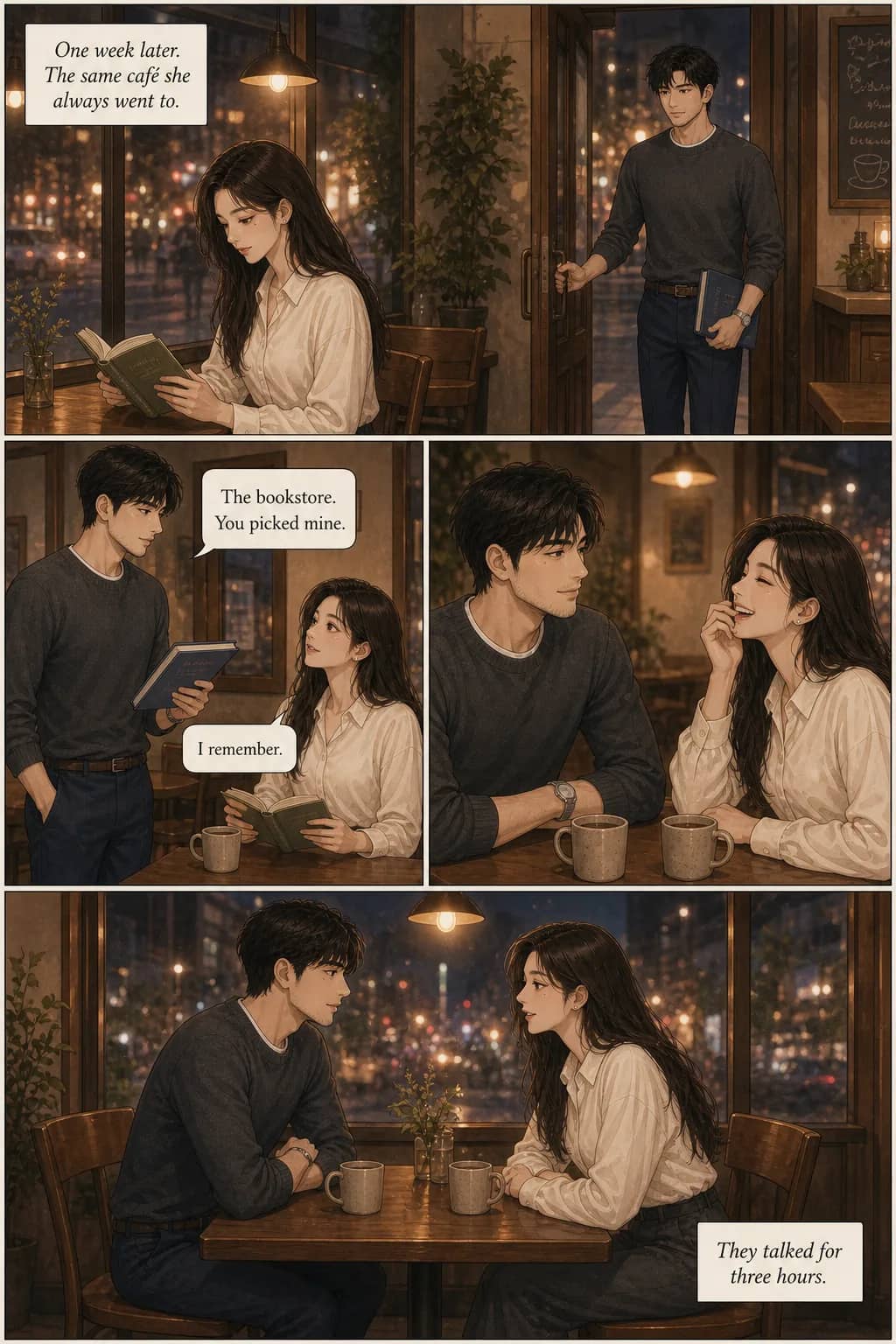
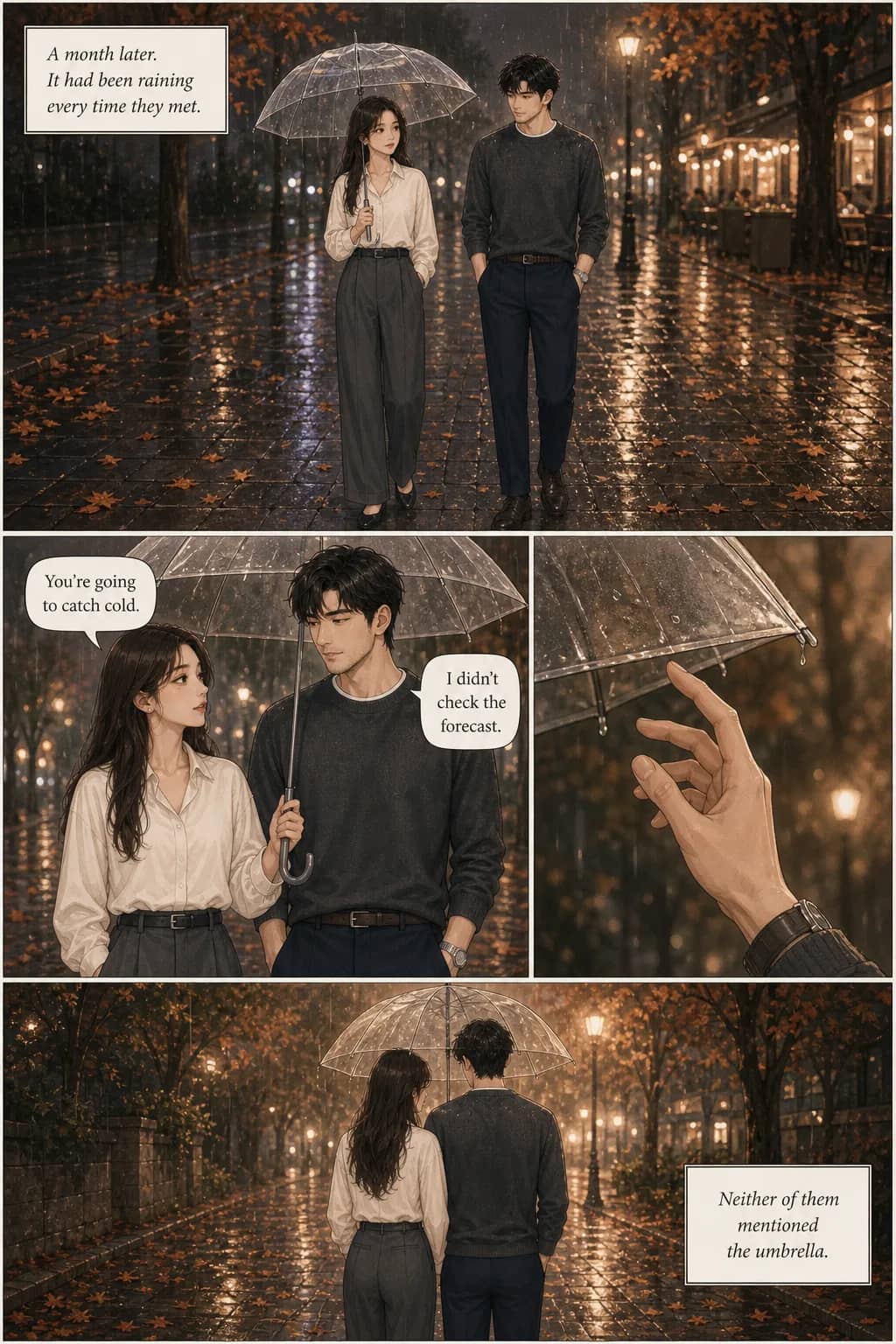
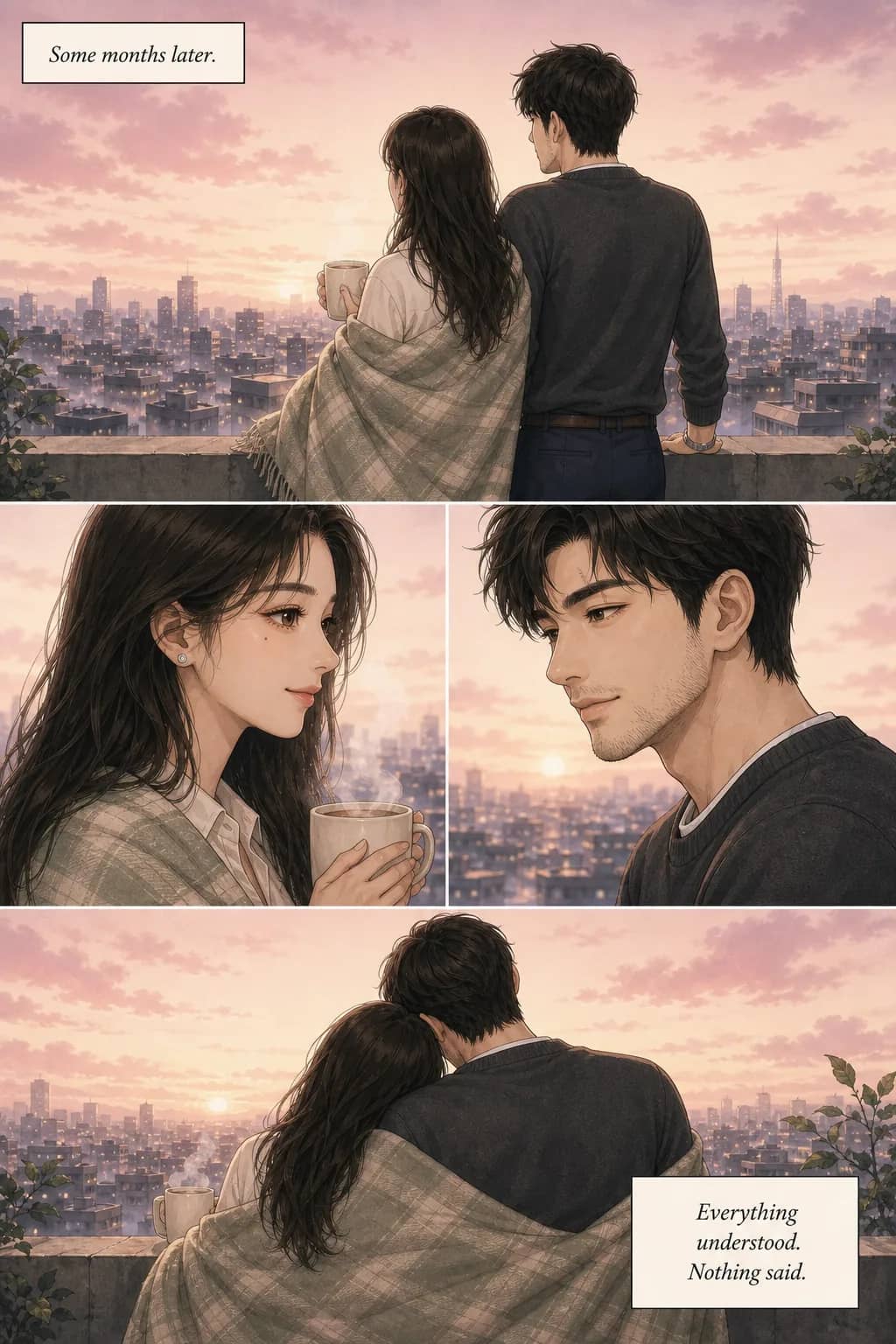
AI image models don’t remember a character between images, so the face drifts — sometimes within four panels. The fix that holds is to build one reference image of the character first and show that same image to every page, instead of describing them again or reusing the last picture. TaleAtelier does this automatically for comics, webtoons and manga: the face, the outfit and the art style hold; recurring places do not. You can also do it by hand in any tool that accepts a reference image — the method is below.
Why AI can’t remember your character
An image model starts every image from nothing. Describe “a young woman with long black hair in a mustard jacket” and you get exactly that — a different young woman each time. The words carry over; the face doesn’t.
People tend to expect this to bite on page forty. It usually bites much sooner. One creator making four-panel Sunday strips put it simply: “My main character looks like a different person by Panel 4” (creator-reported, Reddit). A single illustration hides the problem; any sequence exposes it.
Writing a longer description doesn’t solve it, and our own test shows why: eight images from the same careful description produced eight women in the same outfit with eight different faces. Text is good at carrying clothes and bad at carrying a face. What does carry a face is a picture of it.
“Consistency” is four different things
A character can have the same face in every panel and the comic can still feel disconnected. That observation, from a creator who worked through seventeen AI-comic tutorials, is the most useful way to think about the problem: there are four separate kinds of consistency, and a tool can hold some and not others. Here is where TaleAtelier stands on each.
| Kind | How it goes wrong | What holds it here | Held? |
|---|---|---|---|
| Face | “A different person by panel 4.” | A close-up headshot in the reference sheet, shown to every page | Yes |
| Clothing | Shirt colour, jacket or shoes change between panels | A full-body view of the complete outfit in the same sheet | Yes |
| Art style | Panels look like they came from different comics | One style chosen when the story is planned, fixed for every page | Yes |
| Scene continuity | The same room, street or car looks different on page 40 | Nothing visual — places are carried only by the story text | No |
The fourth row is a genuine gap, not a footnote — it is covered in full under what this doesn’t hold, along with how to handle it yourself.
What we lock, and why drift can’t stack up

It is a picture. “Locked character reference” can sound like a trained model or a learned fingerprint of a face. It is neither. Nothing is trained, and there is no model of your character stored anywhere.
When you add a character, the first thing generated is their reference sheet: one image with two panels. On the left, a front-facing close-up with as much facial detail as the image will carry. On the right, the same character head to toe, in the full outfit.
That image goes to every page of the story, together with a short written description of the character’s face — the features that make it theirs. The description deliberately says nothing about clothes. The outfit is held by the picture, which is why the sheet has a full-body half at all.
The part that matters most: the sheet is loaded once, before the first page, and nothing generated is ever fed back into it. Page 400 is given exactly the same reference page 1 was. That is the difference from the way characters usually decay, where each new image becomes the reference for the next one and small errors pile up. Here they can’t pile up. A page that drifts is one bad page; it doesn’t make the next page worse.
That is a statement about how the system is built, not a promise that no page ever misses. Individual pages can and do come out wrong — here is what to do when one does.
A photo and a description end up in the same place
Upload a photo and the sheet is built from the photo. Describe the character instead and it is built from your words. Either way, what every page works from afterwards is the sheet — not the photo, and not the text you typed.
So a description is not a weaker way in. The honest difference is how much it pins down: a photograph fixes bone structure, age and colouring exactly; a description fixes only what you thought to write, and leaves the rest for the sheet to decide. The test below shows both sides of that.
Product facts in this section checked against deployed code on .
Does a photo beat a description?
It is the question people ask before they start: is uploading a photo the “real” way to do this, and is describing a character the compromise? We had not measured it, so we did.
Two characters, built the two different ways. One reference sheet from a photograph, one from a written description — the same description a careful person would write, following the advice further down this page. Then each sheet was used to generate the same eight scenes: a night train, a noon market, a cafe, a flat studio portrait, a forest path, a dusk rooftop, a library, a startled turn in a doorway.
A third run acted as a control: the same description re-sent on every scene with no reference sheet at all.


Photo-built sheet: 8/8. Description-built sheet: 8/8. No sheet: 0/8.
Each run was scored against its own reference sheet, since that is the thing the mechanism is supposed to hold to. The photo-built run was also checked against the original photograph, and reproduced it — including a beauty mark below the left eye that survives all eight scenes.
So a description is not the weaker option. It holds exactly as well. The assumption going in was that a photograph would produce the more stable character. It does not; both runs locked completely.
What actually differs is who decides. The description said nothing about hair texture, trousers or shoes. The reference sheet settled on straight hair, blue jeans and brown boots — and then those appeared in all eight scenes, as fixed as anything that had been specified. The photo run carried the real person’s face instead, down to the beauty mark.
The control failed, but not at drawing. Every image in the third strip follows the description faithfully — the mustard jacket, the cream t-shirt, the black hair, the freckles, the pearl stud. They are eight different women wearing the same outfit. Re-sending a description transfers a wardrobe reliably and cannot transfer a face, which is the entire reason the reference sheet exists.
How this was run, so you can weigh it: 8 scenes × 3 runs = 24 images, one variable — what identity information carried between generations. It exercised the reference-sheet method directly against the image models rather than through the full product, so there was no story-planning step and no multi-character scene. That also makes it evidence for the method itself, which is why the do-it-yourself version below should work in any tool that accepts a reference image.
What this doesn’t hold
Places
Characters are held by a picture. Places are held by words. There is no reference sheet for a location, so the same kitchen on page 3 and page 40 matches only as closely as the story text describes it the same way. A creator who finished a hundred-page AI comic put it bluntly: “The hardest part wasn’t the characters—it was keeping environments, room layouts” (creator-reported, Reddit). It isn’t solved here, and we haven’t seen it solved elsewhere either. If a location recurs, describe it the same way every time it appears, with the same two or three fixed details.
Wide shots: the face stops being checkable
The reference is applied the same way at every camera distance, so we expected identity to slip in wide shots. In our test it didn’t slip so much as disappear: once her figure was about a tenth of the panel tall, her face was a handful of pixels and there was nothing left to compare. She was still recognisable — from her outfit and hair, which is exactly what the full-body half of the sheet is for. Faces held in every close-up and medium shot. See the six test pages.
Crowds: look-alike extras
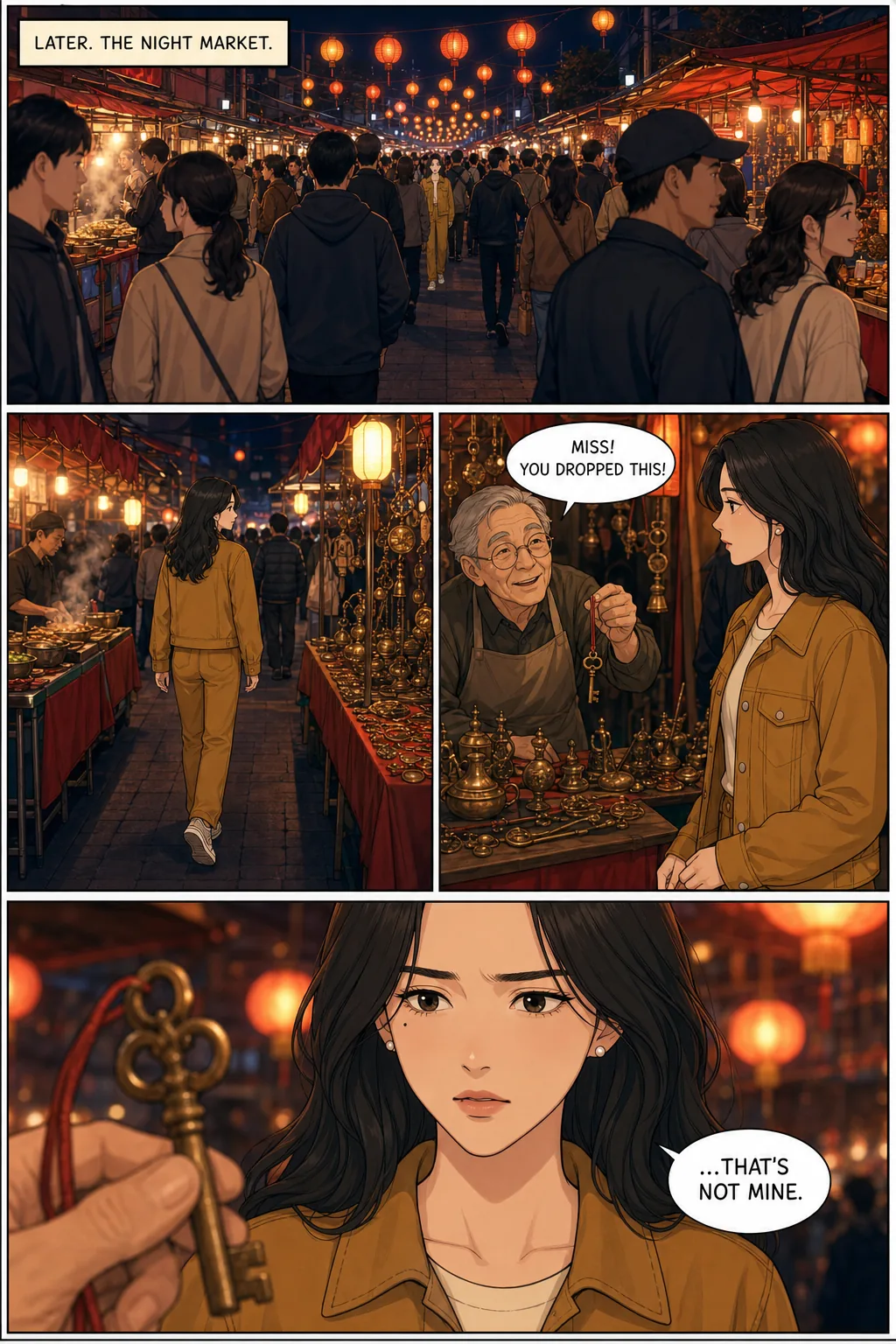
This one we found by testing, not by expecting it. In a busy market scene, the model sometimes dressed background people like the main character: in one of three crowd panels a woman in the foreground wore the same ochre jacket and long dark hair, effectively a second Mira, and the other two had milder versions. A reader can lose track of which figure is her. In a crowd, say in the scene that nobody else wears her outfit, and keep her in the clearest part of the frame.
Side and back views
The sheet shows the character from the front, so a profile or a view from behind has to be inferred. In our distance test her face held in all six profile and three-quarter panels; from behind she was recognisable only by hair and outfit, and her hair came out straighter than the sheet’s in two of three market pages. Six pages is a small sample, not a measured rate.
Costume changes
Each character has one outfit per story — the one in their sheet. If they change clothes mid-story, the scene text is asking to overrule the picture on every page, and you should expect the original outfit to creep back in. For a story with a big wardrobe change, one workaround is to add the changed-clothes version as a separate character from the same photo or description — at the cost of a cast slot, and with the same close-not-identical caveat as reusing a character in a new story.
Height and build between characters
Nothing records that one character is a head taller than another. How two people compare in size is decided panel by panel from the text. If it matters to the story, say it in the scene.
What happens to a face at a distance
We expected wide shots to be where the character slips, so we tested it with real comic pages rather than single images. Two four-panel pages, each made three times, all six first attempts, none rerun. Page one walks the camera in from an extreme wide shot to a close-up; page two is the hard case — a crowd, a view from behind, two people in a panel.

Her face, cut from that page at each distance
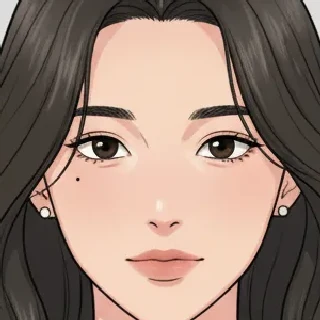
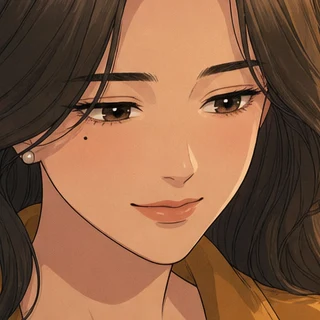
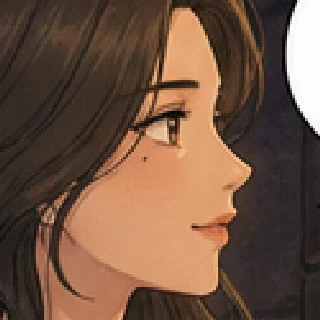
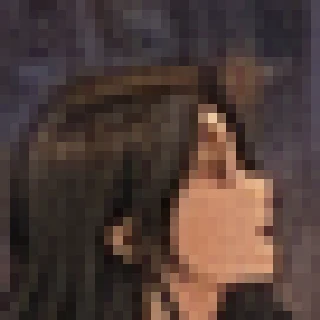
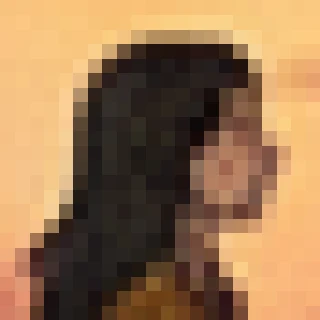
Enlarged without smoothing, so you see the pixels the page actually has. At the close-up and medium distance the face matches the sheet, beauty mark included. At the wide and extreme-wide distance there is no face left to match — she is identifiable only by the ochre outfit and dark hair.

Which one is Mira?
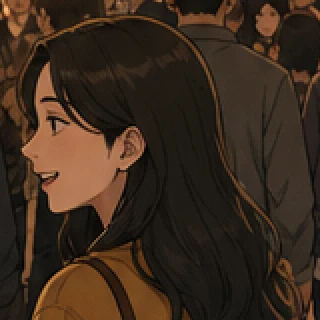
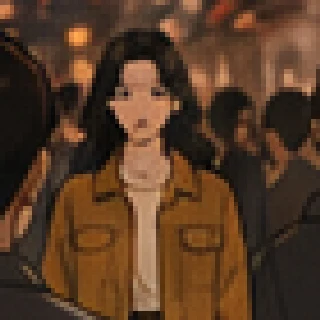
The model gave a background woman Mira’s jacket and hair, and put her closer to the camera than Mira. Nothing in the prompt asked for it. This happened clearly in one of three crowd panels and partly in the other two, and it is the failure we would not have known to warn you about without running the test.
All six pages, exactly as generated
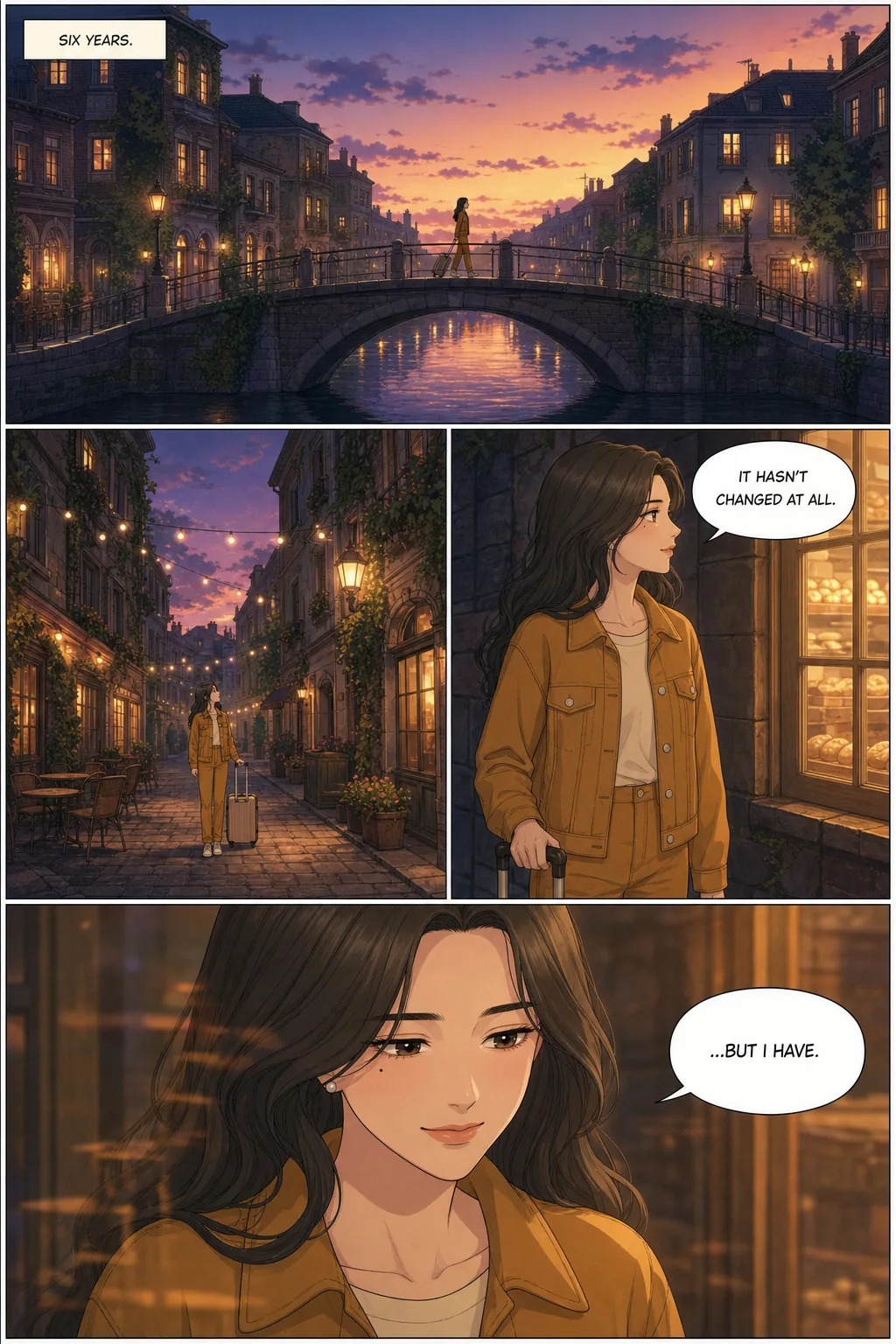
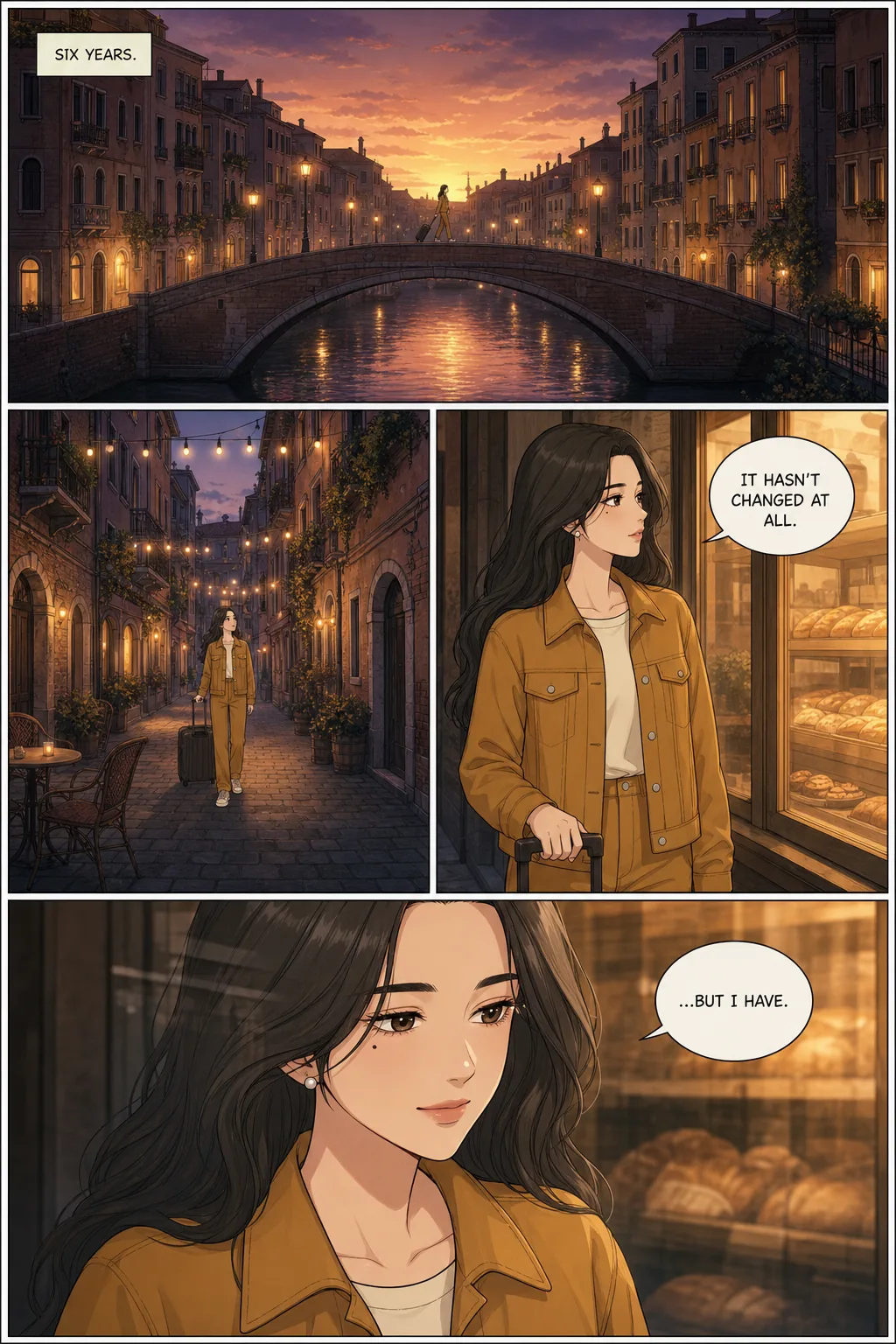
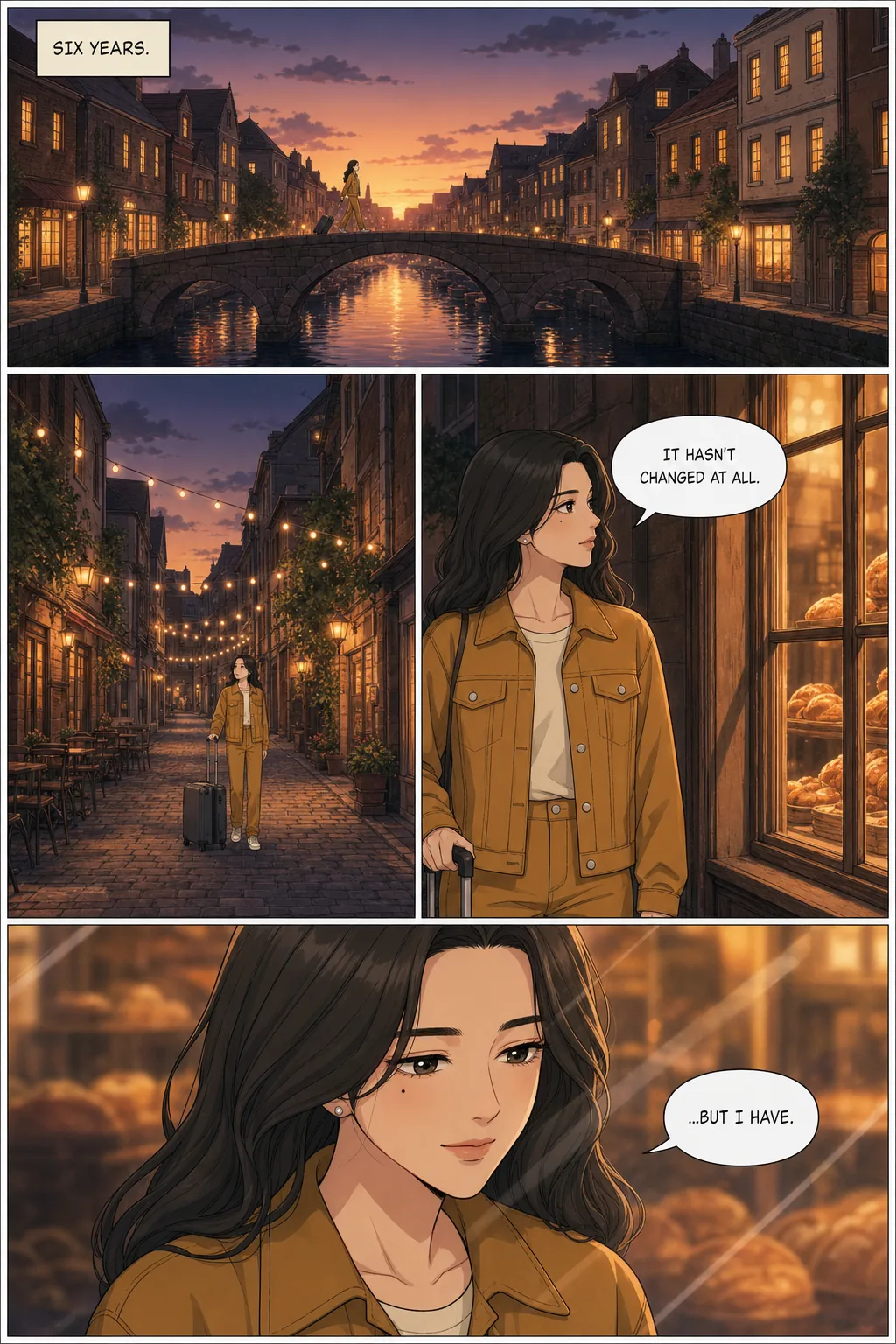
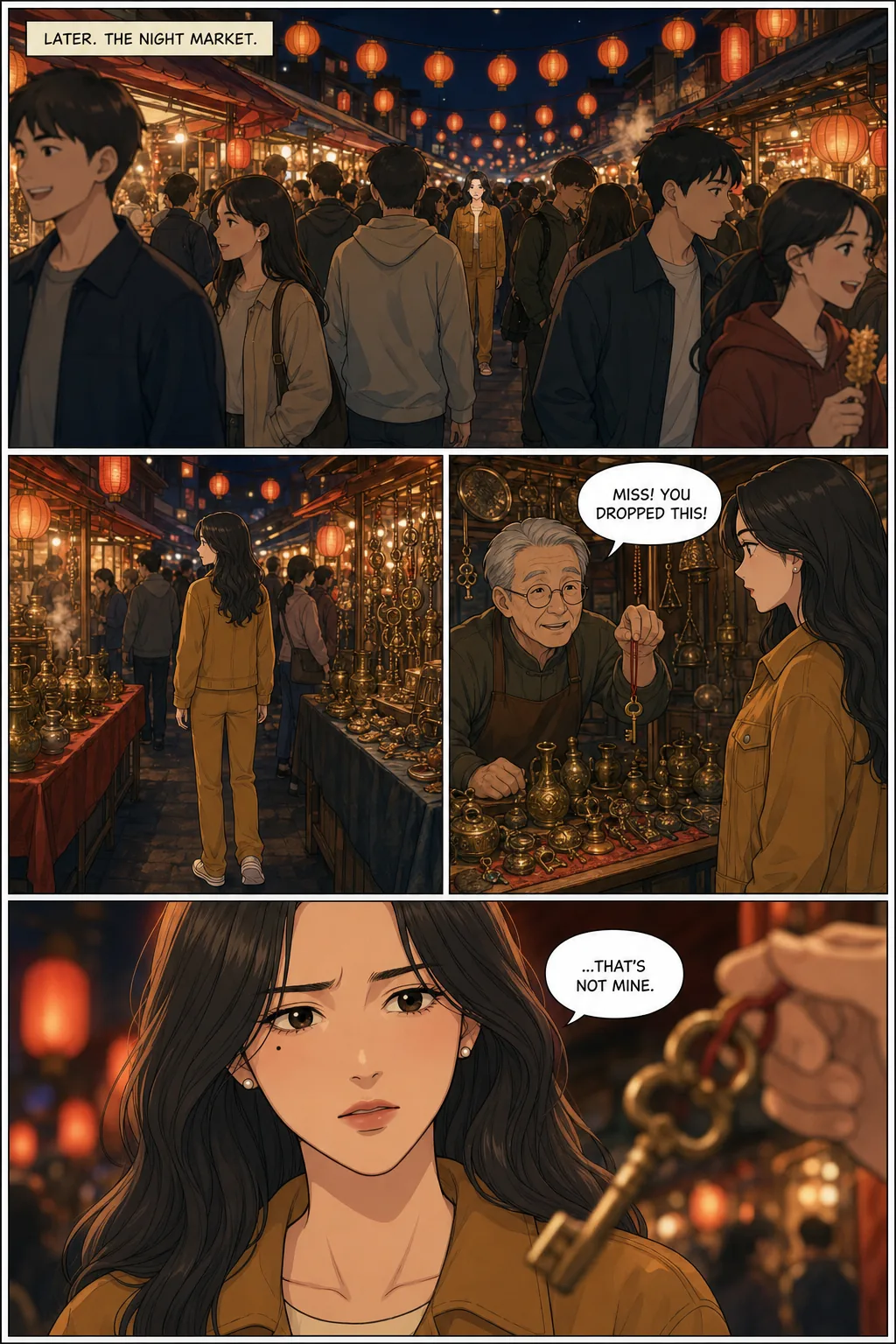
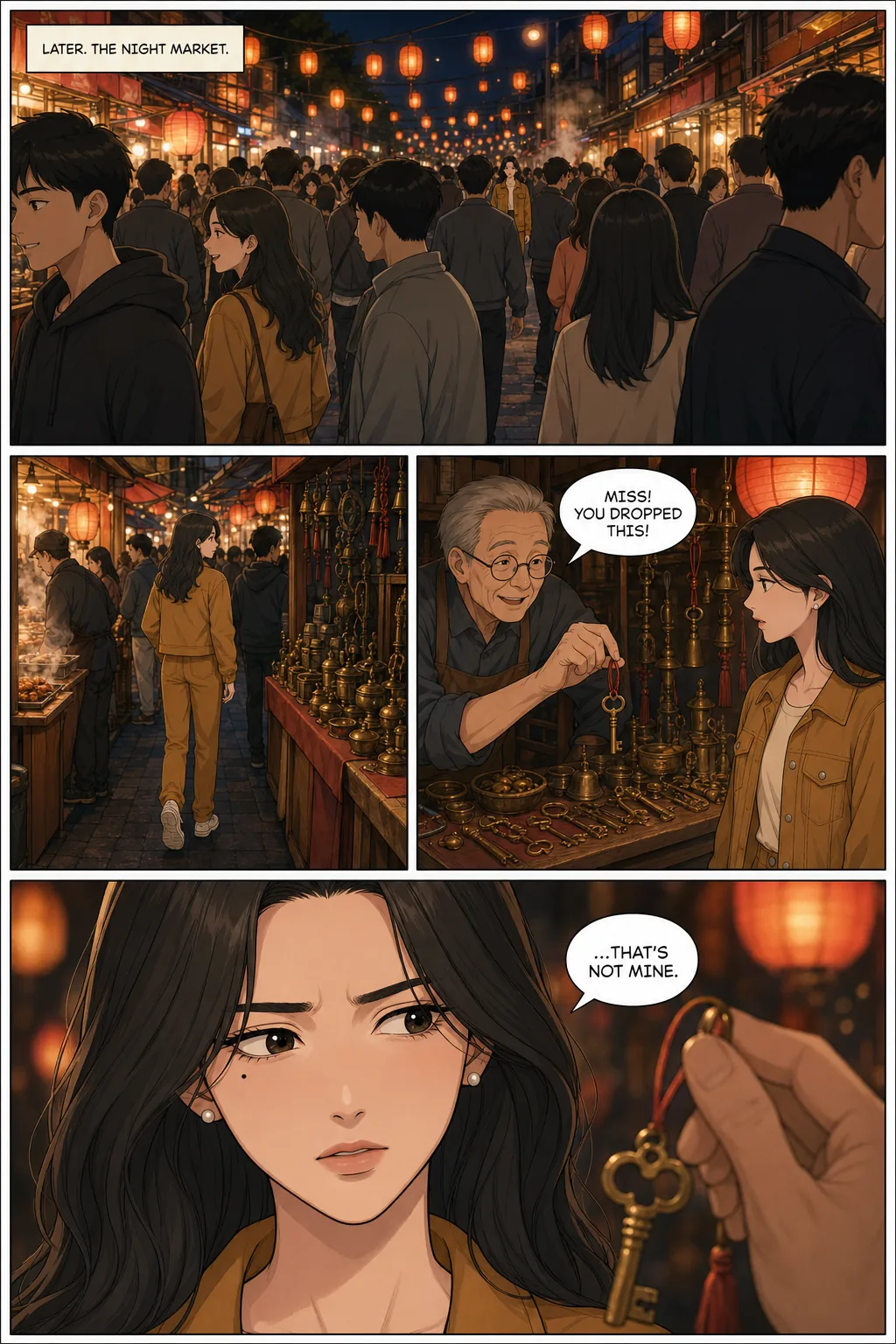
| Distance | Face | Beauty mark | Outfit |
|---|---|---|---|
| Close-up (6 panels) | 6/6 same person | 6/6 | 6/6 |
| Medium (6) | 6/6 | 3/3 where visible | 6/6 |
| Wide (6) | 3/3 where shown; 3 are views from behind | not visible at this size | 6/6 |
| Extreme wide / crowd (6) | not resolvable at this size | not visible at this size | 6/6 |
What we take from it. The face held wherever it was big enough to judge. Past that, the outfit and hair carried her identity on their own — so if you need a character recognisable at a distance, give them a distinctive outfit and colour and keep it fixed. Two smaller things also showed up: her hair came out straighter and darker than the sheet’s in two of the three market pages, and the look-alike extras above.
How this was run, so you can weigh it: run on . Each page is one image from our page model with the whole reference sheet attached and a written description of her face only — the way the product makes a page, minus the story-planning step; the page prompts were written by hand. A first pilot of each page let the model enlarge her in the wide panels, which made the hard case easy, so the prompt was tightened before the six counted runs; the pilots are published but not scored. Six pages is a small sample: it shows what happened, not a measured rate. Lettering came out correct on all 18 balloons and captions. The method and scoring and the exact prompts are published.
When a page comes out wrong
Each page is generated as one image, panels and all. That is why the cast holds across a whole page rather than having to be re-established panel by panel. It is also the unit you repair: when something is wrong, you redo the page.
You can redo it two ways. Reroll it for a fresh attempt at the same page, or edit it with an instruction. An edit keeps the panel layout, the characters in it, the dialogue (unless your instruction is about the dialogue) and the art style, and changes only what you ask for. These work:
- “Pull the camera back so we see the whole room.”
- “Make her expression angry, not surprised.”
- “Same scene, but at night.”
What you can’t do is fix one face and leave the rest of the page exactly as it is. There is no single-panel or region editing. An edit regenerates the page, so panels you were happy with can come back slightly different too.
The safety net is history: the last three versions of every page are kept, and going back to an earlier one is free and can itself be undone. Try the fix; if it’s worse, revert.
If several pages in a row drift the same way, the problem is usually upstream — a vague description or a sheet you didn’t check. Fix the character and regenerate, rather than repairing pages one by one.
More than one character, and more than one story
In one story: up to six, two per panel holds
A story can have up to six characters, each with their own sheet. Each page is given only the sheets of the characters in that scene — a two-person conversation gets exactly those two references, not the whole cast — and a scene with no named character, like an establishing shot, gets all of them rather than none.
Two characters sharing a panel is what this is built around, and it holds. Three or more in a single panel has not been measured. Nobody here knows where faces start to blend, so we won’t give you a number. For a crowd scene, keep the characters who matter in the foreground and let the rest be background.
In the next story: close, not identical — yet
Your characters are saved in your library, and you can pick them again for a new comic. But every story builds its own reference sheets when it is planned, so chapter two re-creates the character from the same photo or description rather than reusing chapter one’s sheet. They will be close, not pixel-identical. Carrying one sheet across stories is next on the roadmap; we don’t promise dates. Until then, keep the exact source photo or description and rebuild from that — never from memory.
How to make a consistent character here
Four steps. The first two decide almost everything.
- 01
Describe your character, or upload one photo
Plain English is enough. Name the two or three things that make the face theirs — a mole under the left eye, a gap in the front teeth, heavy straight brows — and say what they wear, down to the shoes. Anything you leave out, the reference sheet will decide for you, and then keep. A single clear, front-facing, well-lit photo works instead; sunglasses, deep shadow and extreme angles give it less to work from.
- 02
Check the reference sheet before you write a single scene
The first thing built is the character’s reference sheet: headshot on the left, full outfit on the right. Everything that follows is drawn from it, so this is the cheapest moment to catch a wrong hair colour or the wrong jacket. Up to six characters per story, each with their own sheet.
- 03
Write the story, and keep calling them by name
Describe scenes beat by beat. Each page is given the sheets of the characters who appear in it, which is decided from the scene text — so call Mira “Mira” throughout. Switching to “the girl” or “our hero” makes it harder to tell who is in the scene.
- 04
Generate, read it through, fix whole pages
Pages come back with your cast, in your chosen style, with panels laid out and dialogue lettered. If one page is wrong, redo that page — reroll it, or give it an instruction such as “pull the camera back”. The other pages are untouched, and the last three versions of each page are kept so you can go back.
Building a cast from scratch — a D&D party, an OC, an anime protagonist? The character creator is the tool for designing them; this page is about keeping them the same once they exist.
How to do this yourself, without us
Nothing above depends on a secret. It is a method, and it works in any image tool that accepts a reference image alongside your prompt. Here it is in full, including the parts TaleAtelier doesn’t do for you. Steps marked automated here are what our pipeline handles; the rest you do either way.
- 1
Make one reference sheet before any sceneautomated here
Ask your image tool for a single image with two panels side by side: on the left, a close-up headshot, front-facing, face filling the panel; on the right, the same character head to toe in a neutral standing pose, showing the complete outfit including shoes; plain light background. That is the same structure our sheets use. One image is easier to keep track of than a folder of loose references.
- 2
Approve it, then stop changing it
Fix the hair, the jacket and the face now. Every correction after this point has to be made on every page instead of once.
- 3
Attach the original sheet to every scene — never the last imageautomated here
This is the rule that matters most. If each new image is made from the previous one, every small deviation becomes the starting point for the next, and by page twenty the character can have wandered somewhere you never chose. Going back to the same original sheet every time keeps each image’s error independent instead of cumulative.
- 4
Describe the face in words; let the picture carry the clothesautomated here
Alongside the sheet, write the two or three features that make the face unmistakable. If your tool cannot take an image at all, repeat the outfit in every prompt — the control strip below shows text alone carries a wardrobe reliably but not a face.
- 5
Keep one art style for the whole storyautomated here
A style change is the fastest way to make a consistent face look like a different person. Pick it on page one and hold it.
- 6
Two characters per image at most, both sheets attached
Attach both sheets and say who stands where. For a crowded scene, creators who do this by hand often generate each figure separately and combine them in an editor afterwards (creator-reported). In a crowd, also tell the model that nobody else wears your character’s outfit — in our test, extras picked up her jacket and hair.
- 7
At a distance, let the outfit do the work
Past a certain distance there is no face left to keep — in our test, a figure about a tenth of the panel tall had a face only a handful of pixels wide. What made her recognisable was the outfit and the hair. So give the character a distinctive silhouette and colour, keep it fixed, and save the faces for the medium shots and close-ups.
- 8
Make sheets for the places that recur
One image of the apartment, the classroom, the car — attached whenever a scene happens there. One creator who finished a hundred-page AI comic called this, not the characters, the hardest part (creator-reported). It is also the part TaleAtelier does not automate; see the limits below.
- 9
Keep the source
Save the exact photo or description and the sheet file. That is what lets you bring the character back for the next story.
What doing it by hand costs
The method is free. The work is the carrying: attaching the right sheets to every single image, keeping track of which version of a character is the approved one, and then laying the images out as pages and lettering the dialogue yourself. One creator who compared seventeen AI-comic tutorials summed up the usual manual pipeline as nine steps — write the story, break it into panel descriptions, design the characters, make reference sheets, generate every panel separately, fix the inconsistent ones, build difficult interactions as separate layers, combine everything in an editor, and add the speech bubbles by hand (creator-reported).
For a handful of images, that is perfectly reasonable, and you don’t need us. For a forty-page story it is most of the job, which is the part TaleAtelier takes over: the sheets, attaching them to every page, panel layout and lettering. What it doesn’t take over is step 8 — places — and it can’t do the panel-by-panel compositing in step 6, because it works a whole page at a time.
Manga, manhwa, cartoon, realistic — one per story
The art style is chosen once, when the story is planned, and every page is drawn in it — that is the third row of the table above. Thirty-six presets ship, from manga, shonen and seinen to manhwa, noir, watercolor and oil painting, and the reference sheet is drawn in the story’s style so the character and the pages match.
The flip side: you can’t switch style partway through a story, so a flashback in a different look isn’t possible within one comic. The same character in a different style means a new story and a new sheet. Browse all thirty-six styles.
Other tools, and when they fit better
The image models people use for consistent characters — Midjourney’s Omni Reference, Google’s Nano Banana models, OpenAI’s image models, Black Forest Labs’ Flux Kontext — all accept a reference image to help keep one character the same in a new image. What none of them does on its own is run a story: remember the cast from page to page, decide which references each page needs, lay out panels or letter dialogue. That is the work in the nine steps above.
We should be plain about one thing: TaleAtelier’s reference sheets are made with Nano Banana 2 and its pages with OpenAI’s GPT Image 2 (as of October 2026). The consistency doesn’t come from a better model. It comes from the method — one sheet, the same sheet every time, never the last image — applied automatically. If you run the method by hand with those same models, you should get the same kind of result.
One tool-specific note, because it trips people up: if you learned Midjourney’s --cref, V7 replaced it with Omni Reference — --oref with a weight set by --ow — which takes one reference image per prompt, as a URL on Discord or by drag-and-drop on the web app. The catch is that V8, now Midjourney’s default, doesn’t run either reference natively: guides report that adding --oref quietly runs the job in V7 instead. The Omni Reference details are from Midjourney’s own announcement; the V8 behaviour is from third-party guides, as Midjourney’s documentation wasn’t reachable when we checked. Both checked ; tool features change often, so check before relying on it.
When to use something else
- One image, no story. A portrait or a single scene is faster in Midjourney or Gemini directly. A story pipeline is overkill for one picture.
- Maximum fidelity, and you have the time. Training a LoRA on a set of reference images (typically 15–30) in Stable Diffusion or Flux gives the tightest lock available, at the cost of hours of setup and a local or hosted training workflow.
- You want complete control over poses. One experienced creator’s advice to a beginner was to skip AI for this layer and use a poseable 3D figure model instead (creator-reported). Slower, but a 3D model can’t drift.
- Video. Runway or Kling. Keeping a face stable across moving frames is a different problem from keeping it stable across panels.
- You meant Character.AI. That is a chatbot for talking to characters, not a tool for drawing them.
Frequently asked questions
- Is TaleAtelier’s consistent character generator free?
- There is a free preview, and then it is paid. You can generate a cover and a first page from your own story with no account and no card — the preview runs on the AI comic generator and text to comic pages — and it builds real reference sheets for its cast, so you can see the consistency work before paying anything. Past that, generation uses coins from a monthly plan (Starter $9.99, Plus $24.99, Pro $59.99). Creating an account is free.
- Should I upload a photo or describe the character?
- Either; they held equally well in our test, 8 out of 8 scenes each. The difference is who decides what the character looks like. A photo fixes the real person’s face and build. A description fixes only what you wrote, and the reference sheet settles everything else — hair texture, trousers, shoes — once, and then keeps it. If you want control over a detail, write it down.
- How many characters can one story have?
- Up to six, each with their own reference sheet. Each page is given only the sheets of the characters in it. Two characters sharing a panel is what the system is built around and holds well. Three or more in a single panel has not been measured, so we won’t claim it holds; if a scene needs a crowd, keep the important faces in the foreground.
- Can I edit a character or their reference sheet after creating them?
- Not the sheet itself — there is no editor for it yet. To change a detail, change the description or the photo and rebuild the character. Pages are different: any page can be rerolled or edited with an instruction, and the last three versions of each page are kept, so a fix you don’t like can be undone.
- Can I use the same character in another story?
- You can pick them again from your library, but a new story builds a fresh reference sheet, so they will look close rather than identical. Within one story the lock holds on every page. Carrying one sheet across stories is next on the roadmap, without a promised date. Until then, rebuild from the exact same photo or description.
- Does it make a character sheet with front, side and back views?
- No. Each character gets one sheet with two front-facing views: a close-up of the face and a full-body view of the outfit. Side and back views are inferred from those, and we have not measured how well that holds. If you need a multi-angle turnaround, draw one in Krita or Clip Studio Paint and upload it as the reference image — expect it to be interpreted into a new sheet rather than copied exactly.
- Does it work for video?
- No. TaleAtelier makes comic pages, not video. For a consistent character in video, look at Runway or Kling; keeping a face stable across moving frames is a different technical problem from keeping it stable across panels.
Where to go next
AI character creator — design the character in the first place: D&D heroes, OCs, anime and genre characters.
Photo to comic — use a real photo (yours, or someone who has agreed) as the basis of the reference sheet.
Photo to manga — the same photo route, in manga styles.
Text to comic — start from a prompt, a short story or a full script.
AI comic generator — the general comic tool, with this consistency built in.
AI webtoon maker — vertical-scroll episodes, the same cast held across every panel of an episode.
How to make a webtoon and how to make a comic — the full creation guides, where character consistency is one step of many.
Lock your first character
and check the sheet.
The free preview builds real reference sheets for its cast — no account, no card. Monthly plans from $9.99 when you want the whole story. Cancel anytime.
Create your first characterLast reviewed . Product facts checked against deployed code on ; notes on other tools checked against their documentation on .