AI webtoon generator
free, no sign-up.
Type your story premise and see your cover and first page — no account, no card. Vertical-scroll panels with dialogue already placed, in any of the thirty-six styles — manhwa, romance webtoon, manhua, anime and the rest.
Most AI webtoon tools make a few panels. This one is built for a series — up to 400 pages with the same character throughout. Regenerate any single page, extend the story, and export to PDF or Amazon KDP when you're ready to publish.
By the TaleAtelier Editorial Team, operated by AI Solution Labs — last reviewed
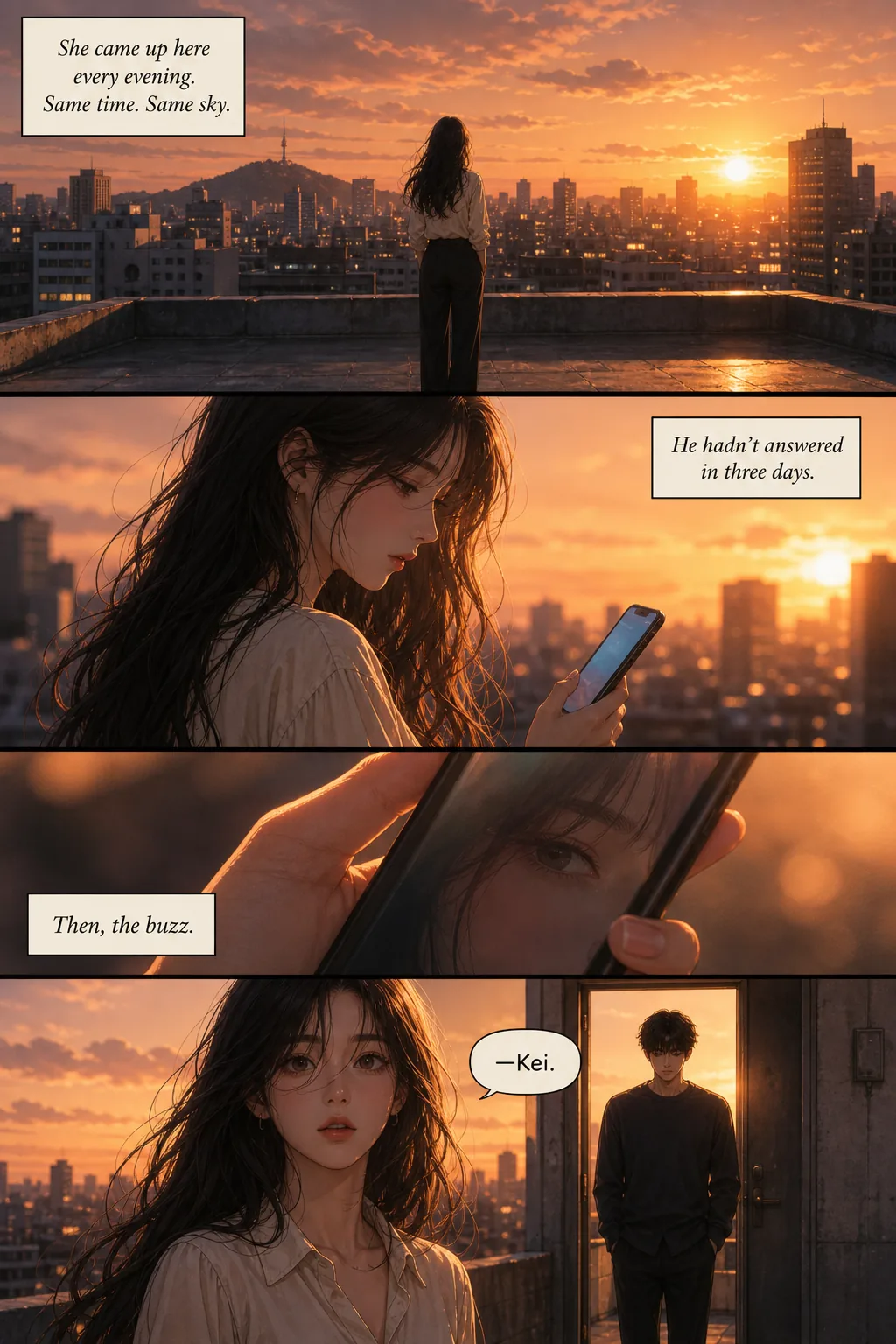
Try it — no account
Five steps — style, length, language, cast, story — and you get your cover and first page free, generated from your own story. No sign-up, no card. Continuing the comic needs an account. Generation takes about 2-3 minutes.
An AI webtoon generator turns a text story into a full vertical-scroll episode — character-consistent panels, dialogue in speech bubbles, ready for WEBTOON Canvas or Tapas. TaleAtelier locks your character reference once and applies it across every panel, so your protagonist looks the same on page 1 and page 287. The preview above is free and needs no account; continuing the episode is paid.
Want the full webtoon-creation guide instead — traditional drawing path, publishing platforms, monetization numbers? See how to make a webtoon. This page is the AI-assisted tool.
What our AI webtoon maker does
Five capabilities that separate a real AI webtoon tool from a folder of random AI images.
Character consistency across a whole series
Same face, hair, and outfit hold from page 1 to page 287 — within an episode and across every episode in the run. This is the claim everyone makes and almost nobody shows at length.
Up to 400 pages on paid plans
Competitors demo a handful of panels. A 400-page ceiling is a different product category — it is the difference between a novelty page and a publishable series.
Full vertical-scroll episode output
Panels stacked into one tall file, sized 800×1280 per section — the universal webtoon canvas spec used by Canvas, Tapas, Naver, and Lezhin.
Regenerate one page, keep the rest
Change a single detail and everything else stays identical. The first output is rarely exactly right, so page-level control matters more than a better first guess.
Continue an existing story
Extend a finished episode with the same cast and continuity. Give it direction or let it carry the thread forward on its own — this is how a one-shot becomes a series.
Dialogue in baked-in speech bubbles
Write dialogue in quotes inside your scene description. The tool places it in bubbles with appropriate shape (round for speech, spiky for shouting, cloud for thought).
Thirty-six art styles, plus your own described
Manhwa, manhua, anime, fantasy, sci-fi, seinen, horror, noir and more — or describe a look in your own words instead of picking a preset. Style locks per episode.
Export to PDF, images, or Amazon KDP
High- and low-quality PDF, raw page images, or a KDP-ready export. Nobody else in this category ships a direct route from generated pages to a published book.
How to make an AI webtoon in 4 steps
First episode takes 1-3 hours from cast setup to export. Subsequent episodes with the same characters run faster.
- 01
Pick a style
Manhwa (Korean, full colour — the default for this format), romance webtoon (lineless airbrush, the biggest genre on Korean platforms), manhua (Chinese web-comic), anime (cel-shaded), or any of the other thirty-six presets. All of them are selectable here, not a shortlist: style and format are separate choices, so even print-derived looks like manga render at webtoon geometry. You can also describe a look in your own words. Style is set once per episode; holding one consistently matters more than picking the 'best' one.
- 02
Set length and language
Four pages up to four hundred. Pick the language the dialogue should be lettered in — over thirty, including Korean, Japanese, Spanish and German. Both are set before generation because they change how the story gets broken into panels.
- 03
Build your cast
Up to six characters. Give each one a name, a role, and either a short description — hair, eyes, clothing, one distinguishing feature — or a photo to work from. That becomes a locked reference reused every time the character appears, which is what keeps the face stable across the run.
- 04
Write the story, then generate
A premise, a paragraph, or a full scene-by-scene breakdown — all three work; more detail means less invention. Dialogue in quotes gets lettered into speech bubbles. A short episode comes back in a few minutes; a long run takes proportionally longer and streams page by page as it finishes. Any single page can be regenerated afterwards without touching the rest.
Character consistency across every panel
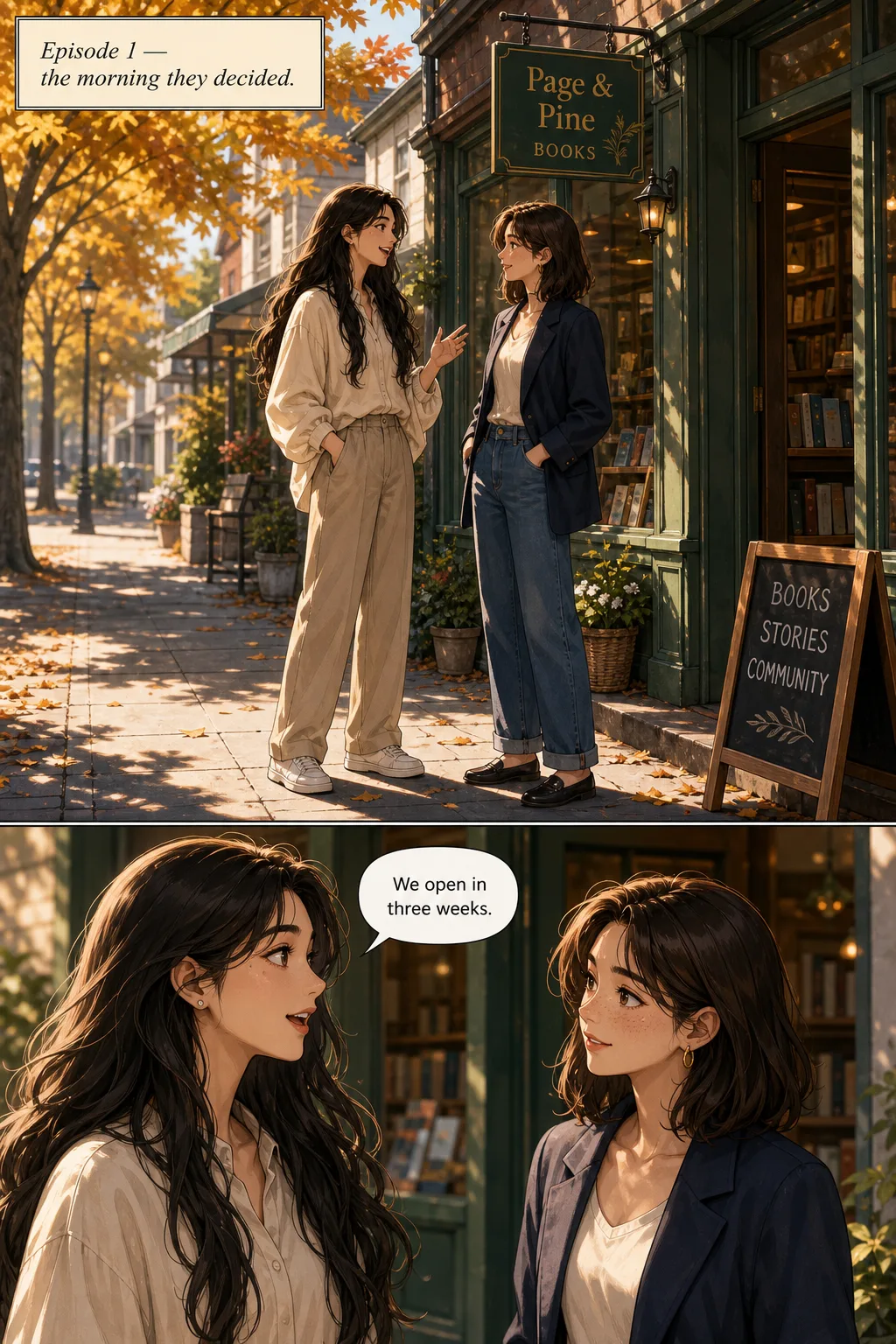
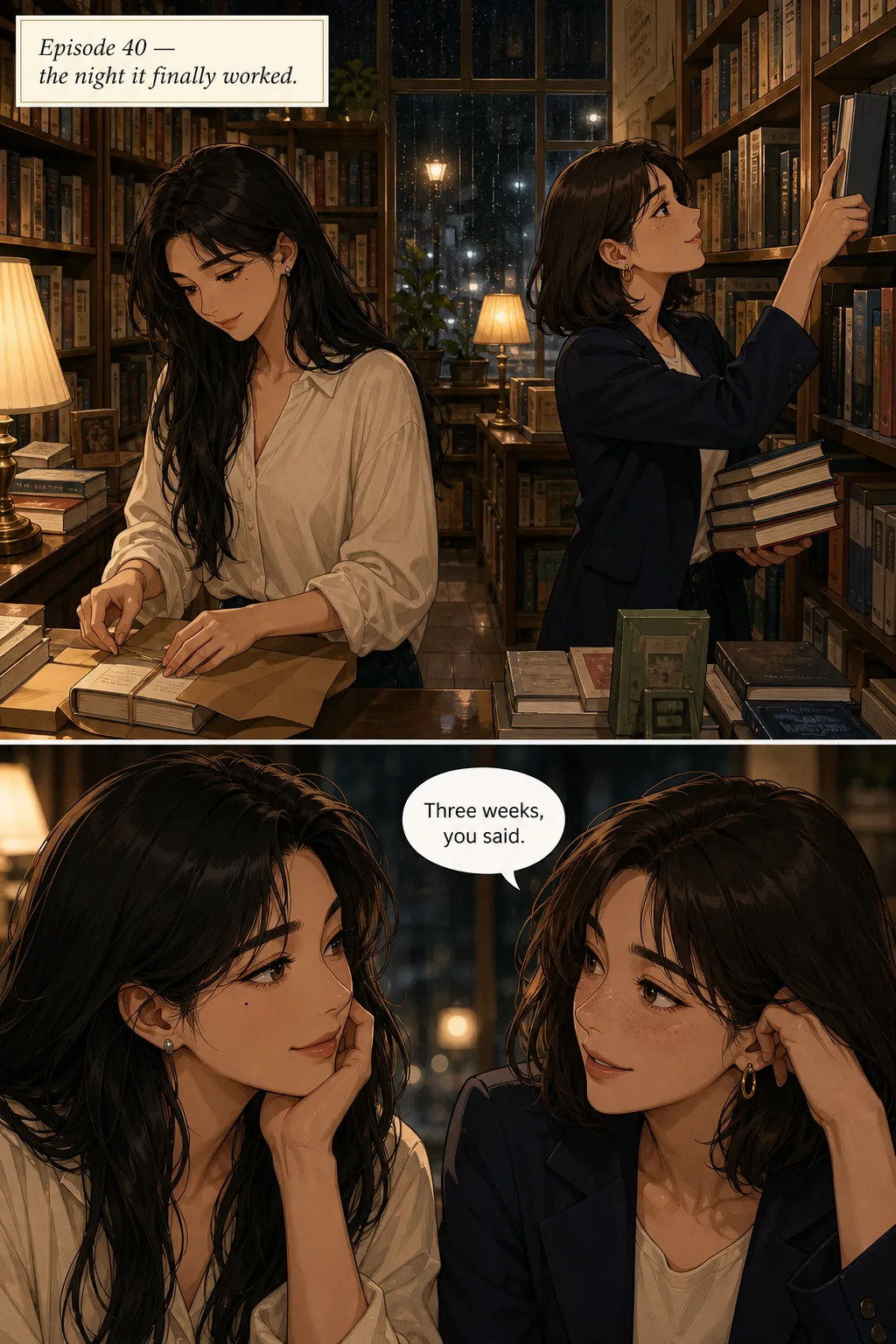
The single hardest problem in AI webtoon generation is keeping the same character looking like the same person across 40-80 panels of an episode — and across every episode of a series. Generic AI image tools fail here because they're stateless: every prompt is a fresh roll, same words produce a different face every time.
TaleAtelier locks a character reference from your description or an uploaded photo. That reference is stored and applied every time the character appears — so your protagonist's face, hair, and defining features hold across every panel of every episode. No LoRA training, no per-prompt re-invocation, no seed hacks.
For the full technical explanation — including honest comparison to Midjourney sref/cref, Stable Diffusion LoRA, Leonardo, Flux, and DALL-E — see our consistent character AI pillar page.
Fixing one page without redoing the rest
The first generation is rarely exactly what you pictured. A face reads slightly wrong, a background is busier than the beat needs, a line of dialogue lands in the wrong panel. On most tools your options are accept it or regenerate the episode and lose the pages that were fine.
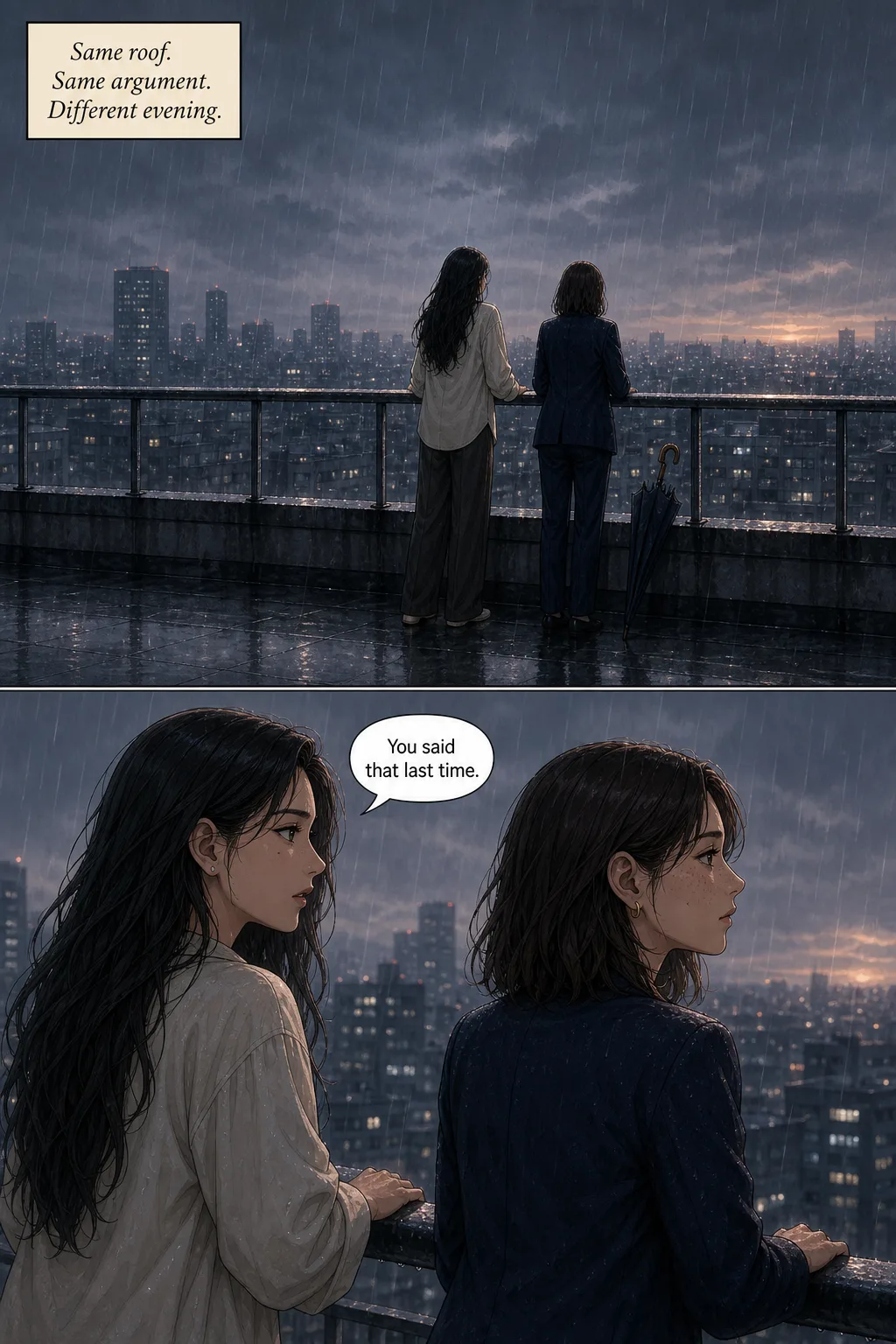
Two controls change that. Regenerate a single page re-rolls just that page while every other page stays exactly as it was — the character reference holds, so the redone page still matches the ones on either side of it. Continue the story extends a finished episode with the same cast and continuity, either following your direction or carrying the thread forward on its own.
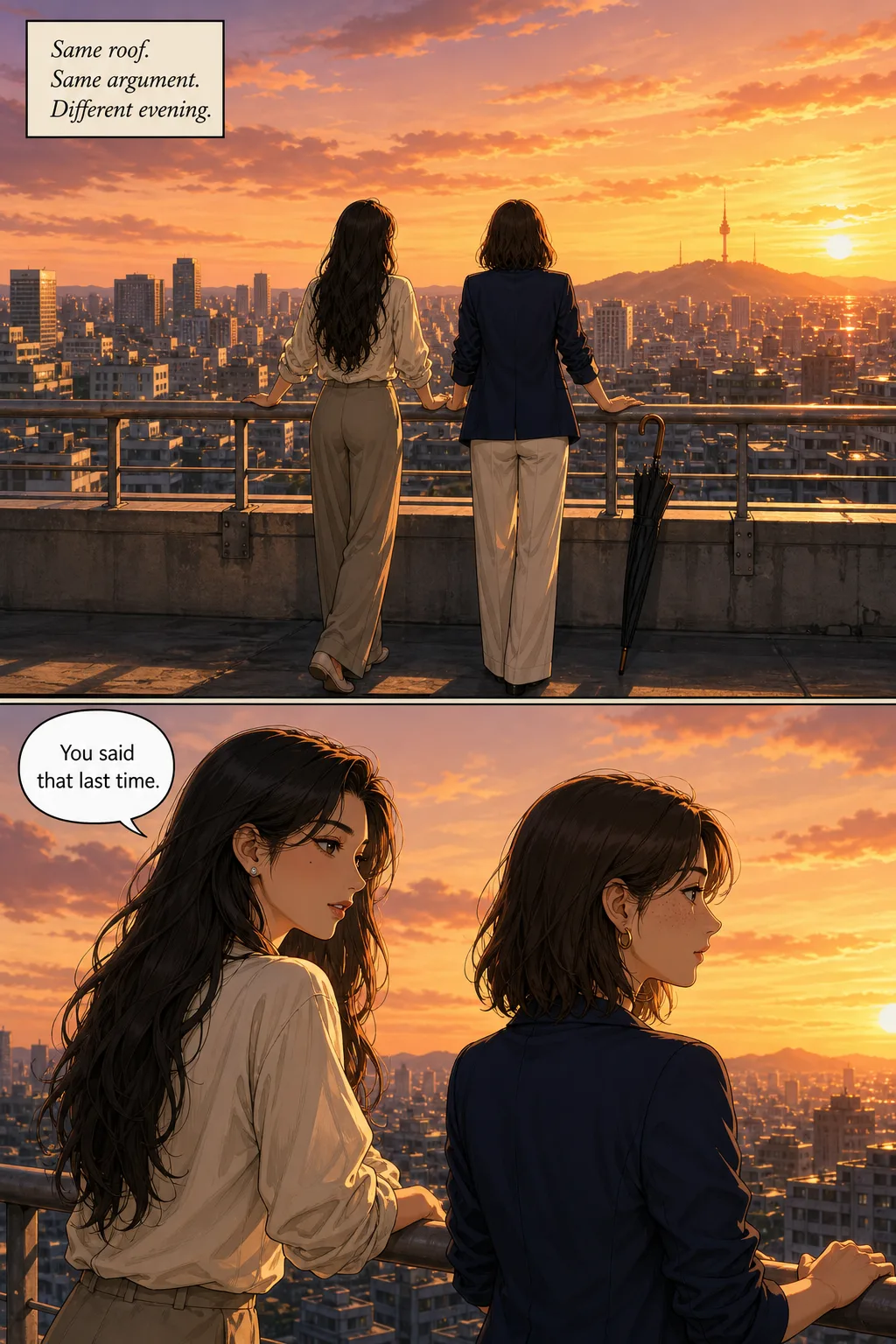
Here is a page regenerated with one instruction changed — make the weather a clear sunset instead of rain. The characters, the rooftop, the framing and the dialogue are all still there:
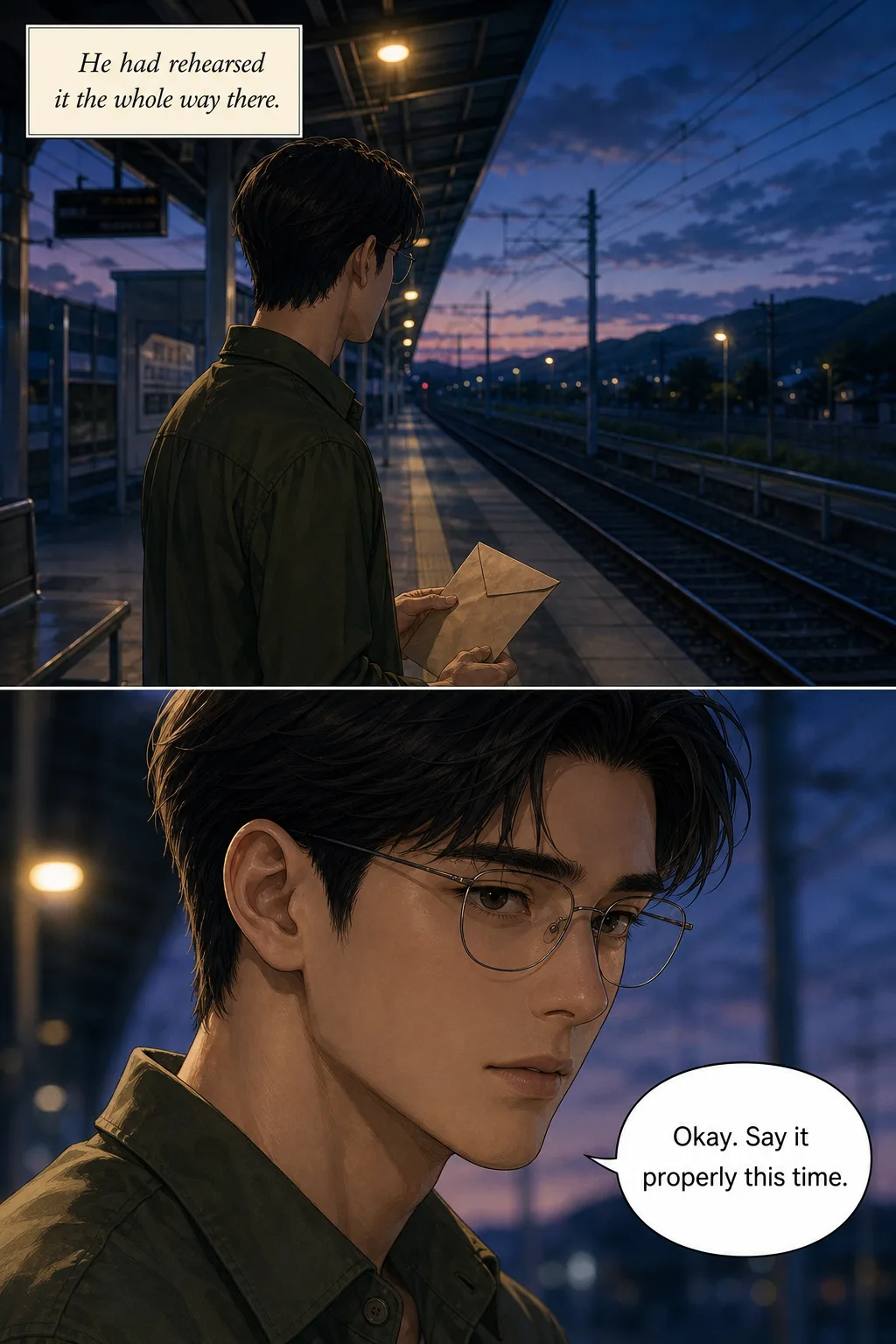
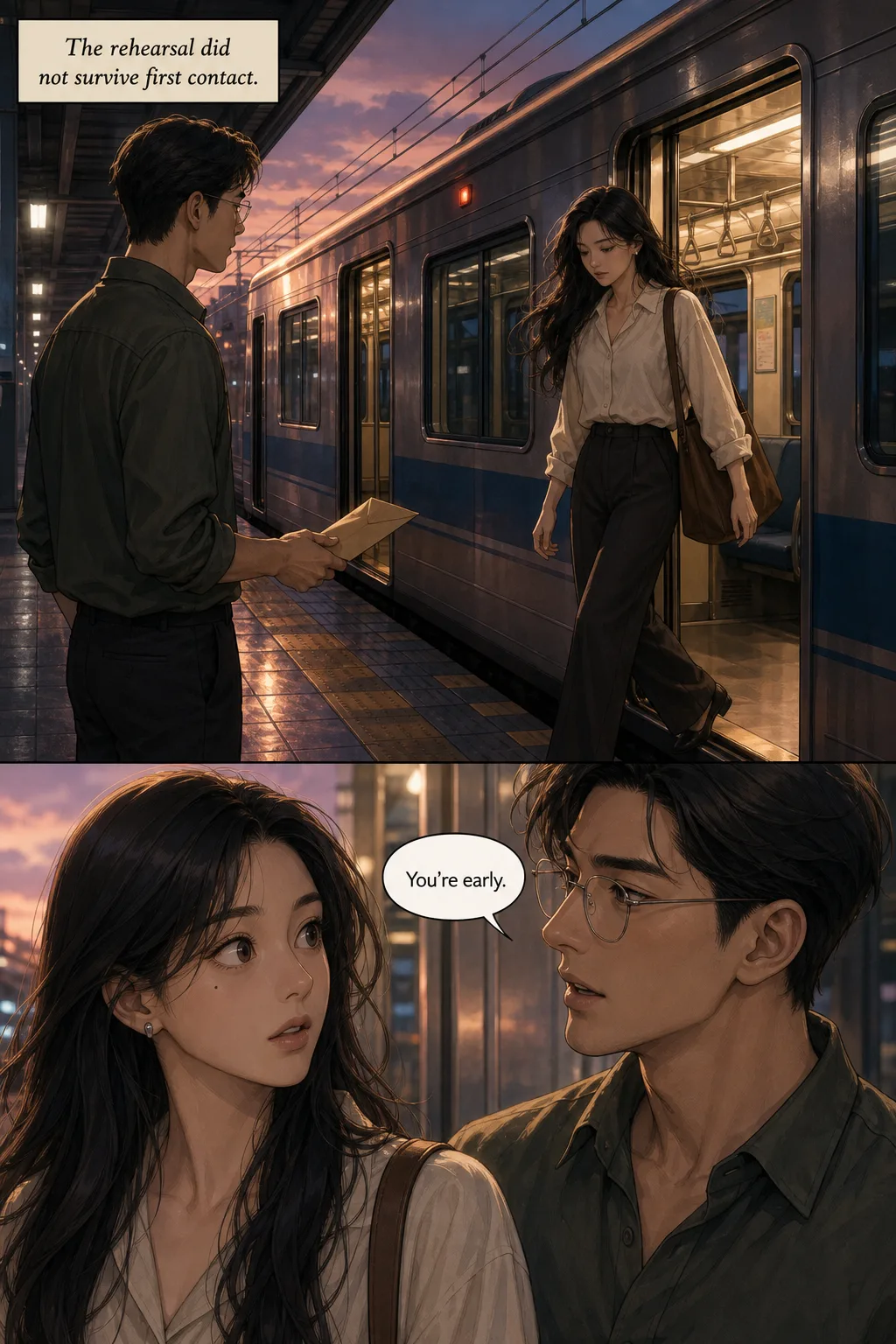
Continue-story is the other half, and it is what turns a one-shot into a series — the thing this tool is actually for. The pages below are an episode and its continuation:
Style options for AI webtoons
Manhwa (Korean webtoon style, most popular)
Full color, cinematic lighting, expressive character focus, vertical-scroll composition. The default aesthetic for modern webtoons — Solo Leveling, Tower of God, Lore Olympus all use this visual language. See our manhwa style guide for the visual conventions,.
Manga (Japanese black-and-white)
Monochrome ink with screentones and right-to-left panel flow. Not native to the vertical-scroll webtoon format, but works well for genre-mixed projects — a manga-inspired webtoon has its own audience. See the manga style guide for the conventions.
Anime (cel-shaded color)
TV-anime cel-shading with clean line work and dynamic composition. Good for action-focused webtoons and stories with adaptation potential.
Full style range
Thirty-six styles including seinen, chibi, romance, sci-fi, noir, watercolor, cartoon, pixel art, and more. See the full styles hub to preview each visual language before committing to one for your episode.
Using it as a manhwa generator
Yes — and it is the same tool, not a separate mode. Pick the manhwa style and you get full-colour vertical-scroll pages in the Korean webtoon visual language: cinematic lighting, expressive character close-ups, painterly rendering rather than flat cel shading.
Worth knowing the distinction, because search results blur it. Manhwa is an origin label — a comic from Korea. Webtoon is a format — vertical scroll, built for phones. Most webtoons are manhwa because the format started in Korea, but a French creator publishing on WEBTOON Canvas is making a webtoon, not a manhwa. What you are choosing here is the art direction, not your nationality. The manga vs manhwa vs manhua guide covers the full distinction.
For a manhwa-style series specifically, two things matter more than the style picker. Keep the same cast reference across episodes so your lead reads as one person at episode 40 — which is what the consistency section above is about. And write for the scroll: manhwa panels are tall, one beat each, with deliberate empty space between emotional turns. Dense grid layouts are a manga convention and fight the format.
Dialogue in your language, lettered into the page
Pick a language before you generate and the dialogue and captions are drawn into the panels in that language — not overlaid afterwards, and not a separate translation pass over English artwork. Over thirty languages, including Korean, Japanese, Spanish, German, French, Portuguese, Indonesian and Turkish.
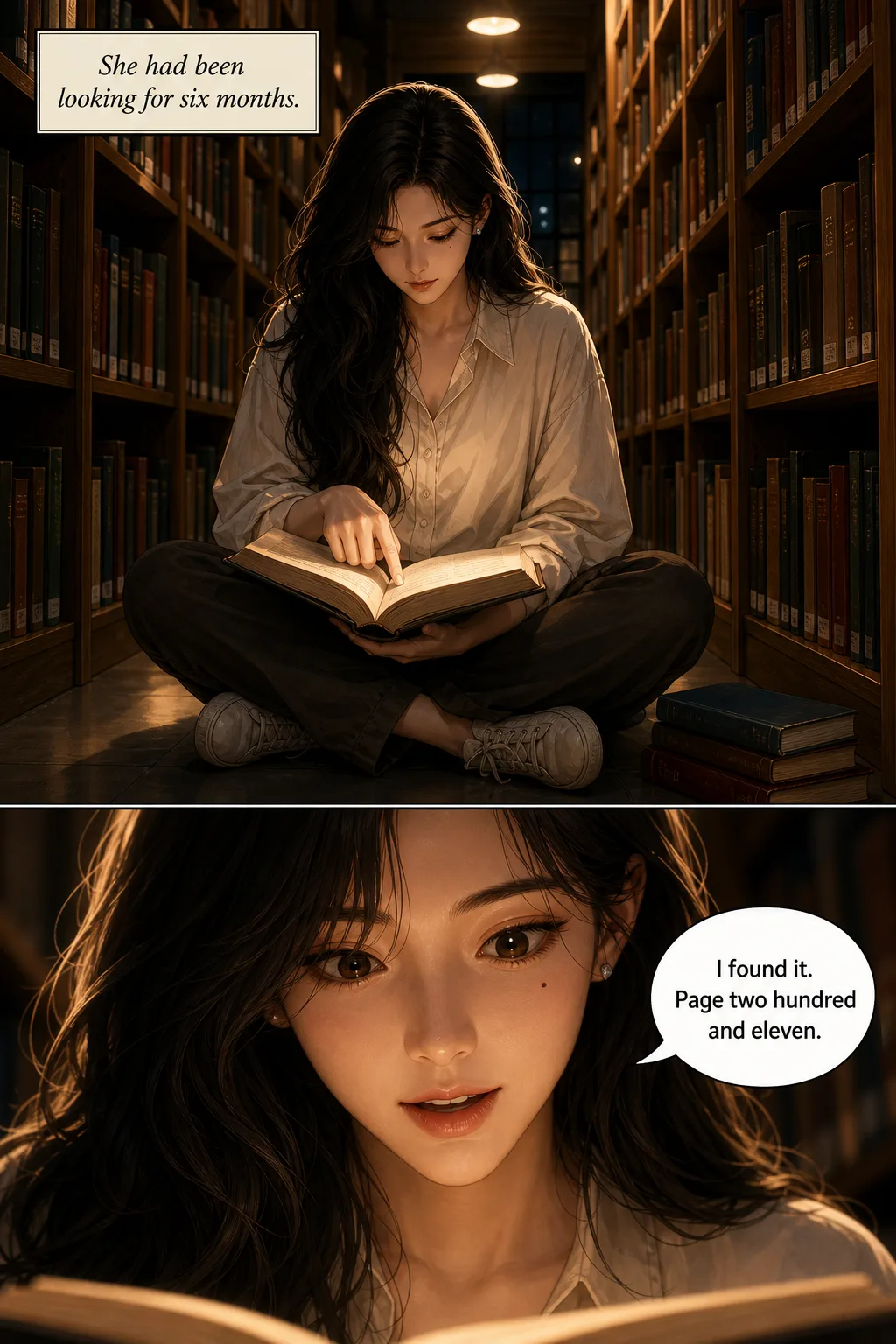
This matters more than it sounds for webtoons specifically. Bubble shapes and text placement have to be laid out for the script that goes in them; Hangul and Latin text do not occupy the same space. Below is one scene generated twice:
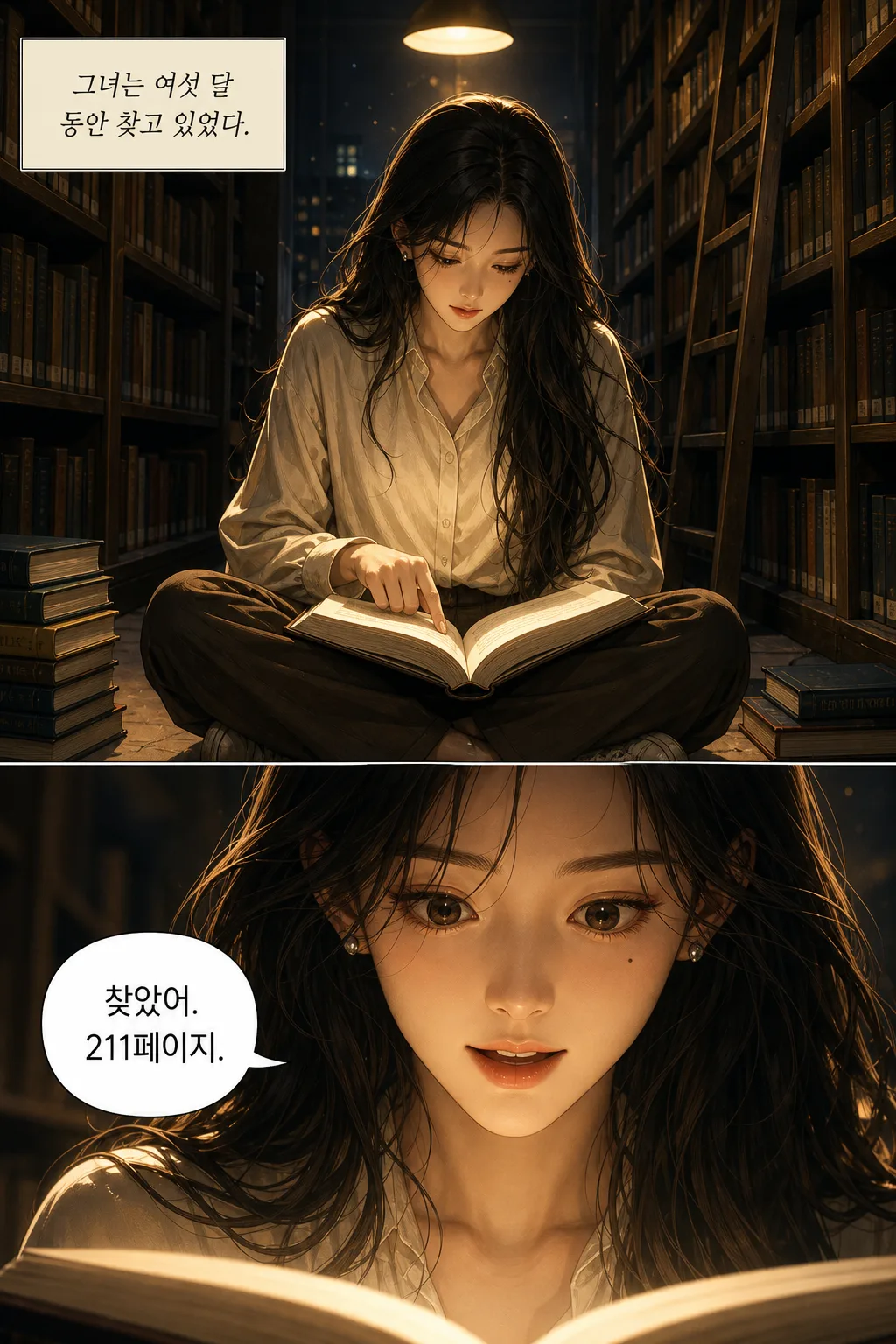
One honest limit: quality is strongest in languages with the most training data. English, Korean and Japanese are reliable. Less-represented scripts can need a regeneration or two to get the lettering clean — which is what per-page regeneration is for.
Getting the finished thing out
A generator that cannot hand you a publishable file has done half the job. Four export routes, depending on where the work is going:
- Raw page images — the individual pages, for uploading to WEBTOON Canvas, Tapas, or anywhere that takes a vertical-scroll image stack.
- High-quality PDF — print resolution, for anything headed to a press or a portfolio.
- Low-quality PDF — a small file for sending around, previewing, or sharing a draft without a slow download.
- Amazon KDP export — a file prepared for Kindle Direct Publishing, which is the step that turns a finished run of pages into a book someone can buy.
The KDP route is the one nothing else in this category offers, and it is worth being clear about what it does and does not do. It gets you a correctly-formatted file. It does not handle your KDP account, your cover copy, your pricing, or Amazon's own content policies — those are yours, and Amazon has its own rules about AI-assisted work that you should read before uploading.
AI webtoon maker comparison
How TaleAtelier compares to the other AI webtoon tools you'll find on this SERP. Honest positioning, verified . Rankings depend on use case — no single “best” exists.
| Tool | Focus | Pricing | Styles | Best for |
|---|---|---|---|---|
| TaleAtelier | Multi-panel stories with character consistency + full editorial guide + pillar backing | Paid — Starter $9.99/mo (2,000 tokens) | 36 presets including manhwa, romance webtoon, manhua, anime and scorched-earth — plus a custom style you describe | Serialized webtoon episodes with recurring characters |
| LlamaGen | General AI comic and webtoon generator across multiple formats | Freemium (limited free, paid tiers) | Multiple | Users wanting one tool for comics + webtoons + illustrations |
| GenToon | Single-purpose AI webtoon maker, browser-first | Freemium (daily free limit) | Multiple | Quick single-episode generation from text |
| Anifun | Free AI webtoon generator, thin single-page tool | Free tier available | Limited | Testing AI webtoon generation with no financial commitment |
Note: TaleAtelier is one of the tools compared above, and we publish this page — worth knowing when you read our row. The other tools were assessed on the same points.
Honest limits
What TaleAtelier doesn't do today. Knowing this upfront saves the frustration of expecting features that don't exist.
Speech bubble placement is baked in. You provide dialogue and the tool places it in bubbles at generation time. You can't drag bubbles pixel-by-pixel afterward or re-shape them. For manual bubble control, use a dedicated comic authoring app like Clip Studio Paint.
Panel layout follows AI composition. You describe scene beats; the tool composes them into panels with vertical-scroll rhythm. You can't set custom panel grids (“3 tall panels then 2 wide ones”). For that level of control, you'd compose the page manually.
AI-generated webtoons have a distinct look. Readers can generally identify AI-generated art. This is improving with each model update, but current-generation output looks different from hand-drawn manhwa. Some readers love it, some don't. Being upfront in your creator profile helps.
Publishing platform AI-content policy is evolving. WEBTOON Canvas currently allows AI-assisted content (as of August 2026). Some platforms require disclosure. Check the specific platform's terms before uploading. Policy could tighten in the future.
Making a webtoon without drawing
You do not draw anything. You write — character descriptions and scene beats — and the pages come back drawn. That is the whole workflow, and it is why most people arrive here: they have a story and no way to draw it.
What you do still need is a sense of what makes a scene work. "They argue" produces a weaker page than "she stops mid-sentence, he looks away first." The skill this replaces is drawing, not storytelling — and the gap between a flat episode and a good one is almost always in the beats, not the rendering.
Artists use it too, usually differently: backgrounds and crowd panels generated, characters drawn by hand. Hybrid workflows are fine — nothing here assumes you cannot draw, only that you might not want to draw all four hundred pages.
What's free, and where it stops
Free, no account:
Type a premise at the top of this page and you get a cover and a first page, generated from your own story. No sign-up, no card, rate-limited per visitor because the generation costs real compute.
Paid, from $9.99/month:
Everything past page 1 — the rest of the episode, character consistency across a full run, per-page regeneration, continue-story, all thirty-six styles, and every export route including Amazon KDP.
Generation burns tokens; tokens are included in your monthly subscription. Three plans covering hobbyist through professional serialized publishing. Every plan includes character consistency, all thirty-six styles, and full-episode export — you're picking your monthly token volume, not a feature tier.
Perfect to get started. Short episodes, single-character or small-cast stories, occasional publishing.
Regular content creators. Full-episode work every week, multi-character stories, room to experiment and refine.
Professional creators and studios. Serialized publishing at scale, chapter-length work, high-volume generation.
Monthly plans, cancel anytime. See the pricing page for full plan details and one-time token packs.
When another tool fits better
Honest routing. TaleAtelier is not the right tool for every webtoon-adjacent workflow.
You want the full webtoon guide. Drawing tools, publishing platforms, monetization numbers, beginner starter steps — see our how to make a webtoon guide. It covers both traditional drawing and AI-assisted paths as equal first-class options.
You're making a manga page instead of a webtoon. Horizontal page format, black-and-white with screentones, right-to-left panel flow — see our AI manga generator for the manga-specific workflow.
You want to start from a real photo. Upload a reference photo of yourself, a friend, or a gift recipient (with consent) — use our photo-to-comic workflow. Highest-consistency path when the character needs to look like a specific real person.
You want a general AI comic tool, not webtoon-specific. Our AI comic generator handles any style and any format — Western comics, superhero, noir, children's book styles alongside webtoons and manga.
You want a short strip instead of a full episode. The comic strip maker is the dedicated tool for 3–9 panel work with panel-count guidance and story-starter ideas. Good for testing a scene before committing to a full-episode webtoon.
You need editable speech bubbles or manual panel grids. Clip Studio Paint and Medibang Paint are the industry-standard comic authoring apps for hand-drawn work with full pixel-level control. Steeper learning curve, complete control.
Frequently asked questions
- Do I have to sign up before subscribing?
- Yes, you create a free account first, then pick a plan when you're ready to start generating. The account lets you save characters and story drafts before you commit to a subscription. Every plan is monthly, no annual commitment, cancel anytime.
- What canvas size does it export at?
- 800 pixels wide per section, the universal webtoon canvas spec across LINE Webtoon, Tapas, Naver, KakaoPage, and Lezhin. Full episodes stack multiple 800×1280 sections into one long vertical file (4,000–15,000 pixels tall total). RGB color mode, PNG or JPG export (WEBTOON accepts JPG, JPEG and PNG; it states no DPI requirement, and DPI has no effect on a screen-only image).
- Can I publish AI-made webtoons on WEBTOON Canvas?
- Yes, as of August 2026. WEBTOON Canvas has not banned AI-assisted content. Some platforms have specific AI-content disclosure requirements and this is an evolving policy area — check the platform's terms before uploading. Being upfront about AI use in your creator profile avoids problems later if policy tightens.
- Can I make a full episode or just single panels?
- Full episodes. Each section is an 800x1280 unit carrying one to five full-width panels, and sections stack into a continuous vertical strip — a 20-section episode runs roughly 40 to 80 panels depending on how the story breaks down. Character consistency holds across all of them. First-time users often generate a short run to check the output style before scaling up; chapter-length series with recurring characters work the same way.
- Can I use my own photos as character references?
- Yes, via our photo-to-comic workflow. Upload a reference photo (yourself, a friend, a gift recipient with consent) and the character's face locks from that photo across every panel of every episode. This is the highest-consistency path if you want the character to look like a specific real person.
- Does it work on mobile?
- Yes — the tool runs in any modern mobile browser, no app install needed. Generation happens in the cloud, so phone specs don't matter. Reading your generated webtoon on mobile is also the primary target — episodes export at web-optimized sizes so they display well on phones without zooming.
- How long does one episode take?
- 1-3 hours per episode for a solo creator using AI-assisted workflow, after your initial character setup. Character setup itself takes an hour or two the first time. Traditional hand-drawing takes 20-40 hours per episode by comparison. Weekly publishing becomes genuinely realistic solo when you cut the drawing labor out of the loop.
What it costs to publish, and what it pays
The question behind most webtoon searches is not which tool to use — it is whether any of this makes money. Worth being straight about both halves.
The cost side is knowable. An episode here runs on tokens, so your production cost is roughly your plan divided by how many episodes you ship. Starter is $9.99/month for 2,000 tokens. Compare that with commissioning an artist for a full colour vertical-scroll episode, which starts around $300–800 per episode and is why most independent creators never publish a second one.
The revenue side is not. Platform ad-revenue programmes pay per view, and view counts for a new series are usually small for a long time. Most creators on open platforms earn very little; the widely-quoted large figures belong to a small number of contracted originals. Anyone telling you an AI tool changes that side of the equation is selling something. What it changes is the cost of finding out — you can publish a run of episodes and see whether an audience appears, instead of betting hundreds of hours or dollars on episode one.
For the actual pay-rate numbers, CANVAS Ad Revenue thresholds, and how publishing contracts work, see our full webtoon creation guide — it covers the publishing and monetisation side in depth.
Where else webtoon creation shows up on TaleAtelier
How to make a webtoon — complete 2026 guide with traditional drawing tools, publishing platforms, and 2026-verified monetization numbers.
Webtoon creator career guide — CANVAS vs Originals contract paths, real Ad Revenue Program pay ranges, and the honest career picture for full-time webtoon work.
Consistent character AI — pillar page explaining how character consistency works and how it compares across every major AI tool.
AI manga generator — for horizontal manga-page format instead of vertical scroll.
AI comic generator — general multi-panel comic generation, any style, any format.
Photo to comic — start from a real photo and turn it into a comic character.
Manga vs manhwa vs manhua — the definitional guide to the three national comic traditions.
한국어로 읽기: AI 웹툰 만들기 · 사이트 10선 비교 가이드 (2026) · 6단계 워크플로우, AI 웹툰 사이트 10선 비교(젠툰·딥툰·LlamaGen·위툰), 네이버 도전만화 업로드, 한글 텍스트 해결책, 웹툰 공모전, 4컷 만화 만들기까지 한국 시장에 맞춰 상세히 다룬 버전입니다.
Make your first webtoon episode
this week.
Create a free account, set up your characters, and pick a plan when you're ready to generate. Monthly plans, cancel anytime.
Start your first episodeLast reviewed . Competitor data verified against vendor sites same day.