Turn your photo
into a comic.
Upload a photo and get either one — a single comic-style portrait of yourself in about a minute, or a real story starring that person. TaleAtelier locks the face from your photo as a comic character, so it stays the same in every panel, with your dialogue placed in speech bubbles.
The portrait is free and needs no account. Comics run four to four hundred pages, in thirty-six art styles, with one or more people from your own photographs — a page costs 100 coins, and plans start at $9.99 a month.
Free account. Cancel anytime. Starter from $9.99/mo.

Try it — no account
Five steps — style, length, language, cast, story — and you get your cover and first page free, generated from your own story. No sign-up, no card. Continuing the comic needs an account. Generation takes about 2-3 minutes.
One picture, or a story — which do you want?
“Photo to comic” means two genuinely different things, and the box at the top of this page does both. Worth thirty seconds to work out which one you actually came for.
One stylized image
A single image of the person in your photo, filtered into a cartoon or comic-book style. Instant. Fine for avatars, profile pictures, one-off social shares.
This is what tools like Canva Cartoonify, Fotor and BeFunky do when they advertise “photo to comic” — and we do it too. Pick Just a portrait in the box at the top of this page and you get one, free and without an account, in comic-book, cartoon, superhero or comedy style. Manga and anime versions live on photo to manga and photo to anime. If one picture is all you want, that is the whole job — take it and go.
Search terms that usually mean this: comic effect photo, comic book effect photo, comic style photo, photo comic filter.
Multi-panel comic, same character throughout
The person in your photo becomes a comic character — locked face, locked outfit — appearing across four to four hundred panels of a real story with dialogue in speech bubbles.
That's the job TaleAtelier is built for. It's a fundamentally different tool than a filter, because it's solving a fundamentally different problem: consistency across panels.
Search terms that usually mean this: photo to comic book, picture to comic book, photo to comic character, turn photo into comic character.
How your photo becomes a comic character
Five steps, in the order the box at the top of this page asks for them. Typically five to fifteen minutes for a short strip.
Pick a style
Thirty-six visual disciplines — manga, anime, manhwa, superhero, noir, chibi, sci-fi, fantasy, horror, comedy, romance and more. The style applies to the whole comic and your character stays consistent within it, so choose before you write rather than switching midway.
Choose a length
Four pages to four hundred. A page costs 100 coins at every length, so the only thing that changes the price is how many you ask for. Short strips finish in minutes; a long-form book takes a few hours.
Set the language
Dialogue is lettered into the panels in the language you pick, not translated afterwards and pasted over the art. Thirty-four languages, with the speech bubble sized to the script it holds.
Add your cast — this is where the photo goes
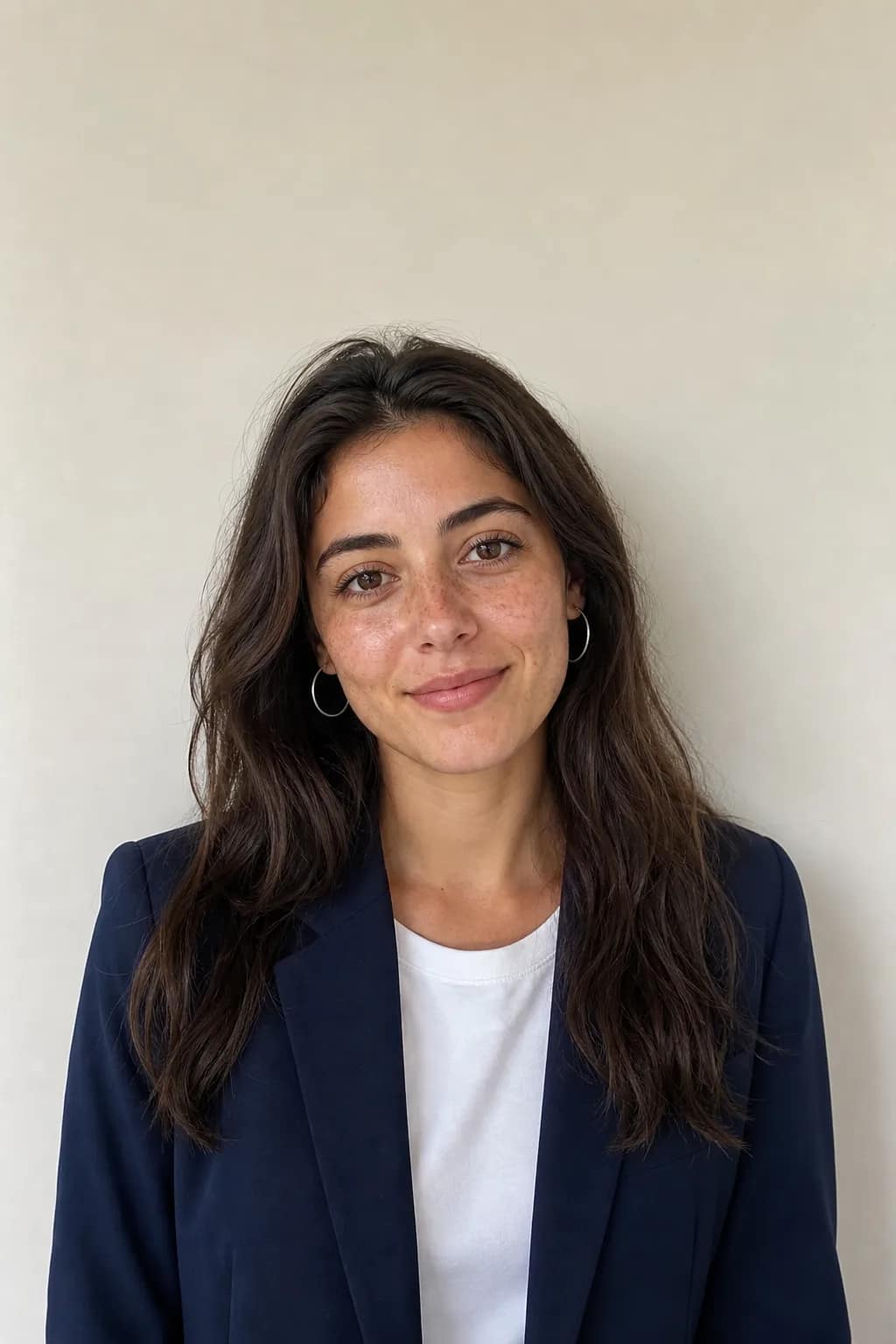
Upload one clear front-facing photo per character. TaleAtelier reads the face — bone structure, hair, distinguishing features — and locks it as that character's identity for every panel. Give them a name, and a description if you want more control. Two characters in the preview here, up to six in the full editor.
Write the story and generate
A single sentence is enough to start; paste a full script if you have one. The story is broken into panel-sized beats, every page is drawn with your locked cast, dialogue you put in quotes is placed into speech bubbles, and the finished comic is yours to export.
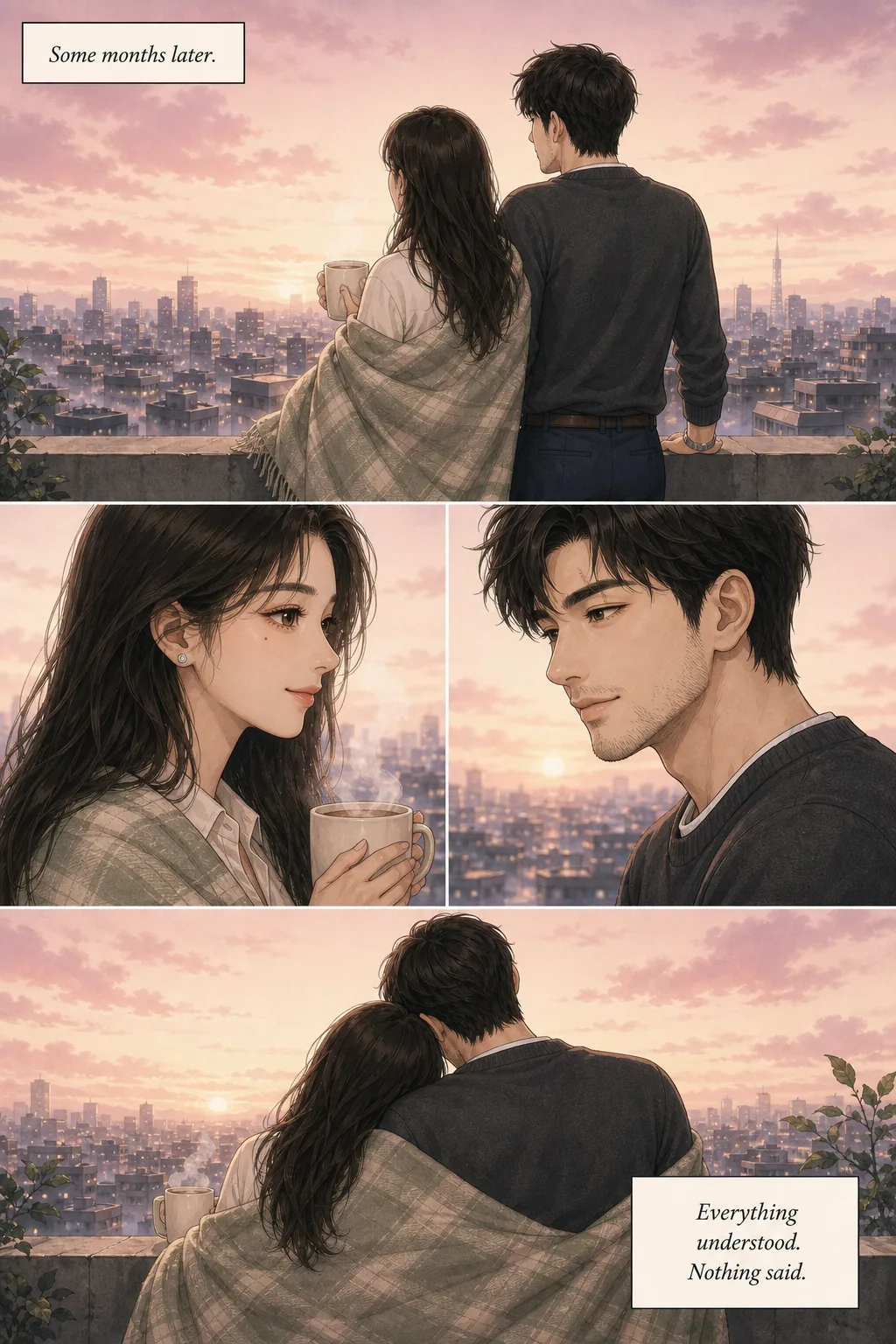
See it: same character, six styles, in panels
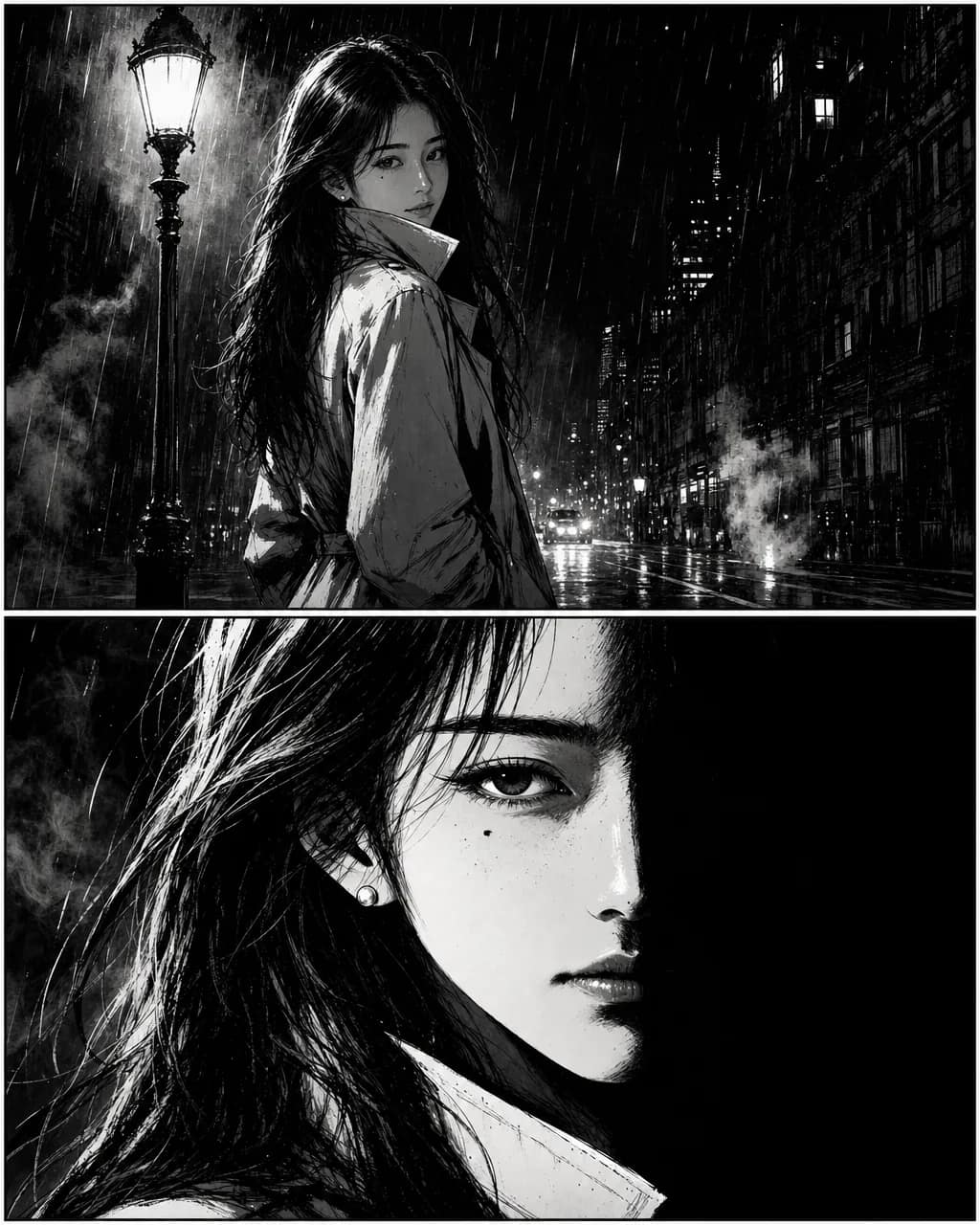
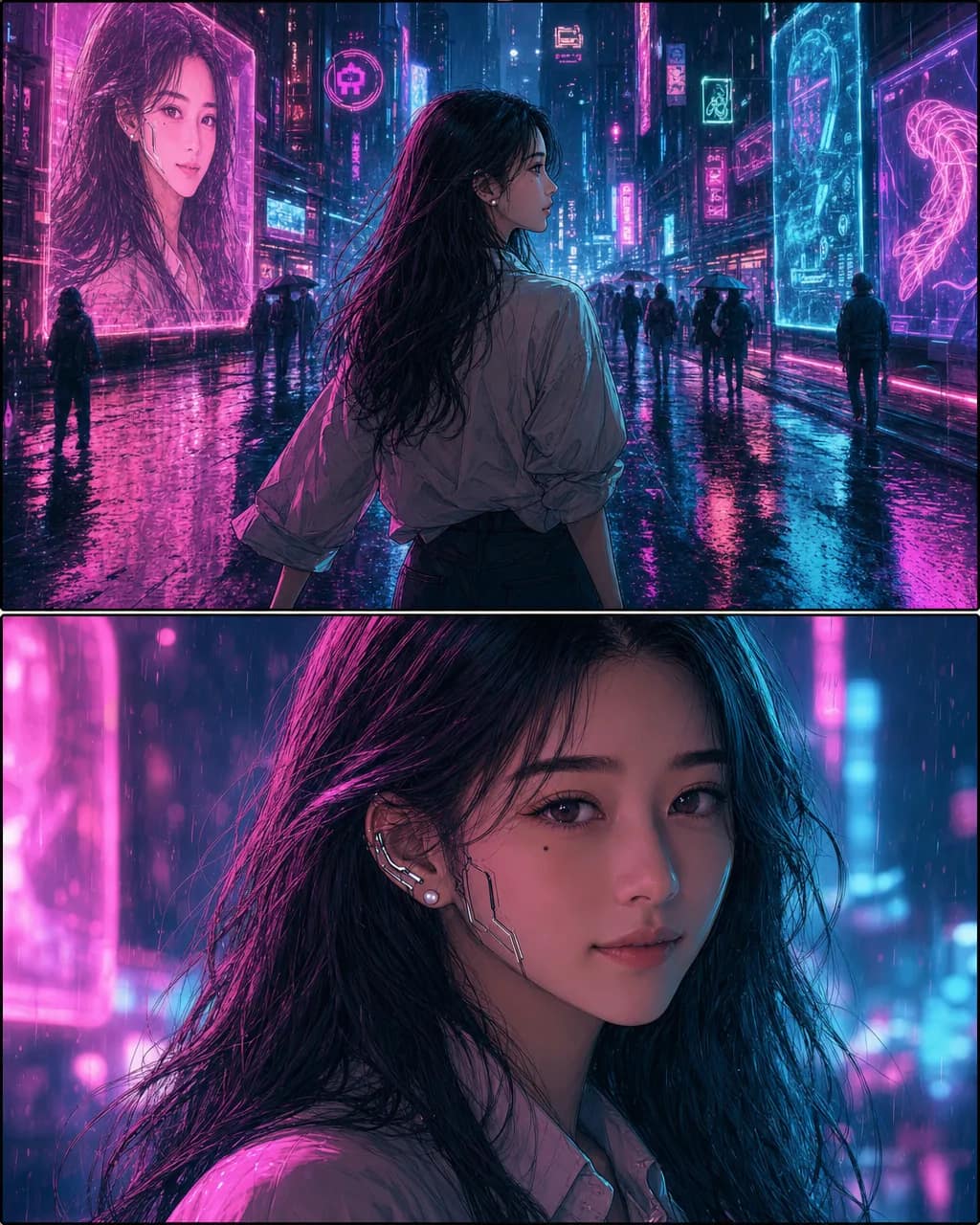
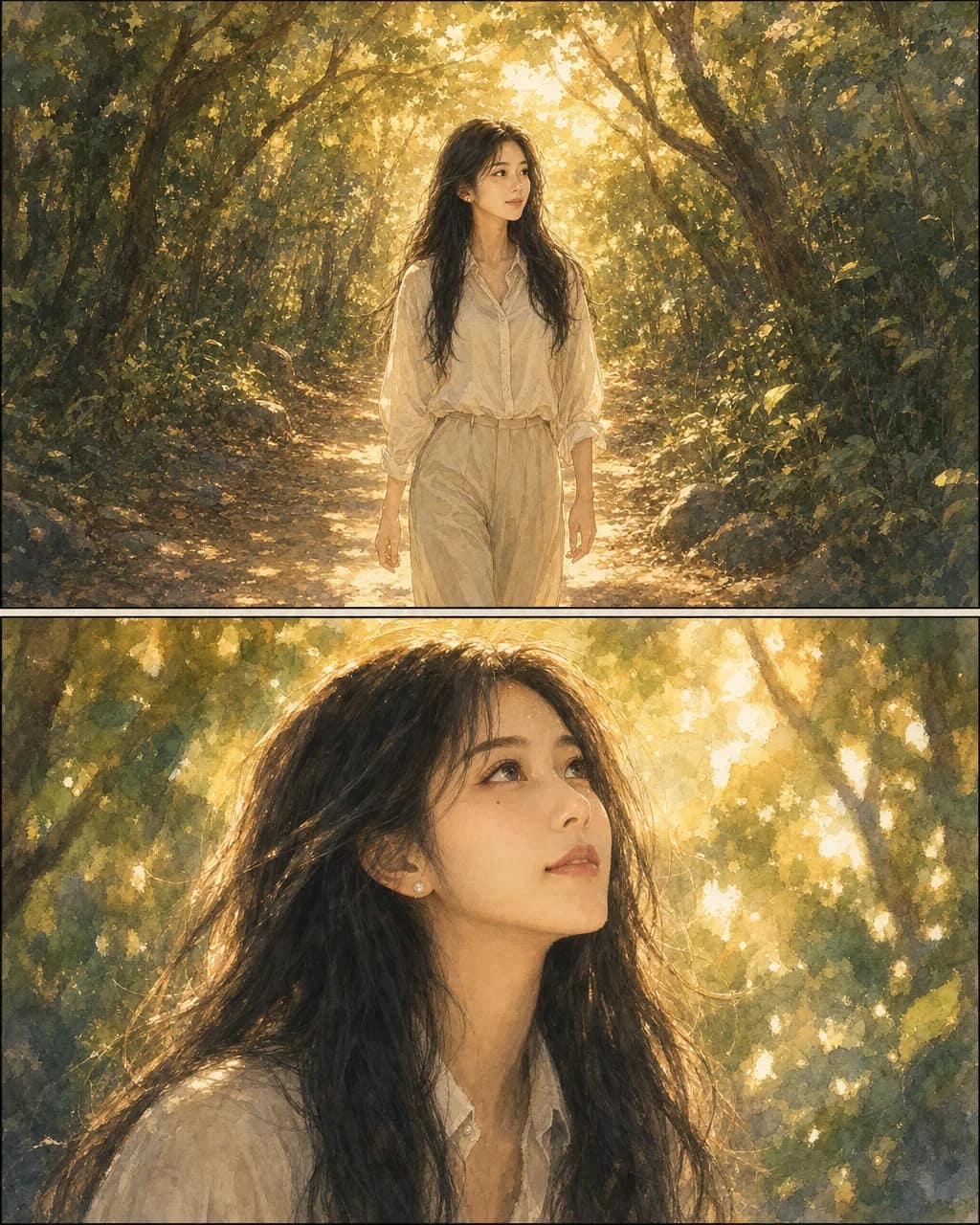
The same photograph from the top of this page, taken through six comic disciplines — two panels each, a scene and a close-up. The discipline changes everything about how it is drawn; the face in it stays hers.
Thirty-six disciplines are available in total. Browse all thirty-six AI comic styles →
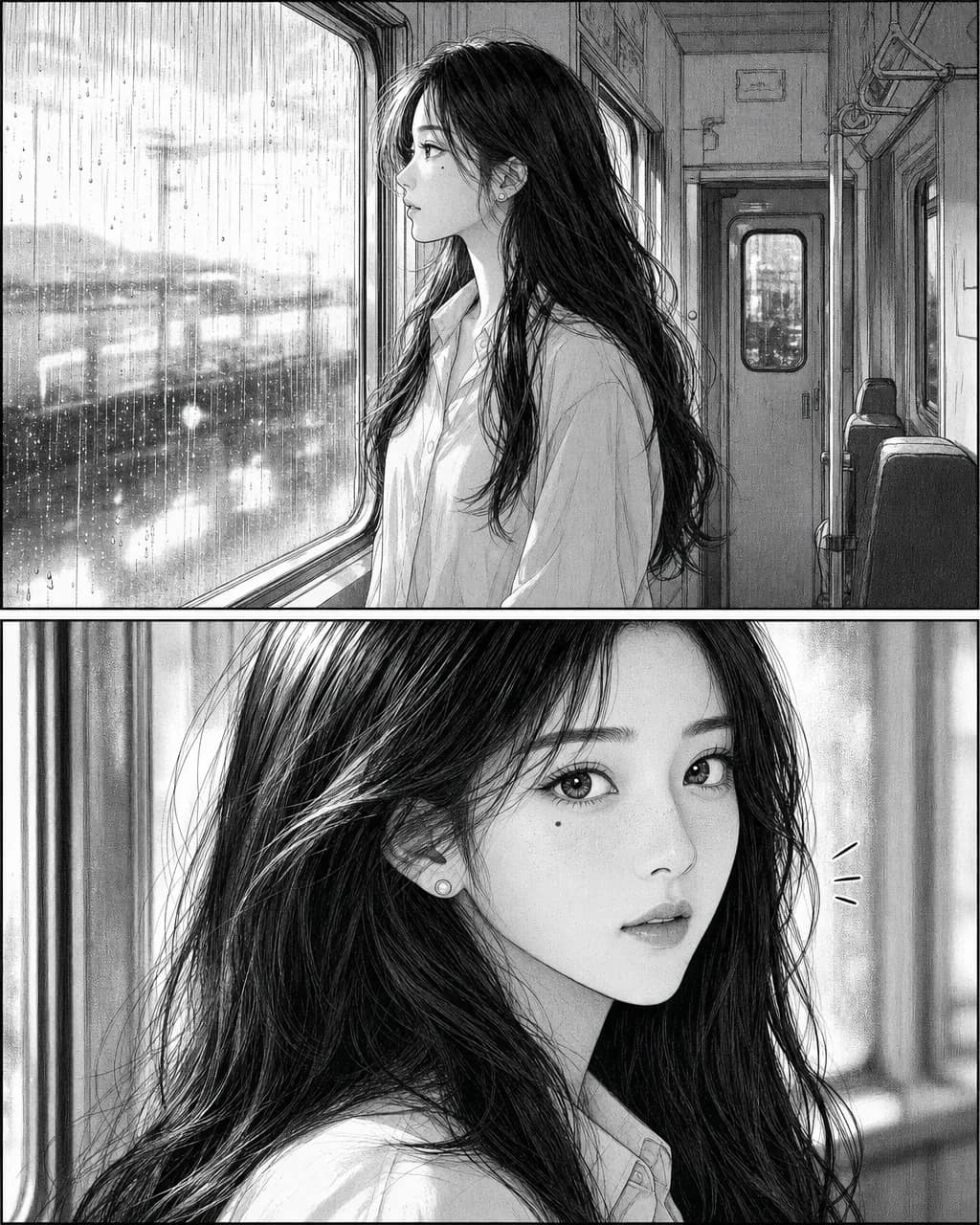
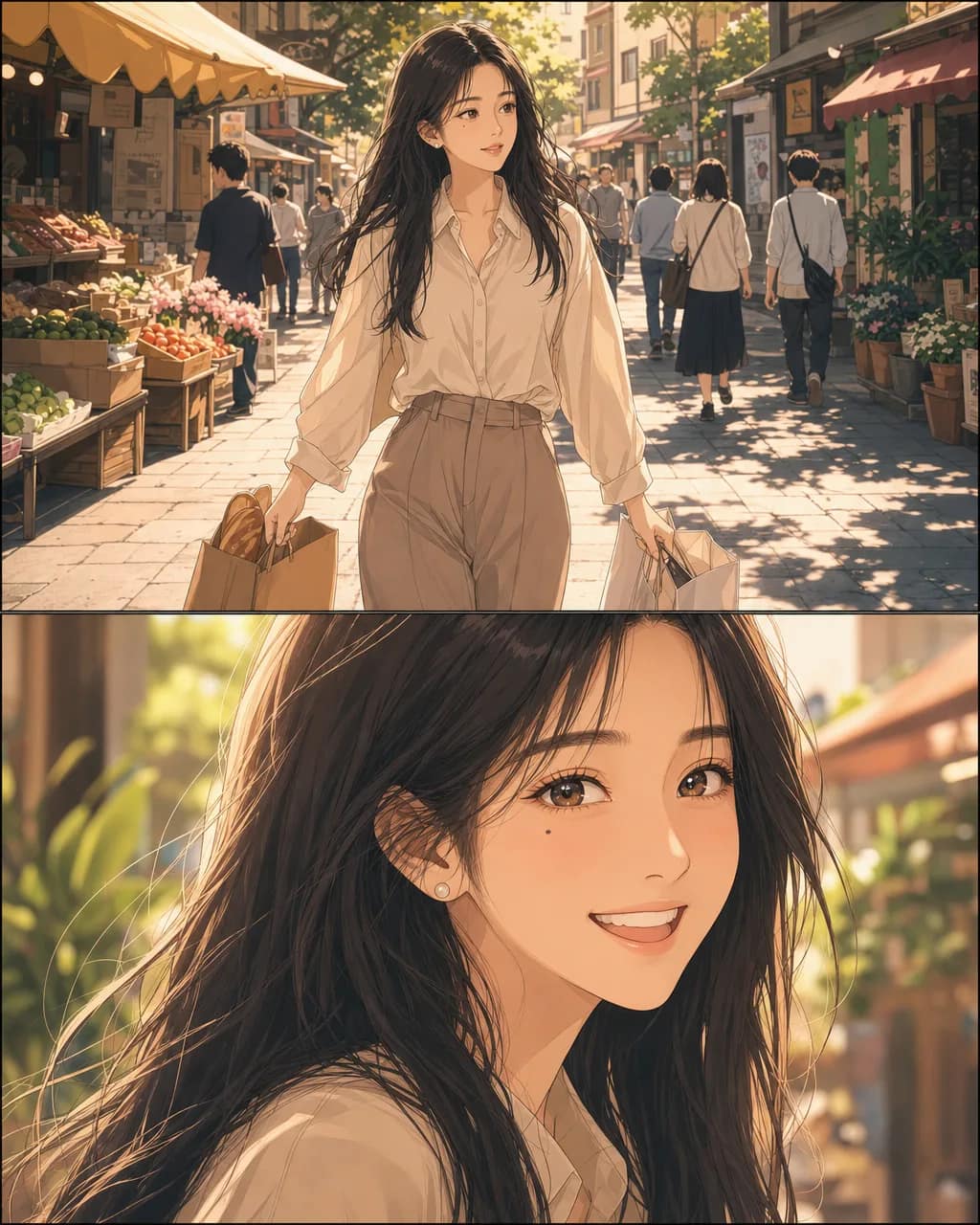
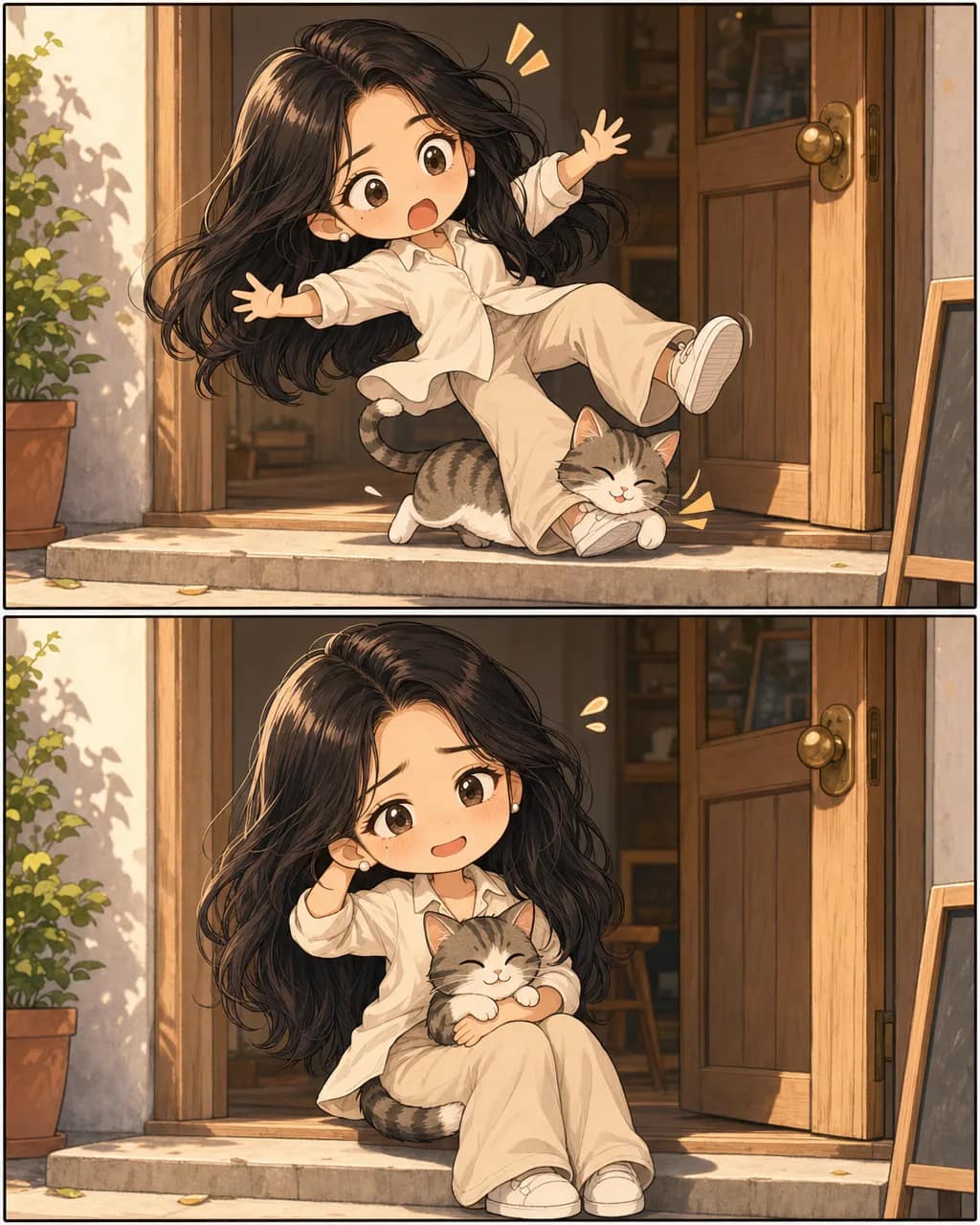
Character consistency across every panel
The reason a comic-specific tool exists. The photograph on the left is the reference; the page beside it is what came back — same face, same freckles, same jacket, a different scene in every panel.
If you want the mechanism rather than the demonstration, here is how the character reference stays locked.
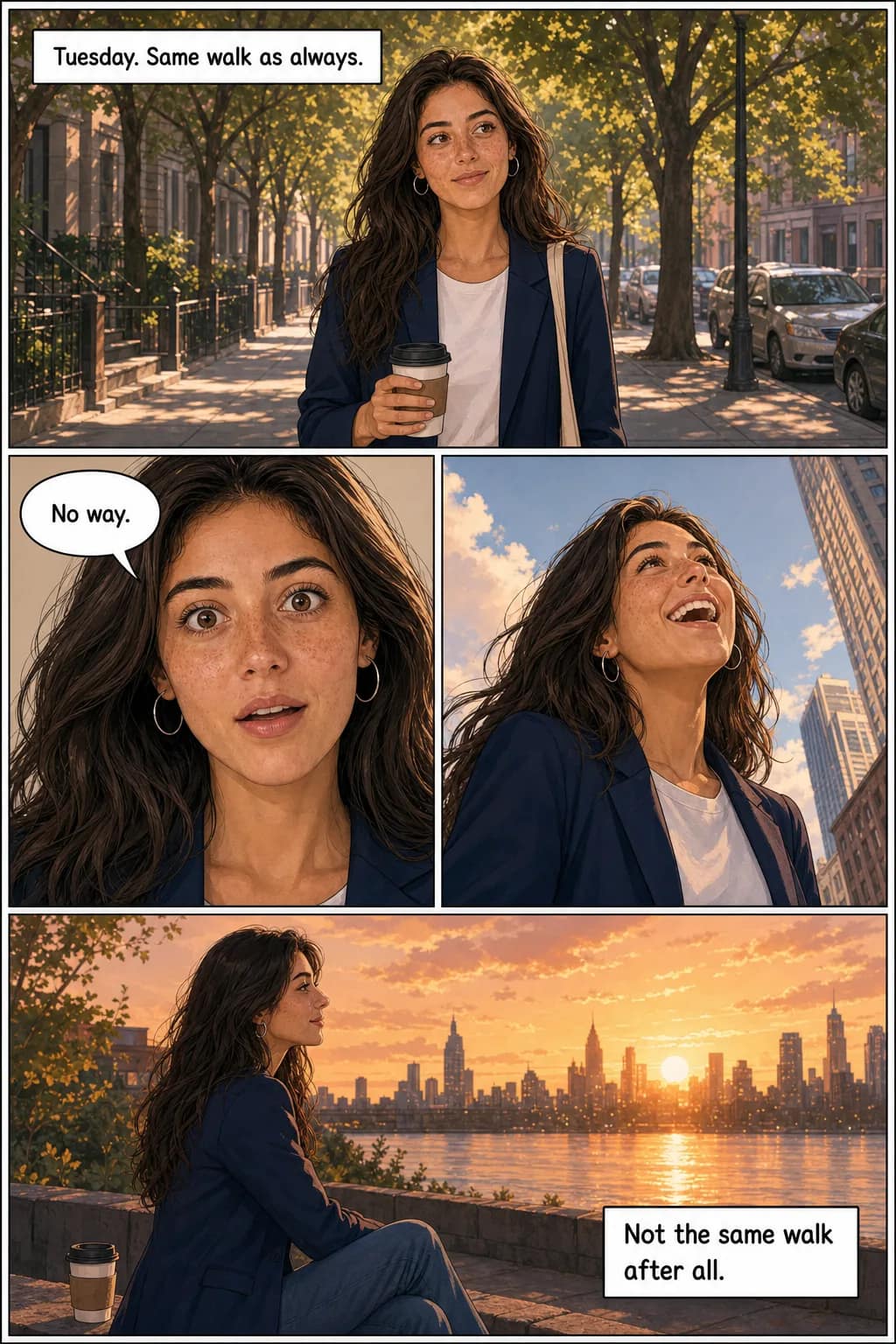
What TaleAtelier locks
- · Face structure and features
- · Hair style, color, length
- · Distinctive marks (freckles, moles, scars)
- · Outfit and colors, unless you change them mid-story
- · Accessories that define the character (glasses, earrings, hat)
What changes per panel
- · Expression (happy, angry, surprised, contemplative)
- · Pose and camera angle
- · Lighting and time of day
- · Background and setting
- · Distance from camera (close-up, medium, wide)
What makes a good reference photo
The clearer your source photo, the more your character will look like the person in it. Here's what works, what breaks, and why.
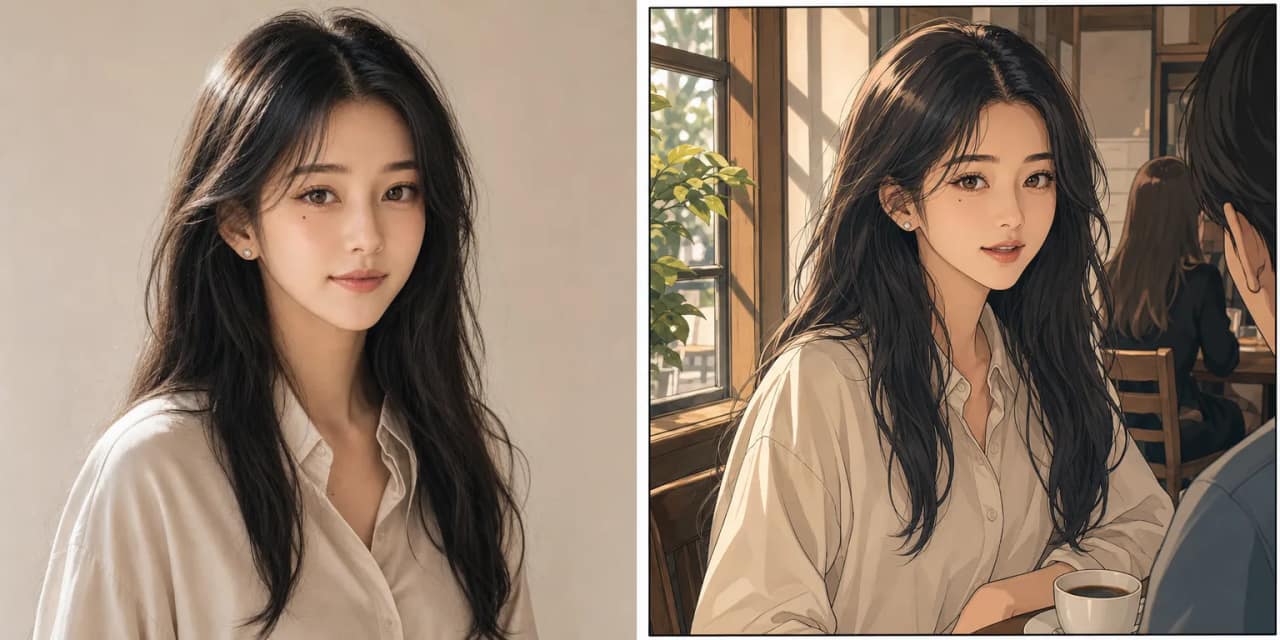
What works
- · Front-facing or three-quarter angle
- · Face fills at least a third of the frame
- · Even lighting on the face — daylight or soft window light
- · Neutral or simple background
- · One clear subject (not a group photo)
- · No sunglasses; eyes clearly visible
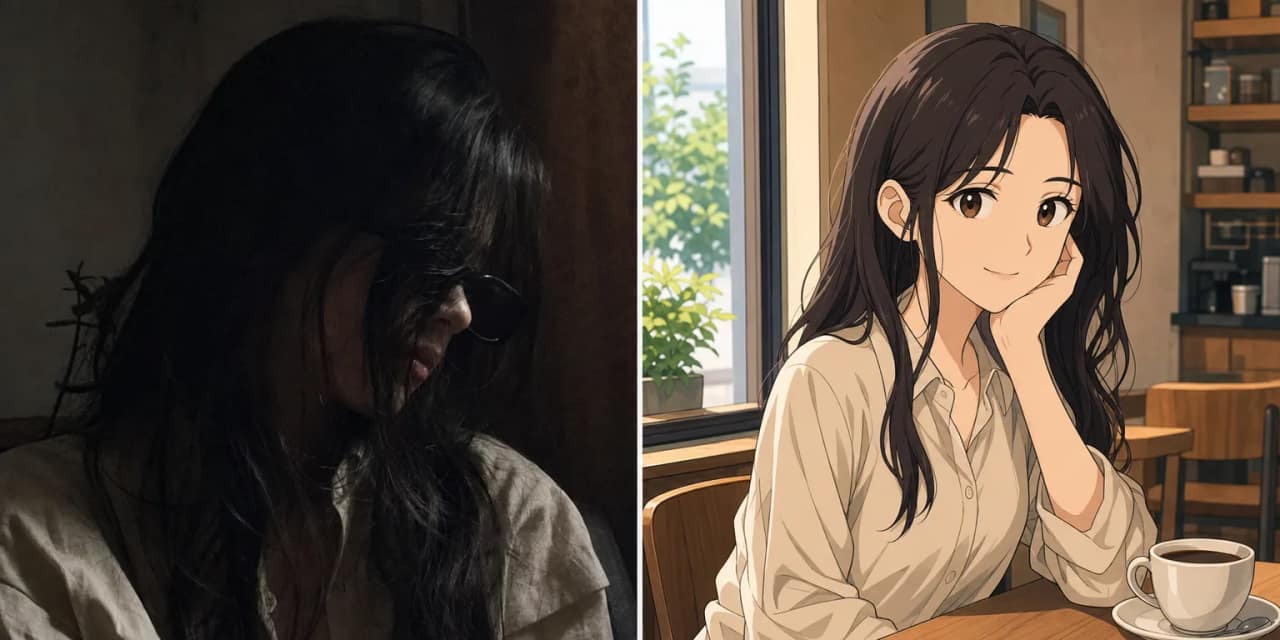
What breaks
- · Extreme side profiles (the model can't infer the front)
- · Heavy shadows across half the face
- · Sunglasses, masks, or hair covering the eyes
- · Face taking up less than 20% of the frame
- · Blurry or low-resolution photos
- · Group photos where the subject isn't obvious
Two or more people in one comic
Upload separate photos for each person. Both faces get locked. They appear together in scenes — same identities preserved, interacting naturally. Up to six named characters per story.
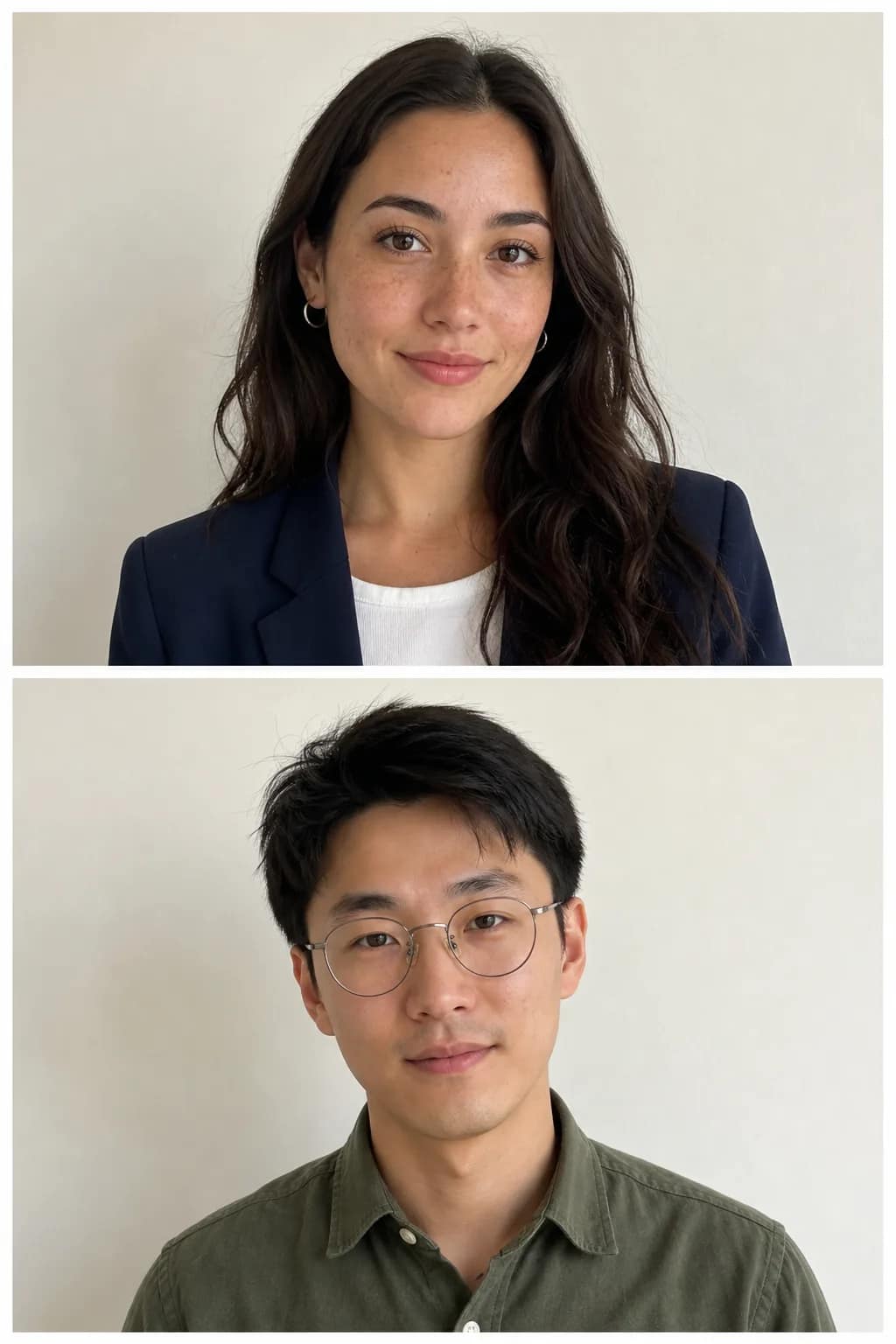
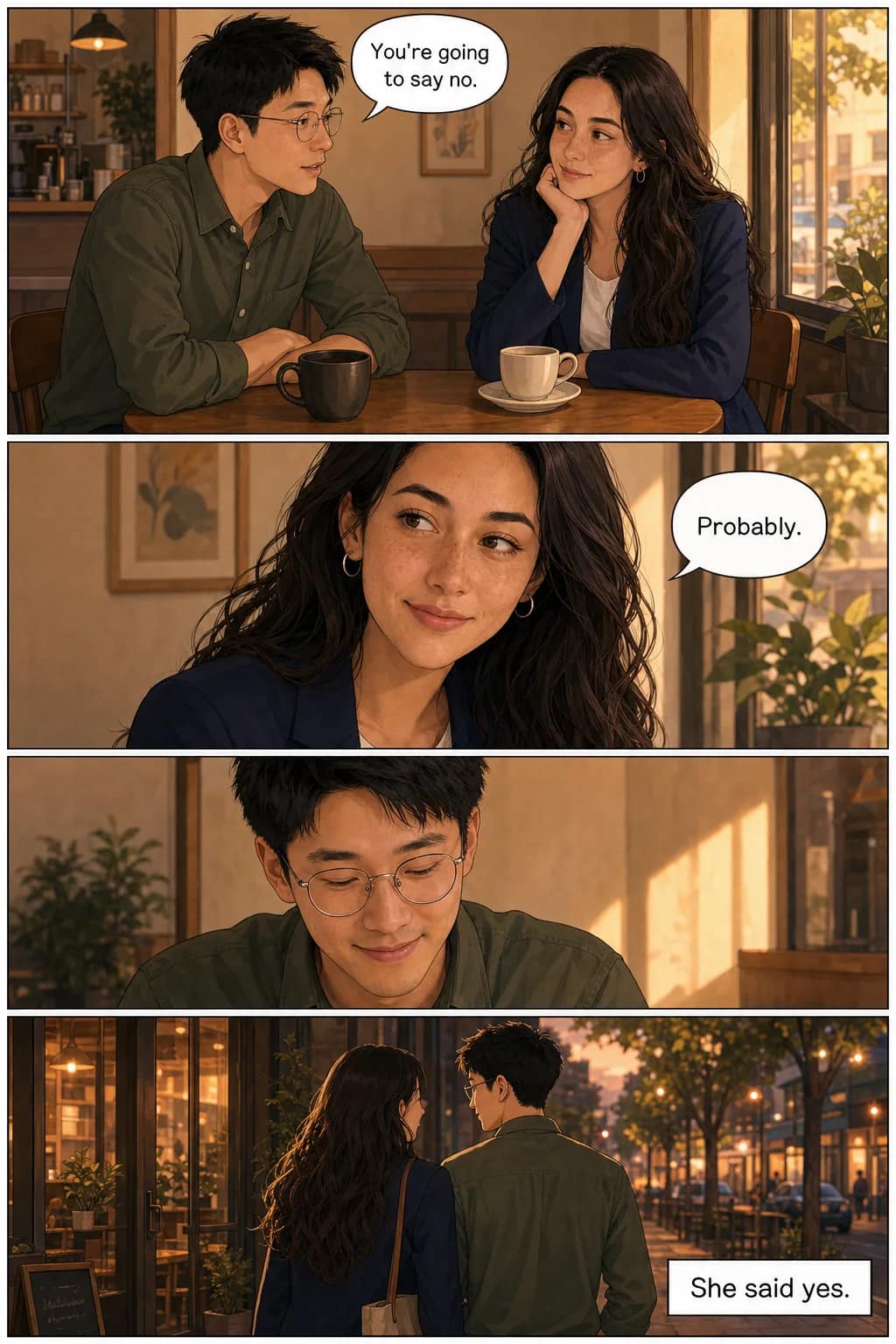
Common uses: a comic of you and your partner for an anniversary. A birthday comic starring a whole family. A story with your friend group as the cast. Or simply you plus your dog as sidekicks in an adventure.
Each character gets their own reference photo (or text description) and their own name, role, and outfit. When you write the story, name them and TaleAtelier composes scenes with the right people in the right places, faces preserved.
Length and format — from a 4-panel strip to a 400-page book
Pick the length that matches what you're making. A page costs 100 coins at every length — there is no bulk discount and no premium for going long, so the only thing that changes the price is how many pages you ask for. Generation times are real, not estimates.
| Format | Pages | Coins | Time | Best for |
|---|---|---|---|---|
| Short strip | 4 | 400 | 5–10 min | Social share, birthday card, quick gift |
| Medium comic | 10 | 1,000 | 15–25 min | A short story worth reading |
| Long comic | 20 | 2,000 | 30–45 min | A real graphic novella |
| Custom | 4–400 | 100/page | 1–8 hours | Serious graphic novel, chapter book |
Monthly plans from $9.99. See full pricing →
When to reach for a different tool
If you want a one-off cartoon avatar — a profile picture, a social share, a single stylised portrait — you do not need to read the rest of this page. Choose Just a portrait in the box at the top: free, no account, about a minute. Manga and anime versions of the same thing are on photo to manga and photo to anime, and a dedicated photo-filter tool will also get you there in seconds.
If you want a comic — a story with the same character across panels, with dialogue and layouts — that's this tool. Not because we're better than filters at making filters, but because we're solving a different problem.
Frequently asked
How is this different from a photo cartoon filter?
+
A filter turns your photo into one stylized image — and we do that too. Pick “Just a portrait” in the box at the top of this page: free, no account, about a minute. What the rest of this page is about is the other thing: turning the person in your photo into a comic character who appears across every panel of a multi-page story with dialogue. If one picture is all you want, take the free portrait; if you want a story starring that person, you want this.
Do I need to upload a photo, or can I describe the character?
+
Either works. Upload a photo and the face is locked from that reference. Skip the photo and describe the character in words, and TaleAtelier generates a face from the description and locks that. Most creators upload for the main character and describe supporting cast.
What kind of photo works best?
+
Front-facing, well-lit, single clear subject with the face taking at least a third of the frame. Neutral background helps. Avoid sunglasses, side profiles, heavy shadows, and low-resolution shots. The clearer your reference, the more your character will look like the person in the photo.
Will the character actually look like me across every panel?
+
Yes. Character consistency is the whole reason a comic-specific tool exists. General AI image tools produce a slightly different face every generation, breaking the story visually. TaleAtelier locks face, hair, and outfit once and reuses them across every panel — up to 400 pages.
Can I make a comic starring two or more people together?
+
Yes — up to six characters per story, each with their own locked identity. Upload separate photos for each person, describe who they are, and they'll appear together in scenes with both faces preserved. Common uses: couples, families, friend groups, or you plus your pet.
What happens to the photo I upload?
+
It is stored on EU servers (Paris, AWS eu-west-3), used only to generate your comic, and never used to train AI models — that is a contractual restriction on us and on our inference providers, not just a policy. It is deleted when you delete your account.
Can I upload a photo of someone else?
+
Only with their permission. A comic starring your partner, a friend or a family member is one of the most common things made here — just ask them first. Do not upload photographs of people who have not agreed to it.
Is it free?
+
Partly, and it is worth being exact. The preview is free and needs no account — write a story, pick a style, and you get a cover and first page back. Generating beyond that runs on a monthly plan, because each generation costs real compute: Starter $9.99, Plus $24.99, Pro $59.99.
How long does the whole thing take?
+
Five to fifteen minutes for a short strip of four panels. A twenty-page comic typically takes thirty to forty-five minutes. Leave the tab open and come back — pages generate in the background with visible progress the whole time.
Can I download and share the finished comic?
+
Yes. Export as PDF for print, PNG per page for social sharing, or vertical webtoon strip for phone-scrolling platforms. Downloads are unwatermarked on all paid plans.
Can I make a comic as a gift?
+
Yes — one of the most common uses. Upload a photo of the recipient, pick a story that matches them, generate, and print the PDF as a physical book or share the digital file. Birthday and anniversary comics are the two most-generated gift formats.
Your photo. Your comic.
Starting this week.
Create a free account, upload your photo, and pick a plan when you're ready to generate. Monthly plans from $9.99. Cancel anytime.
Create your accountLast reviewed