Convert Photo to Oil Painting — Turn Your Picture Into an Oil Painting
Upload a photo and get it back as an oil painting — built-up brushwork, dark-to-light modelling, the register of a portrait meant to hang. Take a single painting for framing or gifting, or carry the same face into a short painted comic. Free on this page, no account, about a minute. Digital, not a real canvas — the comparison below is honest about when that matters.
Free · No account · No watermark · Painting or comic · PNG / JPG
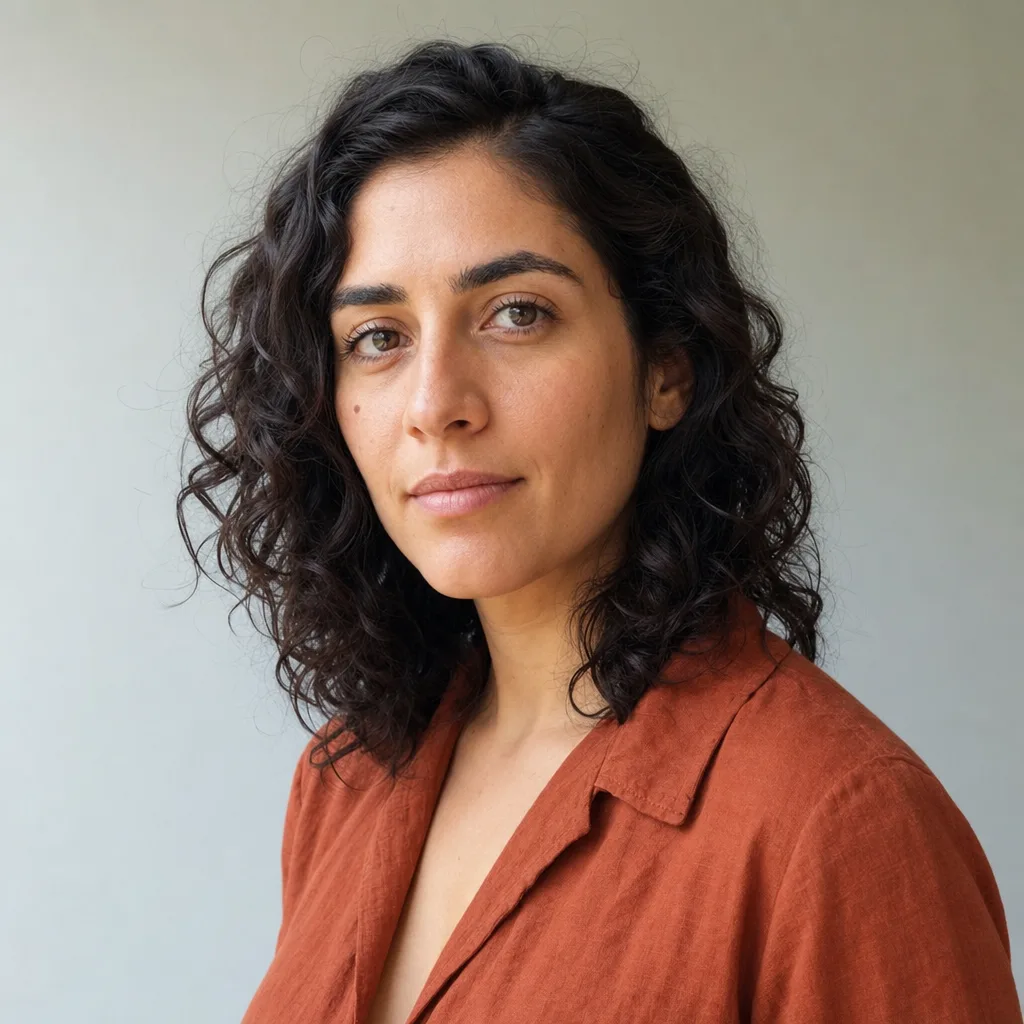
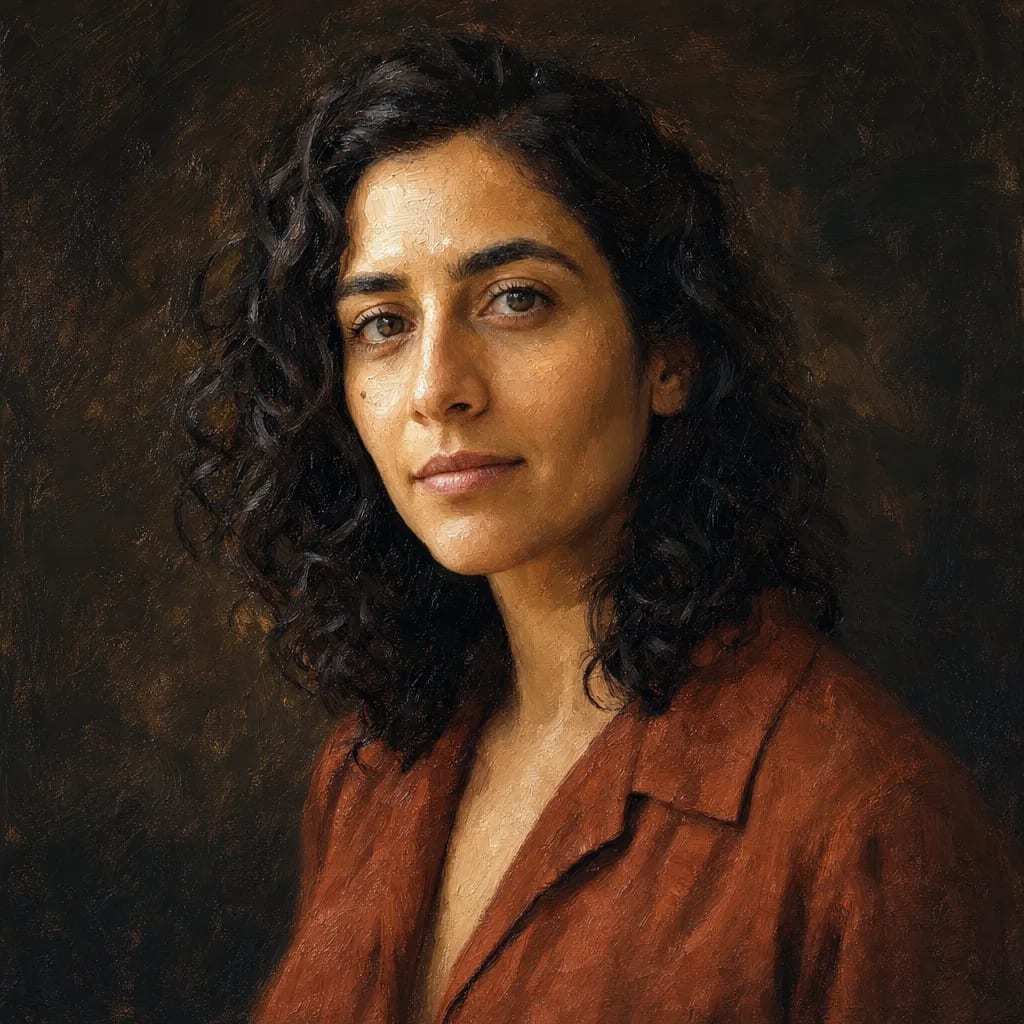
Reference and result both AI-generated for demonstration purposes.
Turn your photo into an oil painting — free
Upload a photo and get it back as an oil painting. No account, nothing to install, about a minute. One free painting per visitor per week — an account lifts that, and plans start at $9.99 a month.
30-second summary
Paint a photo as an oil portrait with a free AI tool in about 40-90 seconds, or carry the same face into a short painted comic. Works for family portraits, pet portraits, keepsakes and memorial art. One free per visitor per week, on this page, with no signup and no watermark. Accounts run on credits: 100 per image, from $9.99/mo for 2,000 a month. Not a physical commissioned painting — for hand-painted canvas ($50-$500+, 2-8 weeks), see the commission services compared below.
One painting, or the same face across a story
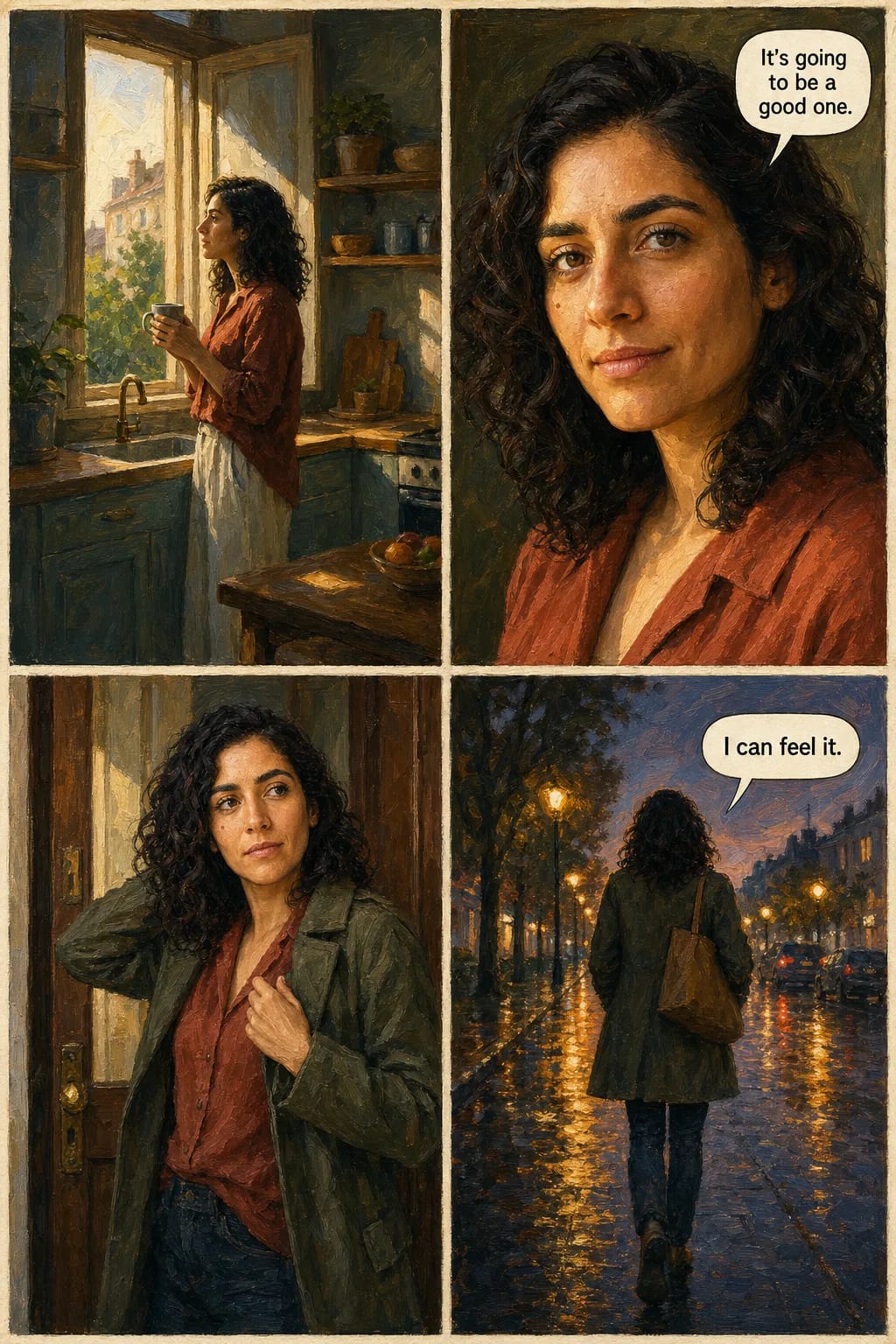
The portrait above is where most people stop, and it is the thing this page is about. The widget’s second tab goes further: the same face carried across a sequence of panels, in oil, with your own dialogue lettered in. Below is one page of it — painted from the same photograph as the portrait in the hero.
Why the face survives the page
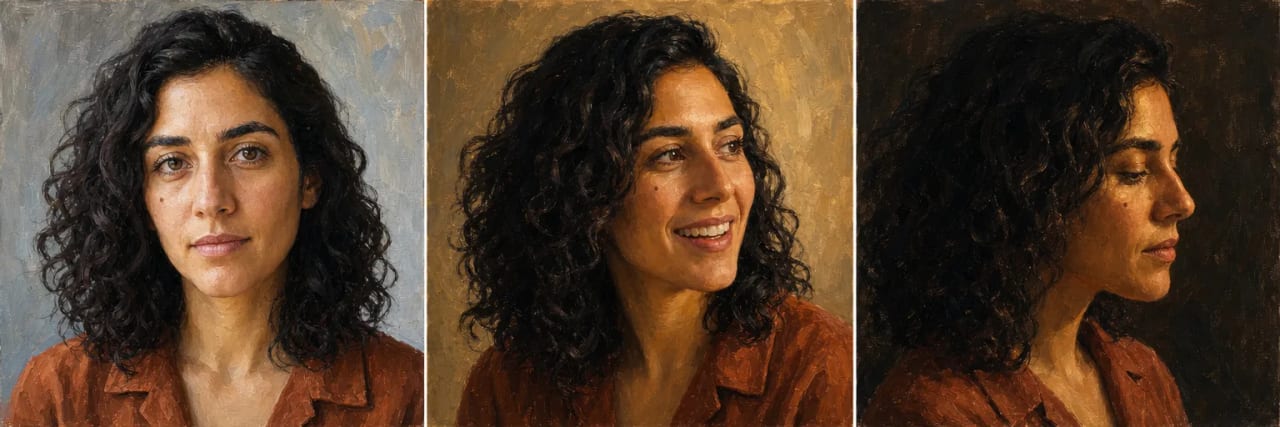
A filter repaints every picture from scratch, so the person drifts — a different nose by panel three. These three were painted separately, at three angles under three lighting conditions, from the one photograph in the hero.
How our photo-to-oil-painting converter works — 4 steps
Upload to finished painting is usually under two minutes. The photo does most of the work from there: directional light and separation between subjects decide how well the brushwork reads.
Upload your photo
Drop in a photo — portrait, family, pet, couple, wedding, landscape. Well-lit front-facing photos convert best. JPG or PNG, up to 10MB. No account needed to preview.
Oil is already selected
Nothing to configure — the widget opens on oil. There is no depth slider: the model paints one oil register, the classical one, and the photo's own lighting decides how painterly the result reads.
Preview generation
The AI paints a single oil result in about 40-90 seconds. It is free and unwatermarked, and it needs no account. One painting per visitor per week, so pick the photo you actually want before you upload it.
Sign up to download or iterate
The free painting downloads as-is, unwatermarked. An account saves your results and lifts the one-per-week limit — plans run on credits at 100 per image, from $9.99/mo for 2,000 a month.
Photo to oil painting: AI vs physical commission
“How much does it cost to turn a photo into a painting?” is the biggest question searchers ask about oil painting conversion. Honest answer: AI is a different product from physical commission. Compare side-by-side and pick the one that fits your goal.
| Factor | AI-generated (our tool) | Physical commission |
|---|---|---|
| Cost | One free a week, then $9.99/mo for ~20 images | $50 – $500+ per commissioned painting |
| Delivery time | About 40-90 seconds per painting | 2-8 weeks depending on artist backlog |
| Output format | Digital PNG or JPG (print-ready) | Physical painted canvas shipped to you |
| Best for | Digital use, prototyping, custom prints, gifts on a budget | Wall art, heirlooms, high-end gifts, artist-signed originals |
| Example providers | TaleAtelier, PixelBin, Secta.ai, Canva Paintify | CanvasChamp, SnappyCanvas, MyDaVinci, Etsy oil painting artists |
Bottom line: if you want a physical painted canvas hanging on the wall as an heirloom, physical commission is the right choice — see CanvasChamp, SnappyCanvas, MyDaVinci, or Etsy oil painting artists. If you want a digital oil-painting-style image (for printing yourself, sharing online, gift on a budget, or prototyping), our AI tool is faster and cheaper. Both are legitimate products serving different needs.
What oil does to a photo
What the medium does depends on what you feed it. Oil handles some subjects better than others, and the difference is predictable enough to plan around — here is what to expect from the four kinds of photo people bring to it most.
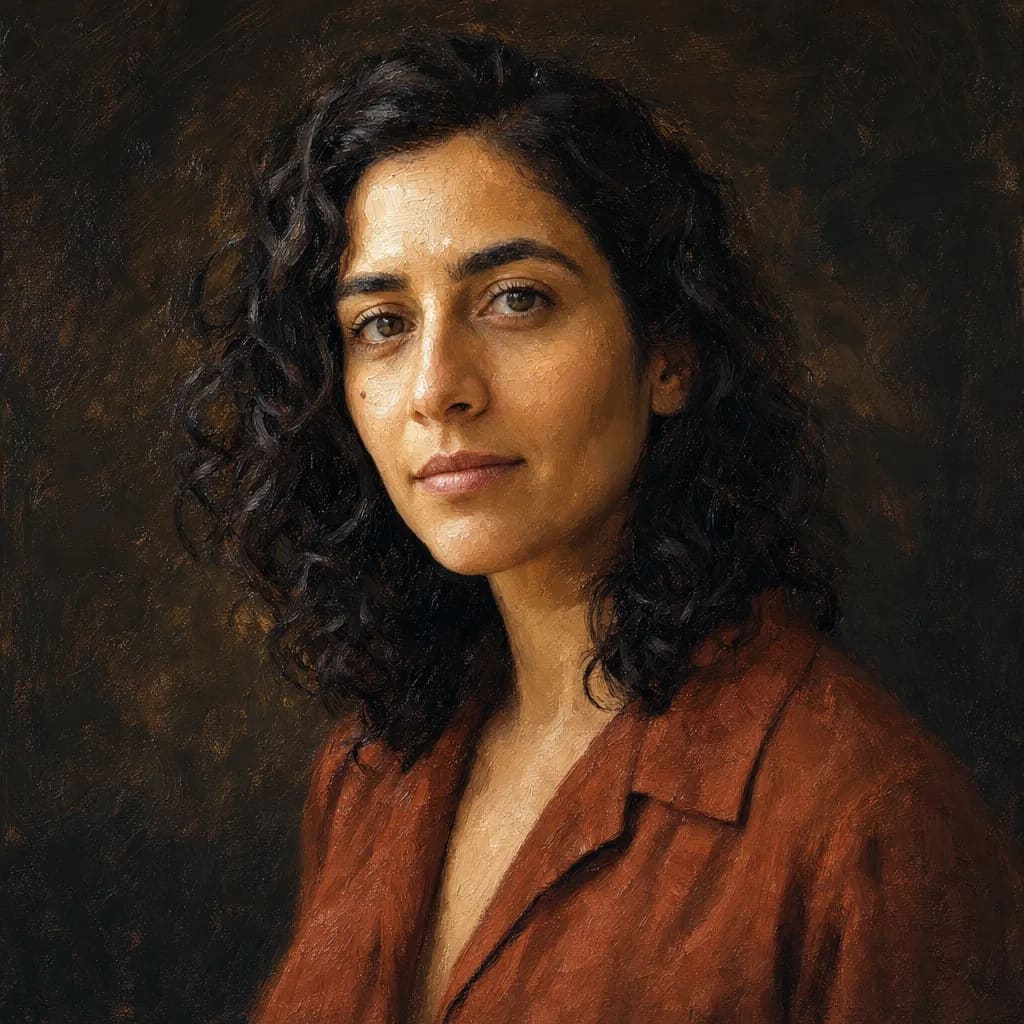
Faces
Portraits, couples, memorials
Oil is the portrait medium by tradition, and it shows: built-up paint models a face in planes of light and shadow rather than smoothing it. Side-lit and evenly lit photos both work — this is the one medium that gains from strong shadow rather than losing the features in it.
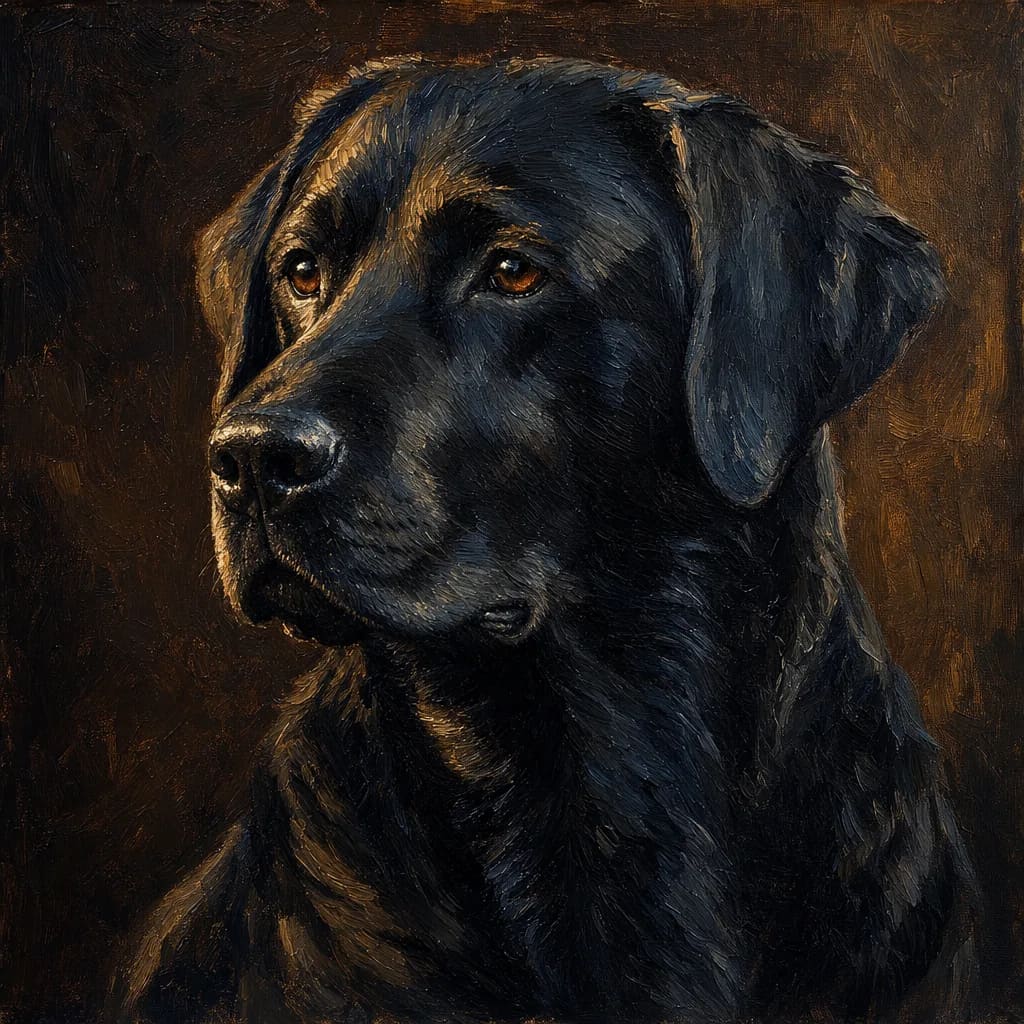
Fur and feathers
Pets and animals
Impasto reads as coat texture almost directly, so animals convert well. The limit is fine detail at small scale — whiskers and thin fur at the edge of a silhouette tend to be absorbed into the brushwork rather than drawn.
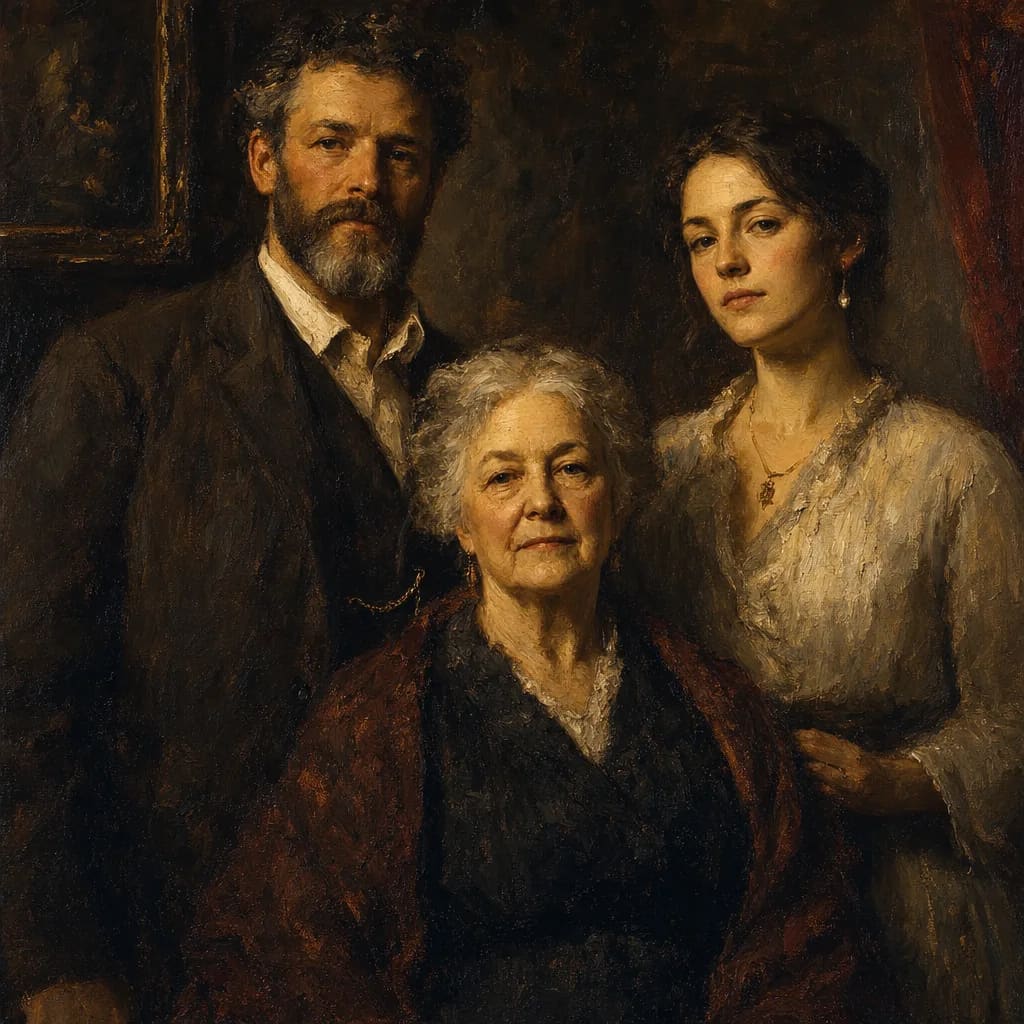
Groups
Family portraits, keepsakes
Works when the source photo already separates people by light. Oil models with tone, so two faces at the same brightness against the same background flatten together — a photo with depth of field or uneven lighting converts far better than a flat, evenly lit one.
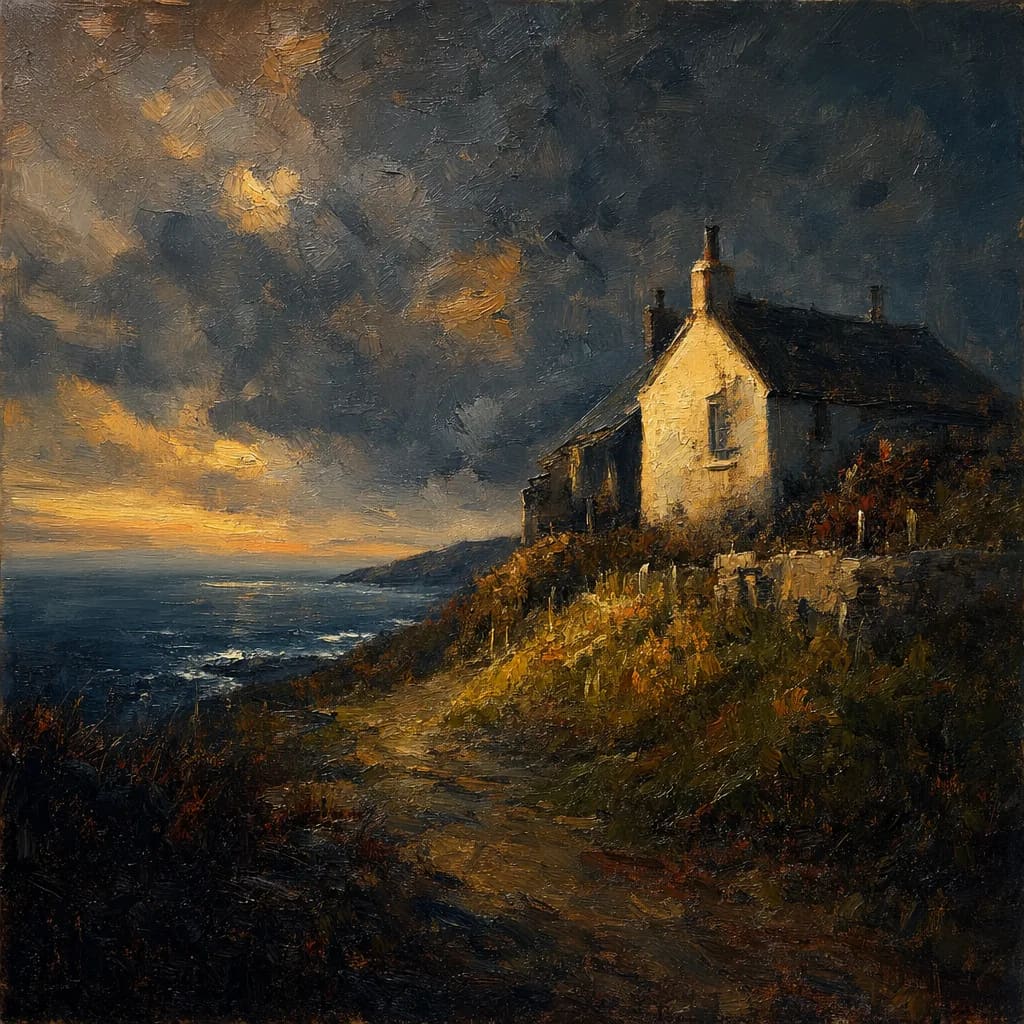
Places
Houses, venues, landscapes
Buildings and landscapes take the formal register well, especially anything with a strong sky or directional light. A wedding venue or a family house in oil is the most common non-portrait use, and reliably the most flattering.
Photo-to-oil-painting use cases
Oil painting style carries emotional and aesthetic weight — heavier than photography, more formal than watercolor. Most searches for oil painting portrait conversion fall into four distinct use cases:
Family Oil Painting Portraits
Oil painting family portraits carry weight — the heavy brushwork and rich color make family images feel museum-worthy. Popular for anniversary gifts, family reunions, gifts to grandparents, and formal family portraits as an alternative to studio photography.
Pet Oil Painting Portraits
Pet oil painting portraits are a particularly emotional use case — memorial portraits for lost pets, birthday portraits for beloved pets, and gift portraits for pet-loving friends. The oil painting style adds gravitas that photographs alone don't carry.
Custom Oil Painting Portraits
For personalized keepsakes — birthday portraits, milestone celebrations, self-portraits meant to hang on a wall. AI-generated custom oil painting captures the personalized aesthetic without waiting weeks for a commissioned artist.
Wedding & Memorial Portraits
Wedding oil painting portraits for save-the-dates, anniversary gifts, or vow-renewal art. Memorial oil painting portraits for honoring loved ones. Both use cases prioritize the emotional weight that oil painting style adds beyond a simple photograph.
Explore the full oil painting style
This page is about oil painting specifically — the widget above opens on it, and everything here describes what that medium does to a photograph. For the broader style context — technique history, artist references, reference gallery — see the companion guide.
With an account there are thirty-six styles in total, and a custom one: describe a look in your own words and it is used instead of a preset.
Frequently asked questions
How much does it cost to turn a photo into a painting?+
AI photo-to-oil-painting tools are typically free for a limited number of images and $9.99–$25/month beyond that, metered either by generation count or by credits. Physical commissioned oil paintings from human artists cost $50–$500+ per painting depending on size, complexity, and artist reputation, with 2-8 week delivery. Pick AI for speed and cost; pick physical commission for a hand-painted canvas heirloom.
What app can I use to turn photos into oil paintings?+
Our TaleAtelier web tool is one option — one free painting a week, no install, works in any browser. Other AI tools include PixelBin, Secta.ai, Canva Paintify, and Aragon.ai — each with different styles and free-tier terms. For a mobile-first app experience with home-screen icon and offline access, search “photo to oil painting” in the App Store or Google Play.
Can I get a custom oil painting created from photos?+
Yes, two paths. For an AI-generated custom oil painting (digital output, about a minute, free on this page), use our tool or similar AI converters. For a hand-painted physical custom oil painting (real canvas, painted by a human artist, 2-8 weeks, $50-$500+), services like CanvasChamp, SnappyCanvas, MyDaVinci, and independent Etsy oil painting artists handle physical commissioning. Different products, different tradeoffs.
How do I print a picture to look like an oil painting?+
Two steps: first generate the oil-painting-style digital image using an AI photo-to-oil-painting converter (like our tool), then print it on canvas via any print-on-demand service (CanvasChamp, Shutterfly, local print shops). This gives you a physical framed canvas that looks painted but was generated digitally in seconds rather than commissioned over weeks.
How long does the AI conversion take?+
About 40-90 seconds, depending on the photo and current load. Upload to finished painting is usually under two minutes. Compare that to a physical commissioned oil painting, which takes 2-8 weeks.
What file format do I get?+
PNG or JPG. The free painting on this page is the same image an account produces — we do not downgrade it or stamp it. If you intend to print onto canvas at a particular size, check the downloaded file against the printer's requirements first, as with any digital image.
Is photo-to-oil-painting free?+
You can paint one free on this page each week, with no account and no watermark. Beyond that it is credit-based rather than unlimited: 100 credits per image, and Starter is $9.99/month for 2,000 credits — about twenty images — with Plus and Pro carrying more. Credits reset monthly and do not roll over. Most competing AI tools offer free tiers with different limits.
Can I use my pet's photo?+
Yes. Pet oil painting portraits work especially well — the rich brushwork suits animal fur textures and expressive eyes. Memorial pet portraits are one of the most common use cases for AI oil painting conversion. Best with well-lit photos where the pet is the clear subject and face is visible.
What's the difference between AI oil painting and a real physical painting?+
AI oil painting is a digital image generated in seconds by AI trained on oil painting style — output is a PNG or JPG file. A real physical painting is a hand-painted canvas created by a human artist over hours or weeks. The AI result can look painterly but exists digitally; a physical painting has actual pigment on physical canvas. Different products serving different needs at very different cost and time investment.
Can I convert a photo to oil painting online free?+
Yes — one painting per visitor per week, in the browser, with no account, no install and no watermark. Multiple competing tools (PixelBin, Secta.ai, Canva Paintify) offer similar free tiers with different terms. Worth comparing: how many styles each offers, output quality, and what the free tier does with your photo afterwards.
Keep exploring
Oil Painting Style — Full Guide
Complete oil painting style guide with technique context and gallery references — the broader style hub.
Photo to Watercolor
Convert photo to watercolor style — softer, painterly aesthetic instead of oil painting.
Photo to Anime
Convert photo to anime style — Japanese animation aesthetic.
Photo to Comic
Convert photo to comic-book style — Western comic aesthetic with panels and lettering.
Photo to Manga
Convert photo to manga style — black-and-white with screentones and Japanese comic conventions.
AI Comic Generator
The full tool behind the comic tab above — up to 400 pages, your own dialogue, thirty-six styles.
Chibi Maker
Create chibi characters — oversized head, tiny body, cute expressive style. Different aesthetic entirely.
Turn your photo into an oil painting
Paint one free on this page and see the style on your own photo before signing up. Accounts add the full style catalogue and 2,000 credits a month from $9.99.
Try Photo to Oil Painting free →Reviewed: 2026-09-11 (September 11, 2026)