Photo to Watercolor: Turn Your Photo Into a Watercolor Painting
Upload a photo and get it back painted in watercolor — soft washes, bleeding edges, the light left as bare paper. Take a single portrait for framing or gifting, or carry the same face into a short watercolor comic with your own dialogue. Free on this page, no account, about a minute.
Free · No account · No watermark · Painting or comic · PNG / JPG
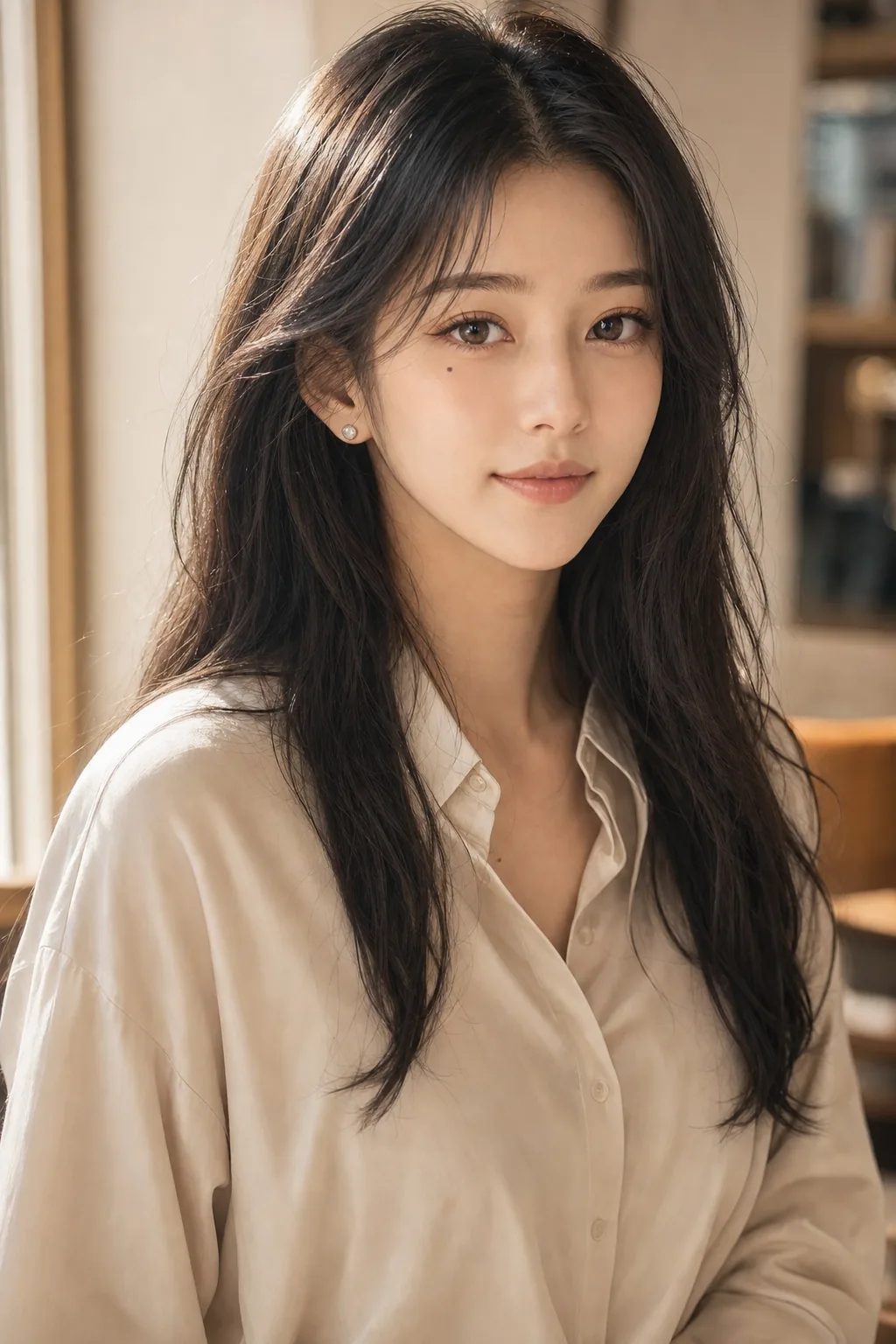
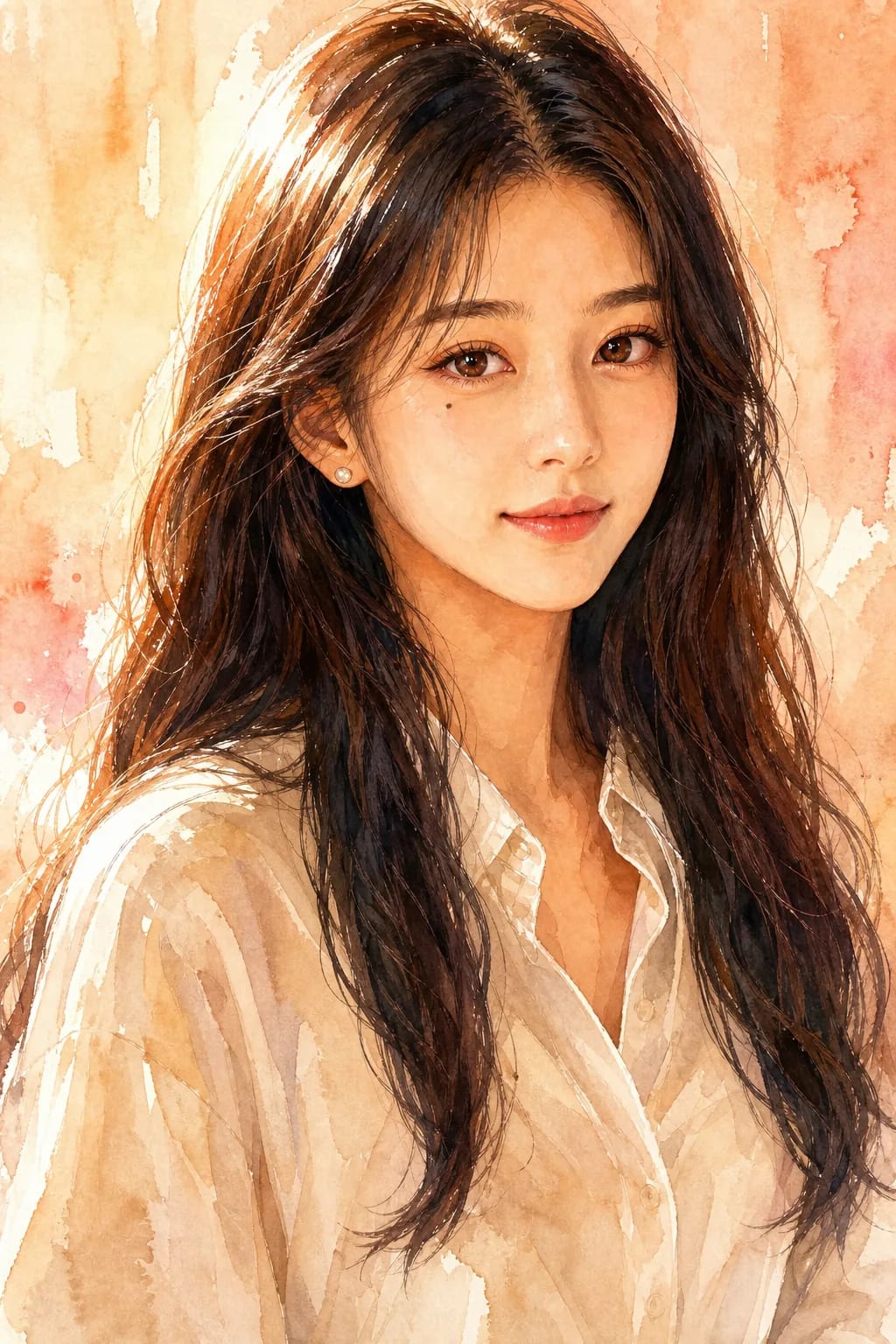
Reference and result both AI-generated for demonstration purposes.
Turn your photo into a watercolor — free
Upload a photo and get it back painted in watercolor. No account, nothing to install, about a minute. One free painting per visitor per week — an account lifts that, and plans start at $9.99 a month.
30-second summary
Paint a photo in watercolor with a free AI tool — a single portrait for framing or gifting, or a short watercolor comic carrying the same face across panels with your own dialogue lettered in. Works for family portraits, pet portraits, couples, weddings and personalized keepsakes. One free per visitor per week, on this page, with no signup and no watermark. Accounts run on credits: 100 per image, from $9.99/mo for 2,000 a month. Not a physical commissioned painting — for a hand-painted portrait on real paper, see Etsy watercolor artists or commission services.
A single painting, or a painted story
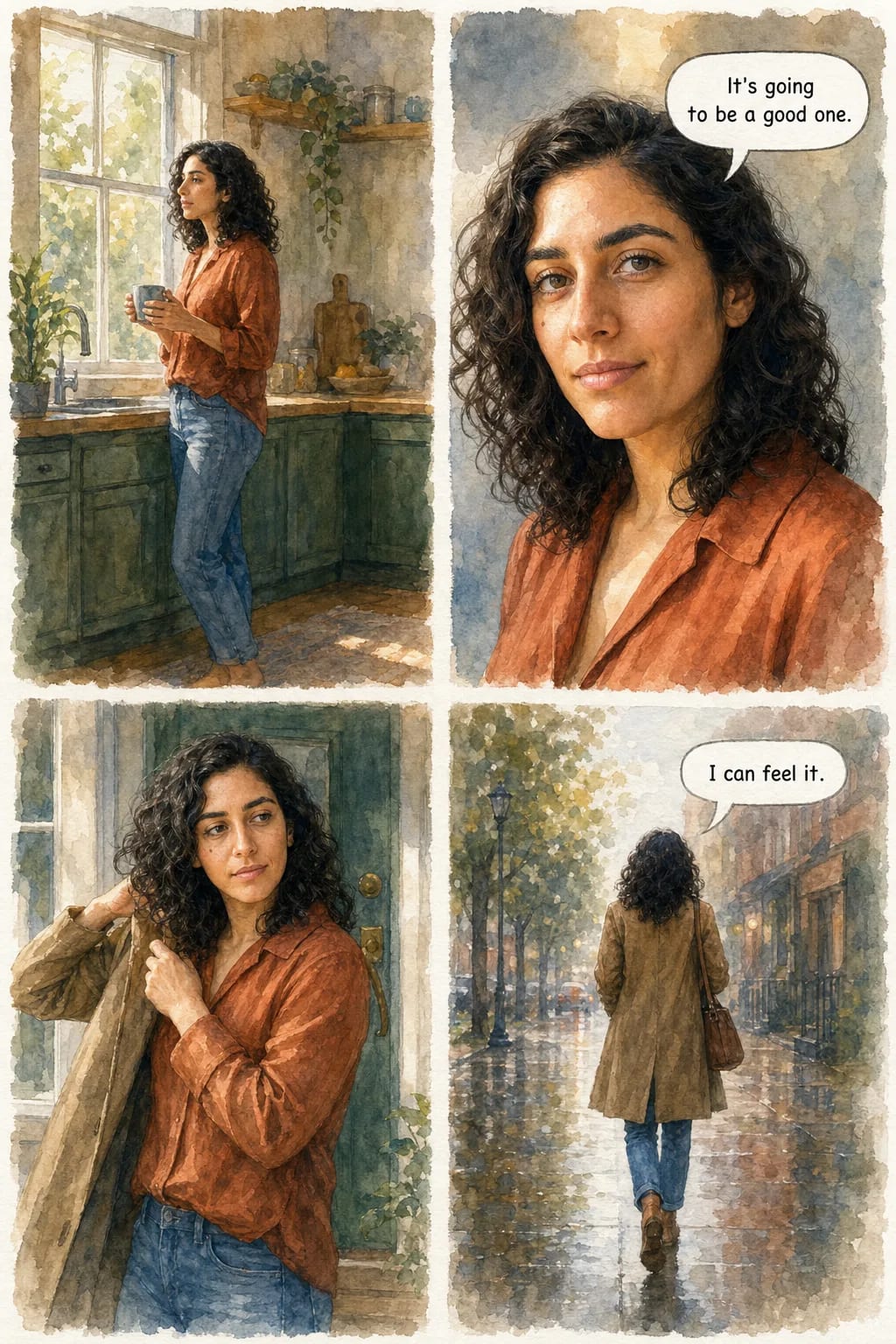
The second tab in the widget makes comic pages in the same medium — washes, wet edges, bare paper for the highlights — with your own dialogue lettered into the bubbles. This is one page of it, unretouched.
Why the face survives the page
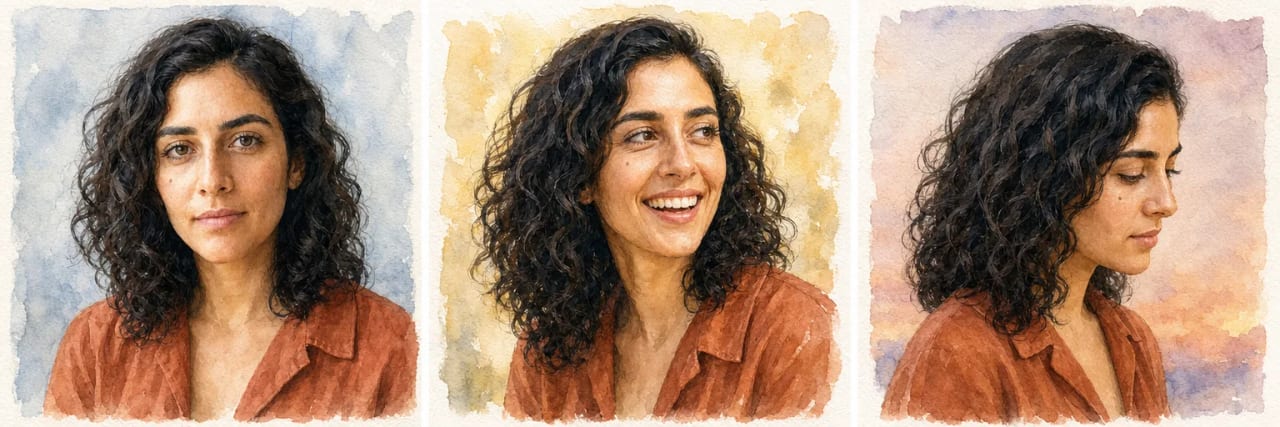
A filter repaints each picture from scratch, so the person drifts — a different nose by panel three. These three were painted separately, at three angles under three lighting conditions, from one photo.
How our photo-to-watercolor tool works — 4 steps
Upload to finished painting is usually under two minutes. The photo does most of the work from there: lighting and separation between subjects decide how well the washes read.
Upload your photo
Drop in a photo — portrait, family, pet, couple, wedding, landscape. Front-facing well-lit photos convert best. JPG or PNG, up to 10MB. No account needed to preview.
Watercolor is already selected
Nothing to configure — the widget opens on watercolor. Neighbouring hand-media styles sit beside it if the photo suits one better, but the default is the one this page is about.
Preview generation
The AI paints a single watercolor result in about 40-90 seconds. It is free and unwatermarked, and it needs no account. One painting per visitor per week, so pick the photo you actually want before you upload it.
Save it, or paint more
The free painting downloads as-is, unwatermarked. An account saves your results and lifts the one-per-week limit — plans run on credits at 100 per image, from $9.99/mo for 2,000 a month.
What watercolor does to a photo
What the medium does depends on what you feed it. Watercolour handles some subjects better than others, and the difference is predictable enough to plan around — here is what to expect from the four kinds of photo people bring to it most.
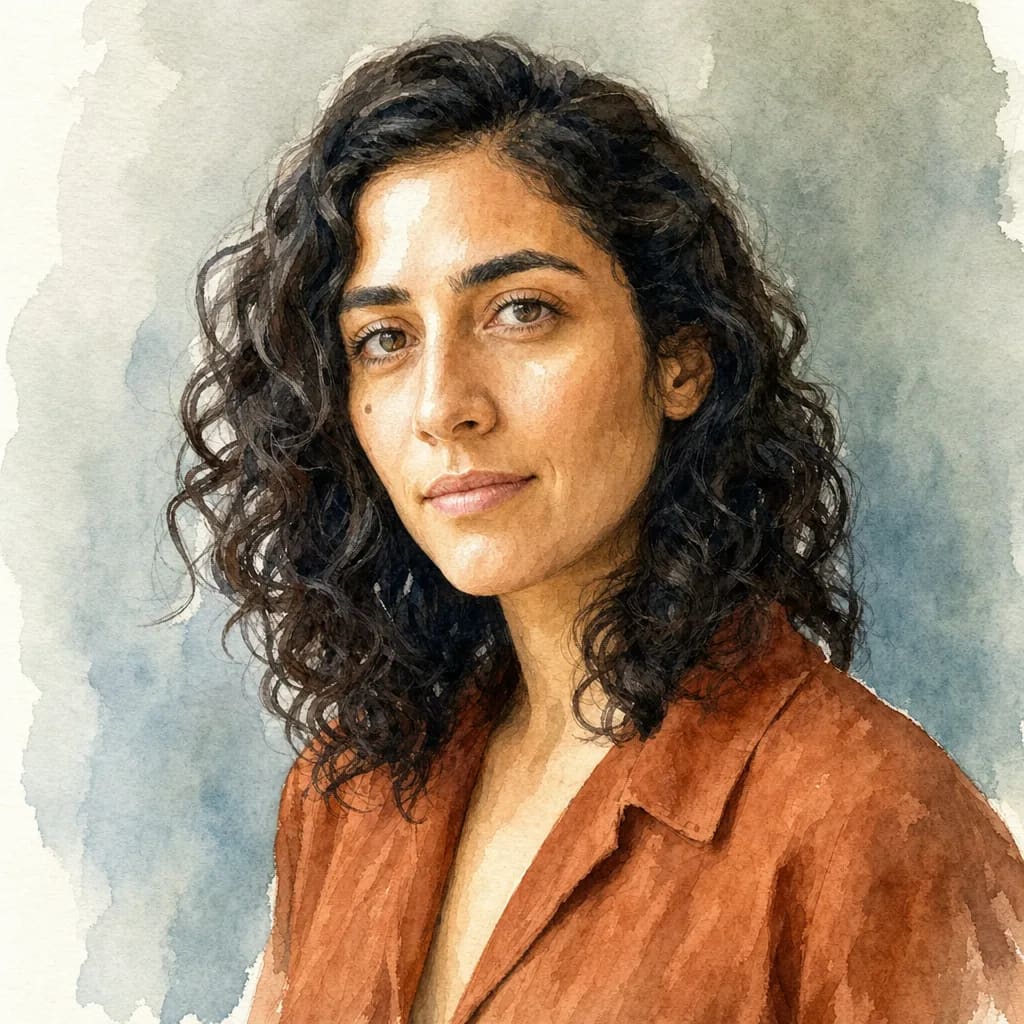
Faces
Portraits, couples, weddings
Watercolor is kind to faces. Washes soften skin without erasing the features that make someone recognisable, and the white left as bare paper does the work a highlight would. Front-lit photos convert best; heavy shadow across one side of a face tends to pool into a flat dark shape.
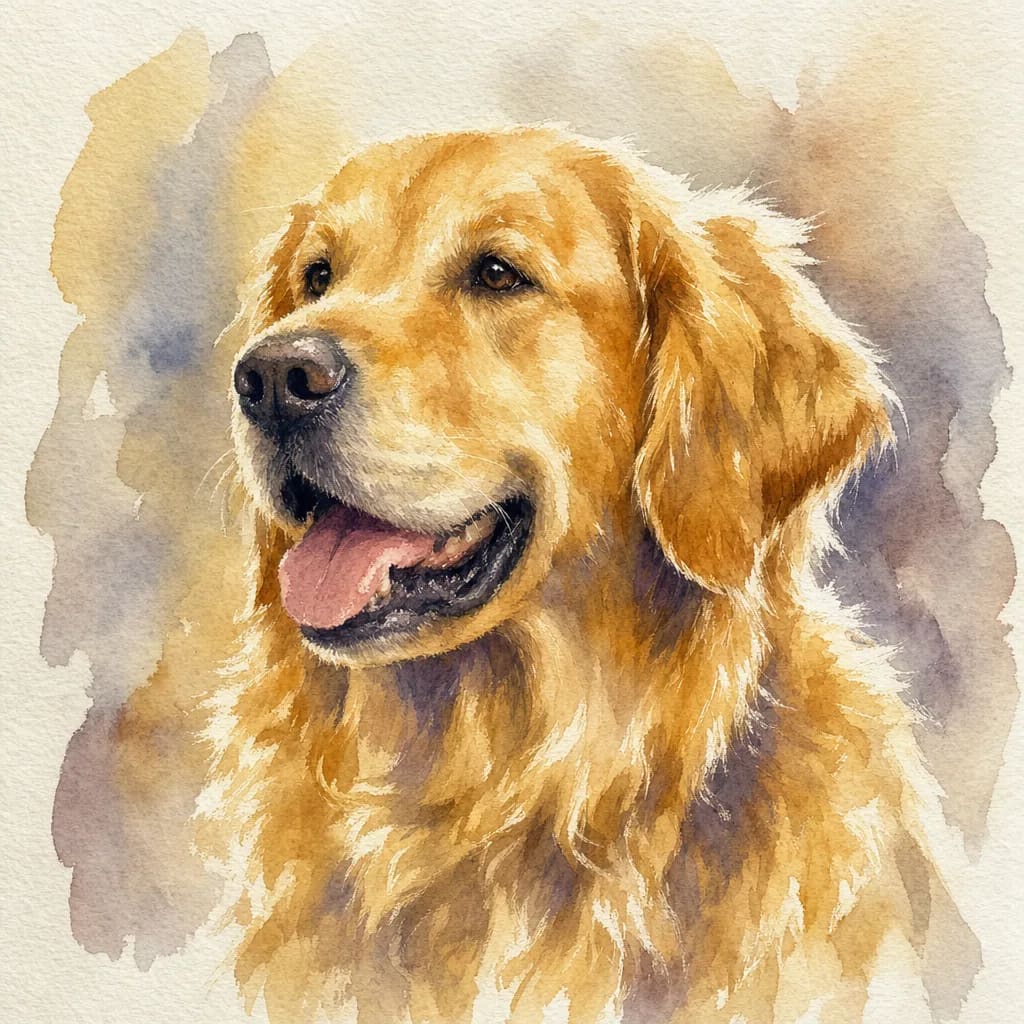
Fur and feathers
Pets and animals
The medium's wet edges suit fur better than they suit fabric — the bleed reads as depth rather than blur. Dark animals against dark backgrounds are the hard case, since watercolour separates them with tone alone and both end up the same weight.
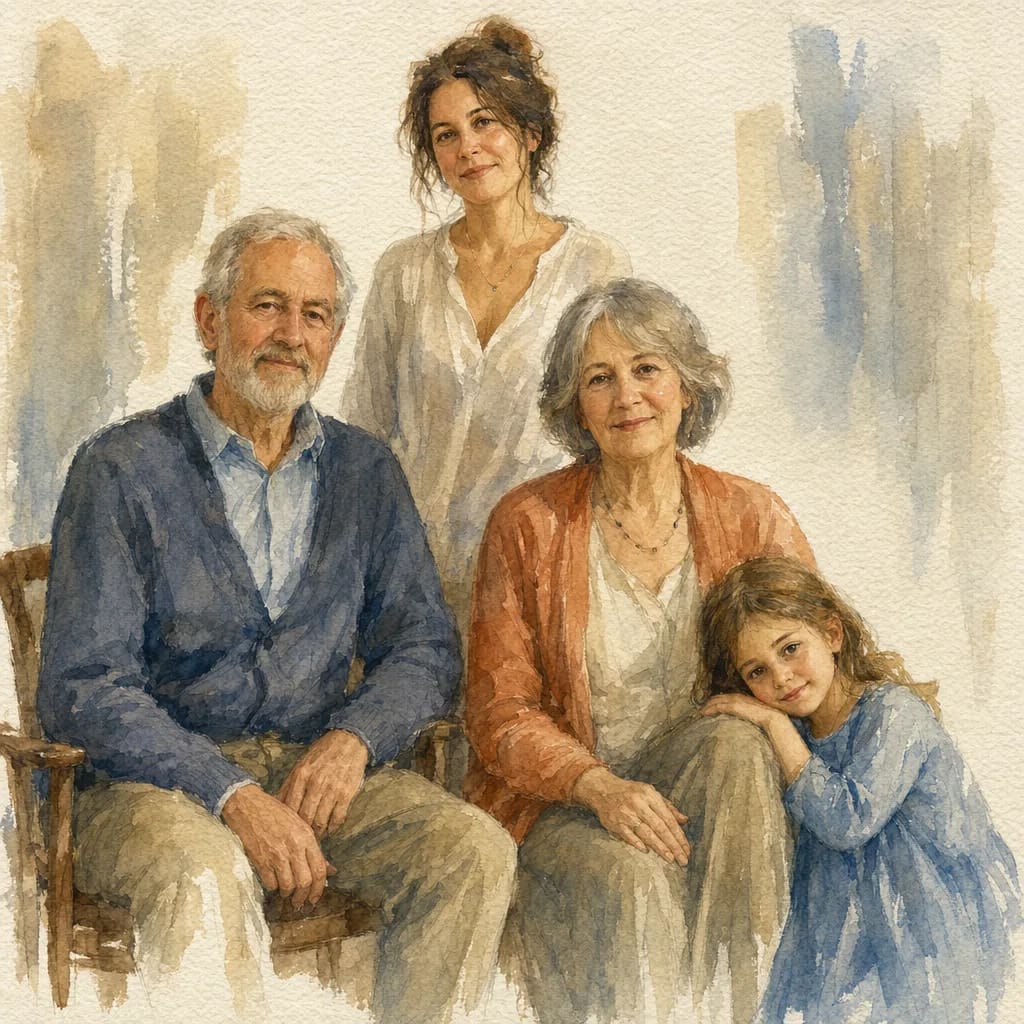
Groups
Family portraits, keepsakes
Several people hold together as long as the photo already separates them clearly. Watercolour will not invent distance between two overlapping heads, so a photo with visible gaps between subjects converts far better than a tightly packed one.
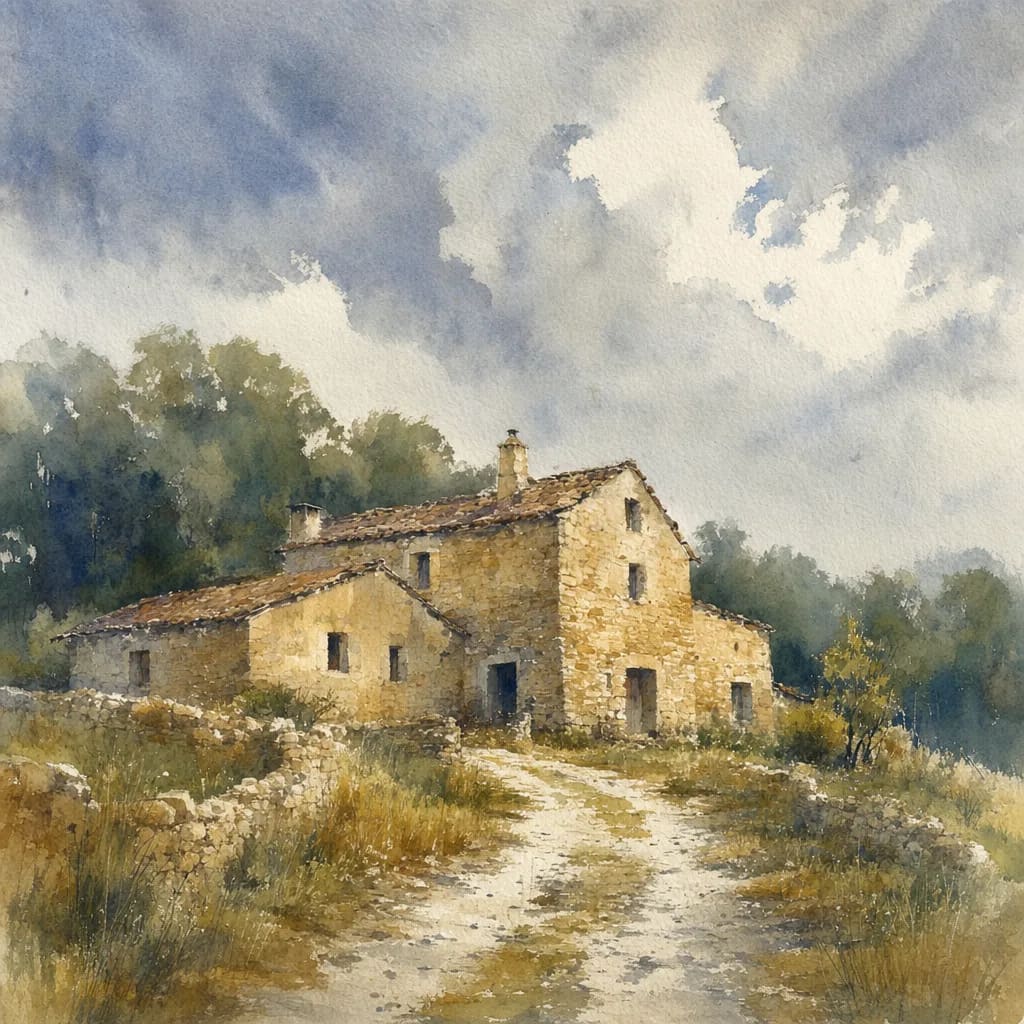
Places
Houses, venues, landscapes
Buildings and landscapes are where the medium is most forgiving, because loose edges read as style rather than error. A wedding venue or a childhood house is one of the more common uses, and one of the most reliable.
Photo-to-watercolor use cases
Watercolor style suits emotional gift-giving, personal keepsakes, and aesthetically-driven content creation. Most searches for watercolor portraits fall into four distinct use cases:
Family Portraits
Watercolor family portraits work especially well for gift-giving — parents, grandparents, anniversaries. The soft watercolor style feels less clinical than a photograph while preserving family likeness.
Custom & Personalized Portraits
For individual portrait keepsakes with a personal aesthetic touch. Great for personal use, wedding party gifts, or commissioned-looking artwork without the commission cost.
Couple & Wedding Portraits
Watercolor couple portraits capture togetherness with a softer aesthetic than photography. Popular for wedding save-the-dates, anniversary gifts, engagement keepsakes, and vow-renewal art.
Pet Portraits
Watercolor pet portraits are a strong sub-category — memorial art for lost pets, personalized art for pet owners, gift-giving for animal lovers. Works well across dogs, cats, birds, and horses.
Photo-to-watercolor: app vs web tool
“Best photo-to-watercolor app” and “photo to watercolor online” get slightly different searchers. App-first users want offline access and a home-screen icon; web-tool users want fast access without install. Both work — pick based on how you consume tools.
TaleAtelier (browser-based)
When it fits: You want to try it fast without installing anything. Works on desktop, laptop, tablet, phone browser.
Dedicated mobile app
When it fits: You want offline access, home-screen icon, or notification-based generation queue. Requires install and app store account.
General image editors (Photoshop, Procreate)
When it fits: You want manual control over every stroke. Requires art skill + hours per portrait. Very different tradeoff from AI conversion.
Explore the full watercolor style
This page is about watercolor specifically — the widget above opens on it, and everything here describes what that medium does to a photograph. If you want the broader style — technique history, artist references, gallery inspiration, the context of watercolour as an art form — see the companion guide.
With an account there are thirty-six styles in total, and a custom one: describe a look in your own words and it is used instead of a preset.
Frequently asked questions
How do I turn a photo into a watercolor?+
Upload your photo and the AI paints it in watercolor in about 40-90 seconds — washes, soft edges, white paper left as the highlights. You can do one free on this page, with no account, before deciding anything. Best results come from well-lit, front-facing photos with a clear subject.
Is photo-to-watercolor free?+
You can paint one free on this page each week, with no account and no watermark. Beyond that it is credit-based rather than unlimited: 100 credits per image, and Starter is $9.99/month for 2,000 credits — about twenty images — with Plus and Pro carrying more. Credits reset monthly and do not roll over. Many competing tools offer free tiers with different limits; check each tool's terms.
Can I choose how loose or finished the painting looks?+
Not directly — there is no looseness slider, and the tool paints one watercolor register rather than a set of finishes. What decides how loose the result reads is the photo: a softly lit subject with simple shapes comes back more suggestive, while a sharp, evenly lit photo with clear detail holds more definition. If you want a distinctly different treatment, the neighbouring styles are the real lever — pencil sketch is looser and tonal, line art is the most reduced.
Can I use my pet's photo?+
Yes. Watercolor pet portraits work especially well — the soft aesthetic suits animal fur textures and expressive eyes. Best with well-lit photos where the pet is the clear subject. Multi-pet compositions work if the pets are close together in the source photo. Great for memorial portraits, gift-giving, or personalized pet-parent decor.
How long does the conversion take?+
About 40-90 seconds, depending on the photo and current load. Upload to finished painting is usually under two minutes. Compare that to a physical commissioned watercolor, which takes 2-6 weeks depending on the artist.
What file format do I get?+
PNG or JPG. The free painting on this page is the same image an account produces — we do not downgrade it or stamp it. If you need a specific print size for framing, check the downloaded file against your printer's requirements before ordering, as with any digital image.
Can I print the result as a physical watercolor painting?+
The output is a digital AI-generated image — not a physical painted canvas. You can print the digital file yourself on any print service (Shutterfly, CanvasChamp, local print shop) or frame it as a physical print. For a truly hand-painted physical commission, services like Etsy watercolor artists or specialized portrait commission sites handle physical creation but at higher cost ($50-$500+) and longer wait times.
Is this AI-generated?+
Yes — the watercolor output is generated by AI trained on watercolor style. It's not a filter applied to your photo (which would just recolor pixels). The AI generates a new image in watercolor style based on your source photo, preserving the subject's identity and composition while producing genuinely painterly brushwork rather than photo-filter artifacts.
Can I convert an image to watercolor for free online?+
Yes — one painting per visitor per week, in the browser, with no account, no install and no watermark. Multiple competing tools (PixelBin, PortraitArt.app, Easemate.ai) offer similar free tiers. The differences worth comparing are how many styles each offers, image quality, and what the free tier does to your photo afterwards.
What if I want a custom watercolor portrait as a gift?+
For a personalized digital watercolor portrait, this works — paint it, then print and frame it yourself. For a genuinely hand-painted commissioned watercolor, which is what some gift-givers specifically want and will notice the absence of, consider Etsy watercolor artists or physical commission services. The tradeoff is real: $50-$500+ and 2-8 weeks against a digital result in about a minute, free.
Keep exploring
Watercolor Style — Full Guide
Complete watercolor style guide with technique context, sample gallery, and artistic reference — the broader style hub.
Photo to Oil Painting
Convert photo to oil painting style — richer, more traditional aesthetic instead of watercolor.
Photo to Anime
Convert photo to anime style — Japanese animation aesthetic.
Photo to Comic
Convert photo to comic-book style — Western comic aesthetic with panels and lettering.
Photo to Manga
Convert photo to manga style — black-and-white with screentones and Japanese comic conventions.
AI Comic Generator
The full tool behind the comic tab above — up to 400 pages, your own dialogue, thirty-six styles.
Chibi Maker
Create chibi characters — oversized head, tiny body, cute expressive style. Different aesthetic entirely.
Turn your photo into a watercolor painting
Paint one free on this page and see the style on your own photo before signing up. Accounts add the full style catalogue and 2,000 credits a month from $9.99.
Try Photo to Watercolor free →Reviewed: 2026-09-11 (September 11, 2026)