AI Manga Style: Black & White Screentone Manga Panels
By the TaleAtelier Editorial Team — last reviewed
TL;DR
TaleAtelier makes manga-style comics: monochrome ink, screentones, right-to-left panels. Locked characters across up to 400 panels. 36 art styles including Anime, Manhwa, and Seinen. Monthly plans from $9.99. Have a photo? Turn it into a manga panel featuring you →
Not sure if it's manga, manhwa, or manhua? See our complete manga vs manhwa vs manhua guide — etymology, differences, reading direction.
The style
One sample panel — the visual language of Manga rendered by TaleAtelier. Line weight, palette, and composition conventions all baked into the discipline.
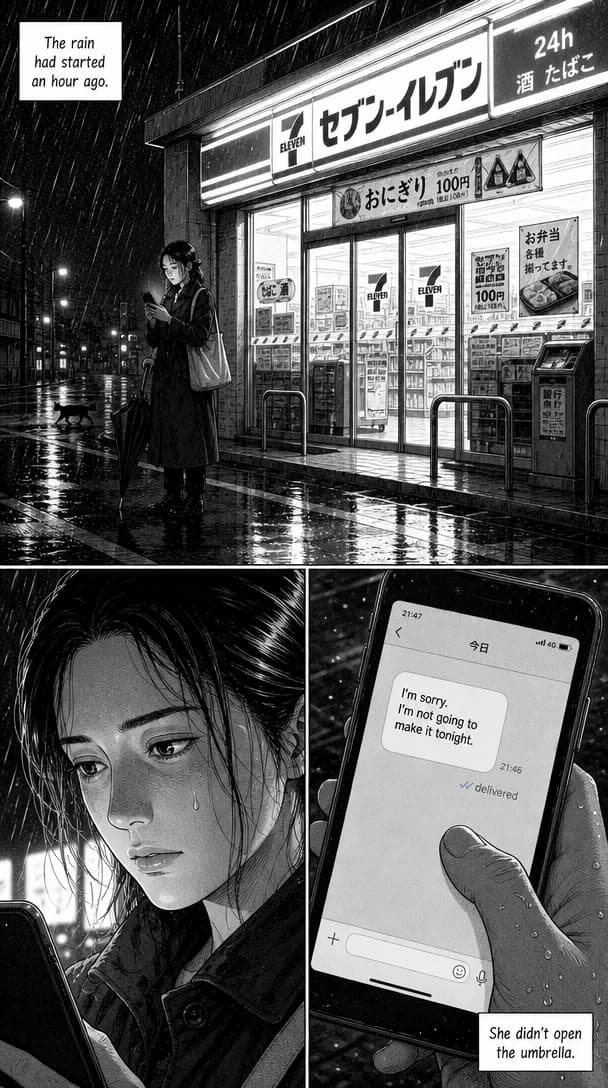
Start with our AI manga generator — the manga-focused workflow with genre-specific styles and baked-in speech bubbles. Or use the general AI comic generator and pick Manga as your discipline.
And a finished page
The tile above is one panel. This is a complete page in the same style — panels, gutters, and dialogue lettered into the balloons as the page is drawn, not pasted on afterwards.
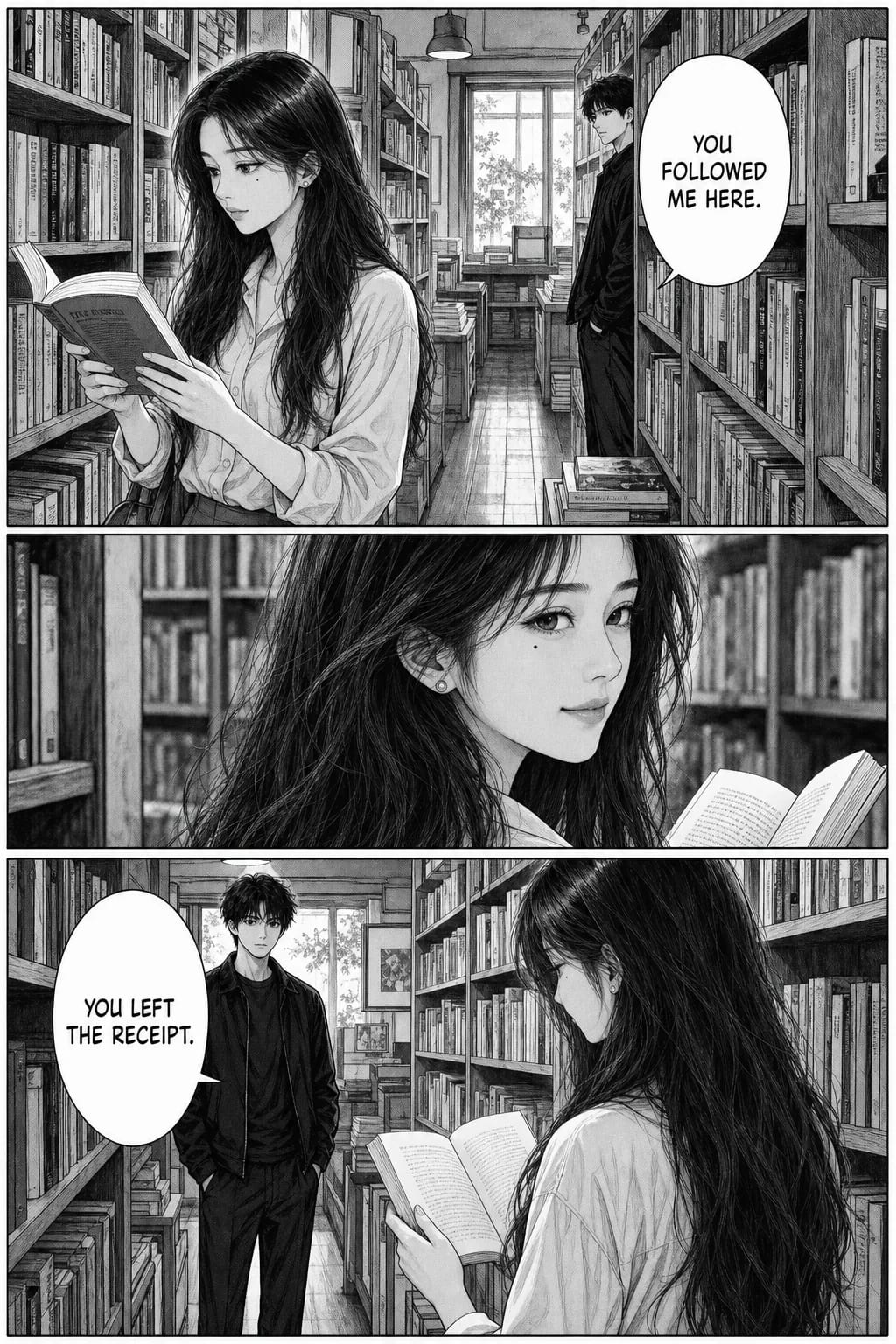
Generated at 1664 × 2496. Moderate G-pen variation, restrained screentone, black held back for hair mass.
How to make a manga on TaleAtelier
Five steps, ~30 minutes for a 10-panel Short manga.
- 1
Sign up (free account)
2-3 minCreate a free account. Save characters and drafts. Pick a plan when you're ready to generate — enough to test the Manga style on a Short comic.
- 2
Pick the Manga style
1 minManga on TaleAtelier is monochrome + screentones + right-to-left panel flow. Different from Anime (full-color cel shading) and Manhwa (Korean full-color vertical webtoon).
- 3
Design your protagonist (locked)
3-5 minUpload a photo or describe. TaleAtelier stores a character fingerprint and reuses it across every panel. Track up to 6 characters — enough for a manga ensemble.
- 4
Write the story arc
5-10 minPlot in 3-5 sentences per act. Manga panel rhythm favors setup → beat → beat → reveal, with wide establishing shots alternating with tight character close-ups.
- 5
Generate and refine
10-20 min for 10 panelsThe generator renders each panel in ink + screentones. Regenerate individual panels that miss the manga line-weight variation.
What makes manga look manga
Manga developed distinct visual conventions from print economics (couldn't afford color) and Japanese reading tradition (right-to-left). When you pick Manga on TaleAtelier, we bake in:
| Convention | What it is | Origin |
|---|---|---|
| Monochrome ink | Pure black-and-white with grayscale mid-tones from screentone patterns, not gradient. No color except sparingly on chapter covers. | Print economics of manga magazines (Weekly Shonen Jump, 1968+) |
| Screentones | Dot, line, and pattern overlays applied for shadow, texture, atmosphere, and mood. The single most recognizable manga technique. | Adhesive tone sheets used since the 1960s; digital equivalents since Comic Studio (2001) |
| Right-to-left reading | Panels flow right-to-left within a page, and pages flow right-to-left in the book. Speech bubbles positioned accordingly. | Japanese vertical writing tradition (縦書き) |
| Line weight variation | Thick outline on foreground characters, thinner line on backgrounds. Contour vs interior detail. Creates depth without color. | Osamu Tezuka's post-war manga (Astro Boy 1952-1968) |
| Panel rhythm | Wide establishing shot → tight character close-up → beat → reveal. Manga uses more panels-per-page than Western comics. | Scott McCloud (Understanding Comics, 1993) documents this as manga's signature |
Reference: Frederik L. Schodt, Manga! Manga! The World of Japanese Comics (1983, Kodansha International); Scott McCloud, Understanding Comics (1993). Verified .
Screentones — the manga tone language
Screentones are the reason manga looks like manga. Before digital tools, artists cut sheets of pre-printed tone (Kubota, Deleter, IC brands) and applied them to inked pages. Each pattern carries meaning:
- • Dot patterns (60-line, 40-line): shadow and mid-tone on skin, sky, backgrounds
- • Cross-hatch tones: heavy shadow, cloth folds, dramatic contrast
- • Line tones (horizontal, vertical, diagonal): speed, motion, emotional intensity
- • Gradient tones: atmosphere, distance, dreamy or nostalgic mood
- • Sparkle / floral tones: shoujo manga romantic ambience
- • Solid black spot: anchors the eye — used for silhouettes and heavy shadow
On TaleAtelier, name the tone explicitly in your prompt (“dot-pattern screentone on shadows,” “cross-hatch on the coat”) and the generator renders proper tone patterns. Vague “shadow” produces grayscale gradient — not manga.
Right-to-left panel flow
A Japanese manga page is read right-to-left, top-to-bottom. The first panel is top-right, the last is bottom-left. Character focus, motion direction, and speech bubble placement all follow this flow.
TaleAtelier generates panels with composition aware of right-to-left flow — character focus lands on the right side of establishing shots, action beats point leftward. If you're publishing in English left-to-right (some print manga localizations do this), you can either flip the panels in post-processing (Naruto's early English release did this) or preserve right-to-left flow (Viz Media's standard since 2002).
Reference: Kodansha USA style guide; Viz Media localization standards.
Manga prompt patterns that work
Vague prompts (“manga panel”) produce generic anime output. Specific prompts (named screentone patterns, named influences, named panel type) produce output you actually want.
Chapter opener (establishing shot)
Named place + explicit screentone patterns (dot, cross-hatch) + line-weight callout. The generator renders proper screentone texture.
Emotional close-up
Manga emotional close-ups are all about screentone density. Named location on face for each tone type = fine-grained control.
Action beat (One Piece / Naruto style)
Named canonical influence (One Piece) helps model reach the shonen action look. Speed lines are non-negotiable for action manga.
When to reach for another tool (honest)
- Professional print-ready manga → Clip Studio Paint is the industry-standard for hand-drawn manga with pixel-perfect tone control. If you can draw, use it. TaleAtelier is for creators who can't or don't want to draw.
- Single manga-style character portrait → Imagine.art or Perchance are faster for one-off single images.
- Manga story with returning characters → TaleAtelier. Multi-panel + character consistency + proper screentones.
FAQ
Last reviewed:
Manga style vs Anime style on TaleAtelier — which do I pick?+
Manga = black-and-white + screentones + right-to-left. Anime = full-color + cel shading. Same story, completely different look. Pick Manga if your reference material is One Piece, Berserk, or Attack on Titan (the manga, not the anime). Pick Anime if your reference is the animated adaptation.
Does TaleAtelier actually render proper screentones?+
Yes — the generator handles screentone dot patterns, cross-hatching, and line hatching. Not identical to hand-applied Kubota screen tone sheets, but visually recognizable as manga-style tone work. Digital manga tools (Clip Studio Paint, Comic Studio) do it more precisely; we do it faster.
Right-to-left reading — does TaleAtelier support that?+
The panels are generated with right-to-left composition (character focus on right, action flowing left). You'd read them right-to-left. For actual right-to-left page layout in print, most print-on-demand platforms handle the pagination separately — check with your printer.
Can I do color manga (like the color inserts in Jump)?+
Not through the Manga style — that preset is committed to monochrome. For color manga panels, use Anime style (full cel-shaded color) or generate a chapter cover as a separate one-off with color prompt keywords.
How many manga panels does each plan include?+
Starter ($9.99/mo) includes 2,000 coins — roughly 2-3 Short comics or 1 Medium comic per month. Plus ($24.99/mo) is 7,000 coins for regular publishing. Pro ($59.99/mo) is 20,000 coins for studios or heavy users.
Can TaleAtelier do Berserk-style grimdark manga?+
Yes — pick Manga style + describe scenes with Kentaro Miura or Berserk as a named influence. The generator understands the reference. You'll get ink-heavy line weight and high-contrast shadow work. Not identical to Miura's hand (nothing is), but recognizably in the tradition.
How is this different from the /ai-manga-generator page?+
This page (/styles/manga) is about the manga *aesthetic* on TaleAtelier — screentones, monochrome, right-to-left, panel rhythm. The AI Manga Generator tool page covers the workflow, features, and end-to-end tool. Use this page to understand the look; use that page for the full tool overview.
Ready to make your manga?
Monthly plans from $9.99. Cancel anytime.
Create your account